
1. 서론
Thank you for choosing the Dosilkc 2K Light Bulb Security Camera. This device is designed to provide reliable indoor surveillance with easy installation and advanced features such as 2K resolution, dual-band Wi-Fi connectivity, human motion detection, and color night vision. This manual provides essential information for setting up, operating, and maintaining your camera.
2. 안전 정보
- 실내에서만 사용 가능: This camera is designed for indoor environments. Do not expose it to outdoor weather conditions, moisture, or extreme temperatures.
- 설치 전 전원 끄기: Always ensure the power to the light socket is turned off before installing or removing the camera to prevent electrical shock.
- 전력 요구 사항: The camera operates on a standard E27 light socket (110V~240V). Ensure your socket meets these specifications.
- 안전한 설치: Ensure the camera is securely screwed into the light socket or adapter to prevent it from falling.
- 장애물을 피하십시오: Do not place objects that may obstruct the camera's view 또는 환기.
- 데이터 개인정보 보호: Protect your Wi-Fi network with a strong password and regularly update your camera's firmware to enhance security.
3. 패키지 내용
패키지에 모든 품목이 들어 있는지 확인하세요.
- Dosilkc 2K Light Bulb Security Camera
- E27 Screw Base (pre-attached)
- USB Power Adapter (if included)
- Mounting Screws (if included for adapter)
- 사용 설명서 (본 문서)
4. 설정 가이드
4.1 물리적 설치
- 전원 끄기: Locate the light switch or circuit breaker controlling the E27 light socket where you intend to install the camera. Turn off the power completely.
- Screw in Camera: Carefully screw the Dosilkc Light Bulb Security Camera into the E27 light socket. Ensure it is tightened securely but do not overtighten.
- Alternative Installation (if applicable): If using the included USB power adapter, connect the camera to the adapter and plug it into a standard wall outlet.
- 복원력 : Turn the power back on at the light switch or circuit breaker. The camera will power on and initiate its startup sequence.
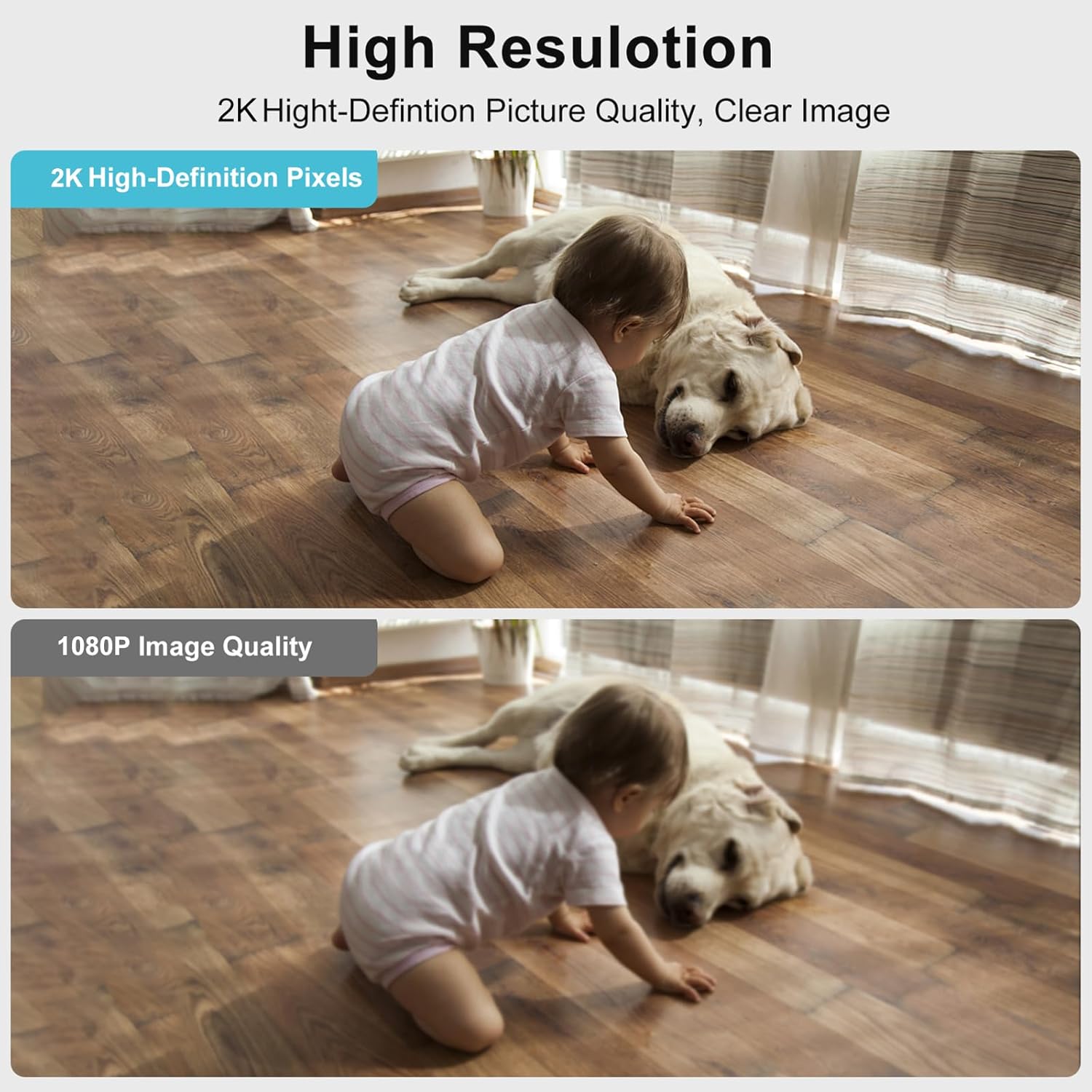
Image: The Dosilkc Light Bulb Security Camera is designed for easy installation into a standard E27 light socket, similar to replacing a light bulb.
4.2 앱 다운로드 및 계정 생성
- 앱 다운로드 : 검색 the recommended app (e.g., "O-KAM" or as specified in the packaging) on the Apple App Store (for iOS) or Google Play Store (for Android).
- 앱을 설치: 스마트 폰 또는 태블릿에 앱을 다운로드하여 설치하십시오.
- 계정 생성: Open the app and follow the on-screen instructions to register a new account. This typically involves providing an email address and creating a password.
4.3 Wi-Fi 연결
- 장치 추가: In the app, tap the "+" icon or "Add Device" option to begin pairing.
- 장치 유형 선택: Choose the appropriate device type, usually a "Smart Camera" or "Light Bulb Camera."
- 전원 켜짐 확인: Confirm that the camera is powered on and its indicator light is blinking (refer to app for specific light patterns).
- Wi-Fi에 연결: Enter your Wi-Fi network name (SSID) and password. The camera supports both 2.4GHz and 5GHz Wi-Fi bands. For 5GHz, ensure the camera is within 3-5 meters of the router due to its shorter range and weaker penetration.
- Scan QR Code (if applicable): The app may generate a QR code. Hold your phone's screen in front of the camera lens until you hear a confirmation sound.
- 페어링 완료: Wait for the camera to connect to your Wi-Fi network. Once connected, you will hear a confirmation and the indicator light will change (e.g., solid blue).
- 카메라 이름: Assign a name to your camera (e.g., "Living Room Camera," "Pet Camera") for easy identification.
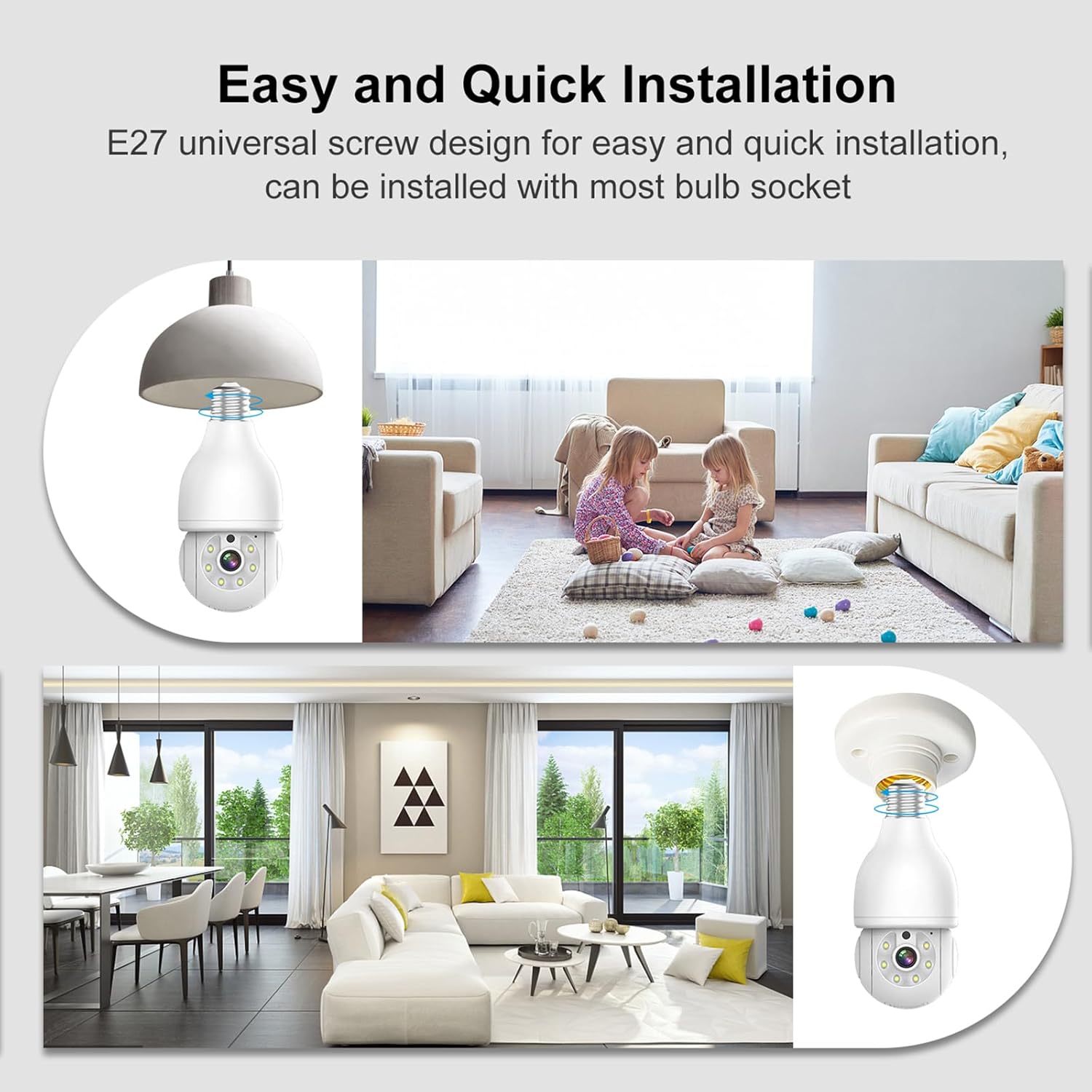
Image: The camera connects to your home Wi-Fi network and is controlled via a dedicated smartphone application, allowing remote access and management.
5. 사용 설명서
5.1 라이브 View
앱을 열고 카메라를 선택하세요 view the live feed. The live view displays real-time video from the camera, allowing you to monitor your space.
5.2 팬, 틸트, 줌(PTZ)
The camera features pan (355° horizontal) and tilt (90° vertical) capabilities, along with 4x digital zoom. Use the directional controls within the app to adjust the camera's viewing angle and zoom in on specific areas.

Image: The camera offers a wide range of motion with 355° horizontal pan and 90° vertical tilt, enabling comprehensive area coverage.
5.3 양방향 오디오
Utilize the built-in microphone and speaker for two-way communication. Tap the microphone icon in the app to speak through the camera, and listen to audio from the camera's environment.

Image: The two-way audio feature allows for direct communication through the camera, enabling interaction with individuals in the monitored area.
5.4 야간 투시경
The camera supports both infrared (black and white) and full-color night vision. In low-light conditions, the camera automatically switches to night vision mode. You can often toggle between modes within the app settings.

Image: The camera provides both clear infrared night vision and enhanced full-color night vision for visibility in various low-light conditions.
5.5 Motion Detection and AI Person Tracking
The camera is equipped with human motion detection and AI person tracking. When motion or a human figure is detected, the camera can automatically track the movement and send real-time alerts to your smartphone. Customize detection zones and sensitivity settings in the app to reduce false alarms.

Image: The camera's AI human detection filters out irrelevant motion and focuses on human activity, sending timely alerts to your mobile device.
5.6 기록 및 저장
Recordings can be stored locally on a Micro SD card (up to 256GB, not included) or via cloud storage services (subscription may be required). Access recorded footag앱의 재생 기능을 통해.

Image: The camera supports local storage via a Micro SD card (up to 256GB) and offers cloud storage options for secure video backup.
5.7 스마트 홈 통합
The camera is compatible with certain smart home platforms, such as Amazon Alexa. Follow the instructions in your smart home app to link your Dosilkc camera for voice control and integration.

Image: The camera integrates with Amazon Alexa, allowing for convenient voice control and smart home automation.
5.8 ONVIF 호환성
This camera is ONVIF compliant, allowing it to work with ONVIF-conformant Network Video Recorders (NVRs) for 24/7 continuous recording and integration into existing surveillance systems.

Image: The camera's ONVIF compatibility enables seamless integration with Network Video Recorders (NVRs) for continuous recording and advanced surveillance setups.
6. 유지관리
- 청소: 부드럽고 마른 천을 사용하여 카메라 렌즈와 본체를 닦으세요. 액체 세척제나 연마재를 사용하지 마세요.
- 펌웨어 업데이트: 앱에서 사용 가능한 펌웨어 업데이트가 있는지 정기적으로 확인하세요. 카메라 펌웨어를 최신 상태로 유지하면 최적의 성능, 보안 및 새로운 기능 이용이 보장됩니다.
- SD 카드 관리 : 마이크로 SD 카드를 사용하는 경우 주기적으로 재설정하십시오.view 그리고 중요한 파일을 백업하세요tage. Reformatting the SD card within the app can help maintain its performance.
7. 문제 해결
| 문제 | 가능한 원인 | 해결책 |
|---|---|---|
| 카메라 전원이 켜지지 않음 | No power to socket; loose connection | Ensure light switch/circuit breaker is on. Tighten camera in socket. Test socket with a regular bulb. |
| Wi-Fi에 연결할 수 없습니다 | Incorrect Wi-Fi password; camera too far from router; 5GHz signal issues | Verify Wi-Fi password. Move camera closer to router. For 5GHz, ensure proximity (3-5m). Try 2.4GHz if available. Reset camera and try pairing again. |
| 잦은 연결 끊김 | Weak Wi-Fi signal; network interference | Improve Wi-Fi signal strength (e.g., Wi-Fi extender). Reduce interference from other devices. |
| 허위 모션 경고 | High sensitivity; environmental factors (e.g., moving curtains, shadows) | Adjust motion detection sensitivity in the app. Define specific detection zones to exclude irrelevant areas. |
| SD 카드에 녹화되지 않음 | SD card full; faulty SD card; incorrect settings | Check SD card status in app. Reformat SD card. Replace SD card if necessary. Ensure recording settings are enabled. |
| Camera resets after power loss | System design; network configuration loss | Some cameras may require re-pairing or re-configuration after a power outage, especially if network settings are lost. Ensure stable power supply. If persistent, contact support. |
8. 사양
| 특징 | 세부 사항 |
|---|---|
| 모델 번호 | DS-LBQ02 |
| 비디오 캡처 해상도 | 2K(2304*1296) |
| 최고 Web캠 이미지 해상도 | 3 MP |
| 연결성 | 2.4GHz/5GHz 듀얼 밴드 Wi-Fi |
| 팬/틸트 범위 | 355° 수평, 90° 수직 |
| 디지털 줌 | 4x |
| 나이트 비전 | Infrared, Full-Color |
| 인체 동작 감지 | Yes, with AI Person Tracking |
| 양방향 오디오 | 예 |
| 저장 옵션 | 마이크로 SD 카드(최대 256GB), 클라우드 스토리지 |
| 스마트 홈 호환성 | 아마존 알렉사 호환 |
| ONVIF 지원 | 예 |
| 전원 공급 장치 | E27 Light Socket (110V~240V) |
| 품목 무게 | 10.5 온스 |
| 치수 | 7.05 x 4.13 x 3.9인치(패키지) |
9. 보증 및 지원
For warranty information and technical support, please refer to the documentation included with your purchase or visit the official Dosilkc web사이트. 보증 청구를 위해 구매 증빙 자료로 구매 영수증을 보관하세요.
If you encounter any issues not covered in this manual, please contact Dosilkc customer support for assistance.