
CANDY CSO 696TWMBB6-80
캔디 스마트 프로 인버터 세탁기 사용 설명서
Model: CSO 696TWMBB6-80
1. 중요한 안전 정보
Please read this manual carefully before installing and using your washing machine. Keep this manual for future reference.
- 전기 안전: Ensure the washing machine is connected to a properly grounded electrical outlet. Do not use extension cords or adapters.
- 물 연결: 급수 호스를 찬물 수도꼭지에 연결하세요. 누수를 방지하기 위해 모든 연결 부위가 단단히 조여져 있는지 확인하세요.
- 설치: The appliance must be installed on a firm, level floor. Remove all transit bolts before use to prevent damage and excessive vibration.
- 어린이와 애완동물: 제품이 작동하는 동안 어린이와 애완동물이 제품에 접근하지 못하도록 하세요.
- 유지: 청소나 유지관리를 하기 전에 반드시 전원을 차단하세요.
2. 제품 오버view
캔디 스마트 프로 인버터 세탁기는 효율적이고 편리한 세탁을 위해 설계되었습니다. 혁신적인 스피드 드라이브 모터와 퀵앤클린 시스템을 탑재하여 빠르고 효과적인 세탁이 가능합니다.
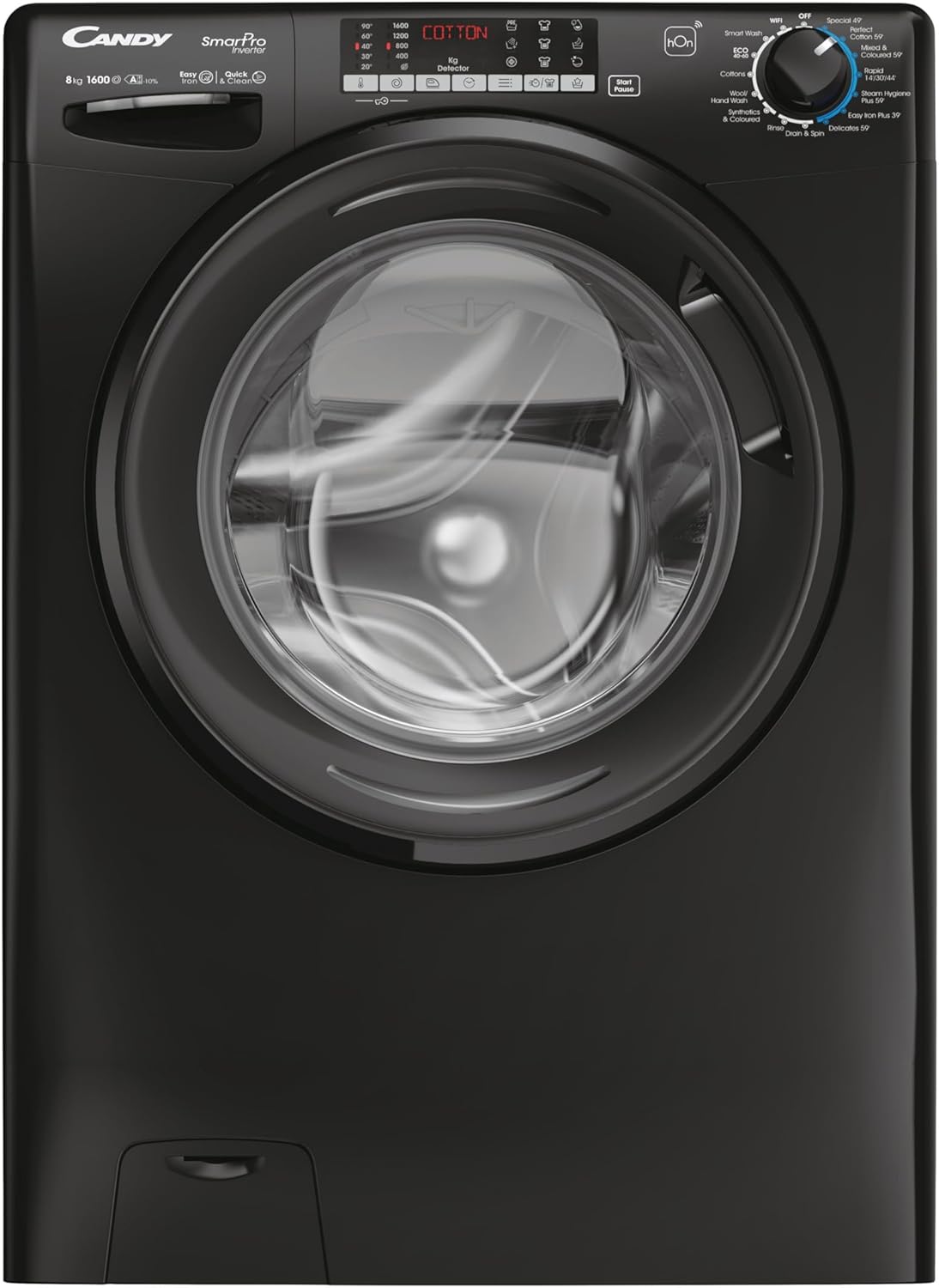
This image shows the front of the Candy Smart Pro Inverter washing machine, highlighting its sleek black design and central loading door. The control panel is visible at the top, featuring various program selections and a digital display.
주요 구성 요소:
- 제어판: Used to select wash programs, adjust settings, and start/pause cycles.
- 세제통: For adding detergent, fabric softener, and pre-wash agents.
- 북: 스테인리스 스틸 세탁조.
- 문: Front-loading door with a secure latch.
- 필터 액세스: Located at the bottom front for easy access to the drain pump filter.
3. 설정
포장 풀기 및 배치:
- 모든 포장재를 조심스럽게 제거하세요.
- Position the washing machine on a flat, stable surface. Ensure there is adequate space around the appliance for ventilation and access.
트랜싯 볼트 제거:
Before first use, it is crucial to remove the transit bolts located at the rear of the machine. These bolts secure the drum during transport and must be removed to prevent damage during operation.
- Locate the transit bolts on the back panel.
- Use a wrench to loosen and remove each bolt.
- Insert the plastic caps (supplied with the machine) into the holes.
Water and Electrical Connection:
- Connect the water inlet hose to a cold water tap. Hand-tighten the connection, then use a wrench to tighten it further, ensuring no leaks.
- 배수 호스를 적합한 배수관이나 싱크대에 끼우고, 배수 중에 움직이지 않도록 단단히 고정하세요.
- 전원 코드를 접지된 콘센트에 꽂으세요.
4. 사용 설명서
세탁물 로딩:
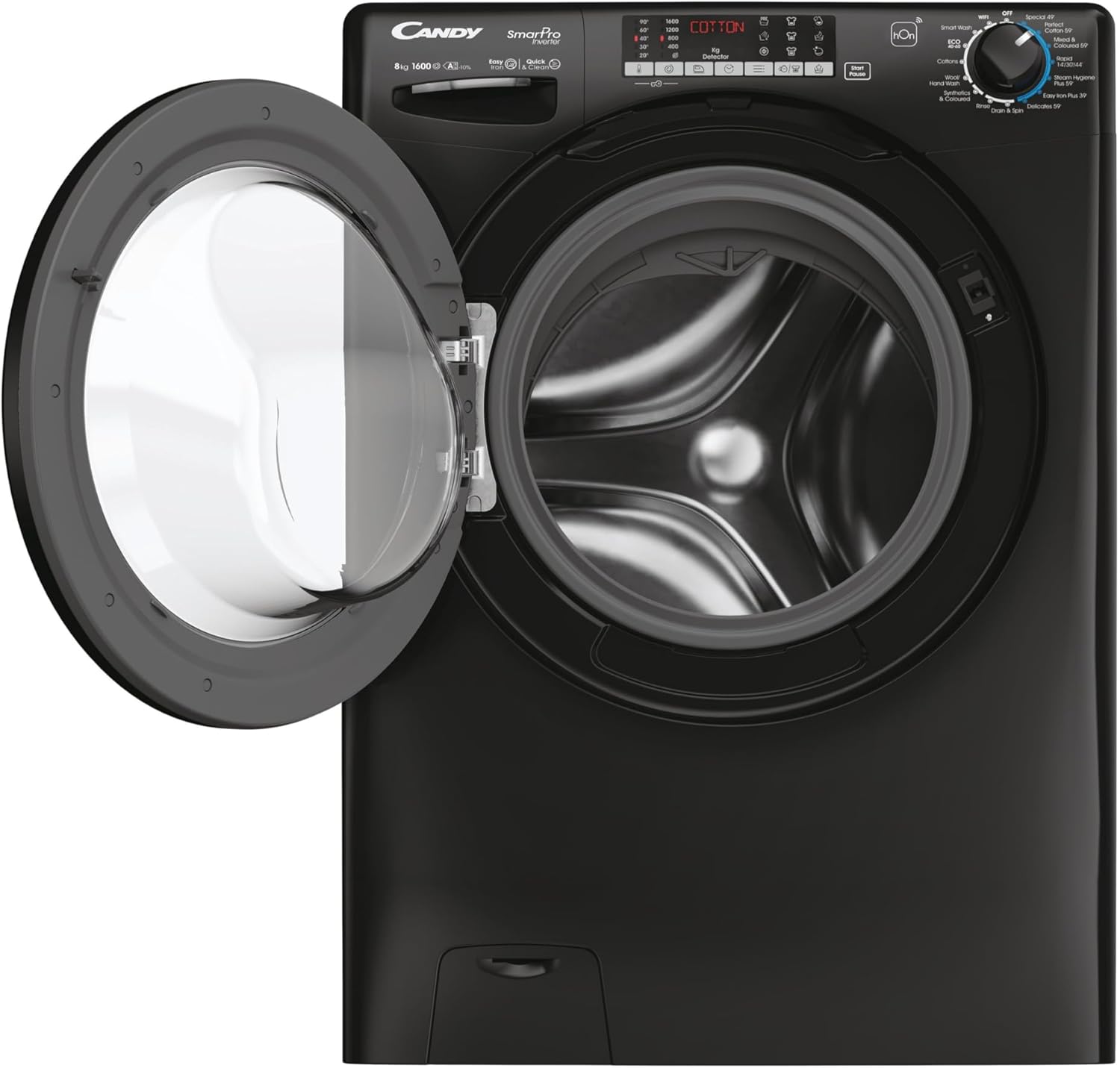
This image displays the Candy Smart Pro Inverter washing machine with its door open, revealing the spacious drum ready for laundry. This view is useful for understanding how to load clothes.
- 세탁기 문을여세요.
- Load laundry into the drum, ensuring not to overload. Leave enough space for clothes to tumble freely.
- 문을 단단히 닫아 딸깍 소리가 날 때까지 닫으세요.
세제 추가:

This close-up image shows the detergent drawer pulled out, indicating the compartments for pre-wash, main wash detergent, and fabric softener. This helps users identify where to add their laundry products.
- 세제 투입구를 빼내세요.
- 메인 세탁실에 적당량의 세제를 넣으세요.
- 원하는 경우, 지정된 칸에 섬유유연제를 넣으세요.
- 세제 투입구를 완전히 다시 밀어 넣으세요.
세탁 프로그램 선택:
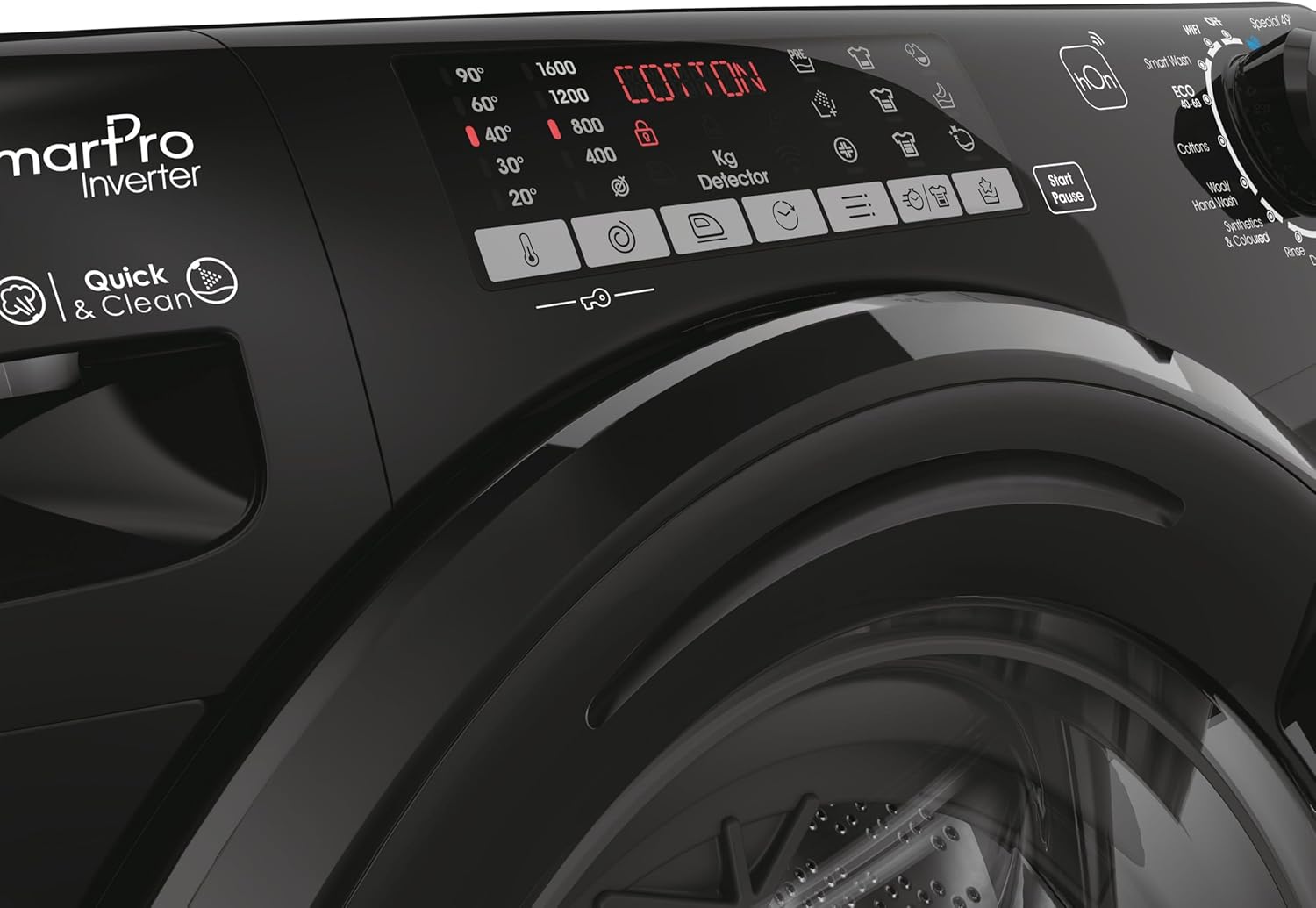
이 이미지는 자세한 내용을 제공합니다. view of the washing machine's control panel, focusing on the program selection dial and digital display. It shows various wash options like 'Smart Wash', 'Cottons', 'Wool', 'Synthetics', 'Quick Wash', and 'Easy Iron Plus 39''.
- Turn the program selector dial to choose the desired wash program (e.g., Cotton, Synthetics, Quick Wash).
- Adjust additional settings such as temperature and spin speed using the corresponding buttons on the control panel, if available for the selected program.
세탁 주기 시작:
- 세탁 주기를 시작하려면 '시작/일시정지' 버튼을 누르세요.
- 기계는 선택된 프로그램을 자동으로 진행합니다.
Ending a Wash Cycle:
- Once the program is complete, the machine will signal its finish.
- 문을 열고 세탁물을 꺼내세요.
- 드럼이 자연 건조되고 냄새가 나는 것을 방지하기 위해 문을 살짝 열어 두세요.
5. 유지관리
세제 투입구 청소하기:
- Regularly clean the detergent drawer to prevent residue buildup.
- Pull out the drawer completely and rinse it under running water.
- Use a brush to remove any stubborn residue.
- Wipe the drawer housing clean before reinserting the drawer.
배수 펌프 필터 청소:
- Periodically clean the drain pump filter to ensure proper drainage.
- 기기 앞쪽 하단에 있는 필터 덮개를 여세요.
- 남아 있는 물을 받기 위해 얕은 용기를 밑에 놓으세요.
- Slowly unscrew the filter and remove any lint, coins, or foreign objects.
- Clean the filter under running water and screw it back in firmly. Close the cover.
외부 청소:
- 부드러운 d로 외부 표면을 닦으십시오.amp 옷감.
- 연마성 세척제나 용제를 사용하지 마십시오.
6. 문제 해결
세탁기에 문제가 발생하면 아래 표에서 일반적인 문제와 해결 방법을 확인하세요.
| 문제 | 가능한 원인 | 해결책 |
|---|---|---|
| 기계가 시작되지 않습니다 | 전원 코드가 꽂히지 않았습니다. 문이 제대로 닫히지 않았습니다. 프로그램이 선택되지 않았습니다. 시작/일시 중지 버튼이 눌리지 않았습니다. | 전원 연결을 확인하세요. 문이 단단히 닫혔는지 확인하세요. 프로그램을 선택하세요. 시작/일시 중지 버튼을 누르세요. |
| 물 섭취 없음 | 수도꼭지가 닫혔습니다. 물 유입 호스가 꼬였습니다. 물 공급이 차단되었습니다. | 수도꼭지를 여세요; 호스를 곧게 펴세요; 가정용 급수 상태를 확인하세요. |
| 기계가 과도하게 진동함 | 운송용 볼트가 제거되지 않았습니다. 기계가 수평이 아닙니다. 하중이 고르지 않습니다. | Remove transit bolts; Adjust leveling feet; Redistribute laundry in the drum. |
| 물이 빠지지 않아요 | 배수 호스가 꼬이거나 막혔습니다. 배수 펌프 필터가 막혔습니다. | 배수 호스를 점검하고 청소하세요. 배수 펌프 필터를 청소하세요. |
| 서랍에 세제 찌꺼기 | 수압 부족; 세제 투입구가 막혔습니다. | 수압을 확인하고 세제 투입구를 청소하세요. |
7. 사양
Detailed technical specifications for the Candy Smart Pro Inverter Washing Machine.
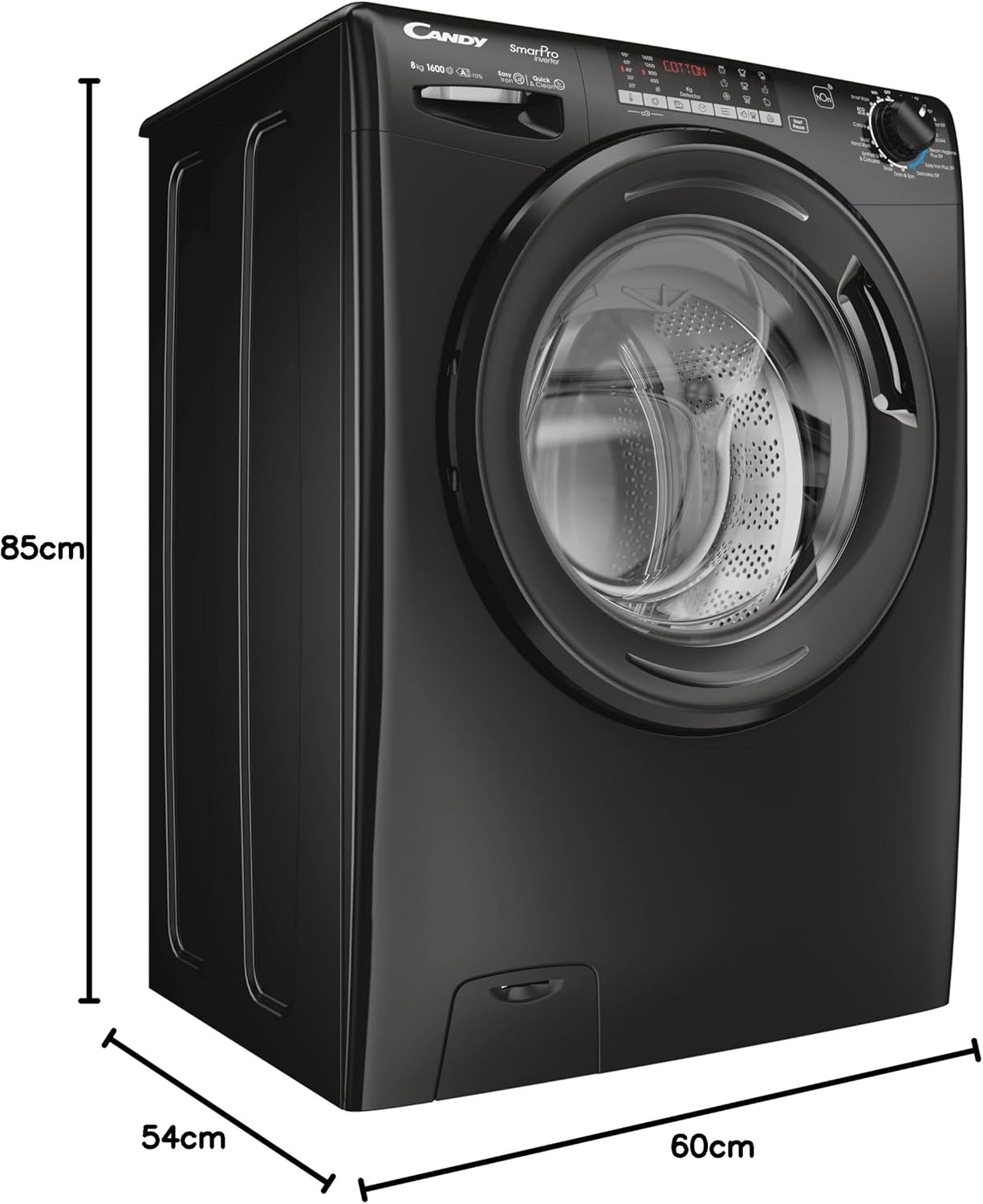
This image illustrates the physical dimensions of the washing machine, showing its height (85cm), depth (54cm), and width (60cm). This is crucial for installation planning.
| 특징 | 세부 사항 |
|---|---|
| 상표 | 사탕 |
| 모델 | CSO 696TWMBB6-80 |
| 용량 | 9 킬로그램 |
| 최대 회전 속도 | 1600 RPM |
| 제품 크기(D x W x H) | 54 x 60 x 85cm |
| 품목 무게 | 64kg |
| 연간 에너지 소비량 | 45킬로와트시 |
| 소음 수준(스핀) | 78데시벨 |
| 설치 유형 | 독립형 |
| 색상 | 검은색 |
| 액세스 위치 | 전면 로드 |
| 특별 기능 | 빠른 세척 |
| 포함된 구성 요소 | 기계, 사용 설명서, 에너지 라벨, 파이프 |
8. 보증 및 지원
For detailed warranty information and customer support, please refer to the warranty card or the full user manual included with your appliance. You may also visit the official CANDY web추가 지원 및 연락처 정보는 해당 사이트를 참조하세요.
The manufacturer is Haier.
Ask a question about this manual
Ask about setup, troubleshooting, compatibility, parts, safety, or missing instructions. Manuals+ will review the question and use this page’s manual context to help answer it.