
JUSTPRO MD-MINIPRO-Blue
JUSTPRO Mini Portable Wireless Guitar Ampliifier 사용 설명서
Model: MD-MINIPRO-Blue
소개
Thank you for choosing the JUSTPRO Mini Portable Wireless Guitar Amp리파이어. 이 다재다능한 amplifier is designed for guitarists seeking a compact, rechargeable solution with a wide range of effects and connectivity options for practice and recording. Please read this manual thoroughly to ensure proper use and maintenance of your amp리퍼.
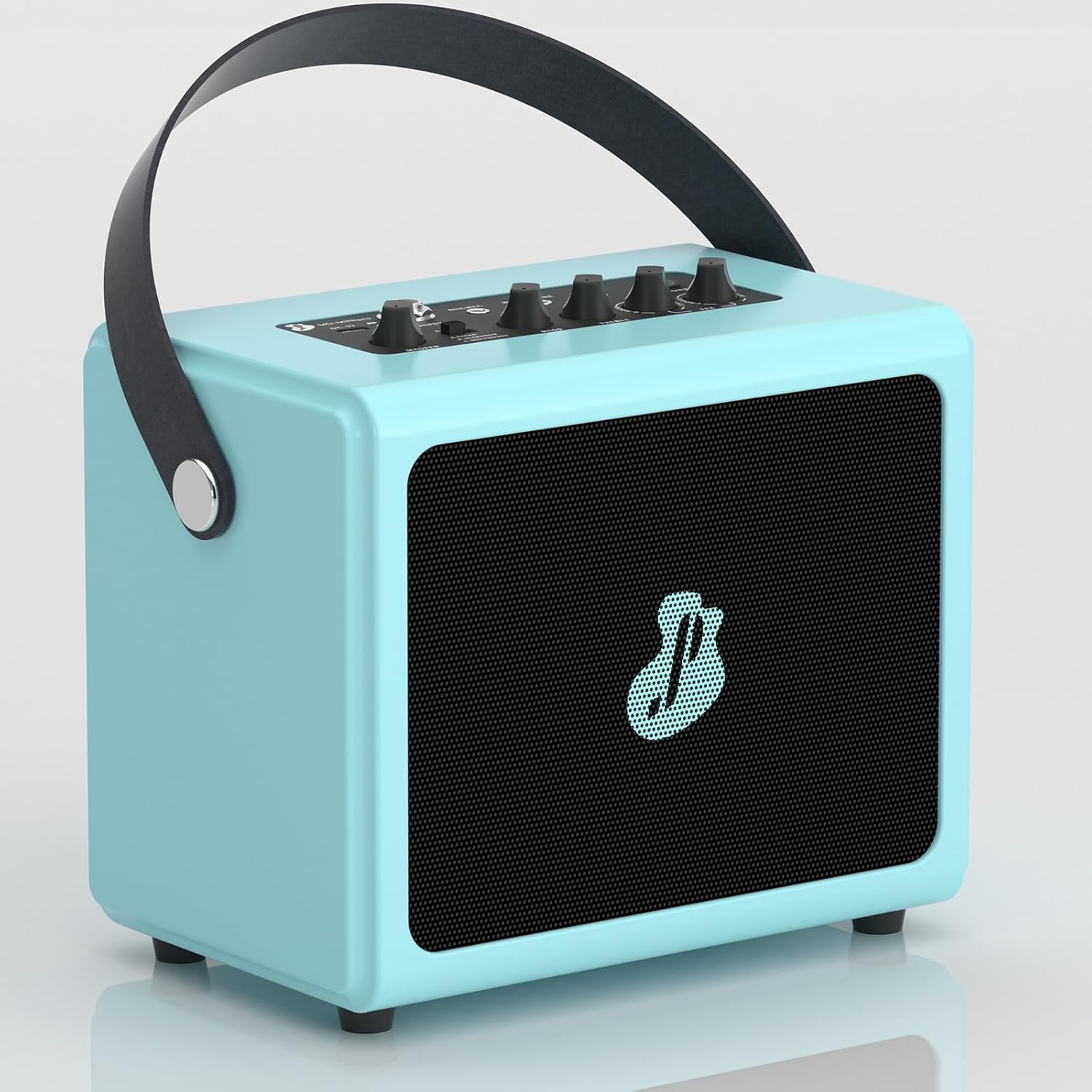
Figure 1: JUSTPRO Mini Portable Wireless Guitar Amp리퍼
안전 정보
- 노출시키지 마십시오 amp물이나 과도한 습기에 대한 내성.
- 배치하지 마십시오 amp열원 근처나 직사광선 아래에 발전기를 두지 마십시오.
- 충전에는 제공된 USB 케이블만 사용하세요.
- 제품을 분해하거나 개조하려고 시도하지 마십시오. amp증폭기를 사용하면 보증이 무효화됩니다.
- 어린이의 손이 닿지 않는 곳에 보관하세요.
- 사용 시 적절한 환기를 확보하십시오.
패키지 내용
패키지에 모든 품목이 들어 있는지 확인하세요.
- 기타 Amp
- USB 케이블
제품 끝view
컨트롤 및 인터페이스

그림 2: Amplifier Controls and Interfaces
| 아니요. | Control/Interface | 기능 |
|---|---|---|
| 1 | 주인 | 전체 출력 볼륨을 조정합니다. amp리퍼. |
| 2 | A-CLEAN / B-OVERDRIVE / C-DISTORTION Switch | Selects between Clean, Overdrive, and Distortion effects. |
| 3 | 베이스 | 저주파 응답을 조정합니다. |
| 4 | 고음부 | 고주파 응답을 조정합니다. |
| 5 | R-ROOM / R-HALL / CHORUS / DELAY Knob | Selects and adjusts the level of Reverb (Room/Hall), Chorus, or Delay effects. |
| 6 | POWER / BT Button | Powers the unit on/off and activates Bluetooth pairing mode. |
| 7 | 헤드폰 잭 | 3.5mm output for private practice with headphones. |
| 8 | AUX/REC Jack | 3.5mm input for external audio sources or output for recording. |
| 9 | 입력 잭 | 6.35mm input for connecting your guitar. |
| 10 | DC-5V Charging Port | Micro USB port for charging the amp리퍼. |
주요 특징
- All-in-One Combo Amp: Features 7 built-in effects including Reverb (Room/Hall), Chorus, Delay, Clean, Overdrive, and Distortion.

Figure 3: Integrated Effects
- Wireless BT Audio Design: Seamlessly stream backing tracks or drum machine apps from your phone via Bluetooth.

Figure 4: Bluetooth Connectivity in Use
- 풍부한 인터페이스: Built-in Aux/Rec, Input, and Headphone interfaces for versatile connectivity.

Figure 5: Rich Interface Options
- Full Wooden Shell Body: Crafted from high-quality wood with a piano painting finish for durability and aesthetic appeal.

Figure 6: Wooden Shell Body Construction
- 충전식 배터리: Integrated rechargeable battery provides up to 3.5 hours of playtime on a single charge.

그림 7: 충전 포트 및 배터리 수명
- 미니 휴대용 디자인: Compact size (7.8*5.1*7.1 inches) with a convenient leather handle for easy transport.

Figure 8: Portable Design in a Practice Setting
설정
- 충전 Amp정수기:
처음 사용하기 전에 완전히 충전하십시오. amplifier using the provided USB cable. Connect the USB cable to the DC-5V charging port (10) on the amplifier and the other end to a standard USB power adapter (not included) or a computer USB port. The charging indicator light will show charging status.
- 전원 켜기/끄기:
Long press the POWER / BT button (6) for 2 seconds to turn the ampliifier를 켜거나 끕니다.
작동 지침
기타 연결하기
- 확인하십시오 amp리파이어의 전원이 켜져 있습니다.
- Connect your guitar to the INPUT Jack (9) using a standard 6.35mm instrument cable.
- Adjust the MASTER volume (1) to a comfortable listening level.
효과 사용
그만큼 amplifier offers 7 built-in effects:
- Clean, Overdrive, Distortion: Use the A-CLEAN / B-OVERDRIVE / C-DISTORTION switch (2) to select your desired tone.

Figure 9: Three Channel Selection
Demonstration of effects:
Video 1: Demonstration of Clean, Overdrive, and Distortion effects on the amp리퍼.
- Reverb (Room/Hall), Chorus, Delay: Rotate the R-ROOM / R-HALL / CHORUS / DELAY knob (5) to select and adjust the intensity of these effects.

Figure 10: EFX Volume Control
블루투스 연결
- Step 1: Activate Bluetooth on Amp리퍼
Long press the POWER / BT button (6) for 2 seconds. The BT indicator light will flash, indicating it's in pairing mode.
- Step 2: Pair with Your Device
On your phone or other Bluetooth-enabled device, open Bluetooth settings. Find "MINI pro" in the available devices list and select it to pair. Once paired, the BT indicator light will stop flashing and remain solid.

Figure 11: Easy Wireless Connection Steps
Using AUX/REC and Headphone Jacks
- AUX/REC (8): Connect an external audio source (e.g., MP3 player, phone) using a 3.5mm 4-pole audio cable (not included) to play along with music. This port can also be used to output audio for recording.
- HEADPHONE (7): Connect 3.5mm headphones for silent practice. The main speaker output will be muted when headphones are connected.
유지
- 청소하다 amp부드럽고 마른 천으로 닦아주세요. 연마성 세제나 용제를 사용하지 마세요.
- 저장하다 amp직사광선과 극한의 온도를 피해 시원하고 건조한 곳에 보관하세요.
- If not used for an extended period, charge the battery every 3 months to maintain its lifespan.
문제 해결
| 문제 | 가능한 원인 | 해결책 |
|---|---|---|
| 소리가 나지 않습니다 amp리퍼. | Amplifier is off; Volume is too low; Guitar cable is not connected properly; Headphones are connected. | 보장하다 amplifier is on; Increase MASTER volume; Check guitar cable connection; Disconnect headphones. |
| 블루투스가 연결되지 않습니다. | Amplifier not in pairing mode; Device Bluetooth is off; "MINI pro" not selected. | Long press POWER/BT button to enter pairing mode (flashing light); Ensure Bluetooth is enabled on your device; Select "MINI pro" from your device's Bluetooth list. |
| 음질이 좋지 않습니다. | Low battery; Incorrect effect setting; Cable issues. | 충전하다 amplifier; Adjust BASS/TREBLE knobs and effect settings; Try a different guitar cable. |
| 배터리 수명이 짧습니다. | 배터리가 완전히 충전되지 않았습니다. 배터리가 오래되었습니다. | Ensure full charge before use; Battery lifespan naturally decreases over time. |
명세서
| 특징 | 세부 사항 |
|---|---|
| 상표 | 저스트프로 |
| 모델 번호 | MD-MINIPRO-Blue |
| 출력 와트tage | 5 와트 |
| 제품 치수 | 5.1 x 7.8 x 7인치(13 x 20 x 18cm) |
| 품목 무게 | 3.94파운드(1.79kg) |
| 재료 유형 | 목재 |
| 전원 | 배터리 구동 |
| 배터리 유형 | 리튬 이온(1개 포함) |
| 연결성 | Bluetooth, 6.35mm Jack (Input), 3.5mm Jack (Aux/Rec, Headphone) |
| 효과 | Reverb (Room/Hall), Chorus, Delay, Clean, Overdrive, Distortion |
Ask a question about this manual
Ask about setup, troubleshooting, compatibility, parts, safety, or missing instructions. Manuals+ will review the question and use this page’s manual context to help answer it.