
1. 서론
Thank you for choosing the Zeblaze Crystal 3 Smartwatch. This manual provides essential information for setting up, operating, maintaining, and troubleshooting your device. Please read it carefully to ensure proper use and optimal performance.
2. 제품 오버view
The Zeblaze Crystal 3 is a versatile smartwatch designed for fitness tracking and daily use. It features a vibrant HD color display and high-precision sensors to monitor various health metrics.
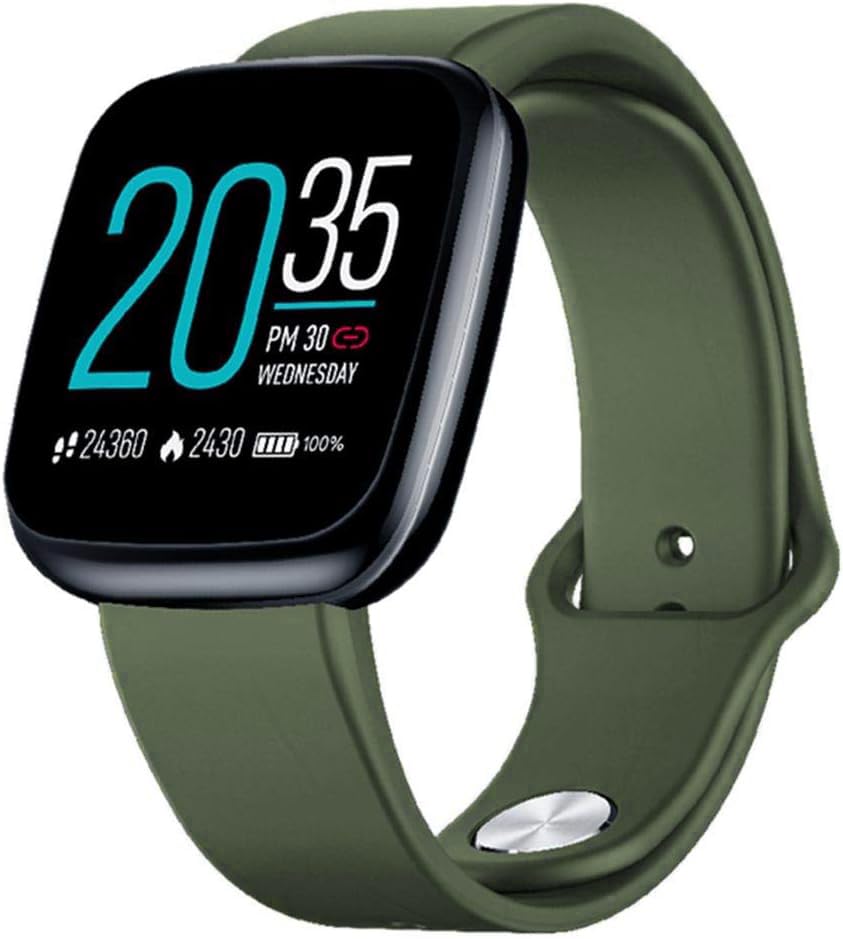
Image: Zeblaze Crystal 3 Smartwatch, showing the main display and green strap.
주요 특징:
- 1.3인치 HD 컬러 화면: A vibrant IPS display with 240x240 pixel resolution for clear visuals.
- 고정밀 센서: Equipped with a heart rate sensor, proximity sensor, and accelerometer for accurate data collection.
- IP67 방수 기능: Designed to withstand daily water exposure, such as splashes and rain.
- 긴 배터리 수명: Up to 7 days of use on a single 2-hour charge, thanks to its 200 mAh battery.
- 활동 추적: Monitors steps, distance, calories burned, and supports various sports modes.
- 건강 모니터링: Includes heart rate and sleep tracking.
- 스마트 폰 호환성 : Works with Android 4.4 or newer and iOS 8.0 or newer devices.
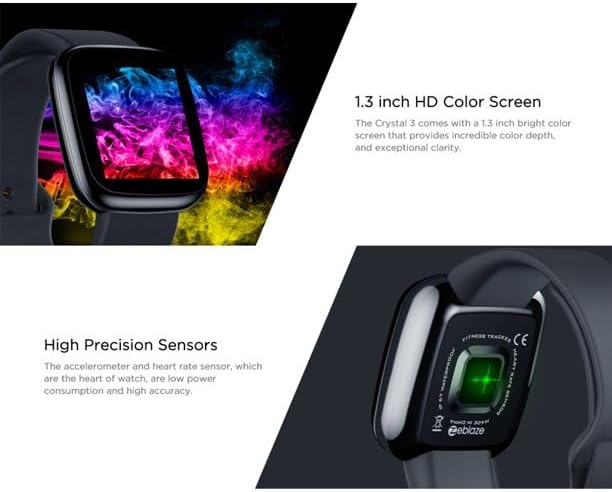
Image: Close-up of the 1.3-inch HD color screen and the high-precision heart rate sensor on the back of the watch.
3. 설정
3.1 스마트워치 충전
Before first use, fully charge your Zeblaze Crystal 3. Connect the charging cable to the watch's charging port and a USB power source (e.g., computer USB port or a 5V/1A USB adapter). A full charge typically takes about 2 hours.
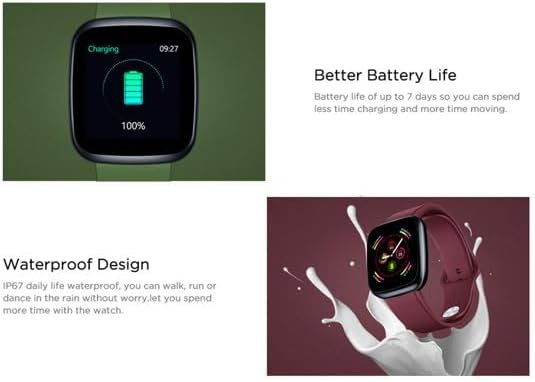
Image: Illustration showing how to connect the smartwatch to a USB port for charging.
3.2 앱 설치 및 페어링
- 앱 다운로드: 검색 the official Zeblaze companion app on your smartphone's app store (Google Play Store for Android or Apple App Store for iOS).
- 계정 생성: 앱을 열고 화면의 지시에 따라 계정을 만들거나 로그인하세요.
- 페어링 장치: Ensure Bluetooth is enabled on your smartphone. In the app, navigate to the device pairing section and select "Zeblaze Crystal 3" from the list of available devices. Confirm the pairing request on both your phone and the smartwatch.
- 찬성file 설정: 개인 프로를 완성하세요file within the app to ensure accurate tracking of health and fitness data.
4. 사용 설명서
4.1 기본 탐색
- 웨이크 스크린: 손목을 들어 올리거나 측면 버튼을 눌러 화면을 켜세요.
- 위/아래로 스와이프: 알림 또는 빠른 설정에 액세스하세요.
- 왼쪽/오른쪽으로 스와이프: Navigate through different functions and widgets (e.g., heart rate, activity data, weather).
- 수도꼭지: 항목을 선택하거나 작업을 확인하세요.
- 길게 누르기 : On the main watch face, long press to change watch faces.
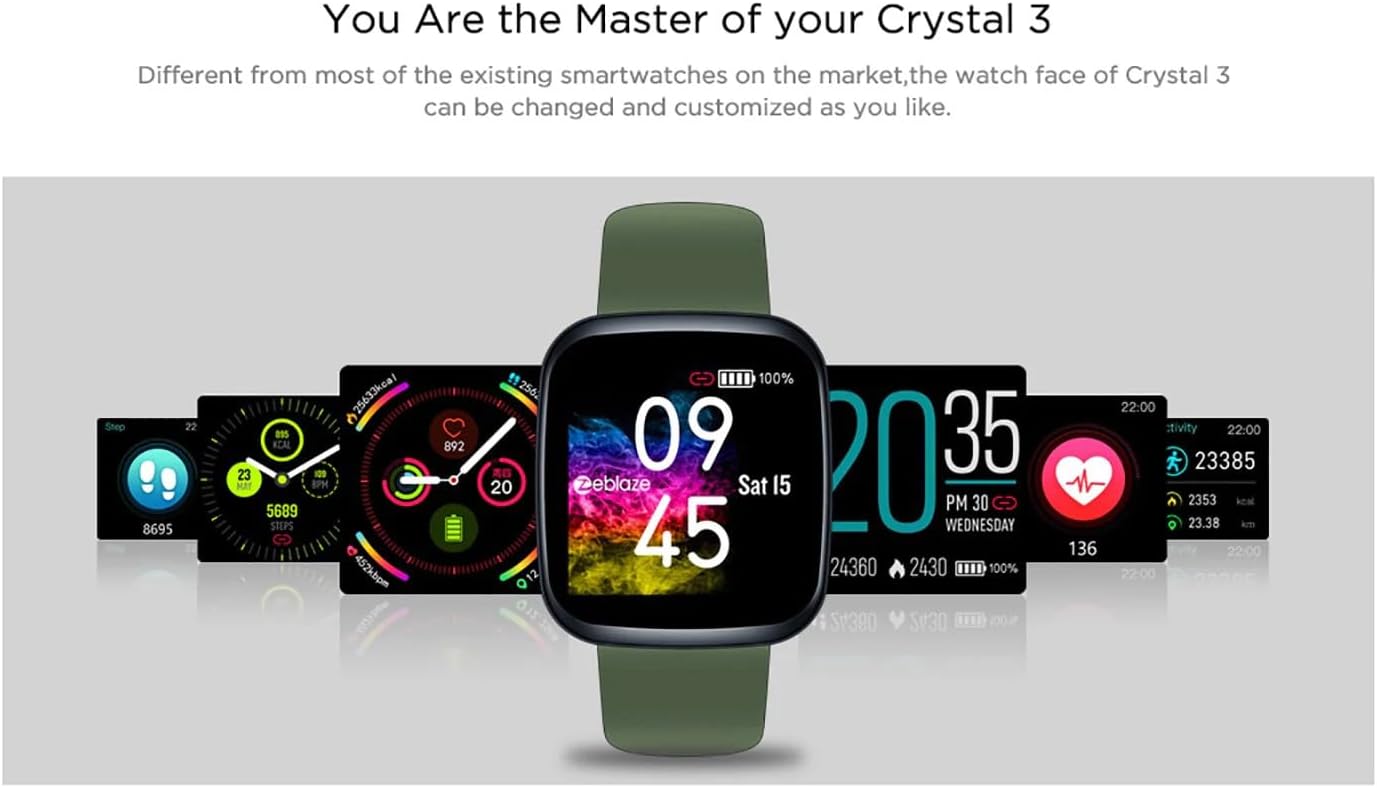
Image: The Zeblaze Crystal 3 displaying different customizable watch faces and data screens.
4.2 활동 추적
스마트워치는 매일 걸음 수, 이동 거리, 소모 칼로리를 자동으로 추적합니다. view this data directly on the watch or in more detail within the companion app.
4.3 심박수 모니터링
The built-in heart rate sensor continuously monitors your heart rate. Ensure the watch is worn snugly on your wrist for accurate readings. View your current and historical heart rate data in the app.
4.4 수면 모니터링
Wear the smartwatch to bed to track your sleep patterns. The device records sleep duration and quality, which can be reviewed in the app to help you understand and improve your sleep habits.
5. 유지관리
5.1 장치 청소
Regularly clean your smartwatch and strap to prevent skin irritation and maintain functionality. Use a soft, damp 화면과 스트랩을 닦을 때는 천을 사용하세요. 강한 화학 물질이나 연마재는 사용하지 마세요.
5.2 방수(IP67)
The Zeblaze Crystal 3 is IP67 water-resistant, meaning it is protected against dust and can withstand immersion in water up to 1 meter for up to 30 minutes. It is suitable for daily use, such as washing hands, rain, or light splashes. It is not recommended for swimming, showering with hot water, or diving.

Image: Illustration highlighting the waterproof design of the Zeblaze Crystal 3 Smartwatch.
5.3 배터리 관리
- 배터리 수명을 단축시킬 수 있는 극한의 온도는 피하세요.
- 기기를 장시간 완전히 방전된 상태로 두지 마십시오.
- 제공된 충전 케이블이나 인증된 동등 제품만 사용하세요.
6. 문제 해결
6.1 장치가 켜지지 않음
- 기기가 완전히 충전되었는지 확인하세요. 충전기에 최소 30분 이상 연결해 두세요.
- 측면 버튼을 10~15초간 눌러 강제로 다시 시작해 보세요.
6.2 스마트폰과 페어링이 불가능합니다
- Make sure Bluetooth is enabled on your phone and the smartwatch is within range.
- 스마트폰과 스마트워치를 모두 다시 시작하세요.
- 앱이 최신 버전으로 업데이트되었는지 확인하세요.
- Forget the device from your phone's Bluetooth settings and try pairing again through the app.
6.3 Inaccurate Heart Rate/Activity Data
- 시계를 손목에 꼭 맞게 착용하세요. 너무 꽉 조이거나 너무 느슨하지 않도록 하세요.
- 시계 뒷면의 센서를 청소하세요.
- Update the smartwatch firmware via the companion app if an update is available.
7. 사양
| 특징 | 세부 사항 |
|---|---|
| 상표 | 제블레이즈 |
| 모델명 | 크리스탈 3 |
| 표시하다 | 1.3인치 IPS 컬러 스크린 |
| 해결 | 240*240픽셀 |
| 센서 | Heart Rate Sensor, Proximity Sensor, Accelerometer |
| 방수성 | IP67 |
| 배터리 용량 | 200mAh |
| 충전 시간 | 약 2시간 |
| 배터리 수명 | 최대 7일 |
| 호환성 | 안드로이드 4.4+ / iOS 8.0+ |
| 치수 | 4.05 x 3.55 x 1.2cm(1.59 x 1.39 x 0.47인치) |
| 무게 | 27그램(0.95온스) |
| 연결성 | Bluetooth (for app pairing), USB (for charging) |
| 특별 기능 | Activity Tracker, Heart Rate Monitor, Sleep Monitor |
8. 보증 및 지원
For warranty information and customer support, please refer to the documentation included with your purchase or visit the official Zeblaze website. If you encounter any issues not covered in this manual, please contact Zeblaze customer service for assistance.