1. 서론
The ROYALAXE Y87 is a Tenkeyless (TKL) mechanical keyboard designed for versatile use across various operating systems and devices. It features tri-mode connectivity (Wired, 2.4G Wireless, Bluetooth 5.0), hot-swappable G Pro 3.0 Yellow switches, vibrant RGB lighting, and durable PBT keycaps. This manual provides instructions for setting up, operating, and maintaining your keyboard.
2. 패키지 내용
패키지에 모든 품목이 들어 있는지 확인하세요.
- ROYALAXE Y87 Mechanical Keyboard
- 키캡 풀러
- USB-C to USB-A Aviation Plug Cable
- 4 Spare Gateron G Pro 3.0 Yellow Switches
- Two Pairs of Magnetic Feet
3. 제품 오버view
The ROYALAXE Y87 keyboard integrates several features for an enhanced user experience:
- G Pro 3.0 Yellow Switches: Pre-lubed, silky-smooth linear switches with a frosted, light-guided surface for consistent backlighting.
- 3중 모드 연결: Supports wired USB-C, 2.4GHz wireless, and Bluetooth 5.0 for connection to up to 5 devices.
- 핫스왑 가능 소켓: Compatible with both 3-pin and 5-pin mechanical switches (not compatible with Cherry switches).
- RGB 조명: Features 18+4 (or 22) customizable RGB lighting effects.
- PBT 키캡: Double-shot PBT keycaps for durability and oil resistance.
- N 키 롤오버: Full keys anti-ghosting ensures all keystrokes are registered accurately.
- 조정 가능한 기울기: Two pairs of magnetic feet provide three tilt angles for ergonomic comfort.
- 4000mAh 배터리: 무선 사용 시간을 연장해 줍니다.
- 전용 소프트웨어: ROYALAXE driver for macro programming and light customization.

Image: Tri-mode connectivity options for the ROYALAXE Y87 keyboard.

이미지: 폭발 view illustrating the internal structure and components of the keyboard, including switches and sound damp층을 쌓아 올리다.
4. 설정
4.1 Installing Magnetic Feet
The keyboard comes with two pairs of magnetic feet to adjust the typing angle. Simply attach the desired pair to the magnetic points on the underside of the keyboard. The feet are designed to provide stable support at different inclinations.
4.2 키보드 충전
Before first use, it is recommended to fully charge the keyboard. Connect the provided USB-C to USB-A cable to the keyboard's USB-C port and the other end to a powered USB port on your computer or a USB wall adapter. The charging indicator will show the charging status.
4.3 연결 모드
The ROYALAXE Y87 supports three connection modes: Wired, 2.4G Wireless, and Bluetooth. Use the physical toggle switch located in the top-right corner of the keyboard to select your desired mode.
- 유선 모드 : Connect the USB-C to USB-A cable directly to your computer. The keyboard will automatically switch to wired mode.
- 2.4G 무선 모드:
- Locate the 2.4G USB dongle, which is stored in a concealed compartment near the top-right switch on the keyboard.
- 2.4G USB 동글을 컴퓨터의 사용 가능한 USB 포트에 꽂습니다.
- Set the toggle switch on the keyboard to the '2.4G' position. The keyboard should connect automatically.
- 블루투스 모드 : 키보드는 최대 3개의 Bluetooth 장치를 지원합니다.
- 키보드의 토글 스위치를 'BT' 위치로 설정합니다.
- 페어링 모드로 들어가려면 길게 누르세요. Fn + Q, Fn + W, 또는 Fn + E for 3-5 seconds until the indicator light flashes rapidly. This corresponds to Bluetooth device 1, 2, or 3.
- On your device (computer, tablet, smartphone), search for Bluetooth devices and select 'ROYALAXE Y87' to pair.
- 페어링이 완료되면 표시등이 깜빡임을 멈춥니다. 버튼을 눌러 페어링된 블루투스 기기 간에 전환할 수 있습니다. Fn + Q, Fn + W, 또는 Fn + E 간단히.

Image: Physical toggle switch for selecting connectivity modes and the 2.4G dongle storage.
5. 사용 설명서
5.1 RGB 조명 제어
The ROYALAXE Y87 features multiple RGB lighting effects. Use the following key combinations to control the lighting:
- Fn + \|: 다양한 RGB 조명 효과를 순환합니다.
- Fn + ↑ / ↓: 밝기 수준을 조정합니다.
- Fn + ← / →: 조명 속도/방향을 조정합니다.
- Fn + 델: Switch between RGB and monochromatic lighting.

이미지: 전amples of RGB lighting effects available on the keyboard.
5.2 멀티미디어 및 기능 키
The F-row keys (F1-F12) have secondary multimedia functions. Press Fn + F[number] to activate these functions. Specific functions may vary based on your operating system.
5.3 소프트웨어 사용자 정의
For advanced customization, including macro programming and detailed lighting control, download the ROYALAXE driver software from the official ROYALAXE website. The software allows you to personalize key assignments and lighting profiles.
5.4 배터리 관리
The keyboard is equipped with a 4000mAh rechargeable battery. Battery life varies depending on usage and RGB lighting settings. To conserve battery, turn off RGB lighting when not needed. The keyboard has a standby time of approximately 350 hours with RGB off and 14 hours with RGB on.
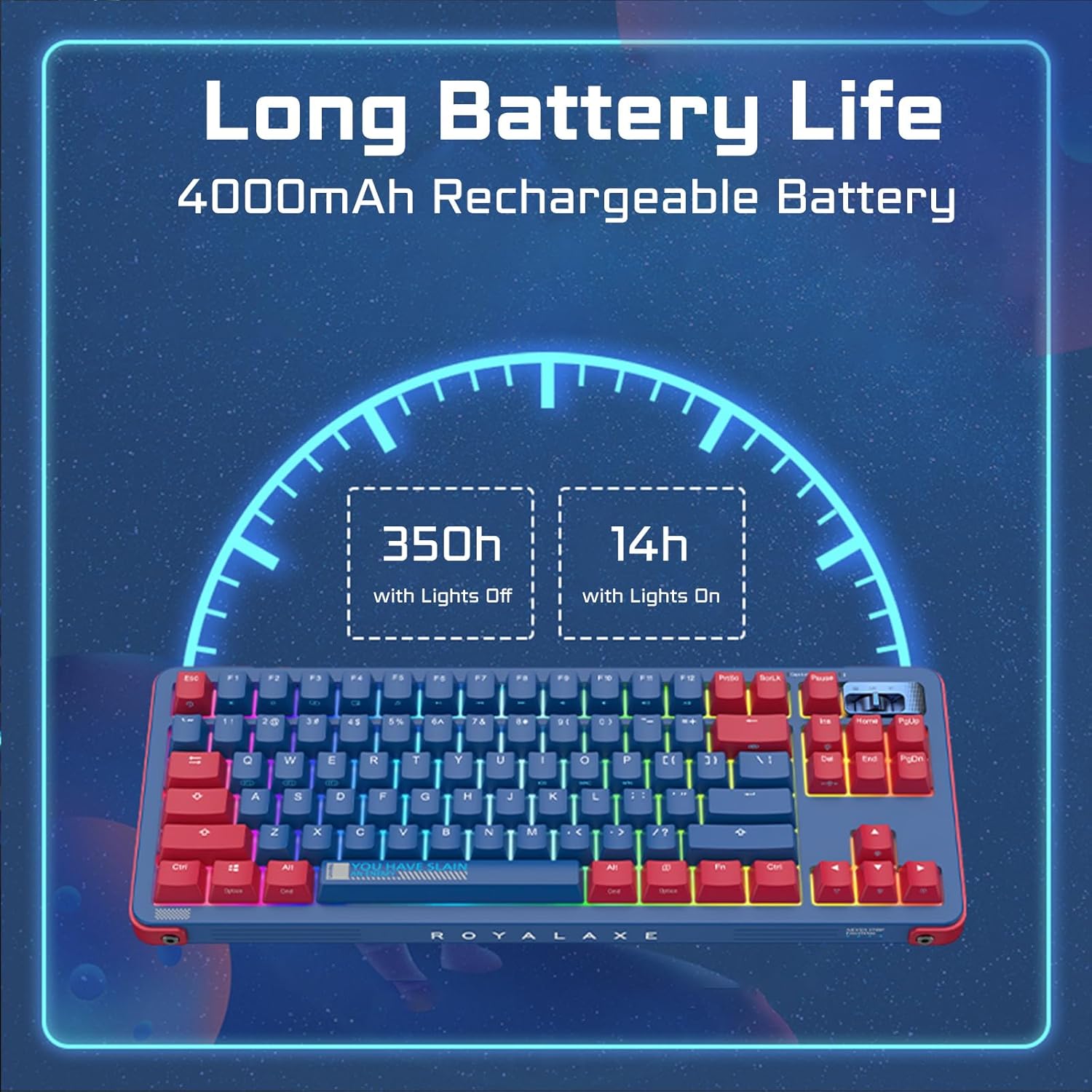
Image: Battery life estimates for the keyboard with and without RGB lighting.
6. 유지관리
6.1 키보드 청소
To clean your keyboard, disconnect it from power. Use a soft, dry cloth to wipe the keycaps and chassis. For deeper cleaning, you can remove the keycaps using the provided keycap puller and clean underneath with compressed air or a brush. The PBT keycaps are oil-resistant, making them easier to maintain.
6.2 핫 스와핑 스위치
The ROYALAXE Y87 features hot-swappable sockets, allowing you to change switches without soldering. Use the provided switch puller to carefully remove existing switches. Align the pins of the new switch with the sockets and press gently until it clicks into place. Ensure the switch pins are straight before insertion to avoid bending them. The sockets support both 3-pin and 5-pin switches, but are not compatible with Cherry brand switches.
7. 문제 해결
- 키보드가 응답하지 않습니다:
- 키보드가 충전되어 있는지 확인하세요.
- Check the connectivity mode switch (Wired, 2.4G, BT) is set correctly.
- 2.4G를 사용하는 경우, 동글이 제대로 연결되어 있는지 확인하십시오.
- Bluetooth의 경우, 필요한 경우 기기를 다시 페어링하세요.
- 무선 문제를 배제하려면 USB-C 케이블을 통해 연결해보세요.
- RGB 조명이 작동하지 않거나 일관되지 않음:
- Adjust brightness using Fn + ↑.
- Cycle through effects using Fn + \|.
- Ensure no software settings are overriding the keyboard's onboard controls.
- 키가 등록되지 않거나 두 번 입력됨:
- This could indicate a faulty switch. Use the switch puller to replace the affected switch with one of the spare switches provided.
- 스위치가 소켓에 완전히 고정되었는지 확인하세요.
- 연결 문제(지연, 연결 끊김):
- Ensure the keyboard is within range of the receiver (for 2.4G) or paired device (for Bluetooth).
- 다른 무선 장치의 간섭을 최소화하세요.
- 키보드가 충분히 충전되었는지 확인하세요.
8. 사양
| 제품 치수 | 14.5 x 5.7 x 1.5인치(36.83 x 14.48 x 3.81cm) |
| 품목 무게 | 3.1파운드(1.4kg) |
| 연결 기술 | 2.4G 무선, 블루투스 5.0, USB-C 유선 |
| 키보드 설명 | 기계적 |
| 추천 용도 | Everyday Use, Gaming, Programming |
| 특별 기능 | Hot-Swappable, Programmable Keys, Rechargeable |
| 키보드 백라이팅 | RGB |
| 스위치 | Gateron G Pro 3.0 Yellow |
| 키캡 재질 | 영어: PBT (미국) |
| 배터리 용량 | 4000mAh 리튬 이온(포함) |
| 호환 시스템 | 윈도우, 맥, 안드로이드, iOS |
9. 보증 및 지원
For warranty information and technical support, please refer to the documentation included with your purchase or visit the official ROYALAXE website. If you encounter any issues not covered in this manual, please contact ROYALAXE customer service for assistance.