
소개
The WEONY WBP205 Automatic Wrist Blood Pressure Monitor is designed for convenient and accurate blood pressure and heart rate measurement at home. Utilizing a high-precision chip and medical-grade materials, this device provides reliable readings with a simple one-touch operation. Its compact and portable design makes it suitable for daily health monitoring anywhere.
패키지 내용
- 1x WEONY WBP205 Wrist Blood Pressure Monitor
- 1x 사용자 설명서
- 1x 운반 케이스

Image: The WEONY WBP205 monitor, its protective carrying case, and the included user manual.
제품 끝view
The WEONY WBP205 features a large, easy-to-read LCD display and an adjustable wrist cuff designed for comfort and accuracy. It supports two users with 90 memory sets each, allowing for effective tracking of blood pressure trends. The device also includes an irregular heartbeat detection and a hypertension alert system for immediate health status understanding.
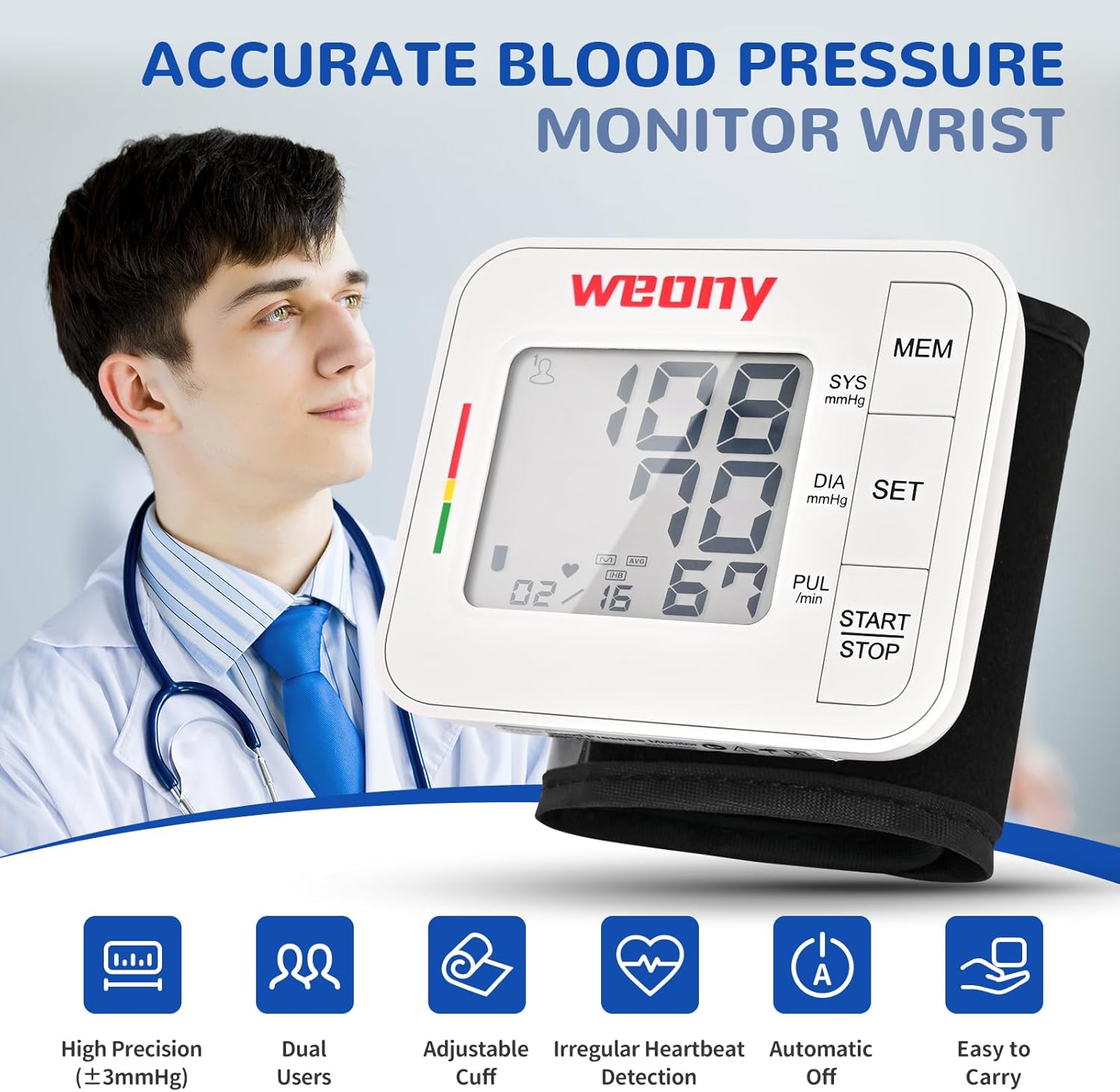
이미지: 앞면 view of the WEONY WBP205 Wrist Blood Pressure Monitor, highlighting the large LCD display and control buttons (MEM, SET, START/STOP).

Image: The WEONY WBP205 monitor displaying a blood pressure reading, with a color-coded indicator on the left side (green, yellow, red) and icons for high precision, dual users, adjustable cuff, irregular heartbeat detection, automatic off, and easy to carry.
설정
1. 배터리 설치
The monitor requires 2 AAA batteries (not included). Open the battery compartment on the side of the device and insert the batteries according to the polarity indicators. Close the compartment securely.
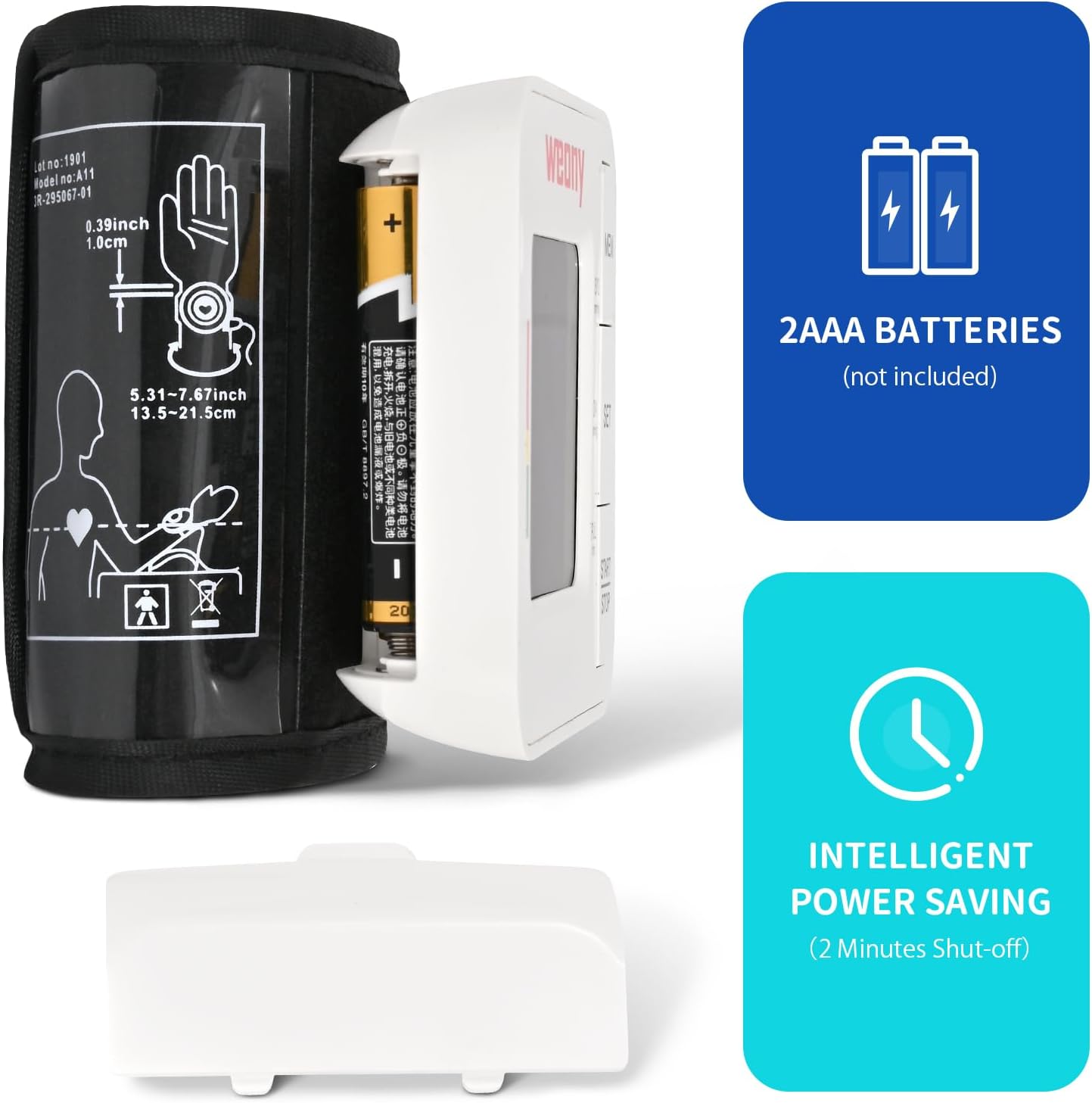
Image: The WEONY WBP205 monitor with its battery compartment open, illustrating the insertion of 2 AAA batteries. Text indicates '2AAA BATTERIES (not included)' and 'INTELLIGENT POWER SAVING (2 Minutes Shut-off)'.
2. 날짜 및 시간 설정
To ensure accurate record-keeping, set the current year, month, day, and time. Press and hold the 'SET' button to enter the setting mode. Use the 'MEM' button to adjust values and 'SET' to confirm and move to the next setting. The device supports 12-hour or 24-hour clock format.
Video: A user demonstrates how to set the date and time on the WEONY WBP205 monitor using the 'SET' and 'MEM' buttons.
3. User Selection
The monitor supports two users (U1 and U2). To select a user, press the 'SET' button briefly. The display will toggle between U1 and U2. Ensure the correct user is selected before taking a measurement to store readings in the appropriate memory bank.
작동 지침
1. 적절한 커프 위치
Wrap the cuff around your bare left wrist with your palm facing up. Position the monitor about 1 cm (0.4 inches) from the edge of your palm. Ensure the cuff is snug but not too tight, allowing for accurate measurement without restricting blood flow.
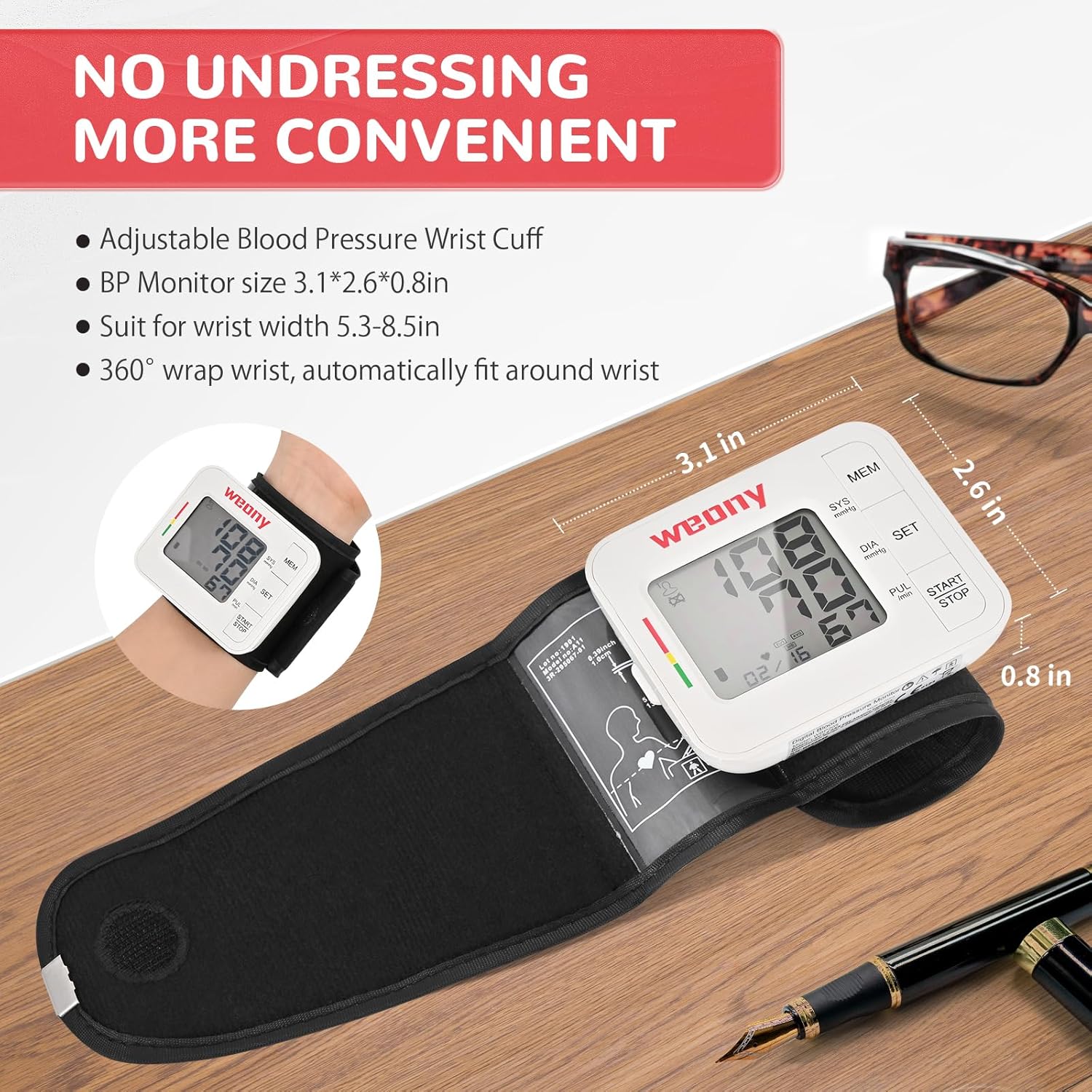
Image: The WEONY WBP205 monitor correctly placed on a wrist, showing the device positioned approximately 1 cm from the palm. The image emphasizes the convenience of not needing to undress for measurement.

Image: A four-step visual guide demonstrating how to wrap the cuff, position it 1cm from the palm, raise the device to heart level, and press the 'Start/Stop' button for measurement.
2. 측정 절차
Sit upright and relax. Raise the device to the same level as your heart. Press the 'START/STOP' button. The cuff will automatically inflate and then slowly deflate while taking your measurement. Remain still and silent during the process. Your blood pressure and pulse rate will be displayed on the LCD screen.
Video: A user demonstrates the simple, one-touch operation of the WEONY WBP205 monitor, showing cuff placement and the automatic measurement process.
3. 결과 해석
The monitor uses a green-yellow-red indicator on the side of the display to quickly show your blood pressure status. Green indicates a normal range, yellow indicates elevated, and red indicates high blood pressure. An alert icon will appear if an irregular heartbeat is detected.
Image: The WEONY WBP205 monitor showing a blood pressure reading with the green, yellow, and red indicator bar on the left, helping users quickly interpret their results.
4. 메모리 기능
The device stores up to 90 readings for each of the two users, complete with date and time stamps. Press the 'MEM' button to review past measurements. The first reading displayed will be an average of the last three readings, followed by individual stored readings in reverse chronological order.

Image: The WEONY WBP205 monitor displaying its dual-user memory feature, showing separate memory banks for User 1 and User 2, each storing up to 90 readings.
중요한 고려 사항
Do's and Don'ts for Accurate Measurement
- Do sit relaxed for 5-10 minutes before measuring.
- Do keep your arm at heart level during measurement.
- Do align the cuff to your artery for a snug fit.
- Do stay still and silent during measurement.
- 하지 않다 eat, smoke, drink alcohol, or exercise 30 minutes prior to measurement.
- 하지 않다 bend your arm or pinch the tube/cuff.

Image: Visual guide illustrating correct posture and arm positioning for accurate blood pressure measurement with the WEONY WBP205 monitor.
유지
- 모니터와 커프는 부드럽고 마른 천으로 닦으세요. 연마성 세제를 사용하거나 기기를 물에 담그지 마세요.
- 기기를 휴대용 케이스에 넣어 직사광선과 극한 온도 변화를 피해 서늘하고 건조한 곳에 보관하십시오.
- 장기간 기기를 사용하지 않을 경우 배터리를 제거하세요.
문제 해결
- 디스플레이 없음: Check battery polarity and ensure batteries are not depleted. Replace if necessary.
- 부정확한 판독값: Ensure proper cuff placement, arm position, and follow all 'Do's and Don'ts'. Avoid talking or moving during measurement.
- 오류 메시지: Refer to the detailed user manual for specific error code explanations and solutions.
명세서
| 특징 | 세부 사항 |
|---|---|
| 모델 번호 | WBP205 |
| 제품 치수 | 3 x 2.5 x 2.6 인치 |
| 품목 무게 | 6.38 온스 |
| 커프 사이즈 | 5.3~8.5인치 (13.5cm~21.6cm) |
| 메모리 | 사용자 2명 x 90회 측정 |
| 전원 | 배터리 작동 (AAA 배터리 2개 필요) |
| 디스플레이 유형 | 액정표시장치 |
| 재료 | ABS |
보증 및 지원
WEONY products are manufactured under ISO 13485 standards and hold FDA and MDR certifications. For any questions or assistance, please contact WEONY's after-sales support team. Refer to the included user manual for specific warranty details.