
트랜스포머 F8770
Transformers Studio Series 09 Gamer Edition Ratchet Action Figure Instruction Manual
모델: F8770
안전 정보
경고: 질식 위험 - 작은 부품이 발생할 수 있습니다. 3세 미만 어린이에게는 사용하지 마십시오.
이 제품은 8세 이상에게 권장됩니다.
제품 끝view
The Transformers Studio Series 09 Gamer Edition Ratchet action figure is inspired by the Transformers: War for Cybertron video game. This collectible figure features detailed design and articulation, allowing for dynamic posing and conversion between two iconic modes.
주요 특징:
- Highly articulated for various poses.
- Converts between robot and Cybertronian sports car modes.
- Includes a blaster and an axe accessory.
- Comes with a removable backdrop for display.

Image: Ratchet in robot mode, showcasing its articulation and included accessories (blaster and axe).
설정
- 언박싱: Carefully remove the figure and its accessories from the packaging. Retain the packaging for future reference or storage.
- 액세서리 부착: The figure comes with a blaster and an axe. These accessories can be held by the figure in robot mode or stored in designated slots in vehicle mode. Refer to the packaging for visual guidance on accessory placement.
- Display Backdrop: The removable backdrop can be used to create a display scene for your figure. Position the figure in front of the backdrop as desired.
운영: 변환
The Ratchet figure converts between robot mode and Cybertronian sports car mode in 28 steps. This process requires careful manipulation of the figure's joints and panels. Patience and attention to detail are key to a successful transformation.
Transformation Steps (General Guidance):
- 초기 위치 설정: Ensure the figure is in its default robot mode.
- Limb Articulation: Begin by articulating the arms and legs to prepare them for folding and collapsing into the vehicle chassis.
- 패널 정렬: Carefully fold and align the various body panels to form the exterior of the Cybertronian sports car. Pay close attention to how panels interlock.
- 액세서리 통합: The blaster and axe can be attached to the vehicle mode. Consult the original packaging or manufacturer's visual guides for specific attachment points.
- 최종 정렬: Ensure all parts are securely tabbed and aligned to form a compact and stable vehicle mode.
To convert back to robot mode, reverse these steps, carefully unfolding and extending the limbs and body panels until the robot form is achieved.

Image: Ratchet in Cybertronian sports car mode, ready for display or play.
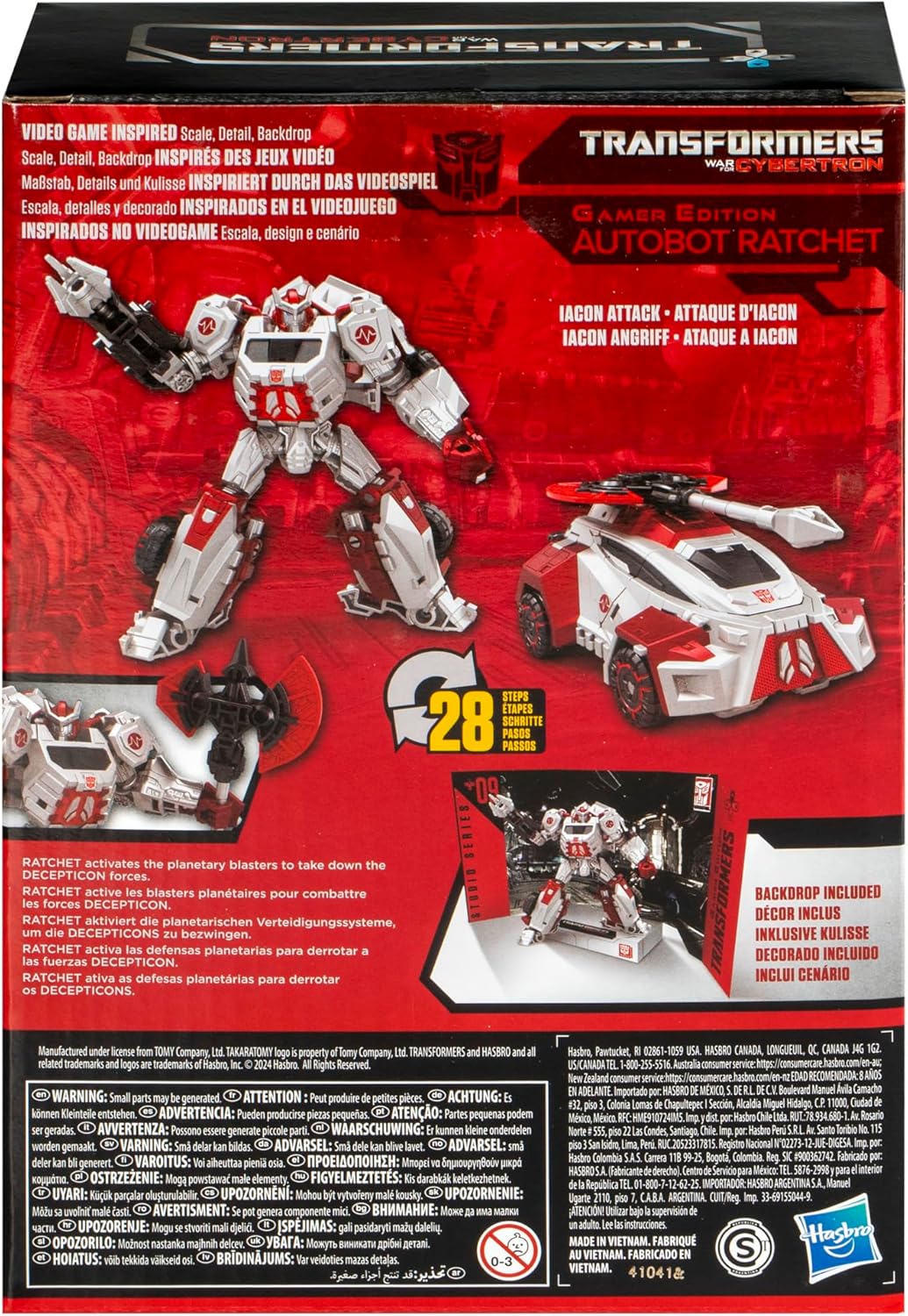
Image: Product packaging illustrating the figure in both modes and highlighting the 28-step transformation process.
유지
- 청소: 부드럽고 마른 천으로 피규어의 먼지를 부드럽게 닦아주세요. 강한 화학 물질이나 연마재는 페인트나 플라스틱을 손상시킬 수 있으므로 사용하지 마세요.
- 저장: 변색이나 소재의 변질을 방지하기 위해 직사광선과 극한의 온도를 피해 시원하고 건조한 곳에 보관하세요.
- 관절 관리: If joints become stiff, gently work them back and forth. Avoid forcing movement, which can cause breakage.
문제 해결
변환 과정의 어려움:
- Review 단계: The transformation involves 28 steps. If you encounter difficulty, carefully re-examine the instructions or visual guides provided on the packaging.
- 온화한 힘: Avoid applying excessive force. If a part does not move easily, check for obstructions or incorrect alignment.
- 온라인 리소스: For visual assistance, search for official or fan-made transformation guides online for "Transformers Studio Series 09 Gamer Edition Ratchet".
느슨한 관절:
- Over time, some joints may become slightly loose. This is common with articulated figures.
- For minor looseness, a small amount of clear nail polish or a specialized joint-tightening fluid can be applied to the joint and allowed to dry. Apply sparingly.
명세서
| 모델 번호: | F8770 |
| 제품 크기: | 6.26 x 3.19 x 9.02 인치 |
| 품목 무게: | 10.9 온스 |
| 추천 연령: | 8세 이상 |
| 제조업체: | 하스브로 |
| 변환 단계: | 28 steps (Robot to Cybertronian Sports Car) |
보증 및 지원
For information regarding product warranty, please refer to the official Hasbro web해당 웹사이트를 방문하거나 고객 지원팀에 직접 문의하십시오. 구체적인 보증 조건은 지역에 따라 다를 수 있습니다.
For further assistance or inquiries, please contact Hasbro customer service:
- 제조업체: 하스브로 주식회사
- Web대지: 하스브로 고객 서비스
Ask a question about this manual
Ask about setup, troubleshooting, compatibility, parts, safety, or missing instructions. Manuals+ will review the question and use this page’s manual context to help answer it.