
1. 제품 오버view
The Xiaomi Redmi Note 13 Pro+ 5G is a high-performance smartphone featuring a 200MP OIS camera, a 6.67-inch 1.5K curved AMOLED display, and MediaTek Dimensity 7200-Ultra processor. It supports fast charging and offers dual SIM capabilities. This manual provides essential information for setting up, operating, maintaining, and troubleshooting your device.

Image 1.1: Xiaomi Redmi Note 13 Pro+ 5G in Aurora Purple, showcasin디자인과 카메라 시스템에 있어서.
2. 설정
2.1. SIM 카드 설치
The device supports dual SIM cards (nano SIM + nano SIM or nano SIM + eSIM). Ensure your SIM cards are activated by your carrier before installation.
- 휴대폰 측면에서 SIM 카드 트레이를 찾으세요.
- 제공된 SIM 트레이 꺼내기 도구를 트레이 옆에 있는 작은 구멍에 넣고 트레이가 튀어나올 때까지 가볍게 누르세요.
- Place your nano SIM card(s) into the designated slots on the tray. If using eSIM, follow your carrier's instructions for activation.
- SIM 트레이가 딸깍 소리가 나면서 제자리에 고정될 때까지 조심스럽게 휴대폰에 다시 삽입하십시오.

이미지 2.1: 사이드 프로file of the Redmi Note 13 Pro+ 5G, illustrating button placement.
2.2. 초기 전원 켜기 및 구성
- 샤오미 로고가 나타날 때까지 전원 버튼(기기 오른쪽에 위치)을 길게 누르세요.
- 화면의 지시에 따라 언어와 지역을 선택하고 Wi-Fi 네트워크에 연결하세요.
- Google 계정으로 로그인하거나 새 계정을 만들어 Google 서비스와 Play 스토어에 액세스하세요.
- Complete the setup process, including setting up screen lock, fingerprint, and face unlock.
2.3. 장치 충전
Use the included 120W Wall Adapter and USB Cable for optimal charging performance.
- Connect the USB cable to the Wall Adapter.
- 벽면 어댑터를 전원 콘센트에 꽂으세요.
- 케이블의 USB-C 끝을 휴대폰 하단의 충전 포트에 연결합니다.
- 충전 표시등이 화면에 나타납니다.
3. 사용 설명서
3.1. 디스플레이 기능
The Redmi Note 13 Pro+ 5G features a 6.67-inch CrystalRes AMOLED display with a 120Hz adaptive refresh rate for smooth visuals. It offers 1800 nits peak brightness and 12-bit color depth. The display is protected by Corning Gorilla Glass Victus and includes eye protection features like 1920Hz PWM dimming and TÜV Rheinland certifications for low blue light and circadian friendliness.
3.2. 카메라 사용
귀하의 기기는 다재다능한 트리플 카메라 시스템을 갖추고 있습니다.
- 200MP 메인 카메라: Features OIS (Optical Image Stabilization) and an f/1.65 aperture for detailed photos, especially in low light. Supports 16-in-1 binning for larger 2.24µm pixels.
- 8MP 초광각 카메라: 더 넓은 장면을 포착하기 위해.
- 2MP 매크로 카메라: 클로즈업 촬영용.
The camera supports 4K video recording at 24/30fps and 1080p at 30/60fps. OIS+EIS dual-stabilization helps in capturing clear photos and stable videos.
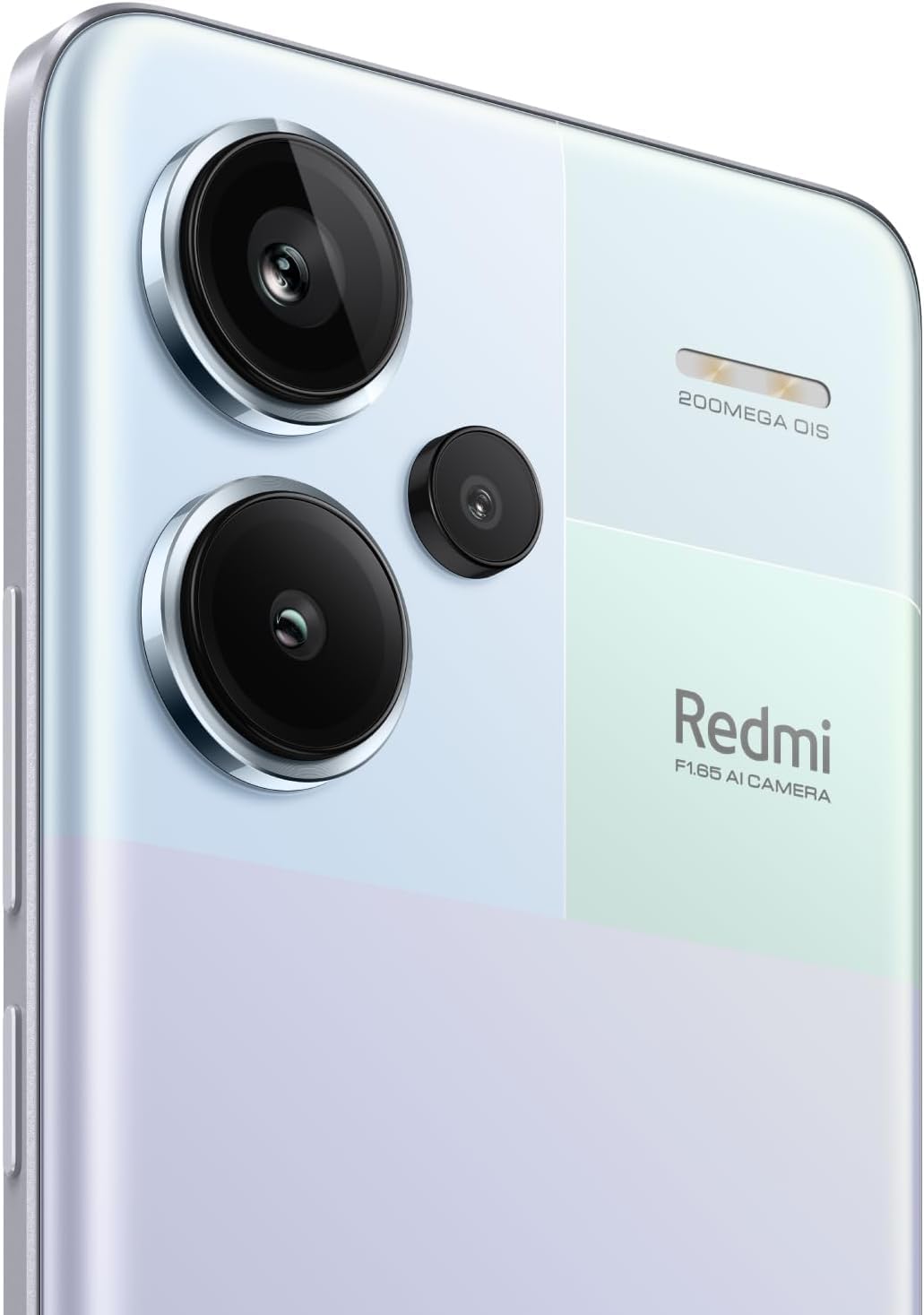
이미지 3.1: 상세 view of the 200MP OIS triple camera system.
3.3. 생체 보안
- 화면 내장 지문 센서: Register your fingerprints for quick and secure unlocking. Access this feature in Settings > Security & privacy > Fingerprint unlock.
- AI 얼굴 잠금 해제: Set up face recognition for convenient unlocking. Access this feature in Settings > Security & privacy > Face unlock.
3.4. 연결성
- 5G 네트워크: Supports various 5G bands for high-speed mobile data.
- 와이파이: Compatible with Wi-Fi 6/5/4 and 802.11a/b/g standards, supporting 2.4GHz and 5GHz bands with 2x2 MIMO.
- 블루투스 5.3 : 무선 액세서리를 연결합니다.
- GPS: Supports Beidou, GPS, Galileo, GLONASS, and QZSS for accurate positioning.
4. 유지관리
4.1. 배터리 관리
The device is powered by a 5020 mAh Lithium-Polymer battery. To maximize battery life:
- 극한의 온도를 피하세요.
- 정품 충전기와 케이블을 사용하세요.
- 배터리를 자주 완전히 방전시키지 마세요.
- Optimize power settings in the device's settings menu.
4.2. 소프트웨어 업데이트
최적의 성능, 보안 및 새로운 기능 이용을 위해 소프트웨어 업데이트를 정기적으로 확인하고 설치하세요. 설정 > 휴대전화 정보 > MIUI 버전으로 이동하여 업데이트를 확인하세요.
4.3. 기기 청소
To clean your phone, use a soft, lint-free cloth. Avoid using harsh chemicals or abrasive materials. For the screen, a screen cleaner specifically designed for electronics can be used. Ensure all ports are dry before charging.
5. 문제 해결
If you encounter issues with your Redmi Note 13 Pro+ 5G, consider the following common solutions:
- 장치가 켜지지 않음: 배터리가 충전되었는지 확인하세요. 충전기를 연결하고 몇 분 정도 기다린 후 다시 전원을 켜보세요.
- 앱이 충돌하거나 정지됨: 문제가 있는 앱을 닫았다가 다시 여세요. 문제가 지속되면 앱의 캐시를 삭제하거나 앱을 다시 설치하세요.
- 네트워크 연결성이 좋지 않음: Check if your SIM card is properly inserted. Restart the device. Verify network settings and ensure mobile data or Wi-Fi is enabled.
- 지문 센서가 작동하지 않습니다. 손가락이 깨끗하고 건조한지 확인하십시오. 필요한 경우 지문을 다시 등록하십시오.
- 과열: Avoid using the phone in direct sunlight or while charging for extended periods during heavy usage. Close background applications.
- 느린 성능: 불필요한 것을 삭제 files and cache. Uninstall unused apps. Restart your device regularly.
문제가 지속될 경우 샤오미 공식 지원 페이지를 참조하세요. web사이트를 방문하거나 고객 서비스에 문의하세요.
6. 사양
| 특징 | 세부 사항 |
|---|---|
| 상표 | 샤오미 |
| 모델명 | 노트 13 프로+ 5G |
| 운영 체제 | 안드로이드 13.0 |
| 램 메모리 | 8GB (XNUMX기가바이트) |
| 메모리 저장 용량 | 256GB (XNUMX기가바이트) |
| 화면 크기 | 6.67 인치 |
| 디스플레이 유형 | 아몰레드 |
| 해결 | 2712x1220 (446 PPI) |
| 새로 고침 빈도 | 최대 120Hz |
| CPU 모델 | 미디어텍 디멘시티 7200-울트라(옥타코어, 최대 2.8GHz) |
| 후면 카메라 해상도 | 200MP(메인) + 8MP(초광각) + 2MP(매크로) |
| 전면 카메라 해상도 | 16 MP |
| 배터리 용량 | 5020밀리amp Hours (Lithium-Polymer) |
| 충전 중 | 120W 고속 충전 |
| SIM 카드 슬롯 수 | 듀얼 SIM(나노 SIM + 나노 SIM 또는 나노 SIM + eSIM) |
| 셀룰러 기술 | 5G |
| 무선 네트워크 기술 | Wi-Fi 6, Bluetooth 5.3, GSM |
| 생체 인식 보안 | In-screen Fingerprint Recognition, AI Face Unlock |
| 방수 레벨 | 방수복 |
| 품목 무게 | 199그램 |
| 색상 | Aurora Purple |
7. 보증 정보
This product comes with a 30-day warranty. For specific terms and conditions, please refer to the Xiaomi Warranty Europe policy or contact your point of purchase.
8. 지원
For further assistance, technical support, or detailed product information, please visit the official Xiaomi web사이트를 방문하거나 고객 서비스 부서에 문의하세요. 지원을 요청하실 때는 구매 영수증과 제품 일련번호를 보관하세요.