
1. 서론
Thank you for choosing the Micool BT-X Bluetooth V5.3 Clip-On Wireless Headphones. This manual provides essential information for setting up, operating, and maintaining your headphones to ensure optimal performance and longevity. Please read this manual thoroughly before first use and retain it for future reference.
2. 패키지 내용
- Micool BT-X Wireless Headphones (Left and Right)
- 충전 케이스
- USB-C 충전 케이블
- 사용자 설명서
3. 제품 오버view
The Micool BT-X headphones are designed for comfort and high-quality audio, featuring an open-ear design with earhooks. They incorporate Bluetooth 5.3 technology for stable connections and 28mm speakers for clear stereo sound and powerful bass. Four integrated microphones enhance call clarity by reducing ambient noise.

Image: Micool BT-X Headphones and Charging Case

Image: Internal structure highlighting the 28mm neodymium magnetic horn for enhanced sound quality.

Image: User demonstrating clear call functionality with Micool BT-X headphones, featuring 4 microphones for noise cancellation.
4. Getting Started: First Use and Pairing
4.1 초기 설정
Before first use, ensure you remove the charging protection insulation film from both earbuds. This film prevents charging during shipping.
Video: Demonstrates removing the charging protection insulation film and initiating Bluetooth pairing for first-time use.
4.2 블루투스 페어링
- Ensure the headphones are fully charged and the insulation film has been removed.
- Open the charging case lid. The headphones will automatically enter Bluetooth pairing mode, indicated by a green light flashing intermittently on the earbuds.
- 기기(스마트폰, 태블릿, 노트북)에서 Bluetooth를 활성화하세요.
- 검색 available Bluetooth devices and select 'Micool BT-X' from the list.
- Once connected, the green light on the earbuds will stop flashing, indicating successful pairing.
The headphones will automatically reconnect to the last paired device when removed from the charging case and within range.
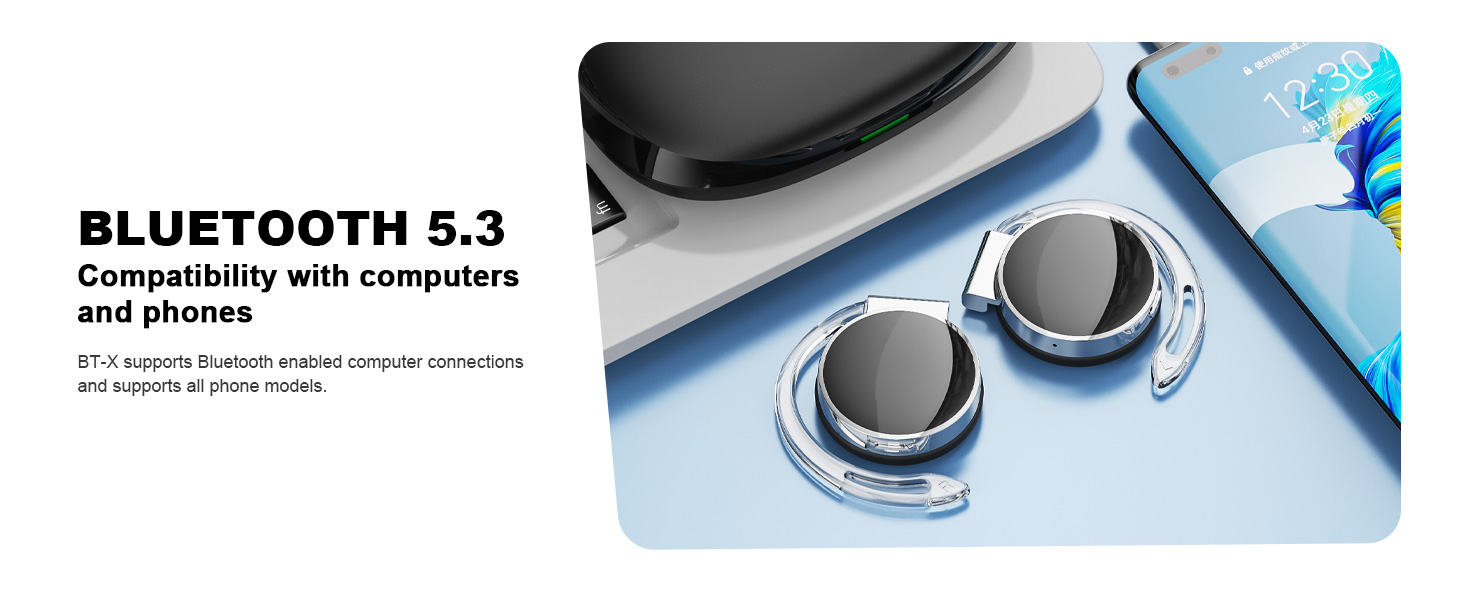
Image: Micool BT-X headphones demonstrating compatibility with various devices including laptops and smartphones via Bluetooth 5.3.
5. 헤드폰 착용
For optimal sound and comfort, wear the headphones correctly as shown below:

Image: Step-by-step guide on how to wear the Micool BT-X headphones.
- 1단계: Separate the earhooks at a 30-degree angle.
- 2단계: Rotate the earhook along the inside of your ear to the bottom.
- 3단계: Press the headphones gently until they feel secure on your ears.
- 4단계: Adjust for a comfortable and stable fit. The sponge earmuffs are designed for comfort during extended wear.
6. 사용 설명서
The Micool BT-X headphones feature multi-function buttons on each earbud for easy control.
6.1 음악 제어
- 재생/일시 중지: 양쪽 이어버드의 다기능 버튼을 한 번 누르세요.
- 다음 노래: 오른쪽 이어버드의 다기능 버튼을 두 번 누르세요.
- 이전 노래: 왼쪽 이어버드의 다기능 버튼을 두 번 누르세요.
- 볼륨 업: 오른쪽 이어버드의 다기능 버튼을 세 번 누르세요.
- 볼륨 작게 : 왼쪽 이어버드의 다기능 버튼을 세 번 누르세요.
6.2 통화 제어
- 전화 받기/종료: 양쪽 이어버드의 다기능 버튼을 한 번 누르세요.
- 전화 거부: 양쪽 이어버드의 다기능 버튼을 2초간 길게 누르세요.
6.3 음성 어시스턴트
- Voice Assistant 활성화 : 양쪽 이어버드의 다기능 버튼을 3초간 길게 누르세요.
7. 충전
The Micool BT-X headphones offer extended battery life with their charging case.
- Headphone Battery Life: Up to 15 hours of music playback on a single full charge.
- Total Battery Life with Case: The charging case provides approximately 3 additional full charges, extending total listening time up to 42 hours.
- 케이스 충전: Connect the provided USB-C cable to the charging port on the case and a power source. The battery indicator on the case will show the charging status and remaining battery capacity.
- 헤드폰 충전: Place the headphones into the charging case. They will automatically begin charging.

Image: Visual representation of the extended battery life for Micool BT-X headphones and their charging case.
8. 사양
| 특징 | 사양 |
|---|---|
| 상표 | 미쿨 |
| 모델 번호 | BT-X |
| 블루투스 버전 | 5.3 |
| 연결 기술 | 무선 전화 |
| 귀 위치 | 귀에 |
| 배터리 평균 수명 | 15 Hours (Headphones), 42 Hours (with Charging Case) |
| 제어 유형 | 음성 제어 |
| 제어 방법 | 터치, 음성 |
| 오디오 드라이버 유형 | 다이내믹 드라이버(28mm 스피커) |
| 마이크 | 4 (with Noise Cancelling) |
| 호환 장치 | 휴대폰, 태블릿, 노트북, 데스크톱 |
9. 문제 해결
- 기기와 페어링할 수 없습니다:
Ensure the headphones are charged and the insulation film is removed. Turn off Bluetooth on other nearby devices. Restart your device and try pairing again. If issues persist, reset the headphones (refer to manufacturer's web(설명서에 없는 경우 구체적인 재설정 지침은 해당 사이트를 참조하세요). - 소리가 나지 않거나 볼륨이 낮음:
Check the volume levels on both your device and the headphones. Ensure the headphones are properly connected to your device. Try playing audio from a different application or device. - 간헐적인 연결:
Ensure there are no obstructions between the headphones and your device. Stay within the Bluetooth range (up to 10 meters). Avoid environments with strong electromagnetic interference. - 헤드폰이 충전되지 않음:
Verify the USB-C cable is securely connected to both the charging case and the power source. Ensure the headphones are correctly seated in the charging case. Check the charging case's battery level.
10. 안전 정보
- 이어폰이나 충전 케이스를 극한의 온도, 습도 또는 액체에 노출시키지 마십시오.
- Avoid dropping, impacting, or disassembling the product.
- 충전 시에는 제공된 충전 케이블이나 인증된 USB-C 케이블만 사용하세요.
- 부드럽고 마른 천으로 헤드폰을 닦으세요. 독한 화학 물질을 사용하지 마세요.
- 높은 볼륨으로 장시간 청취하면 청력 손상을 유발할 수 있습니다. 안전한 수준으로 볼륨을 조절하십시오.
- Be aware of your surroundings when using headphones, especially in traffic or hazardous situations.
11. 보증 및 지원
Micool products come with a standard warranty. For detailed warranty information, product support, or service inquiries, please refer to the official Micool web해당 웹사이트를 방문하거나 구매 플랫폼을 통해 고객 서비스에 문의하세요.
Micool is committed to providing 24-hour after-sales service for all purchased items.