
symcode 1D Laser Yellow
Symcode USB 1D 바코드 스캐너 사용 설명서
Model: 1D Laser Yellow
소개
Thank you for choosing the Symcode USB 1D Barcode Scanner. This manual provides comprehensive instructions for setting up, operating, and maintaining your new barcode scanner. Please read this manual thoroughly before use to ensure optimal performance and longevity of the device.
안전 정보
Please observe the following safety guidelines to prevent injury or damage to the device:
- Do not stare directly into the laser beam. The laser light is visible and can cause eye damage.
- Keep the device away from water or other liquids to prevent electric shock or damage.
- 스캐너를 직접 분해하거나 수리하려고 하지 마십시오. 모든 서비스는 자격을 갖춘 전문가에게 맡기십시오.
- Use the scanner within the specified operating temperature and humidity ranges.
- Avoid dropping the scanner from excessive heights, although it is designed for durability, extreme impacts can cause damage.
패키지 내용
패키지에 모든 품목이 들어 있는지 확인하세요.
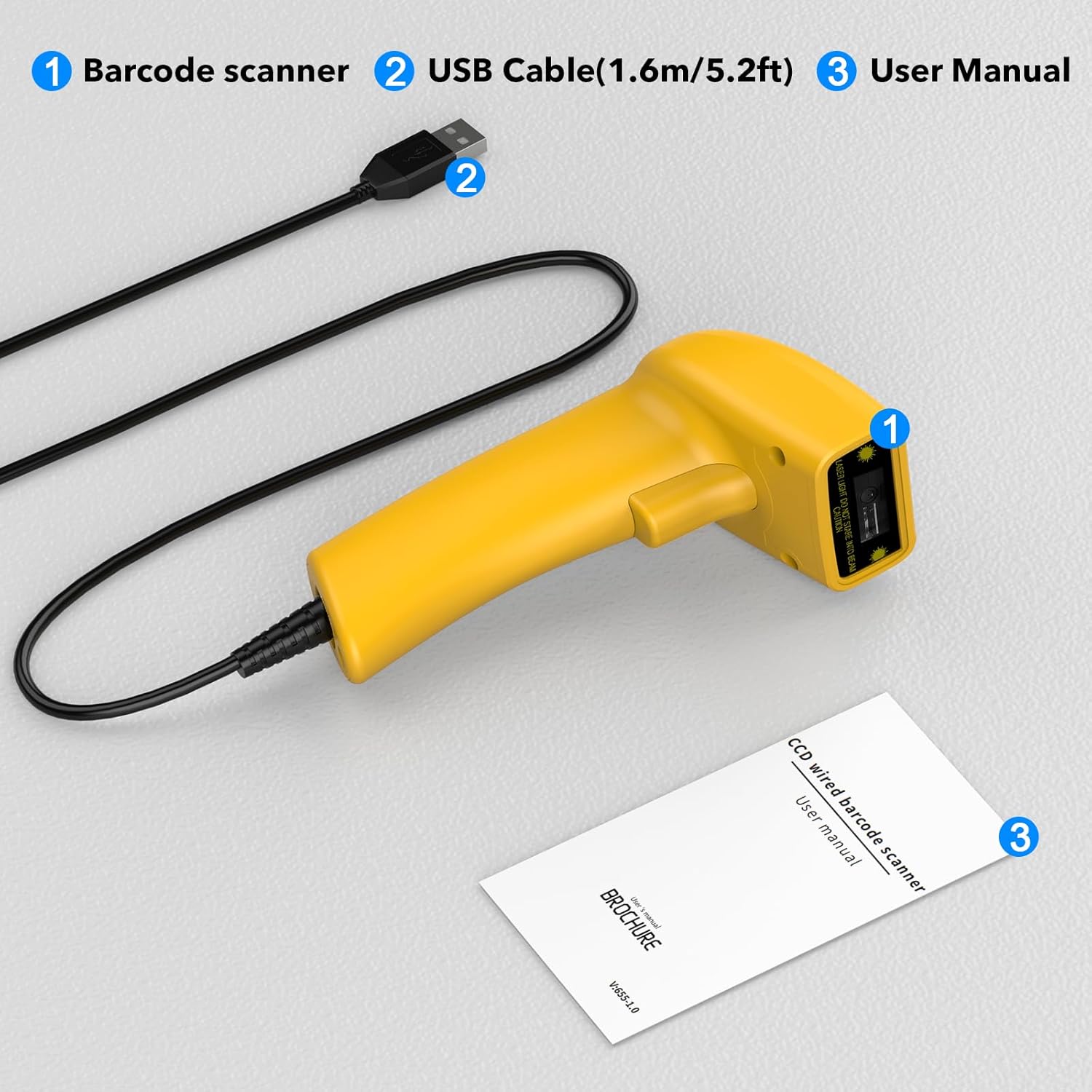
Image showing the Symcode 1D Barcode Scanner, its USB cable, and the included user manual, indicating the complete package contents.
- 1 x Symcode CCD 바코드 스캐너
- 1 x USB Cable (1.6m / 5.2ft)
- 1 x 사용자 설명서
제품 끝view
The Symcode 1D Barcode Scanner features a compact and ergonomic design for comfortable handheld use. It is equipped with a CCD sensor for efficient barcode reading.
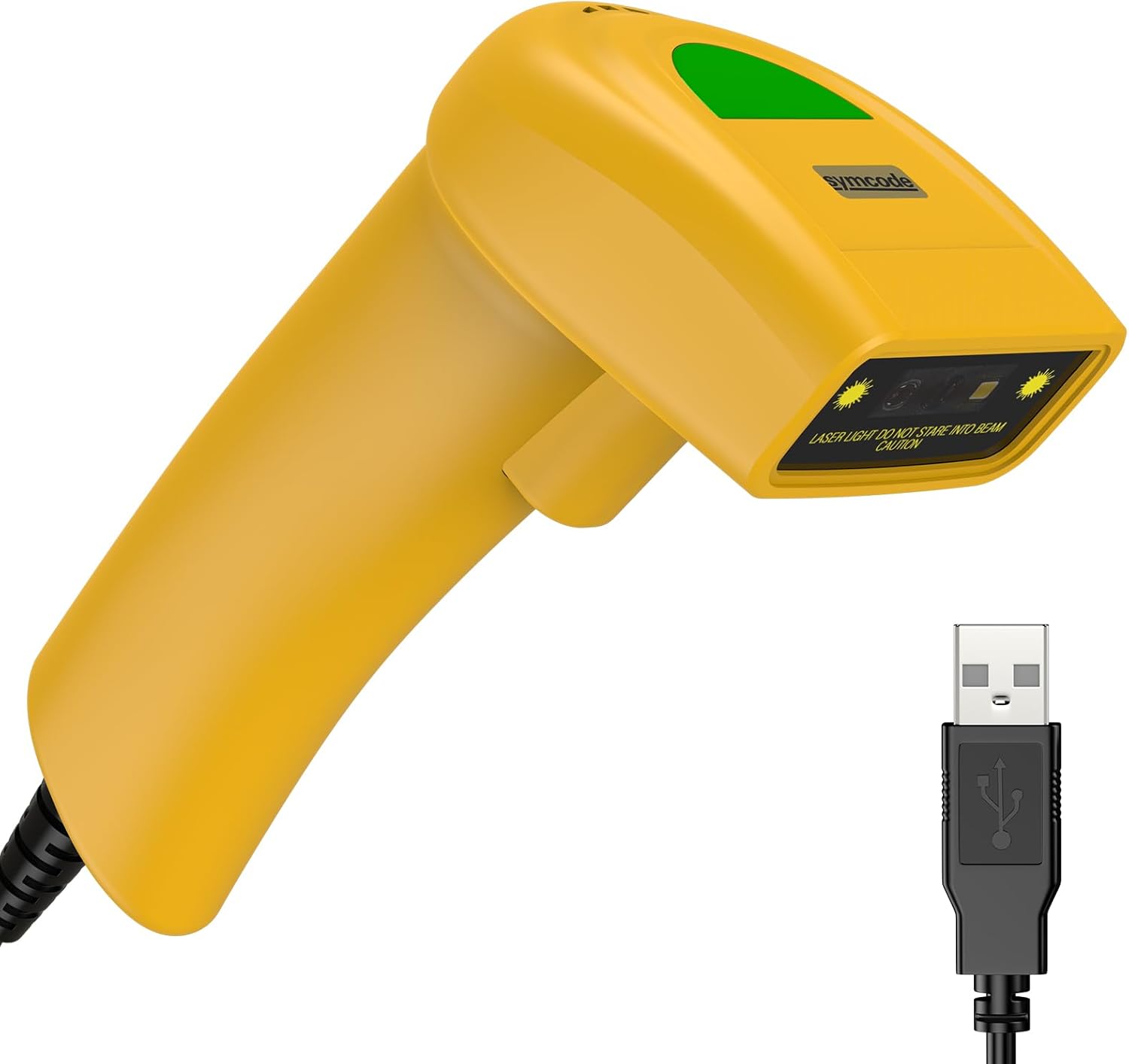
자세한 view of the Symcode 1D Barcode Scanner in yellow, highlighting its ergonomic shape and the attached USB cable for connectivity.
설치 지침
The Symcode barcode scanner is designed for simple plug-and-play operation.
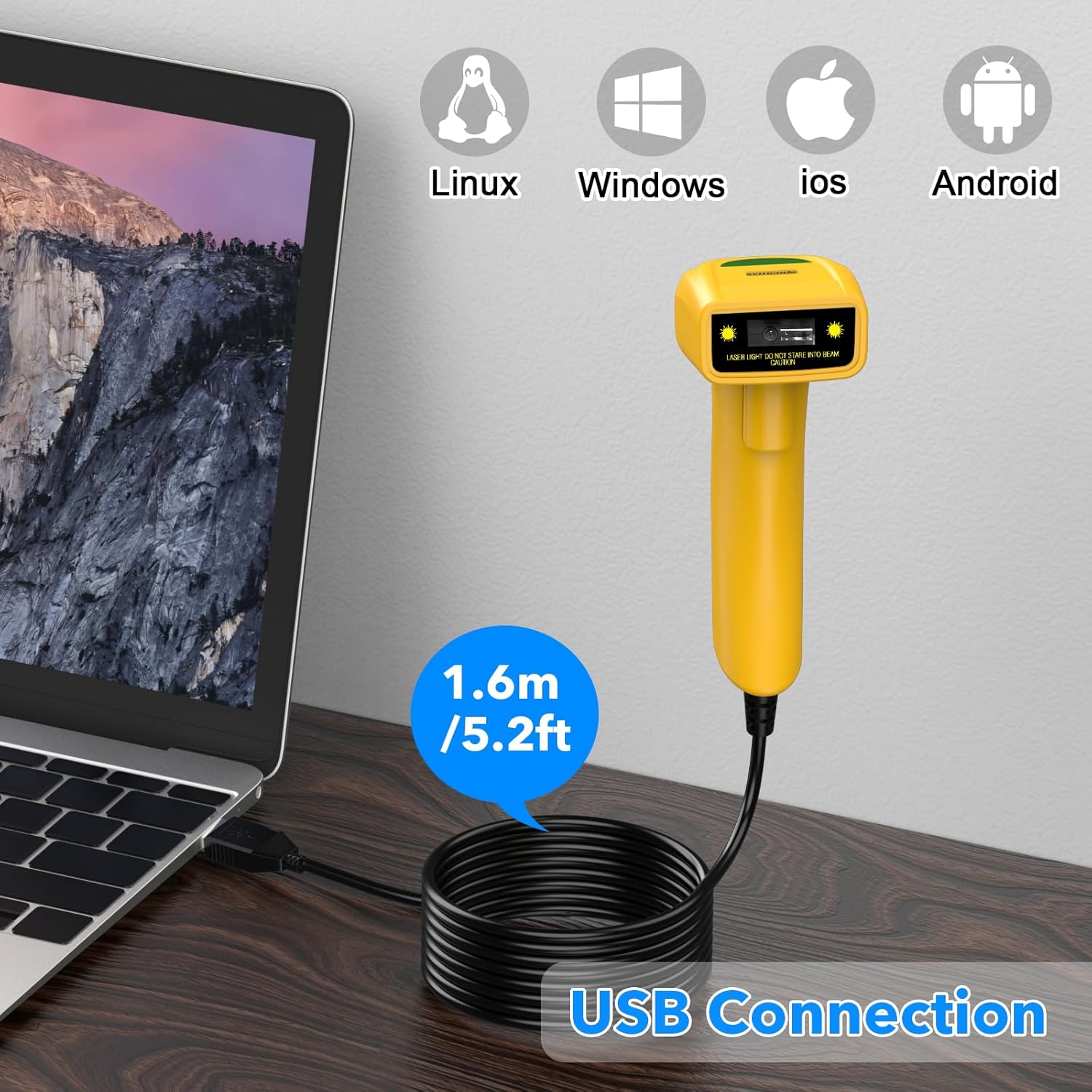
The Symcode barcode scanner connected to a laptop via its USB cable, illustrating its compatibility with Linux, Windows, iOS, and Android operating systems.
- Connect the USB cable from the scanner to an available USB port on your computer (Laptop or Desktop).
- The scanner is compatible with various operating systems including Linux, Windows, iOS, and Android. No additional drivers are typically required.
- Once connected, the scanner will be recognized as a keyboard input device. You can open any text editor, spreadsheet, or POS application and scan a barcode to test. The scanned data will appear as if typed by a keyboard.
작동 모드
The scanner supports three primary scanning modes to suit different operational needs:
- 키 트리거 모드: Press the trigger button to activate the scan beam and read a barcode. The beam will turn off when the button is released.
- 자동 유도 모드: The scanner automatically detects a barcode within its scanning range and activates the beam to read it without requiring a trigger press.
- 연속 모드: The scan beam remains continuously active, allowing for rapid scanning of multiple barcodes without individual trigger presses.
Refer to the included user manual (physical copy) for specific barcode configurations to switch between these modes.
고급 기능
접두사 및 접미사 사용자 지정
The scanner allows for customization of prefixes and suffixes to be added to the scanned data, providing flexibility for various applications.
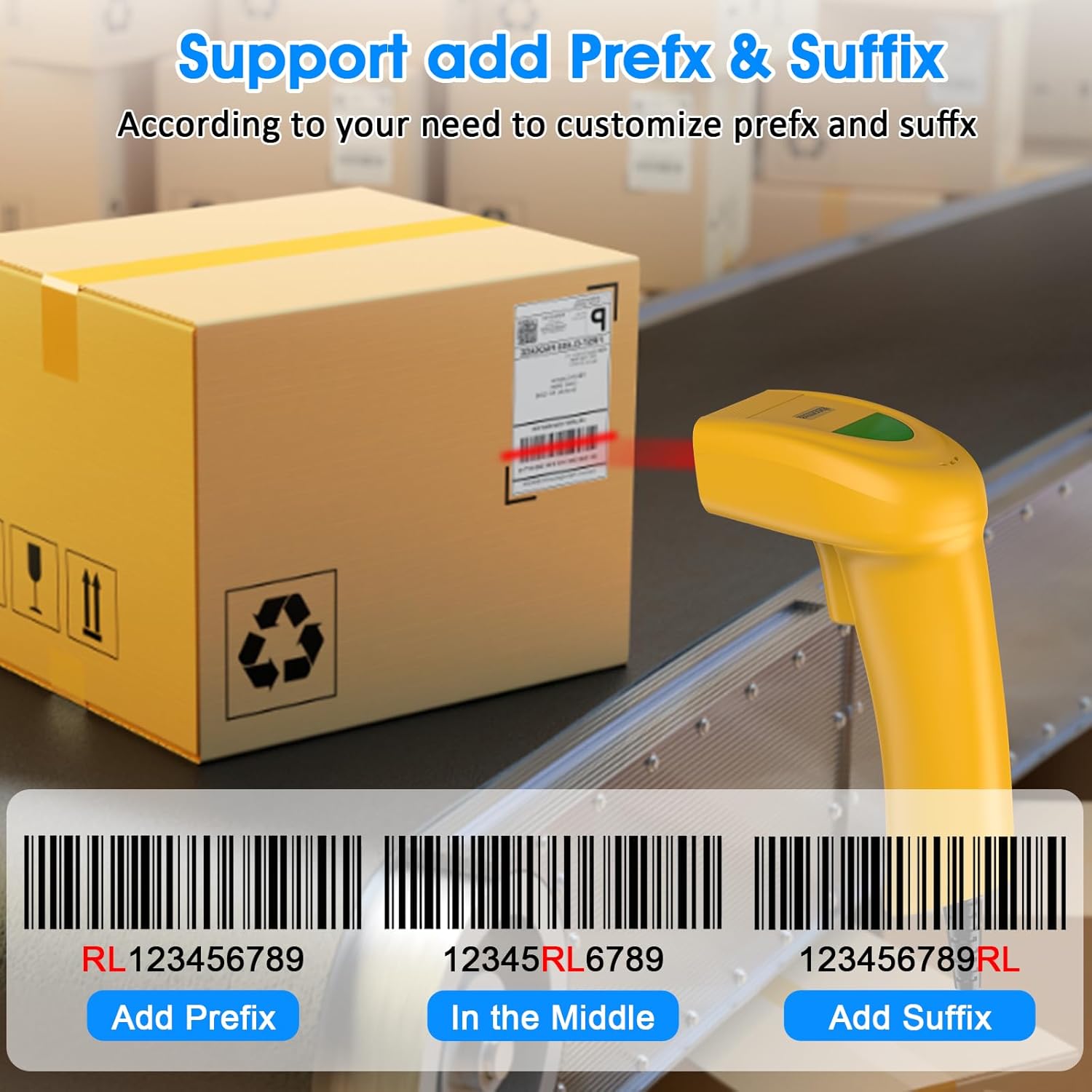
An illustration demonstrating how the Symcode barcode scanner can add custom prefixes (e.g., RL123456789), suffixes (e.g., 123456789RL), or insert characters in the middle (e.g., 12345RL6789) of scanned barcode data.
This feature is useful for integrating scanned data into specific software systems or for data organization. Consult the physical user manual for programming barcodes to configure these options.
사운드 설정
The scanner provides audible feedback upon successful scans. The sound can be turned on or off according to your preference and working environment.
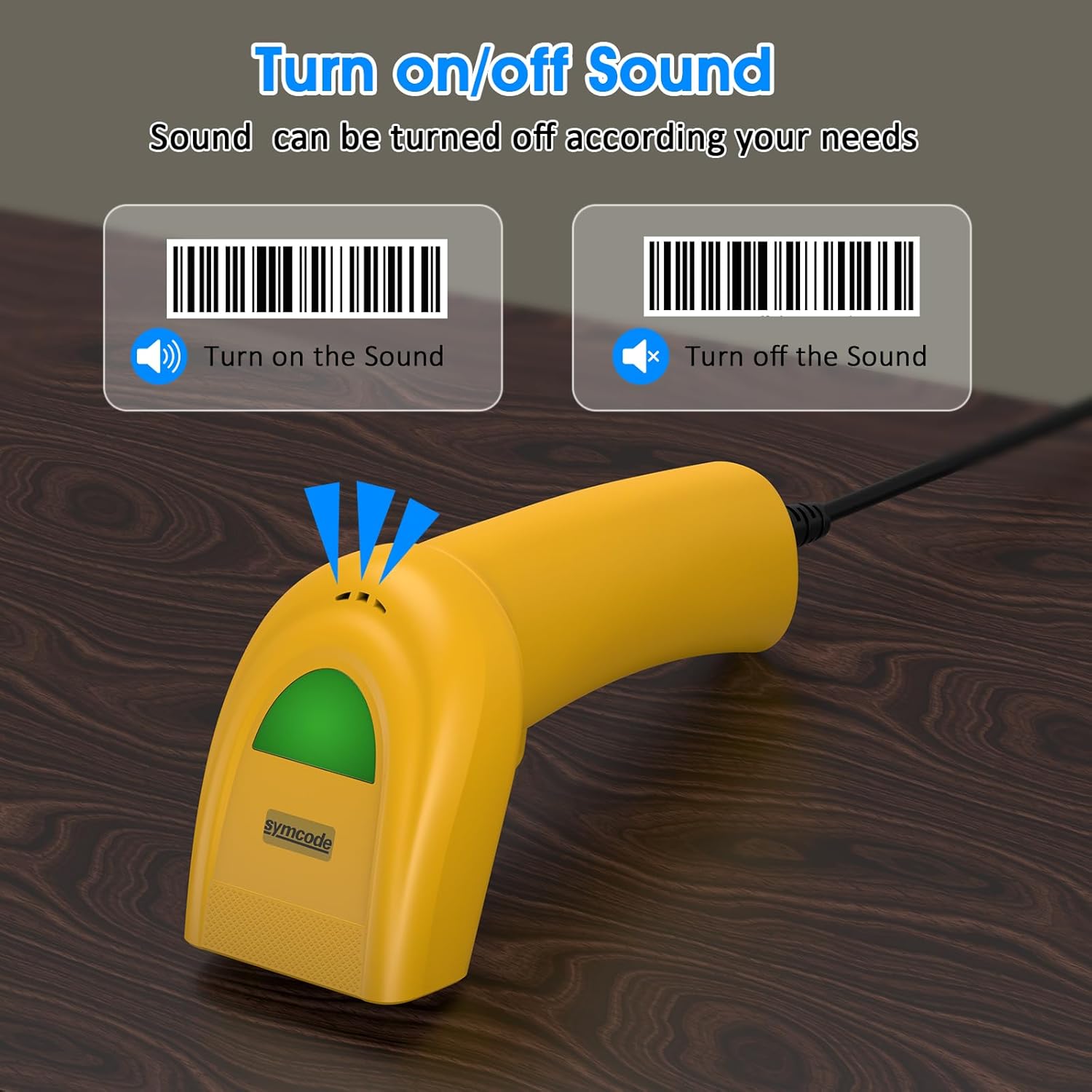
An image illustrating the option to turn the scanner's sound on or off, with visual cues for both states, allowing users to customize audible feedback.
Scan the appropriate configuration barcode from the user manual to toggle the sound feature.
지원되는 바코드
The Symcode 1D Barcode Scanner is equipped with advanced CCD sensor technology, enabling it to accurately read a wide range of 1D barcodes from both paper and digital screens. It can even decode smudged, damaged, fuzzy, or reflective barcodes.
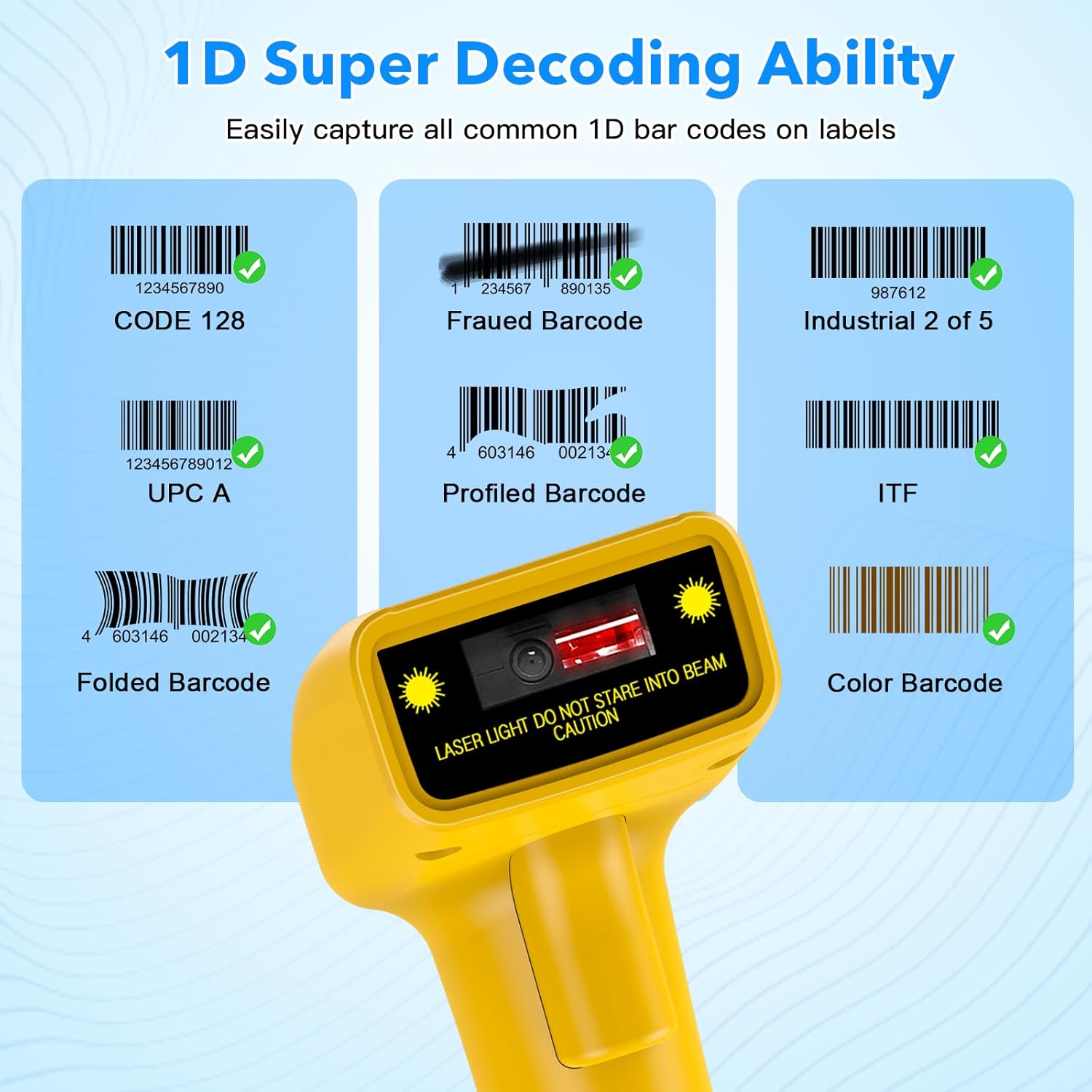
시각적 전amples of various 1D barcodes that the Symcode scanner can decode, including CODE 128, Frauded Barcode (e.g., 1234567890135), Industrial 2 of 5, UPC A (e.g., 0123456789012), Profiled Barcode (e.g., 4603146002134), ITF, Folded Barcode (e.g., 6234567890178), and Color Barcode, demonstrating its super decoding ability.
지원되는 1D 바코드 심볼로는 다음과 같습니다.
- EAN-8 / EAN-13
- UPC-A / UPC-E
- Code 39 / Code 93 / Code 128
- EAN-128
- 코다 바
- 산업 2/5
- 2/5 인터리브
- 매트릭스 2/5
- 엠에스아이
- 코드 11
- RSS 변형
- 중국어 2/5
The scanner also supports 180 configurable options for prefix, suffix, and termination strings.
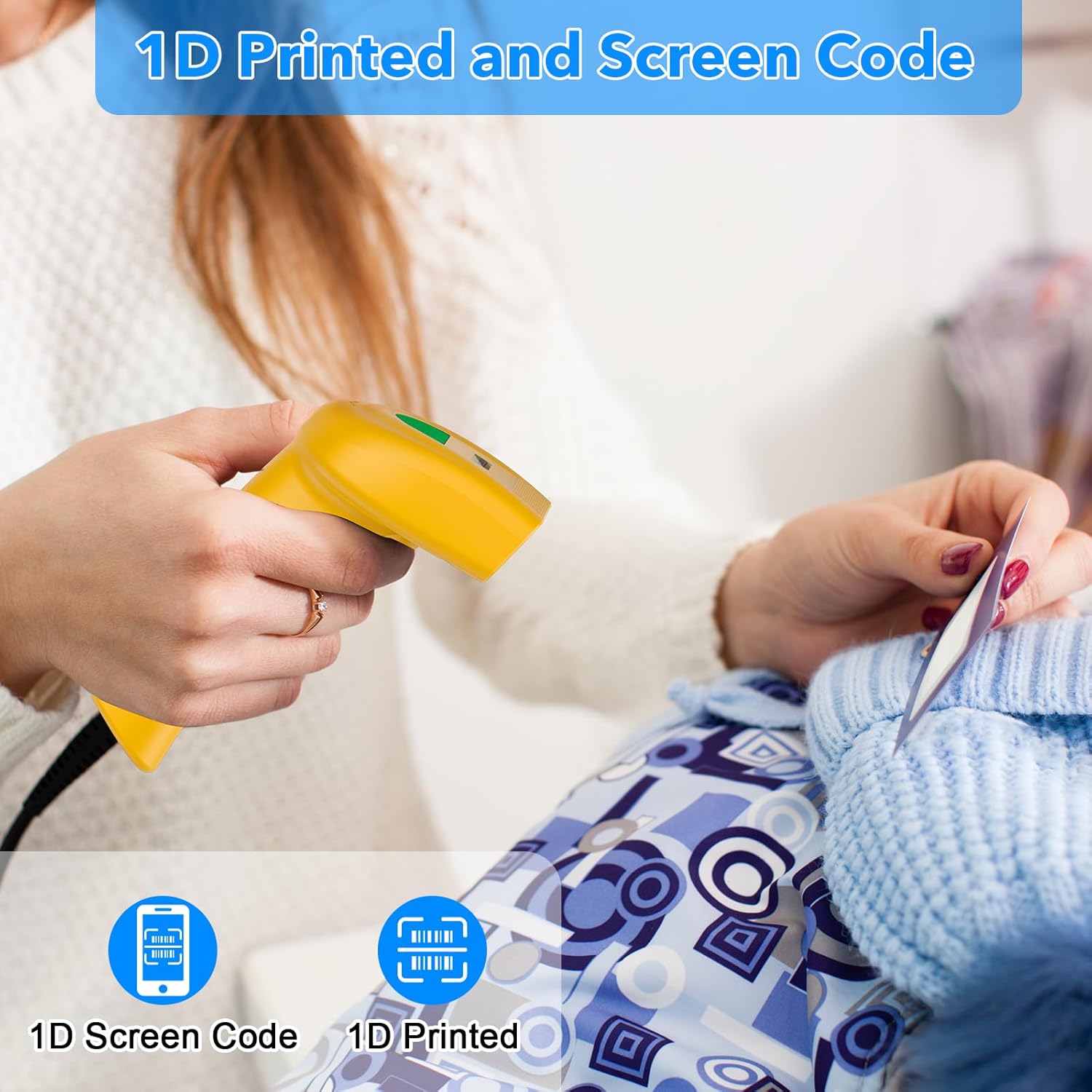
The Symcode barcode scanner in use, demonstrating its capability to scan both 1D printed barcodes and 1D barcodes displayed on screens, highlighting its versatility.
유지
적절한 유지관리는 바코드 스캐너의 수명과 최적의 성능을 보장합니다.
- 청소: 부드럽고 마른 천을 사용하여 스캐너 외부를 청소하세요. 스캔 창의 경우 렌즈 청소용 천이나 부드러운 천을 사용하여 가볍게 닦으세요.ampened with a non-abrasive cleaner. Do not use harsh chemicals or abrasive materials.
- 저장: 스캐너는 직사광선과 극한의 온도를 피해 시원하고 건조한 곳에 보관하세요.
- 케이블 관리: USB 케이블을 과도하게 구부리거나 비틀지 마세요. 내부 전선이 손상될 수 있습니다.
문제 해결
If you encounter issues with your scanner, refer to the table below for common problems and solutions.
| 문제 | 가능한 원인 | 해결책 |
|---|---|---|
| 스캐너의 전원이 켜지지 않습니다. | USB 케이블이 제대로 연결되지 않았거나 USB 포트에 결함이 있습니다. | USB 케이블이 스캐너와 컴퓨터에 단단히 꽂혀 있는지 확인하세요. 다른 USB 포트에 연결해 보세요. |
| 스캐너가 바코드를 읽지 못합니다. | Incorrect scanning mode, barcode type not supported, or damaged barcode. | Check the scanning mode (trigger, auto-induction, continuous). Ensure the barcode symbology is supported. Try scanning a known good barcode. Clean the scanning window. |
| 스캔한 데이터가 잘못 표시됩니다. | Keyboard language settings mismatch or incorrect prefix/suffix settings. | Ensure your computer's keyboard language matches the scanner's default. Reset prefix/suffix settings if recently changed. |
| No sound feedback. | Sound feature is turned off. | Scan the 'Turn on Sound' configuration barcode from the user manual. |
기술 사양
| 특징 | 사양 |
|---|---|
| 치수 | 165 x 63 x 87mm |
| 무게 | 156g(6.4온스) |
| 광원 | 650nm~670nm 가시광선 레이저 |
| 스캔 속도 | 100 스캔/초 |
| 읽기 정확성 | 0.1mm(4밀) |
| 인쇄 대비 | 30% 최소 |
| 피사계 심도 | 0~600mm (0.33mm, PCS 90%) |
| 스캔 범위 | 10mm~250mm |
| 독서 거리 | 2.5~600mm(100% UPC/EAN) |
| 비트 오류율 | 1 / 5 백만 |
| 현재의 | 85mA(작동), 36mA(저장) |
| 인터페이스 | USB |
| 작동 온도 | 0 ~45 (32 ~113 ) |
| 보관 온도 | -20 ~60 (-4 ~140 ) |
| 습기 | 5%~95% 비응축 |
| 재료 | ABS+PC |
| 연결 기술 | USB 케이블 |
| 호환 장치 | 노트북, 데스크탑 |
| 전원 | 코드식 전기 |
보증 및 지원
Symcode products are manufactured to high-quality standards. For warranty information and technical support, please refer to the documentation included with your purchase or visit the official Symcode store.
For further assistance, you may contact Symcode support directly through their official store page: Symcode Official Store