
1. 서론
구매해주셔서 감사합니다asing the T&G TG-516 Portable Bluetooth Speaker. This device is designed for high-quality audio playback and portability, featuring Bluetooth 5.3 connectivity, TF card and USB drive support, FM radio, and a built-in microphone for hands-free calls. Its waterproof design makes it suitable for various environments. Please read this manual carefully to ensure proper use and to maximize your speaker's performance.
2. 제품 특징
- 휴대성과 가벼움: 휴대가 간편하고 이동 중에도 사용하기 쉽도록 설계되었습니다.
- 블루투스 5.3 연결: Provides a stable and fast wireless connection up to 10 meters.
- 다양한 재생 모드: Supports TF (Micro SD) cards, USB drives, FM radio, and AUX input.
- 핸즈프리 통화: Built-in microphone allows for answering calls directly through the speaker.
- TWS 기능: Connect two TG-516 speakers wirelessly for enhanced stereo sound.
- 방수 디자인 : IPX5 rating protects against splashes and light rain, making it suitable for outdoor activities.
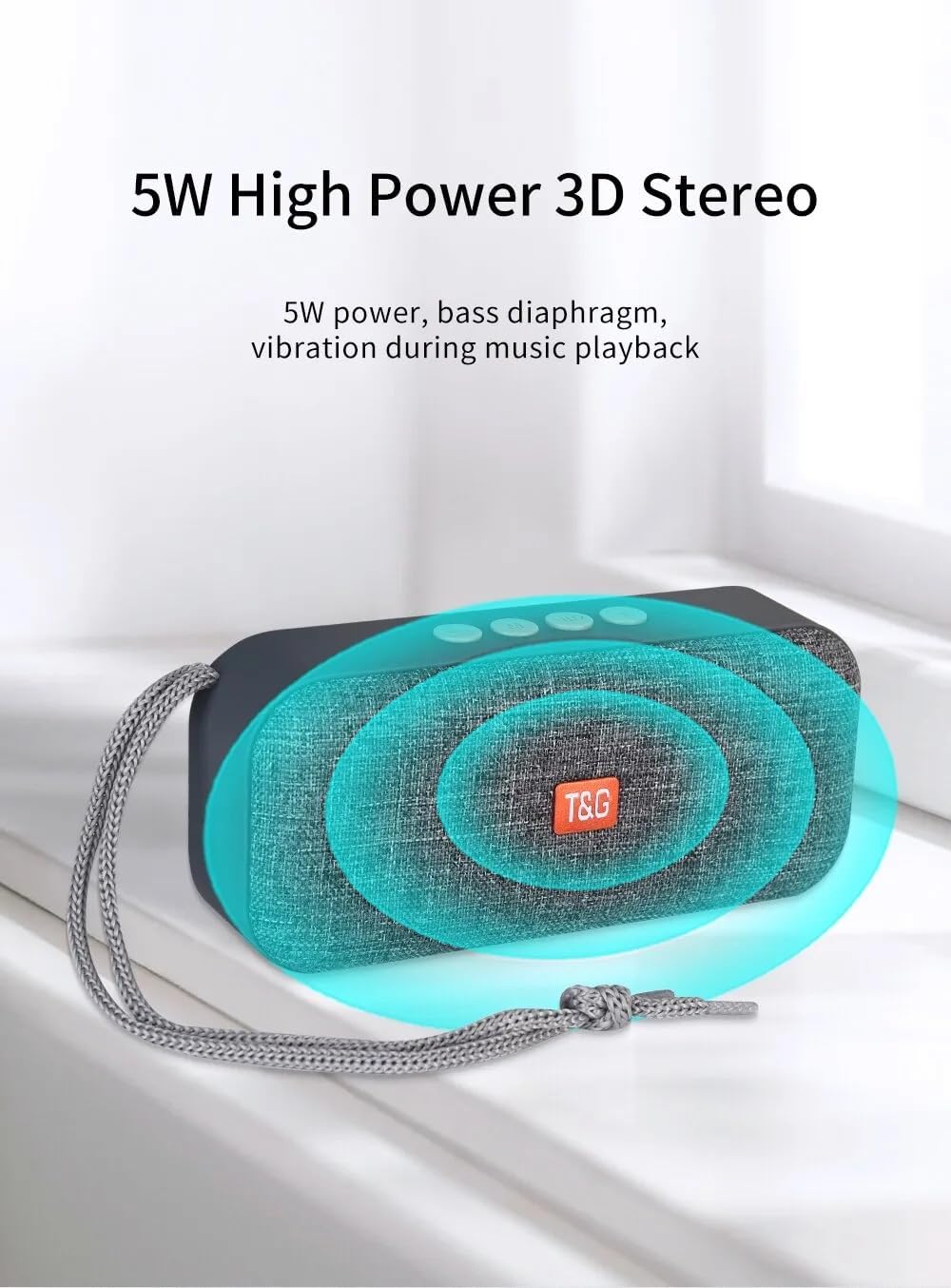
- 5W 고출력 3D 스테레오: Delivers clear audio with a bass diaphragm for enhanced sound.
- 오래 지속되는 배터리: Integrated 500mAh battery provides approximately 1 hour of playback at moderate volume.

3. 패키지 내용
- 1 x T&G TG-516 Portable Bluetooth Speaker
- 1 x USB 충전 케이블
4. 장치 레이아웃 및 컨트롤

- 볼륨 낮추기 / 이전 트랙: Short press for previous track (in music mode), long press to decrease volume.
- 모드 스위치: Short press to switch between modes (USB drive, TF card, FM radio, Bluetooth, LINE IN). Long press for hard searching in FM mode.
- Play/Pause / Call Control: Short press to play/pause music. In Bluetooth mode, short press to answer a call, long press to end a call. In FM mode, short press to automatically search for radio stations, and short press during search to cancel.
- 볼륨 높이기 / 다음 트랙: Short press for next track (in music mode), long press to increase volume.
- 온 / 오프 스위치: 전원 버튼.
- DC 5V Power Interface: 마이크로 USB 충전 포트.
- TF 카드 입력 인터페이스: Decodes MP3 format audio playback when a TF card is inserted.
- AUX 입력 인터페이스: 3.5mm audio jack for external audio input.
- USB 드라이브 입력 인터페이스: Decodes MP3 format audio playback when a USB drive is inserted.
5. 설정 및 초기 사용
5.1 스피커 충전
Before first use, fully charge the speaker. Connect the provided USB charging cable to the DC 5V power interface (6) on the speaker and the other end to a USB power source (e.g., computer, USB wall adapter). The charging indicator light will illuminate during charging and turn off when fully charged.

5.2 전원 켜기/끄기
To power on the speaker, slide the ON/OFF switch (5) to the "ON" position. To power off, slide it to the "OFF" position.
5.3 블루투스 페어링
- Ensure the speaker is powered on and in Bluetooth mode (indicated by a flashing blue light). If not, short press the Mode Switch button (2) until it enters Bluetooth mode.
- 모바일 기기(스마트폰, 태블릿 등)에서 Bluetooth를 활성화하고 사용 가능한 기기를 검색하세요.
- 장치 목록에서 "TG-516"를 선택하십시오.
- Once paired, the speaker will emit a confirmation sound, and the blue light will stop flashing.

5.4 TWS(True Wireless Stereo) 페어링
To connect two TG-516 speakers for a stereo experience:
- Ensure both TG-516 speakers are powered on and in Bluetooth mode, but not yet paired with any device.
- On one of the speakers (this will be the primary speaker), long press the Play/Pause button (3) for a few seconds until you hear a pairing tone.
- 두 스피커가 자동으로 연결됩니다. 연결되면 확인음이 들립니다.
- Now, pair your mobile device with the primary speaker as described in section 5.3. Audio will play through both speakers in stereo.

6. 사용 설명서
6.1 재생 모드 전환
Short press the Mode Switch button (2) to cycle through available modes: Bluetooth, TF Card, USB Drive, FM Radio, and AUX Input. The speaker will announce the current mode.
6.2 음악 재생
- 재생/일시 중지: 재생/일시정지 버튼(3)을 짧게 누르세요.
- 다음 트랙: Short press the Volume Up / Next Track button (4).
- 이전 트랙 : Short press the Volume Down / Previous Track button (1).
- 볼륨 조절: Long press the Volume Up / Next Track button (4) to increase volume. Long press the Volume Down / Previous Track button (1) to decrease volume.
6.3 FM 라디오 작동
- Switch to FM Radio mode using the Mode Switch button (2).
- For better reception, connect the USB charging cable to the speaker; it acts as an antenna.
- 자동 역 검색: Short press the Play/Pause button (3) to start an automatic search for radio stations. The speaker will scan and save available stations. Short press again during the search to cancel.
- 역 안내: Short press the Volume Up / Next Track button (4) or Volume Down / Previous Track button (1) to switch between saved stations.
6.4 핸즈프리 통화
When connected via Bluetooth to your phone:
- 전화 받기: Short press the Play/Pause button (3) when an incoming call rings.
- 통화 종료: Long press the Play/Pause button (3) during a call to end it.
- 전화 거부: Long press the Play/Pause button (3) when an incoming call rings to reject it.

7. 유지관리
- 청소: 부드럽고 마른 천을 사용하여 스피커를 닦으세요. 강한 화학 물질이나 연마성 세제는 사용하지 마세요.
- 방수 기능: The speaker is IPX5 waterproof, meaning it is protected against low-pressure water jets from any direction. Do not submerge the speaker in water or expose it to heavy rain for extended periods. Ensure all port covers are securely closed before exposure to water.
- 배터리 관리 : 배터리 수명을 연장하려면 스피커를 자주 완전히 방전시키지 마십시오. 장기간 사용하지 않더라도 정기적으로 충전하십시오. 서늘하고 건조한 곳에 보관하십시오.
- 저장: 사용하지 않을 때는 스피커를 직사광선과 극한의 온도를 피해 시원하고 건조한 곳에 보관하세요.
8. 문제 해결
| 문제 | 가능한 원인 | 해결책 |
|---|---|---|
| 스피커가 켜지지 않습니다. | 배터리가 소진되었습니다. | 제공된 USB 케이블을 사용하여 스피커를 충전하세요. |
| 블루투스로 페어링할 수 없습니다. | 스피커가 페어링 모드에 있지 않거나 기기에서 너무 멀리 떨어져 있습니다. | Ensure speaker is in Bluetooth mode (flashing blue light). Move speaker closer to your device. Turn off and on Bluetooth on your device. |
| 소리가 나지 않습니다. | 볼륨이 너무 작거나 음소거되었습니다. 잘못된 모드가 선택되었습니다. | Increase volume on both speaker and connected device. Ensure correct playback mode (Bluetooth, TF, USB, AUX) is selected. |
| FM 라디오 수신이 좋지 않습니다. | No antenna connected or weak signal. | Connect the USB charging cable to the speaker; it acts as an antenna. Try moving to a location with better signal. |
| TWS 페어링이 실패합니다. | Speakers already paired to a device or not in TWS pairing mode. | Ensure both speakers are not connected to any device. Follow TWS pairing steps carefully (Section 5.4). |
9. 사양
| 모델: | TG-516 |
| 블루투스 버전: | V5.3 |
| 무선 거리: | 최대 10미터(33피트) |
| 스피커 크기: | 5.2 cm (Woofer) |
| 출력 전력: | 5 와트 |
| 주파수 응답: | 50Hz - 20kHz |
| 신호 대 잡음비 : | ≥ 85dB |
| 배터리: | 3.7V, 500mAh |
| Playback Time (moderate volume): | 약 1시간 |
| 치수: | 145mm x 46.5mm x 66mm(5.7 x 1.8 x 2.6인치) |
| 무게: | 210그램(0.46파운드) |
| 방수 등급: | IPX5 |
| 지원되는 미디어: | Bluetooth, TF Card, USB Drive, AUX, FM Radio |
10. 보증 및 지원
The T&G TG-516 Portable Bluetooth Speaker comes with a manufacturer's warranty. Please refer to your purchase documentation or contact your retailer for specific warranty terms and conditions. For technical support or further assistance, please contact the vendor or manufacturer directly.