
1. 서론
This manual provides detailed instructions for the proper setup, operation, and maintenance of your BEBANG WX-C03-652 Monocular Dual LED Microscope. Designed for educational and laboratory use, this microscope offers a wide range of magnifications and features to explore the microscopic world. Please read this manual thoroughly before using the microscope to ensure optimal performance and longevity.

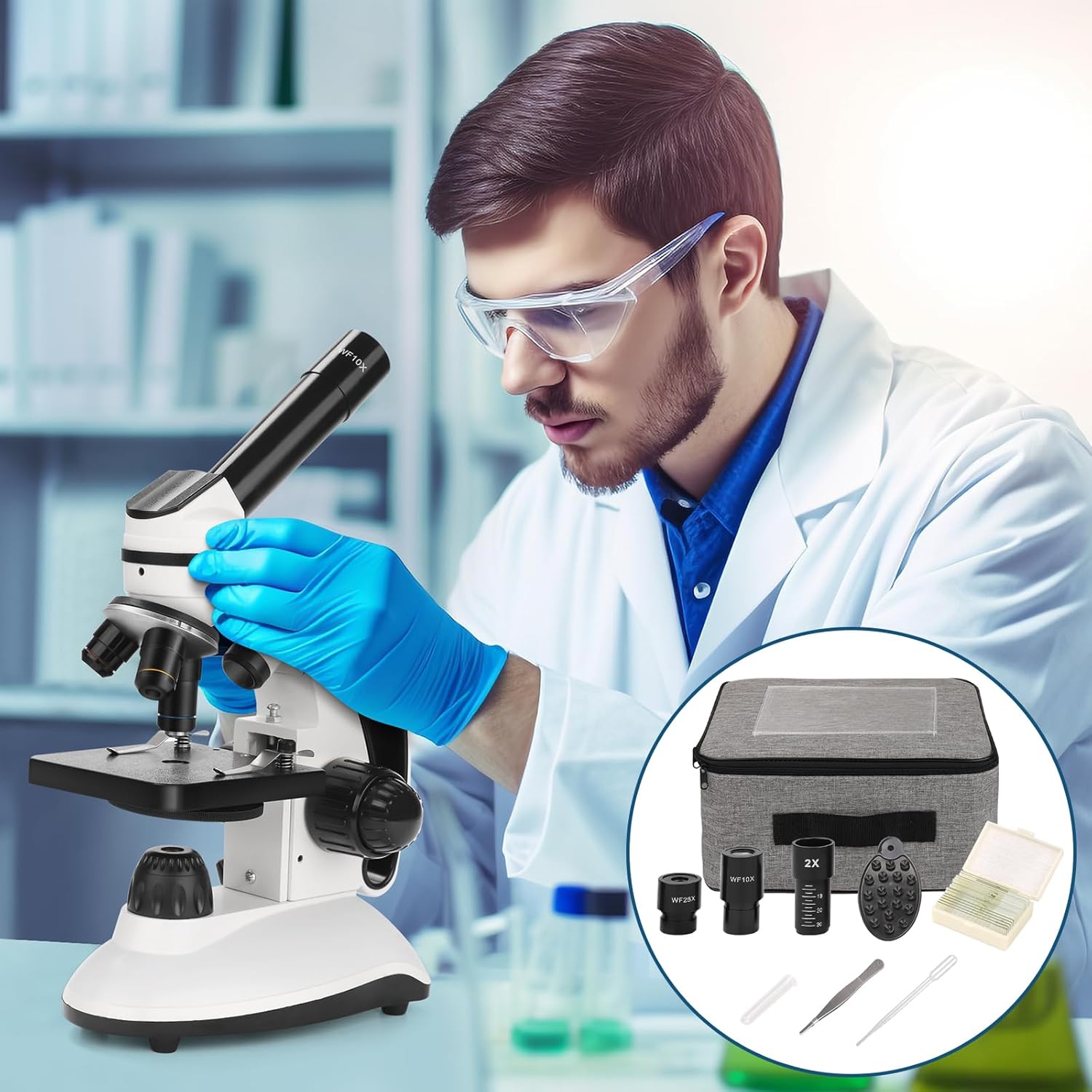
The BEBANG WX-C03-652 Monocular Dual LED Microscope, shown with its various accessories including eyepieces, Barlow lens, and slide kits.
2. 제품 오버view 및 구성 요소
Familiarize yourself with the main parts of your microscope before operation.

Diagram illustrating the main components of the BEBANG microscope.
- 접안 렌즈
- 단안 헤드
- Stage
- Top LED Illuminator
- 대물렌즈
- Filter Circle
- Bottom LED Illuminator
- LED Brightness Switch
- Coarse and Fine Focus Knobs
- 배터리 칸
- AC 전원 인터페이스
3. 설정 지침
3.1 풀기
Carefully remove all components from the packaging. Inspect for any damage. Keep all packaging materials for future storage or transport.
3.2 전원 연결
The microscope can be powered via the included AC adapter or by batteries (not included). Connect the AC adapter to the AC Power Interface (11) and a suitable power outlet. Alternatively, open the Battery Compartment (10) and insert the required batteries, ensuring correct polarity.
3.3 Eyepiece Installation
Insert the desired eyepiece (WF10X or WF25X) into the Monocular Head (2). If using the 2x Barlow lens, insert it into the monocular head first, then insert the eyepiece into the Barlow lens.
3.4 Objective Lens Selection
Rotate the revolving nosepiece to select the 4X objective lens (5) for initial viewing. The objective lenses are 4X, 10X, and 40X.
4. 사용 설명서
4.1 배율 조정
The total magnification is calculated by multiplying the eyepiece magnification by the objective lens magnification, and then by the Barlow lens magnification if used. The microscope offers 10 levels of magnification from 40x to 2000x.
- 접안렌즈: WF10X, WF25X
- 대물렌즈: 4배, 10배, 40배
- 바로우 렌즈: 2X (선택 사항)
예를 들어amp르 :
- WF10X Eyepiece + 4X Objective = 40X
- WF10X Eyepiece + 40X Objective + 2X Barlow Lens = 800X
- WF25X Eyepiece + 40X Objective + 2X Barlow Lens = 2000X

Visual guide to calculating total magnification with different eyepiece and objective lens combinations.
4.2 Illumination Control
The microscope features a dual LED illumination system with adjustable brightness.
- Top LED Illuminator (4): Suitable for opaque objects (e.g., hair, fabric, leaves).
- Bottom LED Illuminator (7): Suitable for translucent specimens on slides.
Use the LED Brightness Switch (8) to adjust the intensity of the light source. Select the appropriate illuminator based on your specimen type for clear view주고받음.

Illustration of the dual LED illumination system, showing top and bottom light sources and brightness control.
4.3 포커싱
Place your prepared slide on the Stage (3). Use the Coarse Focus Knob (9) to bring the specimen into approximate focus. Then, use the Fine Focus Knob (9) for precise adjustments to achieve a sharp, clear image.
4.4 Using the Phone Adapter
The included phone adapter allows you to attach your smartphone to the eyepiece for viewing, capturing photos, or recording videos of your observations. Securely attach your phone to the adapter, then place the adapter over the eyepiece. Adjust your phone's camera to align with the eyepiece for the best view.

The BEBANG microscope with a smartphone attached via the phone adapter, demonstrating its use for digital view주고받음.
4.5 Slide Preparation
The microscope comes with 10 prepared specimen slides and 5 blank slides. For blank slides, place a thin, transparent specimen in the center, add a drop of water or mounting medium, and cover with a coverslip. Ensure there are no air bubbles for optimal view주고받음.
Included accessories: a set of prepared specimen slides and blank slides for observation.
5. 유지관리
- 렌즈 세척: Use a soft, lint-free lens tissue and a specialized lens cleaning solution to clean objective lenses and eyepieces. Avoid touching optical surfaces with bare hands.
- 세척 본체: 현미경 본체를 부드러운 천으로 닦으십시오.amp 옷감. 강한 화학 물질이나 연마성 세제를 사용하지 마십시오.
- 저장: When not in use, cover the microscope with a dust cover (if available) and store it in a dry, dust-free environment. Remove batteries if storing for extended periods.
- 손질: Always carry the microscope by its arm and base to ensure stability.
6. 문제 해결
- 조명 없음: Check power connection or battery installation. Ensure the LED Brightness Switch is turned on and adjusted.
- 이미지가 흐릿합니다. Adjust the Coarse and Fine Focus Knobs. Ensure the specimen is properly prepared and positioned on the stage. Check if the correct objective lens is selected and fully clicked into place.
- Dark Field of View: Ensure the illuminator is on and adjusted. Check if the diaphragm (Filter Circle) is open sufficiently.
- 렌즈에 먼지가 묻어 있음: Use a blower brush or lens tissue to gently remove dust from eyepieces and objective lenses.
7. 사양
| 특징 | 사양 |
|---|---|
| 상표 | 베방 |
| 모델명 | RM (WX-C03-652) |
| 재료 | 금속 |
| 색상 | 은 |
| 접안렌즈 | WF10X, WF25X |
| 대물렌즈 | Achromatic; 4X, 10X, 40X |
| 바로우 렌즈 | 2X |
| 최대 배율 | 2000X |
| 조명 유형 | Dual LED (Top and Bottom) |
| View잉 각도 | 45도 |
| 호환 장치 | 스마트폰(어댑터 포함) |
| 전원 | AC 어댑터, 배터리 |
| 패키지 크기 | 34.4 x 25.9 x 19.4cm |
| 패키지 무게 | 2.32 킬로그램 |
8. 보증 및 지원
BEBANG provides quality warranty service for this product. For specific warranty details, including duration and coverage, please refer to the documentation included with your purchase or contact BEBANG customer support directly. For technical assistance or inquiries, please visit the official BEBANG web사이트를 방문하거나 고객 서비스에 문의하세요.