
1. 제품 오버view
The Oster Craftsman Adjustable Magnetic Motor Hair Clippers are designed for precise and efficient hair cutting. This manual provides essential information for safe operation, maintenance, and optimal performance of your new clippers.

이미지 1.1: 앞면 view of the Oster Craftsman Adjustable Magnetic Motor Hair Clippers. This image shows the main body of the clipper, the blade assembly, and the "Oster Craftsman" branding.
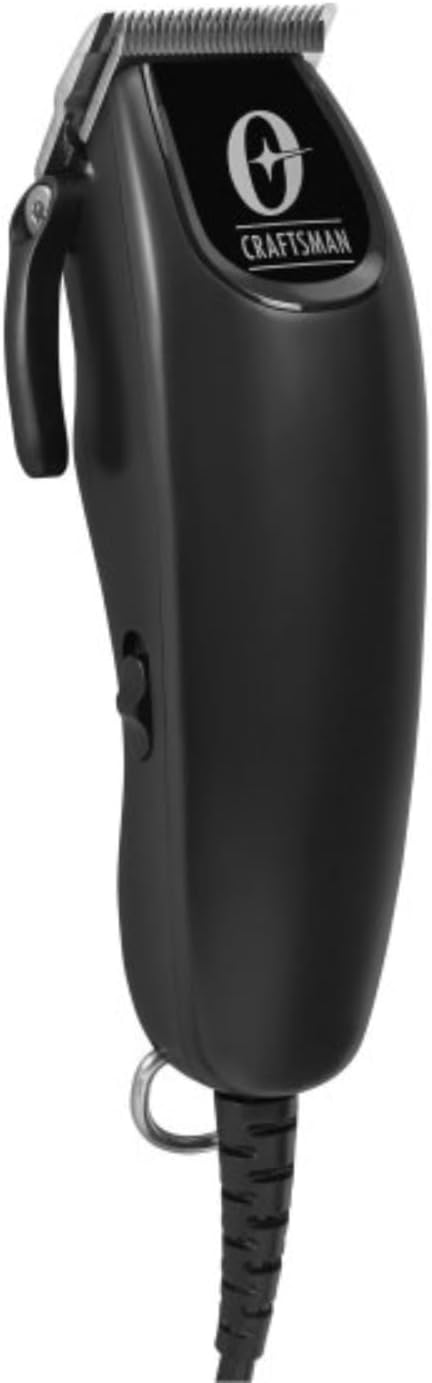
이미지 1.2: 각도 view of the Oster Craftsman Hair Clippers. This perspective highlights the ergonomic shape and the side power switch.

이미지 1.3: 뒤 view of the Oster Craftsman Hair Clippers. This view shows the product's regulatory markings and the sturdy power cord connection.
2. 안전 정보
Please read all safety instructions before using the clippers to prevent injury or damage.
- Always unplug the clipper before cleaning, performing maintenance, or storing.
- Avoid direct contact of the blades with skin and eyes.
- Keep the clipper away from water sources and do not use it in wet environments.
- Clean the clipper after each use with the included cleaning brush and blade oil.
- 성인의 감독 없이 유아나 어린이에게 사용하지 마십시오.
- 올바른 사용 및 관리를 위해 항상 제조업체의 지침을 따르십시오.
- Do not attempt to disassemble or repair the clipper yourself. Contact qualified service personnel.
- Ensure the power cord is not damaged or tangled during use.
3. 패키지 내용
패키지에 모든 품목이 들어 있는지 확인하세요.

Image 3.1: Included accessories for the Oster Craftsman Hair Clippers. This image displays various comb attachments (guards), a small cleaning brush, and a bottle of blade oil.
- Oster Craftsman Adjustable Magnetic Motor Hair Clipper
- Multiple Comb Attachments (various sizes)
- 청소용 브러시
- 블레이드 오일
- 사용 설명서(본 문서)
4. 설정
Before first use, ensure the clipper is clean and properly lubricated.
- 풀다: 포장에서 모든 구성 요소를 조심스럽게 제거합니다.
- 검사: 이발기와 부속품에 손상 흔적이 있는지 확인하십시오. 손상된 경우 사용하지 마십시오.
- 깨끗한 블레이드: Use the cleaning brush to remove any debris from the blades.
- 블레이드 윤활: Apply a few drops of the included blade oil across the teeth of the blades. Turn the clipper on for a few seconds to distribute the oil, then wipe off any excess. This ensures smooth operation and prolongs blade life.
- 전원 연결: Plug the clipper into a suitable electrical outlet.
5. 사용 설명서
Follow these steps for effective hair cutting:

Image 5.1: Proper grip for the Oster Craftsman Hair Clippers. This image shows a hand comfortably holding the clipper, illustrating its ergonomic design for ease of use.
- 머리카락 준비: 머리카락이 깨끗하고 건조한지 확인하고, 엉킨 부분을 풀어 빗질해 주세요.
- 길이를 선택하세요:
- 조절 가능한 레버: The clipper features an adjustable lever on the side, allowing for fine-tuning of cutting length from #000 (closest cut) to #1 (longer cut). Move the lever up or down to select the desired blade length.
- 빗 부착물: For longer hair lengths, select the appropriate comb attachment (also known as a guard) from the included set. These attachments snap onto the clipper blades. Refer to the markings on each comb for its corresponding length (e.g., #1, #2, #3, etc.).
- 전원 켜기: Flip the power switch to the "ON" position. The clipper will begin to vibrate and the blades will move.
- 절단 시작:
- 머리 아랫부분부터 시작하여 털이 자라는 방향과 반대로 위쪽으로 움직입니다.
- 매끄럽고 겹치는 획을 사용하세요.
- For an even cut, maintain a consistent angle and pressure.
- Periodically brush away cut hair from the blades to ensure optimal performance.
- 전원 끄기 : Once finished, flip the power switch to the "OFF" position and unplug the clipper from the electrical outlet.
6. 유지관리 및 청소
Regular cleaning and maintenance will extend the life of your clippers and ensure consistent performance.
- 플러그를 뽑다: Always ensure the clipper is unplugged before cleaning.
- 머리카락 제거: Use the cleaning brush to remove all loose hair from the blades and the clipper housing. Pay special attention to the area between the blades.
- 오일 블레이드: Apply 2-3 drops of blade oil across the top of the blades and 1 drop on each side of the blade set. Turn the clipper on for a few seconds to allow the oil to penetrate. This lubricates the blades, reduces friction, and prevents rust.
- 닦아내다: Use a soft, dry cloth to wipe the exterior of the clipper. Do not use harsh chemicals or abrasive cleaners.
- 저장: Store the clipper in a dry, cool place, away from direct sunlight and moisture. Keep the blade guard on when not in use to protect the blades.
7. 문제 해결
If you encounter issues with your Oster Craftsman Hair Clippers, refer to the following common solutions:
| 문제 | 가능한 원인 | 해결책 |
|---|---|---|
| 클리퍼가 켜지지 않습니다. | 플러그가 꽂혀 있지 않음; 전원 콘센트 문제; 코드 손상. | Ensure clipper is securely plugged into a working outlet. Check for visible damage to the power cord. |
| Blades pull or snag hair. | Blades are dull; blades are not oiled; hair buildup. | Clean and oil blades thoroughly. If problem persists, blades may need replacement or professional sharpening. |
| Clipper runs loudly or vibrates excessively. | Lack of lubrication; loose blade screws. | Apply blade oil. Check if blade screws are tightened appropriately (do not overtighten). |
| 고르지 않게 잘림. | Improper comb attachment; inconsistent cutting angle. | Ensure comb attachment is securely fastened. Maintain a consistent angle and overlap strokes during cutting. |
If these solutions do not resolve the issue, please contact Oster customer support.
8. 제품 사양
| 특징 | 세부 사항 |
|---|---|
| 상표 | 오스터 |
| 모델 번호 | 장인 |
| 색상 | 검은색 |
| 블레이드 소재 | 합금강 |
| 최대 절단 길이 | 1 Inch (with comb attachments) |
| 조정 가능한 블레이드 길이 | #000 to #1 (without comb attachments) |
| 필요한 배터리 | No (corded operation) |
| 제조업체 | 오스터 |
| 패키지 크기 | 10 x 7.01 x 3.7 인치 |
| 품목 무게 | 2.07 파운드 |
9. 보증 및 지원
For warranty information, technical support, or service inquiries, please contact Oster customer service. Keep your purchase receipt as proof of purchase.
- 온라인 지원: Visit the official Oster webFAQ 및 지원 리소스를 위한 사이트입니다.
- 연락처 정보: Refer to the product packaging or the official Oster web현재 고객 서비스 연락처 정보를 확인할 수 있는 사이트입니다.