
소개
The Vieta Pro Way 3 headphones are designed to provide a versatile audio experience with multiple connectivity options and features. This device supports Bluetooth wireless connection, an Aux-in port for wired use, an integrated microphone for hands-free communication, a dedicated gaming mode, and Dual Pairing functionality. With an impressive battery life of up to 50 hours, these headphones are suitable for extended listening sessions.
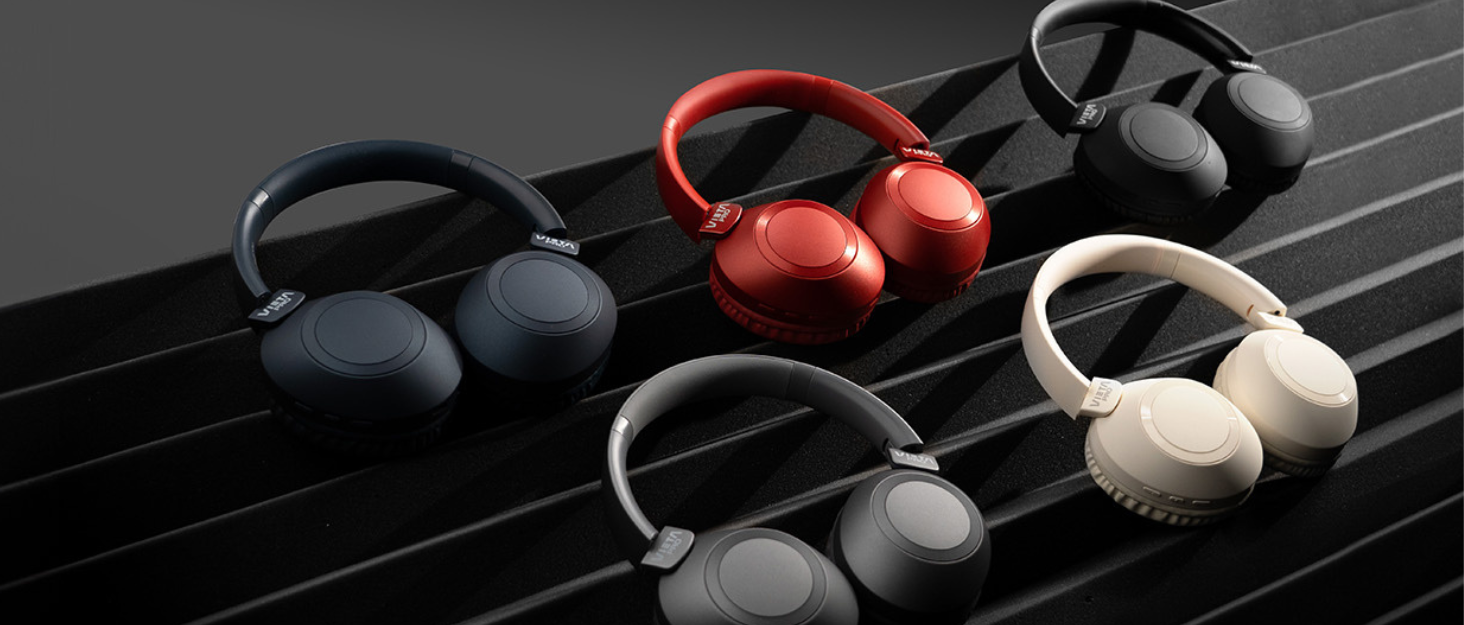
Image: Vieta Pro Way 3 headphones displayed in multiple color options.
설정
1. 헤드폰 충전
Before initial use, ensure the headphones are fully charged. The Vieta Pro Way 3 headphones support wireless charging. A full charge provides up to 50 hours of continuous playback.
- Connect the provided charging cable to the charging port on the headphones and to a compatible USB power source.
- Alternatively, place the headphones on a compatible wireless charging pad.
- The indicator light will show the charging status and turn off or change color once fully charged.
2. 전원 켜기 / 끄기
- 전원을 켜려면: 전원 표시등이 켜질 때까지 전원 버튼을 약 3초 동안 길게 누르십시오.
- 전원을 끄려면: 전원 버튼을 약 3초간 길게 눌러 표시등이 꺼지도록 합니다.
3. 블루투스 페어링
헤드폰을 장치에 무선으로 연결하려면:
- 헤드폰의 전원이 꺼져 있는지 확인하십시오.
- 전원 버튼을 약 5~7초 동안 길게 누르면 표시등이 빠르게 깜빡이며 페어링 모드에 진입합니다.
- 스마트폰, 태블릿 또는 컴퓨터에서 Bluetooth를 활성화하고 사용 가능한 기기를 검색하세요.
- Select "Vieta Pro Way 3" from the list of found devices.
- Once connected, the indicator light will stop flashing and remain solid or flash slowly.
4. AUX 입력 연결
For a wired connection, use a 3.5mm audio cable:
- Connect one end of the 3.5mm audio cable to the Aux-in port on the headphones.
- Connect the other end to the 3.5mm audio output of your audio source.
- The headphones will automatically switch to Aux-in mode when a cable is detected.
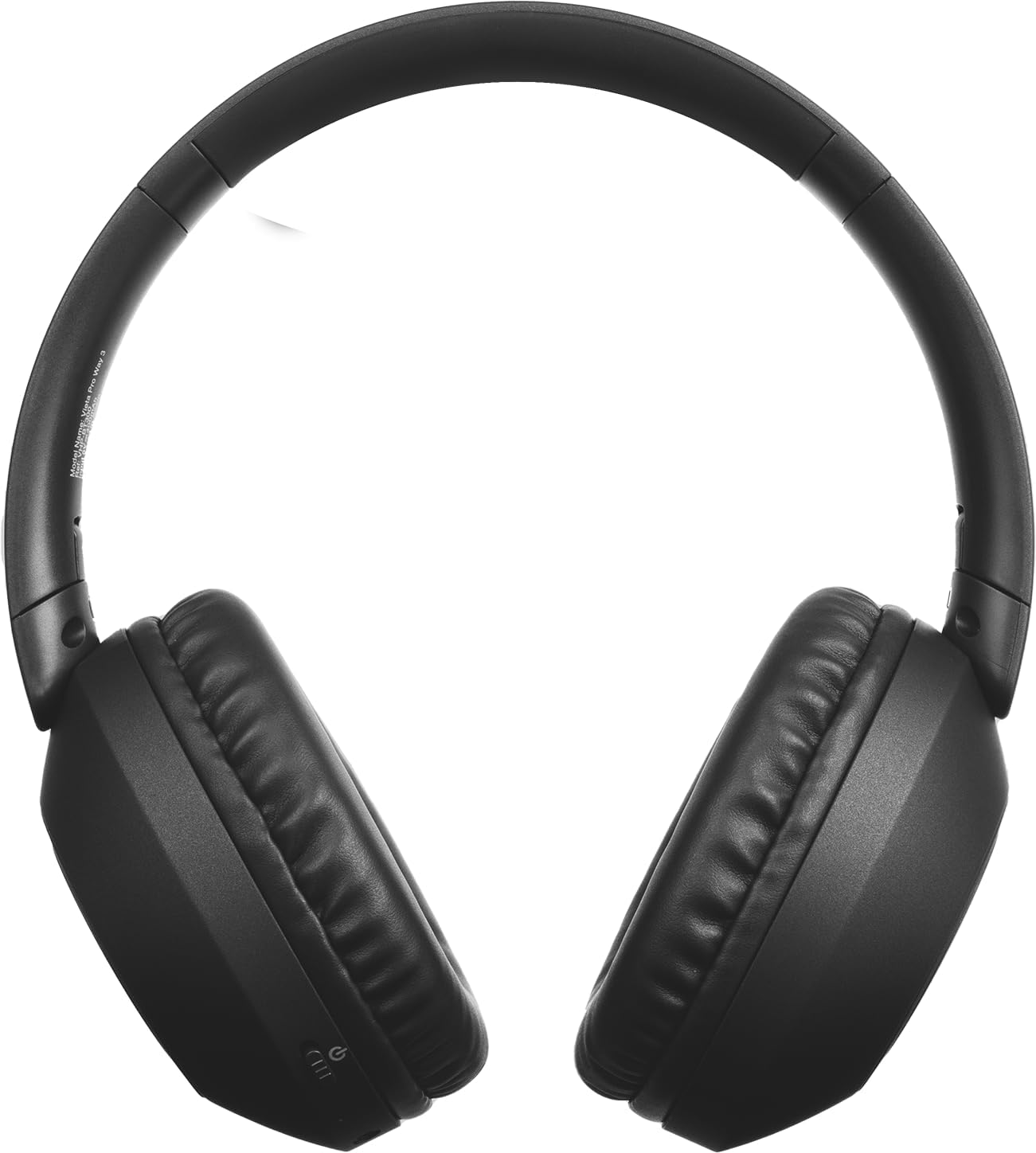
이미지: 앞면 view of the Vieta Pro Way 3 headphones, showing the earcups and headband.
작동 지침
1. 음악 재생
When connected via Bluetooth or Aux-in, you can control your music:
- 재생/일시 중지: 다기능 버튼을 한 번 누릅니다.
- 다음 트랙: 볼륨 높이기 버튼을 길게 누르세요.
- 이전 트랙 : 볼륨 낮추기 버튼을 길게 누릅니다.
- 볼륨 업: 볼륨 높이기 버튼을 짧게 누르세요.
- 볼륨 작게 : 볼륨 낮추기 버튼을 짧게 누르세요.
2. 통화 관리
The integrated microphone allows for hands-free calls when connected via Bluetooth:
- 전화 받기/종료: 다기능 버튼을 한 번 누릅니다.
- 전화 거부: 다기능 버튼을 2초 동안 길게 누릅니다.
- 음성 어시스턴트 : 다기능 버튼을 두 번 눌러 기기의 음성 지원을 활성화하세요.
3. 게임 모드
Activate the dedicated gaming mode for optimized audio performance during gameplay, reducing latency and enhancing sound effects.
- 게임 모드 활성화: Refer to the specific button or gesture indicated in the quick start guide for your model. (Typically a dedicated button or a long press on a volume button).
4. 듀얼 페어링
The Dual Pairing feature allows the Vieta Pro Way 3 headphones to connect to two different Bluetooth devices simultaneously. This enables seamless switching between audio sources without the need to disconnect and re-pair.
- Pair the headphones with your first device following the Bluetooth Pairing instructions.
- 첫 번째 기기의 블루투스 연결을 일시적으로 해제하세요.
- 헤드폰을 두 번째 기기와 페어링하세요.
- 첫 번째 기기에서 Bluetooth를 다시 활성화하세요. 이제 헤드폰이 두 기기에 모두 연결되었을 것입니다.
- Audio will play from the active source, and you can switch by pausing one and playing the other.

Image: A person wearing the Vieta Pro Way 3 headphones, demonstrating comfortable use.
유지
1. 청소
- 부드럽고 마른 보푸라기 없는 천으로 헤드폰을 닦으세요.
- Do not use abrasive cleaners, solvents, or strong chemicals, as these may damage the surface or internal components.
- 어떠한 구멍에도 습기가 들어가지 않도록 주의하세요.
2. 보관
- 헤드폰은 직사광선과 극한의 온도를 피해 시원하고 건조한 곳에 보관하세요.
- When not in use for extended periods, store them in their protective case (if included) to prevent dust and damage.
3. 배터리 관리
- To prolong the lifespan of the battery, avoid fully discharging the headphones frequently.
- Charge the headphones regularly, even if not in frequent use.
문제 해결
1. 소리가 나지 않음
- 헤드폰이 켜져 있고 충전되어 있는지 확인하십시오.
- 헤드폰과 연결된 기기의 볼륨 레벨을 모두 확인하세요.
- Verify that the headphones are properly paired via Bluetooth or securely connected via the Aux-in cable.
- Try restarting both the headphones and the audio source device.
2. 페어링 문제
- Ensure the headphones are in Bluetooth pairing mode (indicator light flashing rapidly).
- 기기에서 Bluetooth를 비활성화했다가 다시 활성화하세요.
- Move the headphones closer to your device to ensure a strong signal.
- Clear previous Bluetooth connections from your device's Bluetooth settings and try pairing again.
3. 충전 문제
- Verify that the charging cable is securely connected to both the headphones and the power source, or that the headphones are correctly placed on the wireless charging pad.
- Ensure the power source (USB adapter, computer port, wireless charger) is functional.
- Check the charging port on the headphones for any debris that might obstruct the connection.
명세서
| 상표 | 비에타 프로 |
| 모델 | 방법 3 |
| 폼 팩터 | Over-ear (Headband) |
| 연결 기술 | Wireless (Bluetooth), Wired (Aux-in) |
| 무선 통신 | 블루투스 |
| 배터리 수명 | 최대 50시간(재생) |
| 특별 기능 | Wireless Charging, Built-in Microphone, Gaming Mode, Dual Pairing |
| 제조업체 | FRAMASON AUDIO SA |
| ASIN | B0CRL99NBD |
참고 : 사양은 예고없이 변경 될 수 있습니다.
보증 및 지원
For detailed warranty information, product registration, or technical assistance, please refer to the official Vieta Pro website or contact their customer support directly. It is recommended to retain your purchase receipt as proof of purchase for any warranty claims.
- 공식적인 Web대지: 방문하다 www.vietapro.com (or relevant regional site) for support resources.
- 고객 서비스: Contact information can typically be found on the official web대지.