
Amazon Basics DJ-05-24-RGBW-US
Amazon Basics 스마트 LED 조명 스트립 (16.4피트, 모델 DJ-05-24-RGBW-US) 사용 설명서
RGB + Tunable White, Works with Alexa Only, 2.4 GHz Wi-Fi, No Hub Required
1. 서론
This manual provides essential instructions for the safe and effective use of your Amazon Basics Smart LED Light Strip. This smart light strip offers customizable RGB and tunable white lighting, controllable exclusively via Amazon Alexa and a 2.4 GHz Wi-Fi network. No additional hub is required for operation.

Image 1.1: Amazon Basics Smart LED Light Strip product packaging and coiled light strip.
2. 포함 사항
패키지에 모든 구성 요소가 들어 있는지 확인하세요.
- 1 x Smart Light Strip (16.4ft / 5m)
- 1 x Smart Light Strip Controller
- 1 x 전원 어댑터

Image 2.1: All included components of the Smart LED Light Strip.
3. 안전 정보
- 실내에서만 사용 가능: 이 제품은 실내용으로 설계되었습니다.
- 전원: Use only the provided AC/DC power adapter.
- 접착제 적용: The 3M adhesive backing is not suitable for rough surfaces such as cement or brick walls. Ensure the installation surface is smooth, clean, and free of oil stains or dust before application.
- 안전한 설치: After installing the light strip, firmly press along its entire length to ensure a secure bond.
- 과열 방지: Install strips straight with no bends or coils. Do not operate the light strip while it is still coiled or uninstalled to avoid overheating.
- 디밍 : The light strip is only dimmable via Alexa. Do not connect it to a physical dimmer switch.
- 절단: The light strip can be cut to your desired length at designated cut marks. Ensure the power is disconnected before cutting.
- Wi-Fi 호환성: This device requires a 2.4 GHz Wi-Fi network. It is not compatible with 5 GHz networks.
- 스마트 홈 호환성: This product works exclusively with Alexa. It is not compatible with Google Assistant, Apple HomeKit, or Smart Things.
4. 설정
4.1 물리적 설치
- 표면 준비: Choose a clean, smooth, and dry surface for installation. Wipe the surface with a clean cloth to remove any dust or oil.
- 측정 및 절단 (선택 사항): If a shorter length is desired, carefully cut the light strip at the designated cut marks. Ensure the power is disconnected before cutting.
- Attach the Light Strip: Peel off the protective backing from the 3M adhesive. Carefully press the light strip onto the prepared surface, ensuring it is straight and free of bends or coils. Apply firm pressure along the entire length for a secure bond.
- 구성 요소 연결: Connect the light strip to the Smart Light Strip Controller, and then connect the power adapter to the controller.
- 전원 켜기: Plug the power adapter into a standard electrical outlet. The light strip should illuminate.
4.2 알렉사에 연결하기
The Amazon Basics Smart LED Light Strip is designed for simple setup with the Alexa app.
- Alexa 앱을 다운로드하세요: Ensure you have the latest version of the Amazon Alexa app installed on your smartphone or tablet.
- Enable 2.4 GHz Wi-Fi: Confirm your mobile device is connected to a 2.4 GHz Wi-Fi network. The light strip does not support 5 GHz networks.
- 자동 검색: If you selected "Link device to your Amazon account" at checkout, the device may automatically appear in your Alexa app once powered on.
- 수동 검색: If not automatically discovered, open the Alexa app. Navigate to the "Devices" tab, tap the "+" icon, and select "Add Device." Choose "Light" and then "Amazon Basics." Follow the on-screen instructions to complete the setup. This typically involves scanning a QR code on the device or packaging.
- 장치 이름 지정: Once connected, you can rename your light strip (e.g., "Living Room Lights," "Bedroom Strip") for easier voice control.
5. 사용 설명서
5.1 Alexa를 통한 음성 제어
Once connected to Alexa, you can control your light strip using voice commands through any Alexa-enabled device.
- "알렉사, [기기 이름]을 켜줘."
- "알렉사, [기기 이름] 꺼줘."
- "Alexa, set [Device Name] to blue." (Choose from 16 preset colors)
- "Alexa, change [Device Name] to warm white."
- "알렉사, [기기 이름]의 밝기를 50%로 낮춰줘."
- "Alexa, brighten [Device Name]."

Image 5.1: Voice control example in a living room setting.
5.2 Alexa App Control
The Alexa app provides comprehensive control over your light strip, even when you are away from home.
- 켜기/끄기: Toggle the light strip on or off from the device control screen.
- 색상 선택: Choose from 16 preset color selections and 11 preset modes to customize the ambiance.
- 조정 가능한 흰색: 따뜻한 색조에서 차가운 색조로 백색광을 조절하세요.
- 밝기 조정: Slide to adjust the brightness level.

Image 5.2: Controlling the light strip remotely using the Alexa app.
5.3 Custom Routines and Timers
Create custom routines within the Alexa app to automate your lighting based on schedules or events.
- Schedule Lights: Set lights to turn on or off automatically at specific times, such as sunrise or sunset.
- 색상 변경: Program the light strip to change colors for different occasions or moods.
- 외출 모드 : Schedule lights to turn on and off to simulate occupancy when you are away.
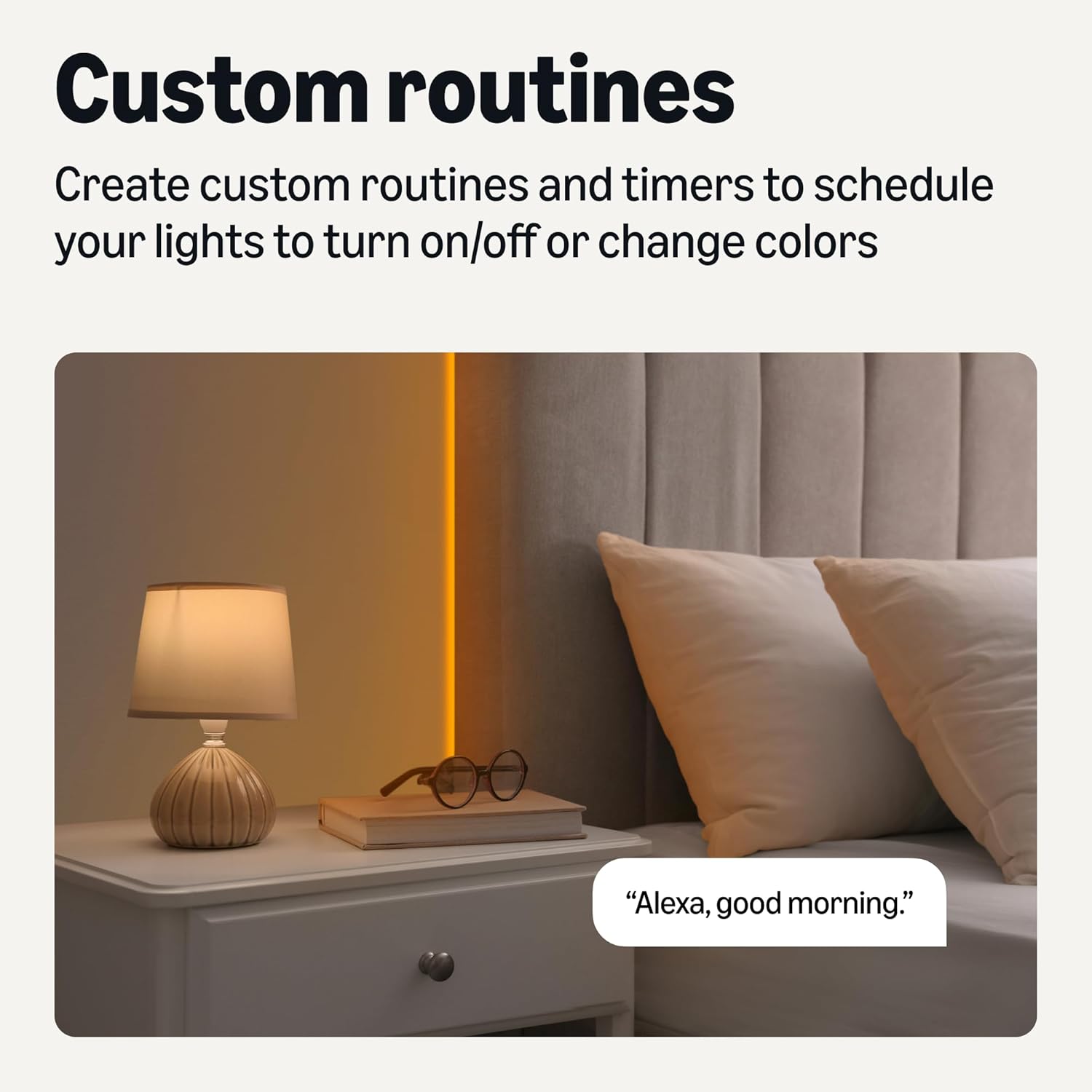
이미지 5.3: Example of a custom routine for morning lighting.
5.4 그룹 제어
Organize multiple smart lights into groups within the Alexa app for simultaneous control.
- Room Grouping: Combine all lights in a room (e.g., "Bedroom") to control them with a single command.
- 집 전체 제어: Create a group for all lights in your home.
- Examp명령: "Alexa, turn off the bedroom lights."

이미지 5.4: Example of grouped lighting in a home setting.
6. 유지관리
The Amazon Basics Smart LED Light Strip features a protective PU coating, providing IP44 rated resistance to moisture and dust, making it suitable for environments like kitchens.
- 청소: To clean the light strip, ensure it is powered off and unplugged. Gently wipe the surface with a soft, dry, or slightly damp 옷감. 강한 화학 물질이나 연마성 세제를 사용하지 마십시오.
- 저장: If storing the light strip, ensure it is clean and dry. Coil it loosely to prevent damage to the strip or wiring.
- 내구성: The LED strip light is designed for durability and longevity. Avoid excessive bending or sharp folds that could damage the internal components.
7. 문제 해결
| 문제 | 가능한 원인 | 해결책 |
|---|---|---|
| LED 조명이 켜지지 않습니다. | 전원이 들어오지 않거나, 연결이 헐거워졌거나, 콘센트가 고장났을 수 있습니다. | Ensure the power adapter is securely plugged into a working outlet. Check all connections between the strip, controller, and adapter. |
| Alexa에 연결할 수 없습니다. | 잘못된 Wi-Fi 대역, 약한 신호 또는 앱 문제일 수 있습니다. | Verify your Wi-Fi network is 2.4 GHz. Move the light strip closer to your Wi-Fi router. Restart the Alexa app and try the setup process again. Ensure your Alexa app is updated. |
| Light strip is not responding to voice commands. | Alexa device not connected, incorrect device name, or network issue. | Confirm your Alexa-enabled device is online. Check the device name in the Alexa app. Ensure the light strip is connected to Wi-Fi. |
| 접착력이 약합니다. | Surface not clean or suitable. | Ensure the surface is smooth, clean, and dry before application. For rough surfaces, consider alternative mounting solutions (not included). |
| 조명이 어둡거나 깜빡입니다. | Power supply issue, strip coiled during operation, or physical dimmer connected. | Ensure the strip is fully uncoiled and installed straight. Do not connect to a physical dimmer. Check power connections. |
| 색상이 부정확하거나 일관성이 없습니다. | Software glitch or specific mode selected. | Try resetting the light strip by unplugging it for 10 seconds and plugging it back in. Check the Alexa app for selected color or mode settings. |
8. 사양
| 특징 | 사양 |
|---|---|
| 모델 번호 | DJ-05-24-RGBW-US |
| 길이 | 16.4피트(5미터) |
| 라이트 타입 | 스마트 LED 스트립 |
| 밝은 색상 | RGB + Tunable White (Multicolor) |
| 연결성 | 2.4GHz Wi-Fi (IEEE 802.11 b/g/n) |
| 제어 방법 | Voice (Alexa), Alexa App |
| 전원 | 교류/직류 |
| 권tage | 110 볼트 |
| 왓tage | 16 와트 |
| 광원의 수 | 150 |
| 실내/실외 사용 | 실내 |
| 재료 | 플라스틱 |
| 품목 무게 | 0.69파운드(11온스) |
| 제품 크기(L x W x H) | 16.4 x 0.39 x 0.11 인치 |
| 한국어: | 840324414769 |
9. 보증 및 지원
This Amazon Basics Smart LED Light Strip comes with a 1년 한정 보증.
For warranty claims, technical support, or further assistance, please refer to the Amazon Basics support resources available through your Amazon account or visit the official Amazon Basics web대지.
Ask a question about this manual
Ask about setup, troubleshooting, compatibility, parts, safety, or missing instructions. Manuals+ will review the question and use this page’s manual context to help answer it.