
BOTSLAB R811
BOTSLAB 5MP Wireless Video Doorbell Camera User Manual
Model: R811 | Brand: BOTSLAB
소개
Thank you for choosing the BOTSLAB 5MP Wireless Video Doorbell Camera. This manual provides comprehensive instructions for setting up, operating, and maintaining your new video doorbell. Designed for enhanced home security, the R811 model offers a 180° head-to-toe panoramic view, advanced AI motion detection, and flexible power options, all without monthly fees. Please read this manual thoroughly before use to ensure optimal performance and safety.
상자 안에 무엇이 들어있나요?
설치를 진행하기 전에 모든 구성 요소가 있는지 확인하세요.

패키지 내용: Doorbell (x1), Base Station (x1), Mounting Bracket (x1), Bracket Positioning Stickers (x1), 15-Degree Mounting Bracket (x1), 15-Degree Bracket Positioning Stickers (x1), Power Plug (x1), Installation Accessory Kit (x1), AC Cable Pack (x1), Ejector Pin (x1), Quick Start Guide (x1), Doorbell Button Sticker (x1), Parcel Sticker (x1), Charging Cable (x1).
제품 끝view
Familiarize yourself with the key features and components of your BOTSLAB Video Doorbell.

도어벨 장치: Features a 5MP camera lens, PIR motion sensor, microphone, and illuminated doorbell button. The unit is designed for outdoor use and is weatherproof.
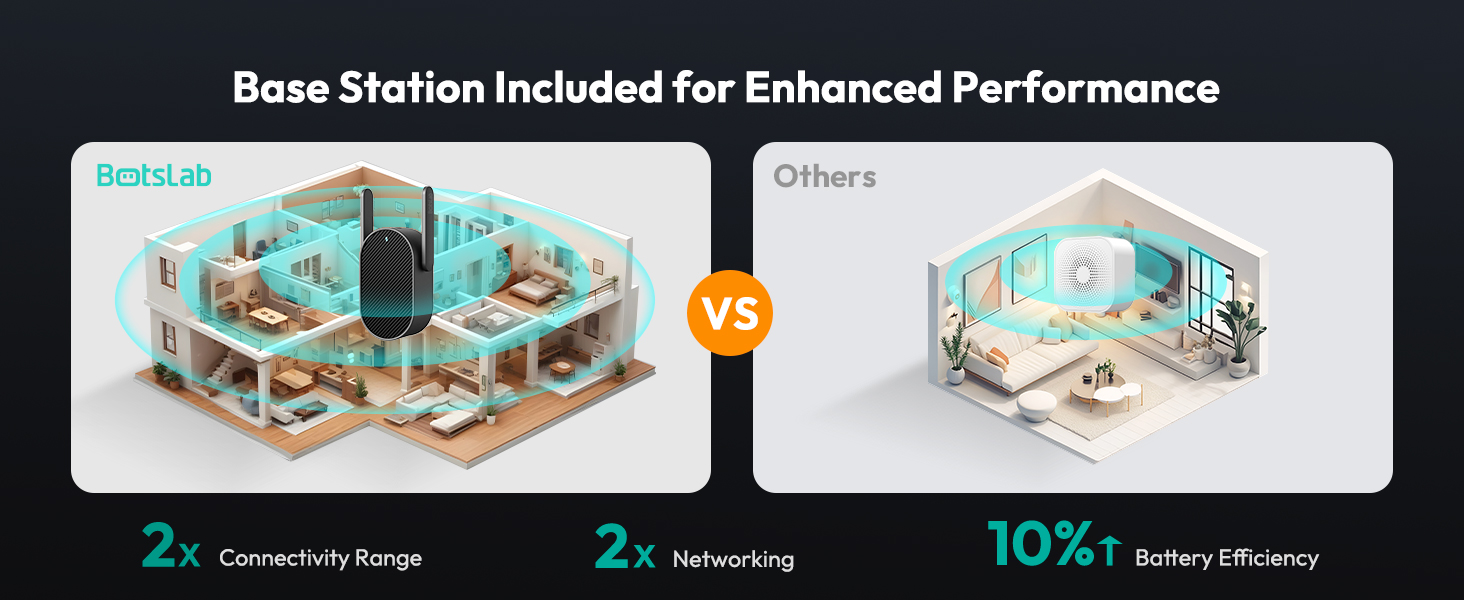
기지국: This indoor unit enhances connectivity and acts as an indoor chime. It plugs directly into a wall outlet and communicates wirelessly with the doorbell.
설정
Follow these steps to set up your BOTSLAB Video Doorbell.
- 초인종을 충전하세요: Before installation, fully charge the doorbell using the provided USB-C cable. The charging port is located on the side of the doorbell unit.
- 앱 다운로드: Scan the QR code in the Quick Start Guide or search for "Botslab App" on your mobile device's app store (iOS/Android). Install and open the app.
- 계정 등록: Follow the in-app instructions to register for a Botslab account.
- 장치 페어링: In the app, select to add a new device and follow the pairing instructions. Ensure your phone and the doorbell are close to your Wi-Fi router for a strong signal. The doorbell supports both 2.4GHz and 5GHz Wi-Fi.
- Install the Base Station: Plug the base station into a power outlet inside your home, ideally centrally located between your Wi-Fi router and the doorbell's installation spot.
- 초인종을 설치하세요:
- Adhesive Installation (Smooth Surface): Use the provided 3M VHB adhesive on the flat mounting plate. Ensure the surface is clean, dry, and smooth.
- Screw-Mounted Installation (Masonry/Stucco): Use the provided screws and wall anchors. Mark the screw holes using the back plate as a template, drill holes, insert anchors, and then screw the flat back plate onto the wall.
- 15-Degree Bracket (Optional): If you need to angle the doorbell for a better view, use the 15-degree bracket. Attach it to the wall first using screws, then attach the flat back plate to the 15-degree bracket.
동영상: Official Botslab guide on how to install the video doorbell camera (Wall Mounted).
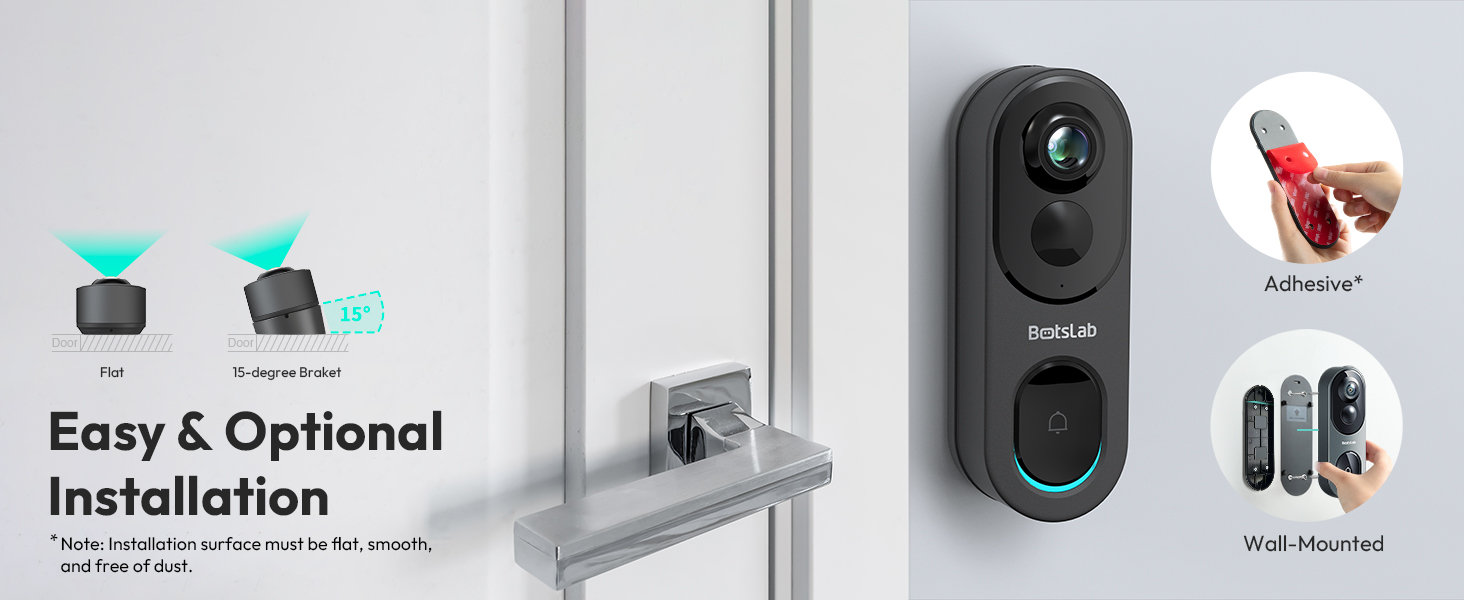
설치 옵션: Choose between adhesive or wall-mounted installation, with an optional 15-degree bracket for angled views.
작동 지침
Learn how to use your BOTSLAB Video Doorbell's features.
- 살다 View: Open the Botslab App to access the live feed from your doorbell camera. You can switch between 4 viewing modes (Panoramic, VR, Horizontal Correction, Vertical Correction) to see exactly what you need.
- 동작 감지: The doorbell uses advanced radar and PIR sensors for smart AI detection (human detection, visitor recognition). Customize detection zones in the app to reduce false alerts. You will receive push notifications on your phone when motion is detected.
- 양방향 오디오 : Speak to visitors at your door directly through the app using the built-in microphone and speaker. Voice modulation options are available for privacy.
- 야간 투시경: The doorbell automatically switches to night vision mode in low-light conditions, providing clear black-and-white video up to 24 feet.
- Video Recording & Storage: All detection videos are recorded and stored on the built-in 32GB local storage. You can review these videos directly from the Botslab App without any monthly fees.
- 스마트 홈 통합: The doorbell works seamlessly with Alexa and Google Assistant. Use voice commands to check your doorbell feed.
- 가족 공유: Share live video access with up to 5 users through the Botslab App.

360 ° 파노라마 View: Capture every detail with the 5MP HD resolution and fisheye lens, offering a complete head-to-toe view.
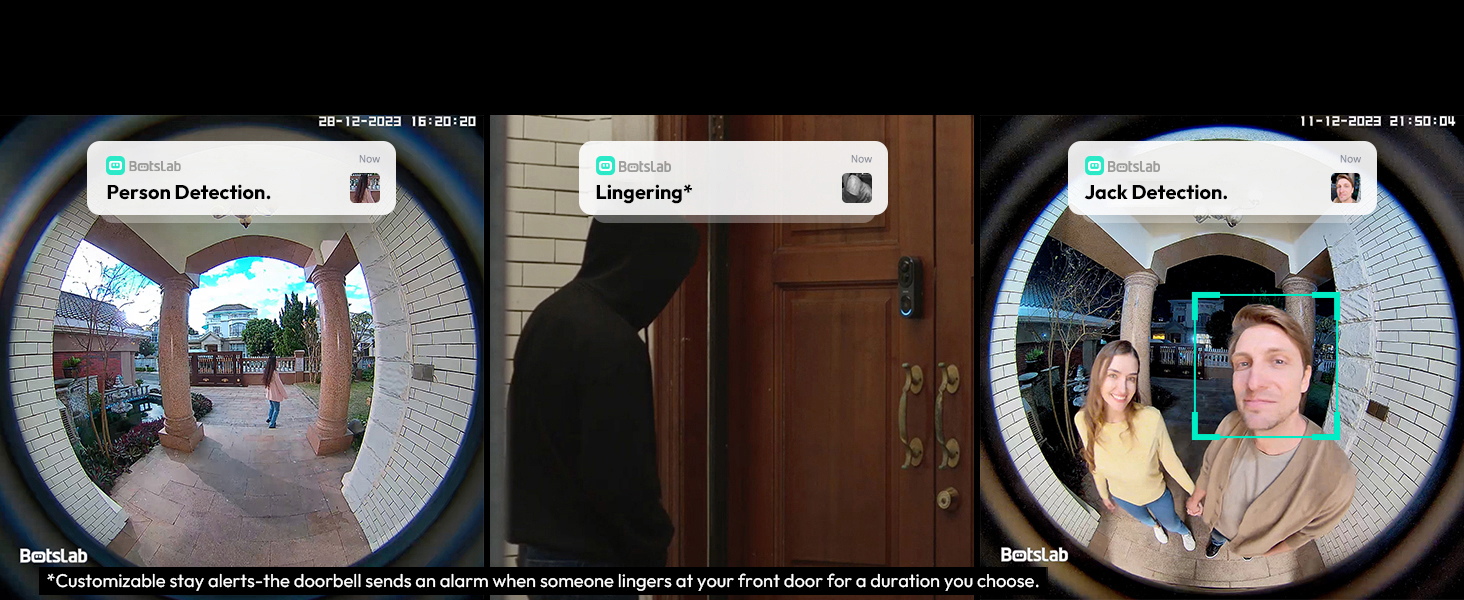
스마트 AI 감지: Receive alerts for person detection, lingering, and visitor recognition, with customizable detection zones.
유지
Proper maintenance ensures the longevity and optimal performance of your doorbell.
- 청소: 카메라 렌즈와 초인종 표면을 부드러운 천으로 살살 닦아주세요.amp 천으로 닦으세요. 연마성 세제나 용제는 사용하지 마세요.
- 배터리 충전: For battery-powered operation, recharge the 6400mAh battery every 210 days or as needed, depending on usage. The doorbell can also be wired for continuous power.
- 펌웨어 업데이트: Regularly check the Botslab App for available firmware updates to ensure your device has the latest features and security enhancements.
- 스토리지 관리: While the 32GB built-in storage offers ample space, you can manage recorded videos through the app, deleting old footage 필요한 경우.
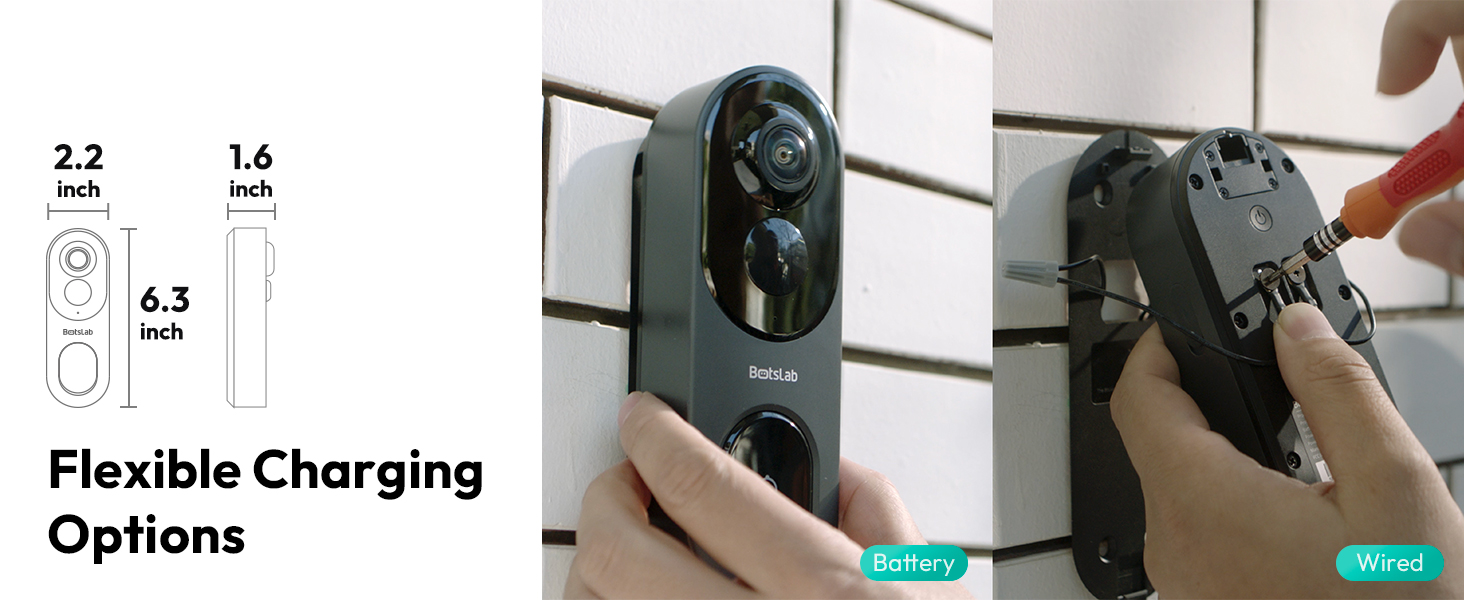
유연한 충전: The doorbell can be powered by its long-lasting 6400mAh battery or wired for continuous operation.
문제 해결
문제가 발생할 경우 다음의 일반적인 해결 방법을 참조하십시오.
- 전원이 들어오지 않음/켜지지 않음: Ensure the battery is charged or the wired connection is secure. Press and hold the power button on the back of the doorbell.
- Wi-Fi 연결이 불량합니다. Ensure the base station is within optimal range of your router and the doorbell. Reduce obstacles between devices. Verify your Wi-Fi network (2.4GHz/5GHz) is stable.
- 알림 없음: Check app settings to ensure notifications are enabled. Verify your phone's notification settings for the Botslab App.
- 허위 모션 경고: Adjust the sensitivity of the radar and PIR sensors in the app. Customize detection zones to focus on relevant areas.
- 비디오 품질 문제: Ensure a strong Wi-Fi signal. In the app, check the video quality settings (UHD, HD, Fluent) and select UHD for the best resolution.
- 양방향 오디오 문제: Check microphone and speaker settings in the app. Ensure there is no obstruction to the microphone or speaker on the doorbell unit.
명세서
| 특징 | 세부 사항 |
|---|---|
| 모델명 | Botslab Video Doorbell Camera R811 |
| 비디오 캡처 해상도 | 5MP |
| 분야 View | 180 Degrees (Head-to-Toe) |
| 연결 기술 | 2.4GHz Wi-Fi/5GHz Wi-Fi |
| 전원 | Battery (6400mAh) / Wired Powered |
| 로컬 스토리지 | 내장형 32GB 플래시 메모리 |
| 나이트 비전 범위 | Up to 24 Feet (IR LED) |
| 내후성 | IP66 (방수) |
| AI 탐지 | Human Detection, Visitor Recognition, Lingering Alerts |
| 치수(길이 x 너비 x 높이) | 5.12 x 2.36 x 1.18 인치 |
| 품목 무게 | 1.23파운드 |
보증 및 지원
BOTSLAB offers a 365-Day Quality Guarantee and Lifetime Technical Help for your product. For any inquiries or support, please refer to the following options:
- 24 Hours Live Chat: Download the Botslab APP, register and sign in, then navigate to Me > Support > Live Chat.
- Web대지: Visit the official Botslab web사이트에서 글로벌봇랩닷컴
- 이메일 지원: 이메일을 통해 고객 서비스에 문의하세요. Service@botslab.com
- Botslab Users Group: Join the community for tips and assistance.

Botslab Care: 365-Day Quality Guarantee, Lifetime Technical Help, 30-Day Free Returns, 24/7 Customer Service.
Ask a question about this manual
Ask about setup, troubleshooting, compatibility, parts, safety, or missing instructions. Manuals+ will review the question and use this page’s manual context to help answer it.