
1. 서론
Thank you for choosing the Rapoo 1530 Silent Wireless Optical Mouse. This manual provides detailed instructions for the proper setup, operation, and maintenance of your new device. Please read this manual thoroughly before use to ensure optimal performance and longevity of your mouse.
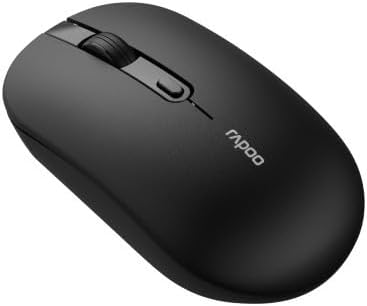
Figure 1: Rapoo 1530 Silent Wireless Optical Mouse (Top View)
2. 패키지 내용
패키지에 모든 품목이 들어 있는지 확인하세요.
- Rapoo 1530 Silent Wireless Optical Mouse
- USB 수신기
- 빠른 시작 가이드(본 설명서)
- AA 배터리 (사전 설치되어 있거나 별도로 제공될 수 있습니다)
3. 설정
3.1. 배터리 설치
- 마우스 밑면에서 배터리 덮개를 찾으세요.
- 덮개를 밀어 엽니다.
- AA 배터리 1개를 올바른 극성(+/-)에 맞춰 삽입하세요.
- 배터리 덮개를 단단히 닫으세요.
3.2. USB 수신기 연결
- Remove the USB receiver from its storage slot, usually located inside the battery compartment or on the underside of the mouse.
- USB 수신기를 컴퓨터의 사용 가능한 USB 포트에 연결합니다.
- 컴퓨터가 필요한 드라이버를 자동으로 감지하여 설치합니다. 이 작업에는 몇 분 정도 걸릴 수 있습니다.
3.3. 전원 켜기
Locate the On/Off switch on the underside of the mouse. Slide the switch to the "On" position. The mouse is now ready for use.
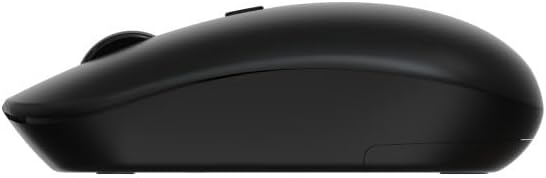
Figure 2: Rapoo 1530 Silent Wireless Optical Mouse (Side View)
4. 사용 설명서
4.1. 기본 기능
- 좌 클릭: Primary action, select items, open links.
- 마우스 오른쪽 버튼으로 클릭: Secondary action, opens context menus.
- 스크롤 휠: 문서를 위아래로 스크롤하고 web 페이지.
- 가운데 클릭(스크롤 휠 누름): Opens links in new tabs, or other application-specific functions.
4.2. 무음 클릭 기능
The Rapoo 1530 mouse is designed with silent click technology, significantly reducing click noise for a quieter working environment.
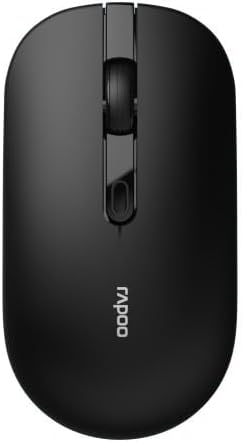
Figure 3: Rapoo 1530 Silent Wireless Optical Mouse (Button Layout)
5. 유지관리
5.1. 청소
최적의 성능을 유지하려면 마우스를 정기적으로 청소하세요.
- Disconnect the mouse from your computer (or turn it off).
- 부드럽고 털이 없는 천을 살짝 사용하세요.amp물이나 순한 세척액을 사용하여 표면을 닦으세요.
- 광학 센서의 경우, 마른 면봉을 사용하여 먼지나 이물질을 부드럽게 제거하십시오.
- 가혹한 화학물질이나 연마재의 사용은 피하세요.
5.2. 배터리 교체
마우스 성능이 저하되거나 응답하지 않으면 배터리를 교체해야 할 수 있습니다. 3.1절의 배터리 설치 단계를 따르세요.
6. 문제 해결
| 문제 | 해결책 |
|---|---|
| 마우스가 응답하지 않음 |
|
| Cursor lagging or erratic movement |
|
| 연결 문제 |
|
7. 사양
- 상표: 라푸
- 모델 이름: 1530 침묵
- 모델 번호: 819660
- 연결성: 무선(USB 수신기)
- 센서 유형: 광학
- 색상: Black (as per product images, though description mentions "multicolore" which might be a generic placeholder or refer to a range of colors)
- 전원: 1x AA 배터리
- 특별 기능: Silent Click Technology
8. 보증 및 지원
Rapoo 제품은 뛰어난 신뢰성과 성능을 위해 설계되었습니다. 보증 정보 및 기술 지원에 대해서는 Rapoo 공식 웹사이트를 참조하십시오. web사이트를 방문하거나 가까운 판매점에 문의하세요. 보증 청구를 위해 구매 증빙 자료를 보관하세요.
For further assistance, visit the official Rapoo support page or contact their customer service.