
STRICH SDP-120
STRICH SDP-120 Weighted Digital Piano User Manual
Model: SDP-120 | Brand: STRICH
소개
Thank you for choosing the STRICH SDP-120 Weighted Digital Piano. This manual provides essential information for setting up, operating, maintaining, and troubleshooting your new instrument. Designed for musicians of all levels, the SDP-120 offers a realistic playing experience with its hammer-action weighted keys and extensive sound capabilities. Please read this manual thoroughly to ensure optimal performance and longevity of your digital piano.
무엇이 포함됩니까?
Upon unboxing your STRICH SDP-120 Digital Piano, please verify that all components listed below are present and in good condition. Carefully check all packaging materials before discarding them.
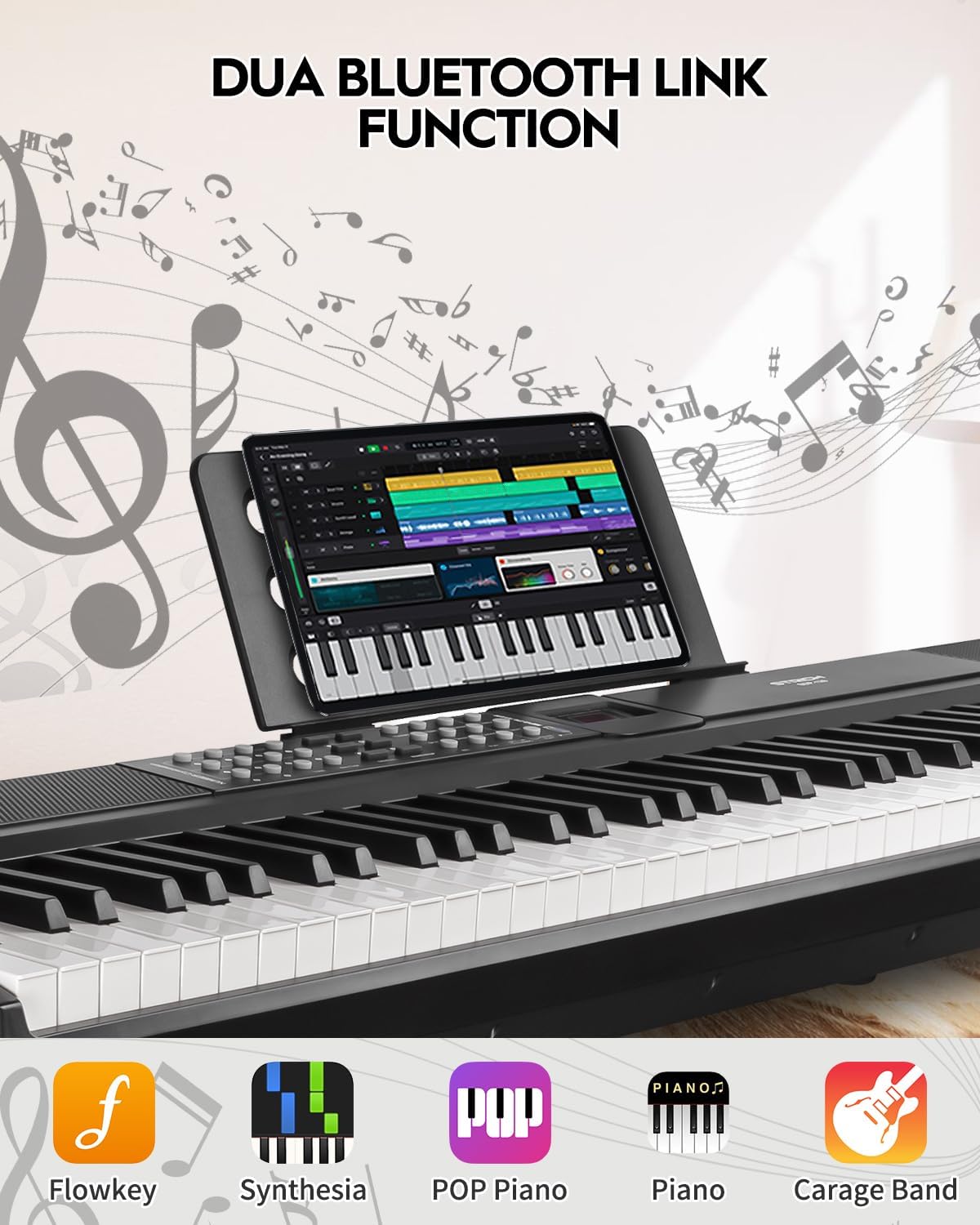
Figure 1: Included components with the STRICH SDP-120 Digital Piano.
- STRICH SDP-120 Digital Piano (1 unit)
- Sustain Pedal (1 unit)
- Sheet Music Holder (1 unit)
- Keyboard Stickers (1 set)
- Headphones (1 unit)
- 전원 어댑터(1개)
- 사용 설명서(1부)
설정
Follow these steps to set up your STRICH SDP-120 Digital Piano:
- 놓기: Place the digital piano on a stable, flat surface or a compatible keyboard stand. Ensure there is adequate space for the sustain pedal and power connections.
- 서스테인 페달 연결: Locate the sustain pedal input port on the rear panel of the piano and securely plug in the sustain pedal.
- 전원 연결: Connect the power adapter to the DC IN port on the rear of the piano. Plug the other end of the adapter into a standard electrical outlet.
- Attach Sheet Music Holder: Insert the sheet music holder into the designated slots on the top panel of the piano.
- 선택적 연결: If desired, connect headphones to the 3.5mm headphone jack for private practice, or external speakers/amplifiers to the audio output jacks.

Figure 2: Rear panel connections of the SDP-120, illustrating power, USB, MIDI, and audio ports.
작동 지침
전원 켜기 / 끄기 및 볼륨 제어
- To power on the piano, locate the power switch on the rear panel and flip it to the 'ON' position. The LCD display will illuminate.
- Adjust the master volume using the dedicated volume control buttons or knob on the control panel.
- 전원을 끄려면 전원 스위치를 'OFF' 위치로 돌리십시오.
주요 특징
Fully-Weighted Hammer-Action Keys
The SDP-120 features a fully-weighted hammer-action keyboard, designed to replicate the feel and response of an acoustic grand piano. This provides a realistic touch, crucial for developing proper piano technique.

Figure 3: Illustration of the weighted key mechanism, providing authentic piano feel.
방대한 사운드 라이브러리
Explore a rich palette of sounds with 900 tones, 700 rhythms, and 110 demo songs. The piano is equipped with 2x15W built-in speakers and 256 max polyphony, ensuring a full and dynamic audio experience.

Figure 4: Detail of the built-in speakers and polyphony capabilities.
다양한 연결성
The SDP-120 offers multiple connectivity options for enhanced versatility:
- USB-MIDI: Connect to a computer or other MIDI devices for recording, music production, or using educational software.
- 무선 MIDI: Utilize built-in wireless MIDI for seamless connection to compatible devices and applications without cables.
- 오디오 입력/출력: Connect external audio sources or output the piano's sound to external amp화 시스템.
- 헤드폰 잭: Practice silently using the 3.5mm headphone jack.
Selecting Tones and Rhythms
Use the control panel buttons to navigate and select different tones (instrument sounds) and rhythms (accompaniment patterns). Refer to the Tone List and Rhythm List in the appendix for a complete overview 사용 가능한 옵션의.
데모곡 연주하기
The piano includes 110 demo songs. Press the 'Demo' button to cycle through the available songs. Use the '+' and '-' buttons to select specific demo songs.
Using the Sustain Pedal
The included sustain pedal allows notes to continue sounding after the keys are released, mimicking an acoustic piano's sustain function. Press the pedal down to sustain notes and release it to stop the sustain.
Video 1: Official product video demonstrating the STRICH SDP-120 Hammer-Action Digital Piano with Weighted Keys, showcasin그 특징과 소리.
유지
Proper care will ensure your digital piano remains in excellent condition:
- 청소: 부드럽고 마른 천으로 피아노 표면을 닦으십시오. 잘 지워지지 않는 얼룩은 약간 두껍게 닦아내십시오.amp물에 적신 천을 사용하세요. 연마성 세제, 왁스 또는 용제 사용은 피하세요.
- 열쇠 청소: Wipe the keys with a soft cloth. For white keys, use a cloth slightly dampened with water and a mild soap solution if necessary, then wipe dry. For black keys, use a dry cloth.
- 저장: Store the piano in a cool, dry place away from direct sunlight, extreme temperatures, and high humidity. When not in use, cover the piano with a dust cover to protect it from dust and debris.
- 액체를 피하세요: Keep liquids away from the piano to prevent damage to internal electronic components.
문제 해결
If you encounter any issues with your STRICH SDP-120, please refer to the following common problems and solutions before contacting customer support:
| 문제 | 가능한 원인 | 해결책 |
|---|---|---|
| 스피커/헤드폰에서 소리가 나지 않습니다 | Volume too low; headphones connected; power issue; internal fault. | Increase master volume. Disconnect headphones. Ensure power adapter is securely connected and unit is ON. Restart the piano. |
| 키가 응답하지 않거나 터치가 일관되지 않음 | Dust/debris under keys; software glitch. | Gently clean around keys. Power off and on the piano. |
| 서스테인 페달이 작동하지 않음 | Pedal not connected properly; faulty pedal. | Ensure pedal is fully inserted into the correct port. Test with another compatible pedal if available. |
| Connectivity issues (USB/Wireless MIDI) | Incorrect settings; driver issues (for USB); interference (for Wireless). | Check piano's MIDI settings. Ensure correct drivers are installed on your computer. Reduce wireless interference. |
명세서
| 특징 | 세부 사항 |
|---|---|
| 모델명 | SDP-120 |
| 키의 개수 | 88 |
| 키 유형 | Weighted, Hammer Action |
| 스피커 | 2x15W Built-In Speakers |
| Max Polyphony | 256 |
| 톤 | 900 |
| 리듬 | 700 |
| 데모곡 | 110 |
| 연결성 | USB-MIDI, Wireless MIDI, 6.35mm Jack, 3.5mm Jack (Headphones/Audio In) |
| 제품 치수 | 11인치 깊이 x 51인치 너비 x 4.3인치 높이 |
| 품목 무게 | 28.1파운드 |
| 전원 | 코드식 전기 |
| 색상 | 클래식 블랙 |
보증 및 지원
The STRICH SDP-120 Digital Piano comes with a manufacturer's warranty. Please refer to the warranty card included in your packaging for specific terms and conditions. For technical support, service, or warranty claims, please contact STRICH customer service through the contact information provided on the product packaging or the official STRICH web해당 사이트에서 구매하세요. 보증을 위해 구매 영수증을 구매 증빙 자료로 보관하십시오.
Ask a question about this manual
Ask about setup, troubleshooting, compatibility, parts, safety, or missing instructions. Manuals+ will review the question and use this page’s manual context to help answer it.