소개
Thank you for choosing the Generic TWS-S23 Wireless Earbuds. These earbuds are designed to provide a superior audio experience with advanced Bluetooth V5.3 technology, Hi-Fi stereo sound, and convenient features like smart touch control and an intelligent LED power display. This manual will guide you through the setup, operation, and maintenance of your new earbuds to ensure optimal performance.

Figure 1: Generic TWS-S23 Wireless Earbuds and Charging Case
상자 안에 무엇이 들어있나요?
패키지를 열 때 다음 품목이 모두 들어 있는지 확인하세요.
- 무선 이어버드 (좌우 세트)
- Charging Case with LED Power Display
- USB 충전 케이블(Type-C)
- 사용자 설명서
- Additional Earbud Tips (various sizes)

그림 2: 포장 목록view
설정
1. 이어버드와 케이스 충전
Before first use, fully charge the earbuds and the charging case. Connect the provided USB Type-C cable to the charging port on the case and a power source. The LED display on the charging case will show the battery percentage, indicating the charging status. Each earbud also has an independent battery indicator.

그림 3: Type-C 고속 충전
2. 블루투스 페어링
- 이어버드가 충전되어 있는지 확인하세요.
- 충전 케이스를 여세요. 이어버드가 자동으로 켜지고 페어링 모드로 진입합니다.
- 기기(스마트폰, 태블릿 등)에서 Bluetooth를 활성화하세요.
- 검색 "TWS-S23" in the list of available Bluetooth devices and select it to connect.
- 일단 연결되면 이어버드는 충전 케이스를 열 때마다 자동으로 기기와 페어링됩니다.

Figure 4: Earbuds in Charging Case with LED Display
작동 지침
스마트 터치 컨트롤
The earbuds are equipped with sensitive touch control panels for easy management of music and calls. Refer to the diagram below for specific functions:

Figure 5: Simple Touch Control Functions
- 재생/일시 중지: 양쪽 이어버드를 한 번 탭하세요.
- 전화 받기/끊기: 양쪽 이어버드를 한 번 탭하세요.
- 이전 노래: 왼쪽 이어버드를 두 번 클릭하세요.
- 다음 노래: 오른쪽 이어버드를 두 번 클릭하세요.
- 음성 지원(Siri) 활성화: 한쪽 이어버드를 2초간 길게 터치하세요.
함수 호출
The earbuds feature a built-in high-sensitive microphone with call noise reduction, ensuring clear communication. You can answer and end calls directly from the earbuds using the touch controls.

Figure 6: Call Noise Reduction for Clear Calls
특징
하이파이 스테레오 사운드
Experience rich and detailed audio with the 10mm graphene composite diaphragm drivers. The earbuds deliver deep bass, crisp mids, and crystal-clear highs for an immersive listening experience, whether for music, movies, or games.
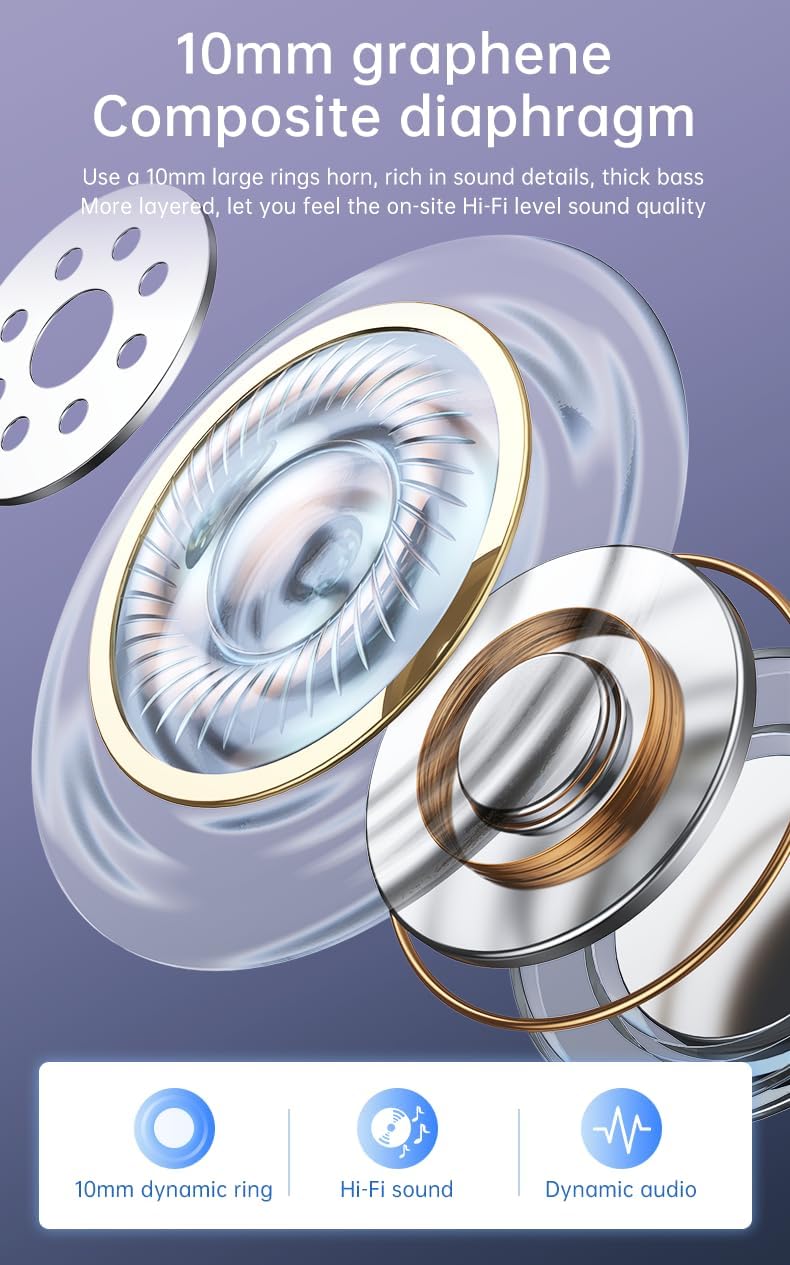
Figure 7: 10mm Graphene Composite Diaphragm
Lightweight, Portable & Ergonomic Design
Each earbud weighs only 0.14 ounces (approximately 4g), making them incredibly light and comfortable for extended wear. The ergonomic design ensures a firm and comfortable fit, suitable for various activities.

Figure 8: Comfortable and Stable Fit

Figure 9: Small and Portable Design
IP7 방수 등급
The IP7 waterproof rating effectively protects the headphones from sweat and rain, making them ideal for sports and outdoor activities.
Zero Latency for Gaming
With an ultra-low latency of 0.05 seconds and a stable signal connection, these earbuds provide a seamless audio experience for gaming, ensuring you hear every detail without delay.

Figure 10: Perfect Headset for Gaming with Zero Latency
유지
이어버드의 수명과 최적의 성능을 보장하려면 다음 유지 관리 지침을 따르세요.
- 청소: 부드럽고 마른 보풀 없는 천으로 이어버드와 충전 케이스를 정기적으로 닦으세요. 연마재나 강한 화학 물질은 사용하지 마세요.
- 물 노출: While the earbuds are IP7 waterproof, avoid prolonged submersion in water. Dry them thoroughly if they get wet from sweat or rain before placing them back in the charging case.
- 저장: 이어버드를 사용하지 않을 때는 충전 케이스에 보관하여 먼지와 손상으로부터 보호하세요.
- 충전 중: Use only the provided charging cable or a certified Type-C cable. Avoid overcharging or completely draining the battery for extended periods.
문제 해결
이어폰 사용 중 문제가 발생하면 다음의 일반적인 문제 해결 단계를 참조하십시오.
| 문제 | 가능한 해결책 |
|---|---|
| 이어폰이 페어링되지 않음 | Ensure earbuds are charged. Turn off and on your device's Bluetooth. Forget "TWS-S23" from your device's Bluetooth list and re-pair. |
| 하나의 이어 버드에서 소리가 나지 않음 | Place both earbuds back in the charging case, close the lid, wait a few seconds, then open and try again. Check device's audio balance settings. |
| 충전 케이스가 충전되지 않음 | Ensure the USB cable is securely connected to both the case and the power source. Try a different charging cable or power adapter. |
| 터치 컨트롤이 응답하지 않음 | 이어버드가 깨끗하고 건조한지 확인하세요. 이어버드를 케이스에 넣었다가 다시 꺼내서 다시 작동시켜 보세요. |
위 단계를 시도한 후에도 문제가 지속되면 고객 지원팀에 문의하여 추가 지원을 받으십시오.
명세서
| 특징 | 세부 사항 |
|---|---|
| 모델명 | TWS-S23 |
| 무선 통신 기술 | 블루투스 V5.3 |
| 폼 팩터 | 귀에 |
| 제어 방법 | 만지다 |
| 제어 유형 | 시리(음성 비서) |
| 방수 등급 | IP7 |
| 드라이버 크기 | 10mm |
| 품목 무게 | 3.95온스(전체 패키지) |
| 노는 시간 | 22+ Hours (with charging case) |
| 충전 포트 | USB 타입-C |
보증 및 지원
보증 정보 및 고객 지원은 구매 시 동봉된 설명서를 참조하시거나 판매점/제조업체에 직접 문의하십시오. 보증 청구를 위해서는 구매 증빙 자료를 보관해 두시기 바랍니다.


