
소개
This manual provides detailed instructions for the setup, operation, and maintenance of your WUPRO LeApex 100-inch Black Crystal Electric Retractable Projector Screen. This screen is designed to enhance your viewing experience with its advanced features and high-quality projection surface, supporting Full HD 4K/8K content.
중요한 안전 정보
- Ensure the screen is connected to a suitable power supply (110V-120V, 60Hz). The motor's power must match the local voltage와 주파수.
- Due to the large size and weight (approximately 56.1 pounds), it is recommended to have at least two people for safe handling and installation.
- 화면을 직사광선, 화염 및 과도한 습기로부터 멀리하십시오.
- Do not attempt to disassemble or repair the screen unit yourself. Contact qualified service personnel for assistance.
- Keep remote controls and small parts out of reach of children.
패키지 내용
- WUPRO LeApex Electric Retractable Projector Screen Unit
- 원격 제어
- 전원 케이블
- USB 트리거
- Mounting Hardware (may vary based on installation method)
제품 특징
- Contrast Gain 1.5 Black Crystal Surface: Provides enhanced detail, richer colors, and improved image layers for Full HD 4K/8K content.
- Ambient Light Rejection (ALR): Environmentally resistant (ceiling) ≥ 70%, suitable for use in normal light conditions by blocking light from above.
- 3D 지원: Compatible with 3D content for an immersive view경험.
- Automatic Leveling System: The screen descends approximately 5 cm upon reaching its maximum height, which is normal operation.
- 스마트 컨트롤 : Includes a USB trigger for automatic synchronization with your projector and supports voice functions.
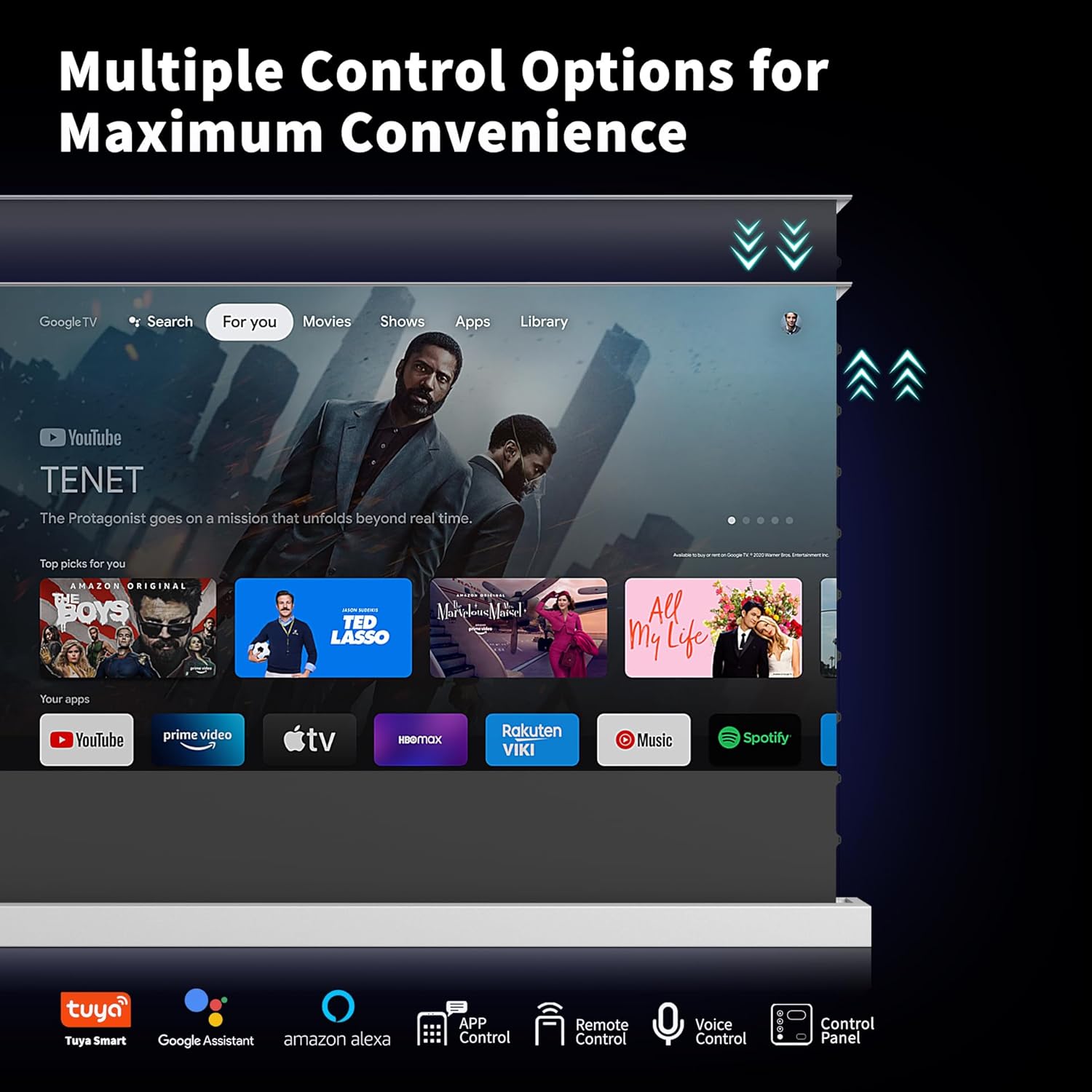
- 다중 제어 옵션: Operate the screen via app control (Tuya Smart), remote control, voice control (Google Assistant, Amazon Alexa), or the integrated control panel.
- 간편한 설치: Compatible with floor, wall, cabinet, or recessed mounting. Its portable design allows for flexible placement.
- 내구성 있는 구조: Features a high-quality aluminum alloy casing for longevity and a sleek appearance.
설정 및 설치
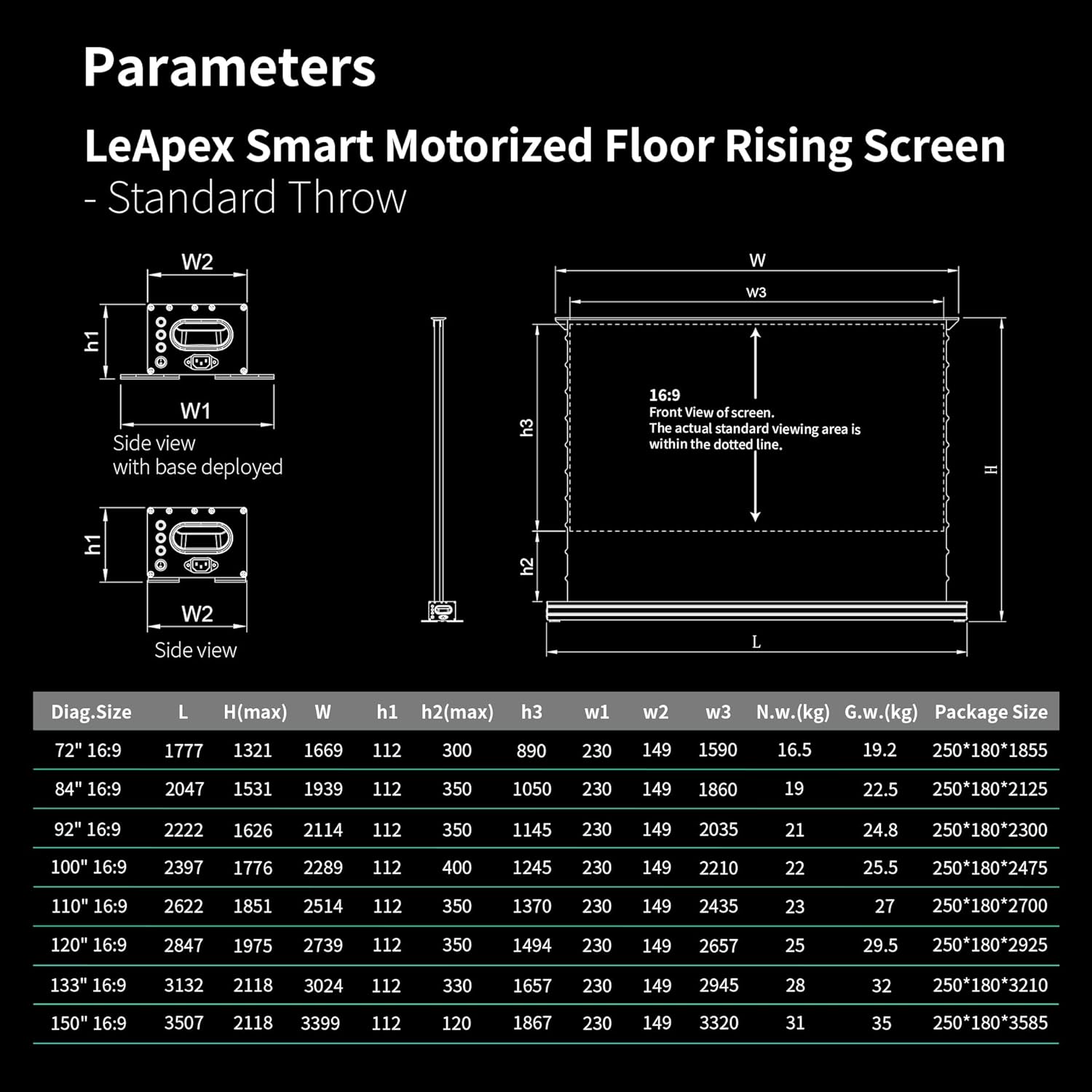
Before installation, carefully check the specifications table to ensure compatibility with your projector and room dimensions. Measure your room, lift, and corridors to confirm the selected screen size fits your space.
설치 방법
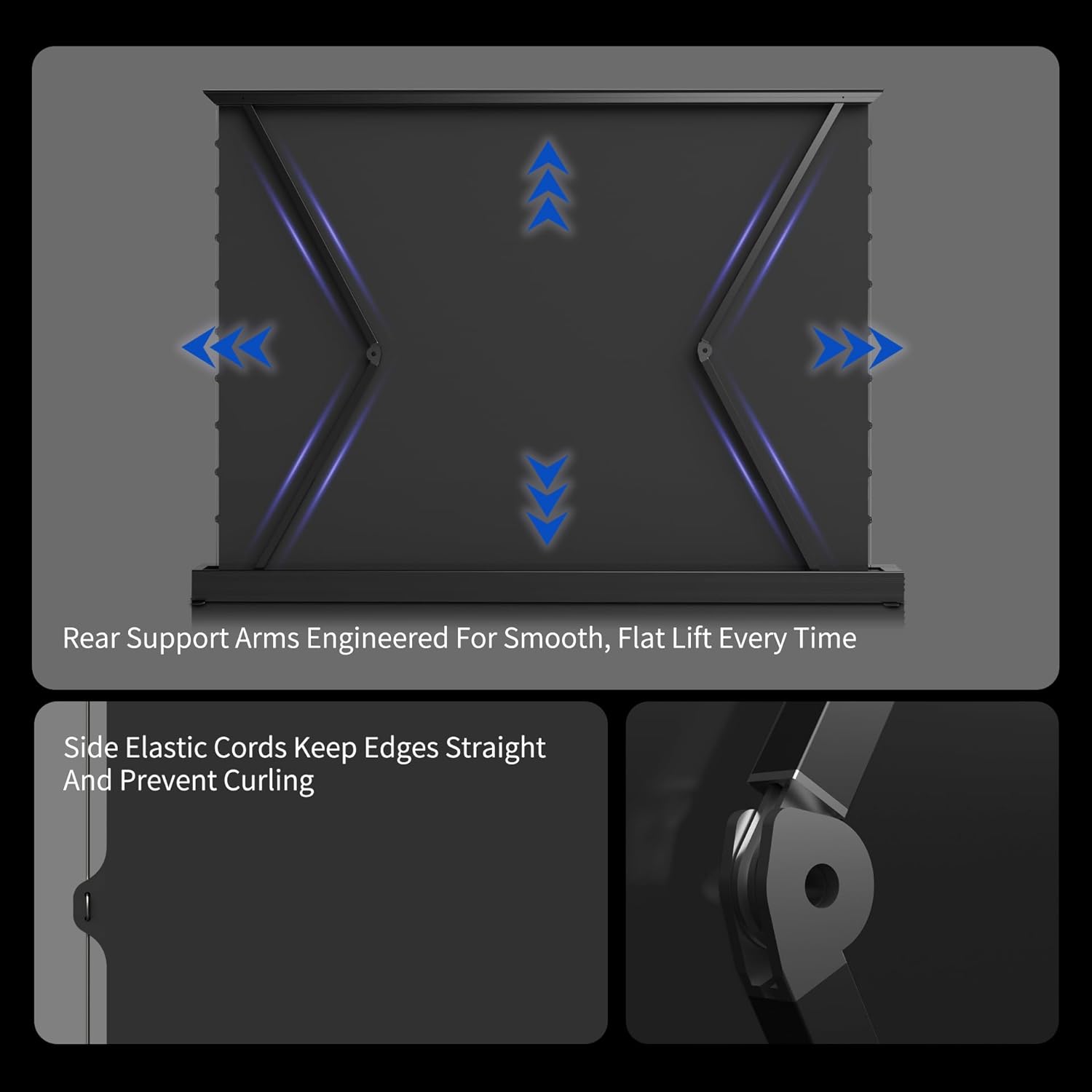
- 바닥 배치: The screen's base can be retracted, allowing it to be placed directly on the floor.
- 탁상 장착: The base can be extended and secured with screws to a table surface.
- 벽면 장착: Install using appropriate wall mount accessories (may be included or sold separately).
- 캐비닛 설치: The screen unit can be inserted into a TV cabinet slot for a concealed setup.
Refer to the following images for visual guidance on installation options and screen components:


작동 지침
전원 켜기/끄기
Connect the power cable to a suitable power supply (110V-120V, 60Hz). Ensure the motor's power requirements match the local voltage와 주파수.
화면 제어
The screen can be operated using the included remote control, the control panel located on the unit, or through smart home integration with Tuya Smart, Google Assistant, and Amazon Alexa.
Automatic Synchronization with Projector
Use the included USB trigger to synchronize the screen's deployment with your projector. When the projector powers on, the screen will automatically rise.

Setting Desired Height
The screen features a memory function that allows you to effortlessly recall your preferred viewing height with the remote control.
Adjustable Upper and Lower Limits
You can easily set the screen's upper and lower limits using the remote control:
- 길게 누르세요 정지시키다 신호음이 들릴 때까지 버튼을 누르십시오.
- 누르다 Up + Pause together; the beep will stop.
- 누르다 Up repeatedly to reach the desired upper position.
- 누르다 Up + Pause together once more until you hear a beep, then release.
- Done. (The lower limit can be set following the same steps, using the 아래에 버튼 대신 Up.)

공식 제품 영상
Official product video demonstrating the features and operation of the WUPRO Electric Retractable Projector Screen.
유지
The screen material is designed for durability. Note that some screens may develop creases during use. This is normal and usually reduces gradually, although in some cases they may not disappear completely.
청소할 때는 부드러운 d를 사용하세요.amp cloth. Avoid harsh chemicals or abrasive materials that could damage the screen surface.
문제 해결
- 화면이 응답하지 않습니다: Check the power connection to ensure the unit is receiving power. Verify that the remote control batteries are functional. If using the USB trigger for synchronization, ensure it is correctly inserted and the projector is powered on.
- Screen not leveling correctly: The automatic leveling system is designed to adjust the screen. If persistent issues occur, ensure the screen is installed on a stable surface and contact customer support if the problem continues.
- 이미지 품질 문제: Ensure your projector meets the recommended lumens (1800 ANSI or higher for normal projectors/telephoto lenses) for optimal performance. 중요한: This Black Crystal screen is not compatible with ultra-short-throw projectors.
명세서
| 재산 | 값 |
|---|---|
| 브랜드 이름 | 우프로 |
| 품목 무게 | 56.1파운드 |
| 품목 모델 번호 | WUPRO-xxxx |
| 색상 이름 | Black Crystal |
| 특별 기능 | 가지고 다닐 수 있는 |
| 제품의 권장 용도 | 홈시네마 |
| 연결 기술 | USB |
| 디스플레이 해상도 | 3840 x 2160 |

보증 및 지원
This WUPRO projector screen is eligible for returns until January 31, 2026. For any questions, technical assistance, or support, please contact WUPRO customer service.
30-Day Price Protection: If the price of your WUPRO Series Screen drops on Amazon within 30 days of your purchase, you may be eligible for a refund of the difference. To claim, please follow these steps:
- Purchase WUPRO Series Screens on Amazon.
- Spot a lower price within 30 days.
- Take a screenshot of the lower price.
- Contact WUPRO customer service with your proof of purchase and screenshot.