
소개
The URBAN ARMOR GEAR (UAG) Wireless Charging Pad with Kickstand is designed to provide efficient and convenient wireless charging for your compatible devices. Featuring 15W fast charging capabilities and integrated magnets for perfect alignment with MagSafe-compatible cases, this pad offers a seamless charging experience. Its durable metal alloy housing and carbon fiber inlay ensure longevity, while the built-in metal kickstand allows for hands-free view충전 중.

Figure 1: The UAG Wireless Charging Pad with Kickstand in use with a smartphone.
패키지 내용
패키지에 모든 품목이 들어 있는지 확인하세요.
- 자기 무선 충전 패드
- Detachable braided USB-C to USB-C 4ft (1.2m) cable
- 사용자 설명서
메모: A USB-C wall charger is 포함되지 않음 and must be purchased separately for optimal performance.
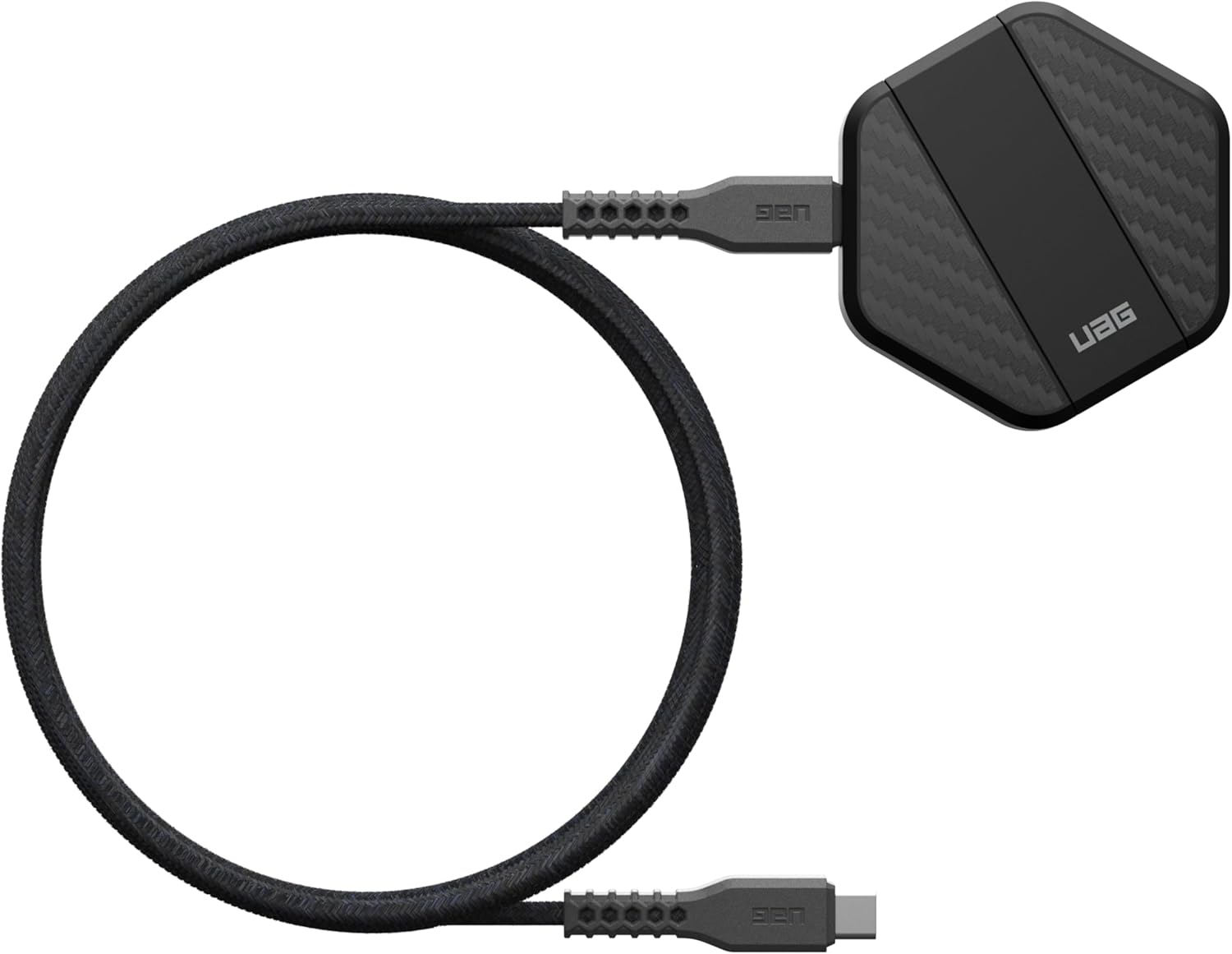
Figure 2: The UAG Wireless Charging Pad and its detachable USB-C cable.
설치 가이드
Follow these steps to set up your UAG Wireless Charging Pad:
- 케이블 연결: Insert one end of the provided USB-C to USB-C cable into the USB-C port on the wireless charging pad.
- 전원에 연결: Insert the other end of the USB-C cable into a compatible USB-C wall charger (not included). For 15W fast charging, ensure your wall charger supports Power Delivery (PD) and can output at least 15W.
- 놓기: 충전 패드를 평평하고 안정적인 표면에 놓으세요.

Figure 3: Connecting the charging pad to a smartphone.
Operating Your Charging Pad
Using your UAG Wireless Charging Pad is simple and intuitive:
- 무선 충전: Place your MagSafe-compatible iPhone (iPhone 12 series or newer) or other compatible device with a built-in magnet module directly onto the charging surface. The integrated magnets will align your device for optimal charging.
- 빠른 충전: The pad delivers up to 15W of wireless power. Ensure your device supports 15W wireless charging and that your wall adapter provides sufficient power for maximum speed.
- 킥스탠드 사용하기: The integrated metal kickstand can be deployed to prop up your device for hands-free viewing while it charges. This is ideal for watching videos, making video calls, or using StandBy mode on compatible iPhones.

Figure 4: A smartphone charging on the UAG pad with its kickstand extended for view주고받음.
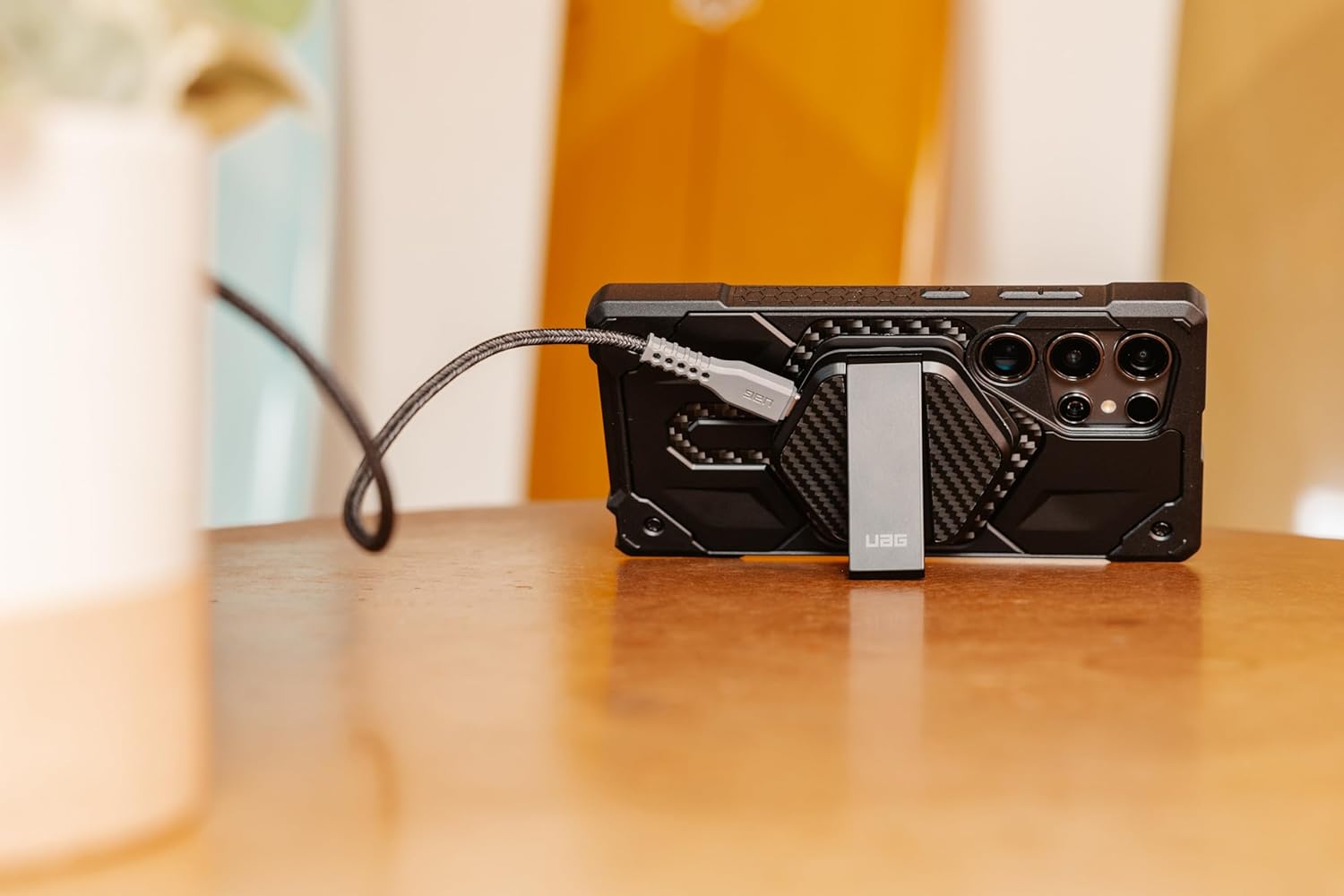
그림 5: 사이드 프로file of the UAG Wireless Charging Pad demonstrating the kickstand functionality.
장치 호환성
The UAG Wireless Charging Pad is designed for broad compatibility:
- 아이폰: Compatible with iPhone 16, iPhone 15, iPhone 14, iPhone 13, iPhone 12 series, and earlier models that support wireless charging. For optimal magnetic alignment and performance, use with MagSafe-compatible cases.
- AirPods : Compatible with AirPods Pro 2nd Gen and AirPods 3rd Gen.
- 안드로이드 기기: Compatible with Samsung Galaxy and Google Pixel cases that have a built-in magnet module for magnetic alignment.
- General Wireless Charging: Can charge any Qi-enabled device, though magnetic alignment may not be supported without a compatible case.
관리 및 유지 보수
To ensure the longevity and optimal performance of your charging pad, follow these care instructions:
- 청소: Disconnect the charging pad from power before cleaning. Use a soft, dry, lint-free cloth to wipe the surface. Do not use abrasive cleaners, solvents, or aerosol sprays.
- 저장: 충전 패드는 직사광선과 극한 온도 변화를 피해 서늘하고 건조한 곳에 보관하십시오.
- 손질: Avoid dropping the device or subjecting it to strong impacts. While designed to be rugged, excessive force can cause damage.
문제 해결
If you encounter issues with your UAG Wireless Charging Pad, refer to the table below for common problems and solutions:
| 문제 | 가능한 원인 | 해결책 |
|---|---|---|
| 기기가 충전되지 않음 | Improper alignment; incompatible case; insufficient power from wall adapter; faulty cable/pad. | Ensure device is centered on the pad. Remove thick or non-MagSafe cases. Use a USB-C PD wall adapter (15W or higher). Try a different USB-C cable. |
| 느린 충전 | Wall adapter not providing enough power; background apps on device; device overheating. | Use a 15W (or higher) USB-C PD wall adapter. Close unnecessary apps on your device. Ensure proper ventilation around the charging pad and device. |
| Pad or device getting hot | Normal during wireless charging; poor alignment; thick case; environmental factors. | Some heat is normal. Ensure proper alignment. Remove non-MagSafe cases. Avoid charging in direct sunlight or enclosed spaces. If excessively hot, disconnect and allow to cool. |
| Kickstand is loose or won't stay open | Wear and tear; physical damage. | Inspect for visible damage. If the issue persists and is not due to misuse, contact UAG support. |
기술 사양
Detailed specifications for your UAG Wireless Charging Pad:
| 특징 | 세부 사항 |
|---|---|
| 제품 치수 | 2.61 x 2.36 x 0.5 인치 |
| 품목 무게 | 3.52 온스 |
| 입력 Voltage | 5 볼트 |
| Amp에라 지 | 3 Amps |
| 커넥터 유형 | USB 타입 C |
| 특별 기능 | Fast Charging, Magnetic, MagSafe Compatible, Built-in Kickstand |
| 색상 | Black/Carbon Fiber |
보증 정보 및 지원
URBAN ARMOR GEAR products are built to go further and are backed by a manufacturer's warranty. For specific warranty terms, conditions, and to register your product, please visit the official URBAN ARMOR GEAR web사이트를 방문하거나 고객 지원팀에 직접 문의하세요.
For further assistance, technical support, or to inquire about replacement parts, please refer to the contact information provided on the official 도시형 갑옷 장비 web대지.