
소개
This manual provides comprehensive instructions for the IMGadgets Karaoke Microphone, model KRK1. This versatile 5-in-1 device functions as a handheld cordless microphone, a portable speaker, a music player, a karaoke machine, and a voice recorder. It features colorful LED lights and is designed for ease of use across various age groups and settings.
제품 특징
- 명확한 음질: Equipped with high-quality inner-magnet loudspeakers for clear and loud audio output.
- Funny Sound Changes: Offers 4 distinct voice modes to enhance entertainment during singing sessions.
- Easy to Use & Multiple Connections: Features multi-function buttons for adjusting music, echo, and volume. Supports both wired and cordless connections to smartphones, TVs, laptops, or tablets. Includes an SD card slot for music playback (SD card not included).
- 5-in-1 Multifunctional Device: Combines the functions of a cordless microphone, cordless speaker, music player (with headphone connectivity), cordless karaoke machine, and voice recorder.
- 오래 지속되는 배터리: Integrated 1200 mAh battery provides approximately 4-6 hours of continuous music listening or singing.
- 동적 LED 조명: Built-in LED lights flash in rhythm with the music, adding a visual element to performances.
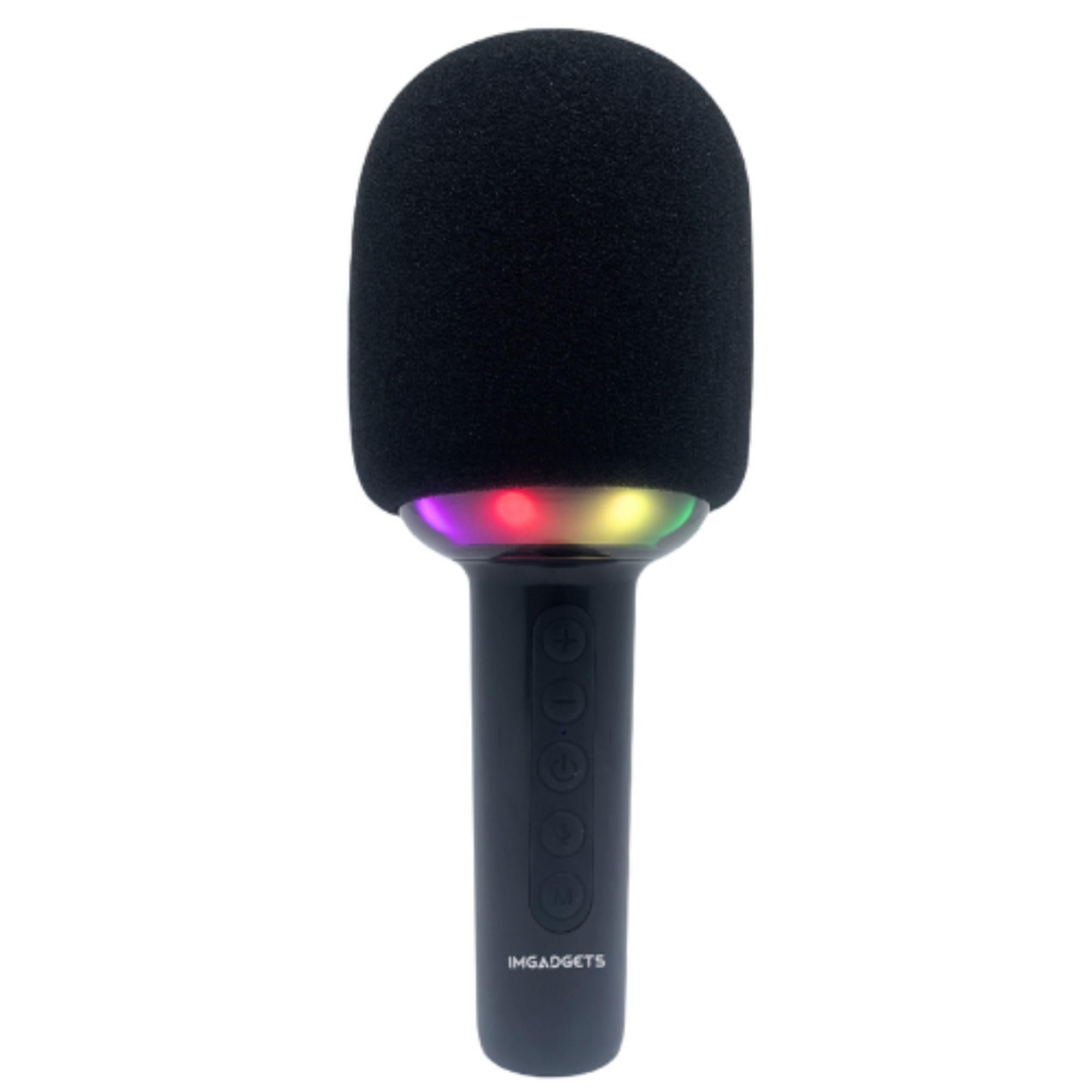
Image: The IMGadgets Karaoke Microphone, highlighting its key features such as Micro SD support, 10W speaker, echo function, Bluetooth 5.0, and voice changer capabilities.
설정
- 마이크 충전: Connect the provided USB Type-C cable to the charging port at the bottom of the microphone and to a compatible USB power source. The power indicator light will show charging status.
- 전원 켜기/끄기: Press and hold the power button (ⓘ) for a few seconds to turn the microphone on or off. The LED lights will illuminate upon power-on.
- 블루투스 페어링 : Once powered on, the microphone will enter Bluetooth pairing mode. On your device (smartphone, tablet, etc.), search for "IMGadgets KRK1" in the Bluetooth settings and connect. A confirmation sound will indicate successful pairing.
- SD 카드 삽입: For music playback directly from an SD card, insert a formatted Micro SD card into the designated slot at the bottom of the microphone.
Video: Demonstration of powering on the IMGadgets Karaoke Microphone, showing the LED lights activating and the sound output. This video also highlights the various ports at the base of the microphone.
작동 지침
버튼 기능:
- '+' 버튼: Single click to increase microphone volume. Double click to increase echo effect. Long press to play the next song.
- '-' 버튼: Single click to decrease microphone volume. Double click to decrease echo effect. Long press to play the previous song.
- 전원 버튼(ⓘ): Short press to play/pause music. Double click for duet mode (if supported). Long press to power on/off.
- Microphone Button (🎤): Activates voice changer effects (4 effects + no effect).
- 'M' 버튼: Short press to switch between Bluetooth and TF (SD card) modes. Long press to toggle LED light effects.
음성 변환기:
Press the microphone button (🎤) repeatedly to cycle through the 4 available voice changing effects and the normal voice mode. Experiment to find your preferred effect.
녹음 기능:
When connected to a smartphone via Bluetooth, you can use a compatible karaoke app to record your singing. The microphone acts as both input and output for this function.

Image: A group of people enjoying singing with the IMGadgets Karaoke Microphone, illustrating its voice recorder capability.

Image: A diagram illustrating the control panel buttons and their functions on the IMGadgets Karaoke Microphone.
유지
- 청소: Use a soft, dry cloth to clean the exterior of the microphone. Do not use harsh chemicals or abrasive materials.
- 저장: 마이크는 직사광선과 극한의 온도를 피해 시원하고 건조한 곳에 보관하세요.
- 배터리 관리 : 배터리 수명을 연장하려면 배터리를 자주 완전히 방전시키지 마십시오. 장기간 사용하지 않더라도 마이크를 정기적으로 충전하십시오.
문제 해결
- 사운드 출력 없음: Ensure the microphone is powered on and fully charged. Check the volume levels on both the microphone and the connected device. Verify Bluetooth connection is active.
- Bluetooth를 통해 연결할 수 없습니다: Make sure the microphone is in pairing mode. Turn off and on Bluetooth on your device, then try searching again. Ensure no other devices are currently connected to the microphone.
- LED 조명이 작동하지 않음: Check if the LED lights have been turned off using the 'M' button's long press function. Ensure the microphone has sufficient battery.
- 나쁜 음질: Ensure the microphone is not too close to the speaker, which can cause feedback. Adjust echo and volume settings.
명세서
| 특징 | 세부 사항 |
|---|---|
| 제품 치수 | 7 x 7 x 21cm |
| 품목 무게 | 0.32킬로그램(320g) |
| 모델 번호 | KRK1 |
| 상표 | IMGadget |
| 연결 기술 | Auxiliary, USB (Bluetooth 5.0) |
| 커넥터 유형 | USB 타입-C |
| 특별 기능 | 1-Touch Recording, Voice Changer, Volume Control, Dynamic LED Lights |
| 호환 장치 | Smartphone, Tablet, Television, Laptop, PC |
| 전원 | 배터리 구동(1200mAh) |
| 주파수 범위 | 80Hz - 15KHz |
| 포함된 구성 요소 | 마이크로폰 |
보증 및 지원
The IMGadgets Karaoke Microphone KRK1 comes with a 90-day warranty. For technical support, warranty claims, or any inquiries, please contact IMGadgets customer service:
- 핸드폰: +1 647-797-3804
- 이메일: customercare@imgadgets.com