
1. 서론
This manual provides detailed instructions for the installation, operation, and maintenance of your JOYING JY-UZS08N4 10.1 Inch Android Car Stereo. Please read this manual thoroughly before using the product to ensure proper function and to prevent damage.
2. 안전 정보
- Always ensure the vehicle is parked safely before operating the device's advanced features.
- 제품을 분해하거나 개조하지 마십시오. 손상이 발생할 수 있으며 보증이 무효화될 수 있습니다.
- Consult a professional for installation if you are unsure about any wiring or electrical connections.
- 본 제품을 물과 과도한 습기로부터 멀리하십시오.
3. 패키지 내용
패키지에 모든 품목이 들어 있는지 확인하세요.
- JOYING JY-UZS08N4 Head Unit
- 파워 하네스
- 4G 안테나(x2)
- USB 케이블(x2)
- 외부 마이크
- GPS 안테나
- 설치 키트
- 사용자 설명서
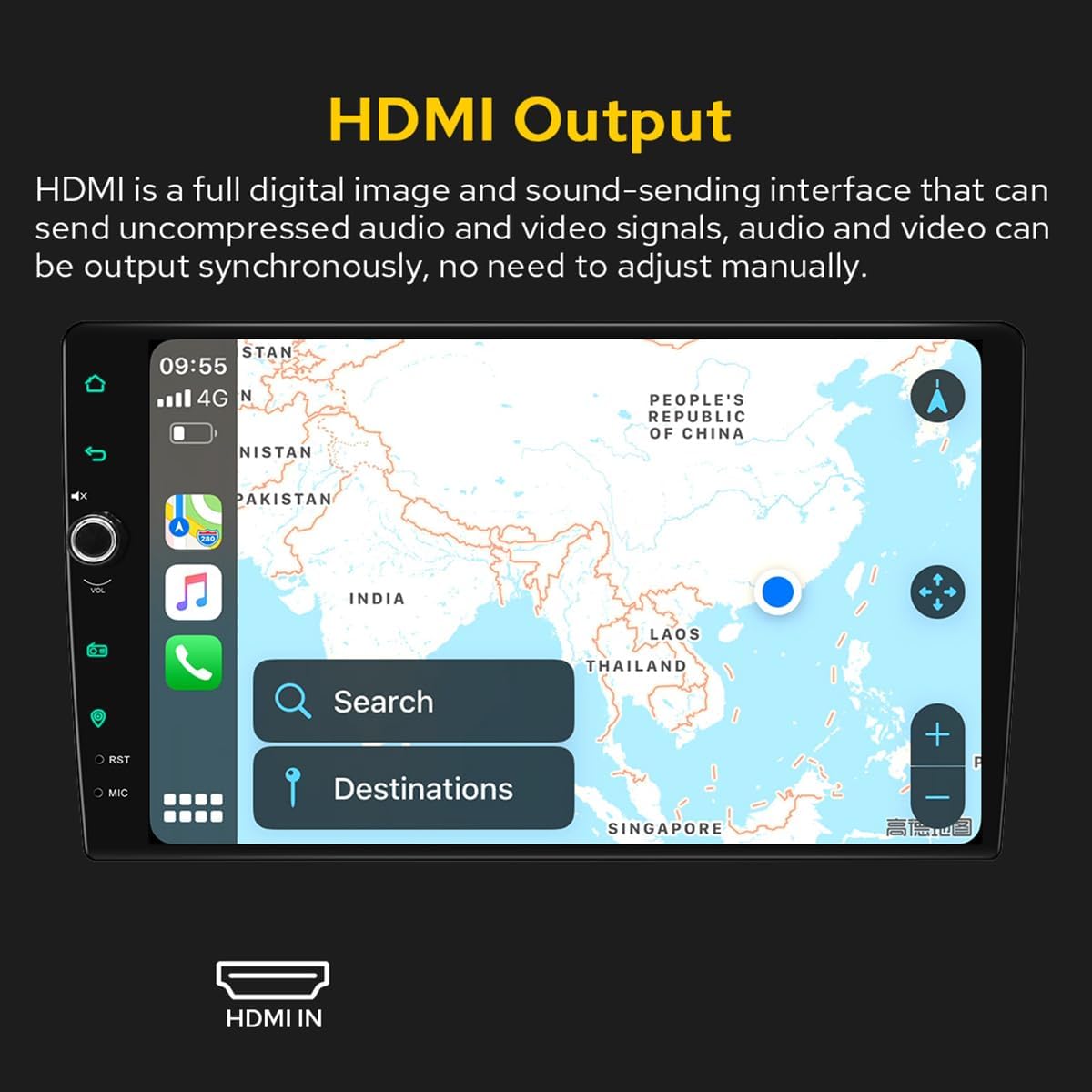
Figure 3.1: Included accessories and components in the JOYING JY-UZS08N4 package.
4. 설정 및 설치
4.1 설치 전 참고 사항
- 설치 시 추가 설치 프레임 키트 및 특수 ISO 하네스가 필요할 수 있습니다. amplifier adapter, or CANbus decoder depending on your vehicle's specific requirements.
- This unit does not support factory car GPS antenna, backup rear camera, Bluetooth, USB, or microphone. Only JOYING accessories are supported.
- DAB+ digital radio adapter, DVR, OBDII scanner, reverse camera, TPMS, and steering wheel controller are not included and must be ordered separately.
4.2 배선도
배선 연결 방법은 다음 그림을 참조하십시오. 전원을 켜기 전에 모든 연결이 단단히 고정되었는지 확인하십시오.

Figure 4.1: Rear panel connections and wiring diagram for the head unit.
4.3 SIM Card Installation (for 4G Module)
The unit features a built-in 4G module for internet access. To install a SIM card:
- Locate the 4G SIM card slot, typically connected via a cable.
- Insert a Micro-SIM (3FF) card into the slot as shown in the diagram.
- Ensure the SIM card is correctly oriented and fully inserted.
Note: The 4G module supports internet access only and cannot be used for phone calls or SMS messages. Supported bands include FDD-LTE: B2/B4/B5/B7/B12/B13/B14/B17/B25/B26/B38/B66/B71 and TDD-LTE: B41.

Figure 4.2: 4G SIM card installation process.
4.4 Removable Screen Adjustment
The screen can be moved up and down to suit your installation requirements. Each movement is 0.7cm. Based on the middle position, the screen can be moved up 2.5cm and down 2.5cm.

Figure 4.3: Removable screen adjustment options.
5. 사용 설명서
5.1 초기 부팅
The first boot-up may take approximately 30-40 seconds. Subsequent boot-ups, once the car key is inserted, will enter the user interface in about 2 seconds.
5.2 사용자 인터페이스 종료view
The unit features a deep-optimized user interface customized for car driving habits. Key controls and display elements include:
- 집: 메인 화면으로 돌아갑니다.
- 뒤쪽에: Navigates to the previous screen.
- 무음: 오디오 출력을 음소거합니다.
- 볼륨+/볼-: 볼륨을 조정합니다.
- 라디오: Accesses the AM/FM radio function.
- 항해: Launches the navigation application.
- RST : Reset button (often a small pinhole).
- 마이크: 마이크 입력.
- 설정: 시스템 설정에 접근합니다.
- Split-screen function: Allows two applications to run side-by-side.
Figure 5.1: Main User Interface and controls.
5.3 Car-Smartphone Connectivity (Carplay & Android Auto)
Connect your mobile phone to the car radio via USB cable or Bluetooth to utilize Wireless Carplay and Android Auto. This allows you to share phone applications on the larger screen, access navigation, make phone calls, and listen to music. The unit has built-in Android Auto and Carplay modules, requiring no extra device or dongle.

Figure 5.2: Wireless Carplay and Android Auto in operation.
5.4 GPS 내비게이션
The unit features precise GPS engines and includes a GPS antenna for accurate positioning and faster real-time navigation. Offline maps are supported: if you are in an area where downloading Google offline map data is available, you can save it to the car stereo for offline use. You can also synchronize mobile phone map data via Carplay/Android Auto.
5.5 Audio Features (DSP & EQ)
The built-in Digital Sound Processor (DSP) offers a 48-band EQ and 20 preset sound effects. You can independently adjust the subwoofer output and fine-tune ultra-bass, bass, mid-bass, mid-sound, mid-treble, treble, and super-treble. DTS5.1 panoramic surround sound effects and sound field correction system are included for an immersive audio experience.

Figure 5.3: DSP and Equalizer settings interface.

Figure 5.4: DTS Scenes and advanced EQ settings.
5.6개의 HDMI 출력
The unit provides an HDMI output, a full digital image and sound-sending interface that can transmit uncompressed audio and video signals synchronously without manual adjustment. This allows for projection to rear screens for passengers.

Figure 5.5: HDMI Output functionality.
The HDMI output supports projection screen display for passengers (e.g., on headrest monitors) while the driver uses the main screen for navigation. The on-screen display provides a 1080P clear picture with zero delays. Due to chassis design, a straight-head HDMI cable is not supported; an L-shaped or angled HDMI adapter is required (HDMI cable not included).

Figure 5.6: HDMI output for external displays.
5.7 주야간 모드
The unit supports Day and Night modes. Daytime mode provides sufficient brightness for clear visibility even in direct sunlight, while Night mode reduces brightness to prevent glare and eye strain during nighttime driving.

Figure 5.7: Day and Night Mode display comparison.
5.8 Colorful Lights Setting
You can customize the button illumination color to match your vehicle's dashboard lighting.
그림 5.8: 버튼 조명 색상 설정.
5.9 AR Camera (Optional)
If an AR camera is connected, you can freely switch between front and rear camera views during driving to observe the surrounding environment. For optimal compatibility and stable images, it is recommended to purchase JOYING's AR camera.

Figure 5.9: AR Camera display and functionality.
6. 유지관리
- 화면을 부드럽고 마른 천으로 정기적으로 닦아주세요. 연마성 세척제 사용은 피해주세요.
- 과열을 방지하려면 장치 주변에 적절한 환기가 이루어지도록 하십시오.
- 배선 연결부가 헐거워지거나 손상되었는지 주기적으로 점검하십시오.
- Keep the unit's software updated for optimal performance and security. Refer to the manufacturer's web업데이트 지침은 해당 사이트를 참조하세요.
7. 문제 해결
7.1 일반적인 문제 및 해결 방법
- 장치의 전원이 켜지지 않습니다. Check power connections and vehicle's fuse box. Ensure the unit is properly installed.
- 소리가 나지 않습니다: Verify speaker connections, volume levels, and EQ settings. Check if the mute function is active.
- 터치스크린이 반응하지 않음: Perform a system reset using the RST button (often a small pinhole requiring a thin object to press).
- GPS 신호 문제: GPS 안테나가 제대로 연결되었고 깨끗한지 확인하십시오. view 하늘의.
- CarPlay/Android Auto가 연결되지 않습니다. Ensure your phone's Bluetooth and Wi-Fi are enabled. Try reconnecting the USB cable or re-pairing via Bluetooth.
7.2 공장 초기화
If experiencing persistent issues, a factory reset may resolve them. Be aware that a factory reset will erase all user data and settings. Consult the on-screen settings menu for the factory reset option.
8. 사양
| 특징 | 사양 |
|---|---|
| 상표 | 기쁨 |
| 모델 번호 | JY-UZS08N4 |
| 화면 크기 | 10.1 인치 |
| 화면 해상도 | 1280x800픽셀 |
| 컨트롤러 유형 | 기계적 인조 인간 |
| 연결 기술 | 블루투스, 이더넷, HDMI, USB, Wi-Fi, 4G |
| 특별 기능 | 이퀄라이저, 터치스크린 |
| 출력 전력 | 45 와트 |
| 채널 수 | 4 |
| 오디오 출력 모드 | 스테레오 재생 |
| 오디오 출력 유형 | 광학 |
| 비디오 인코딩 | RM |
| 총 HDMI 포트 | 1 |

그림 8.1: 제품 치수

Figure 8.2: Core hardware parameters.

Figure 8.3: Multimedia and network parameters.
9. 보증 및 지원
For warranty information and technical support, please refer to the official JOYING web사이트를 방문하거나 고객 서비스에 직접 문의하세요. 보증 청구를 위해 구매 증빙 자료로 구매 영수증을 보관하세요.