
1. 서론
This manual provides essential instructions for the proper assembly, operation, and maintenance of your WUPRO Gallery Fixed Frame Projector Screen Black Crystal CLR 70 Inch. Please read this manual thoroughly before installation and retain it for future reference. This projector screen is designed to enhance your viewing experience with its advanced Ambient Light Rejection (ALR) technology, supporting 4K/8K, HDR, and Active 3D content under normal lighting conditions.

Image 1.1: WUPRO Gallery Fixed Frame Projector Screen Black Crystal CLR 70 Inch.
2. 안전 정보
- Always handle the screen material with clean hands or gloves to prevent smudges and damage.
- Ensure the installation surface is sturdy and capable of supporting the screen's weight.
- 작은 부품과 공구는 어린이의 손이 닿지 않는 곳에 보관하십시오.
- Do not attempt to modify the screen or its components, as this may void the warranty and pose safety risks.
- Follow all assembly steps carefully to ensure proper and safe installation.
3. 패키지 내용
조립을 시작하기 전에 모든 구성 요소가 있는지 확인하세요.
- Screen Fabric (Black Crystal CLR)
- Aluminum Alloy Frame Sections
- Ultrafine Velvet Frame Strips
- 유리섬유 스트립
- Spring Hook Tensioning System Components
- 장착 하드웨어(나사, 벽 앵커)
- 사용 설명서

이미지 3.1: 폭발 view of the projector screen components, illustrating the frame, screen fabric, and tensioning system.
4. 설정 및 설치
The WUPRO Gallery Fixed Frame Projector Screen features a quick-install trolley system for easy setup. Manual installation is required. It is recommended to have two people for assembly and mounting.
4.1. 프레임 조립
- 모든 구성품을 풀어 깨끗하고 평평한 표면에 펼쳐 놓으세요.
- Connect the aluminum alloy frame sections according to the included diagrams, ensuring a secure fit.
- Attach the ultrafine velvet frame strips to the assembled frame.
4.2. Screen Fabric Installation
- Carefully unroll the Black Crystal CLR screen fabric. Avoid creasing or touching the viewing surface directly.
- Position the screen fabric onto the assembled frame.
- Utilize the spring hook tensioning system to stretch the screen fabric evenly across the frame. Start from the center and work outwards, ensuring the fabric is taut and wrinkle-free.
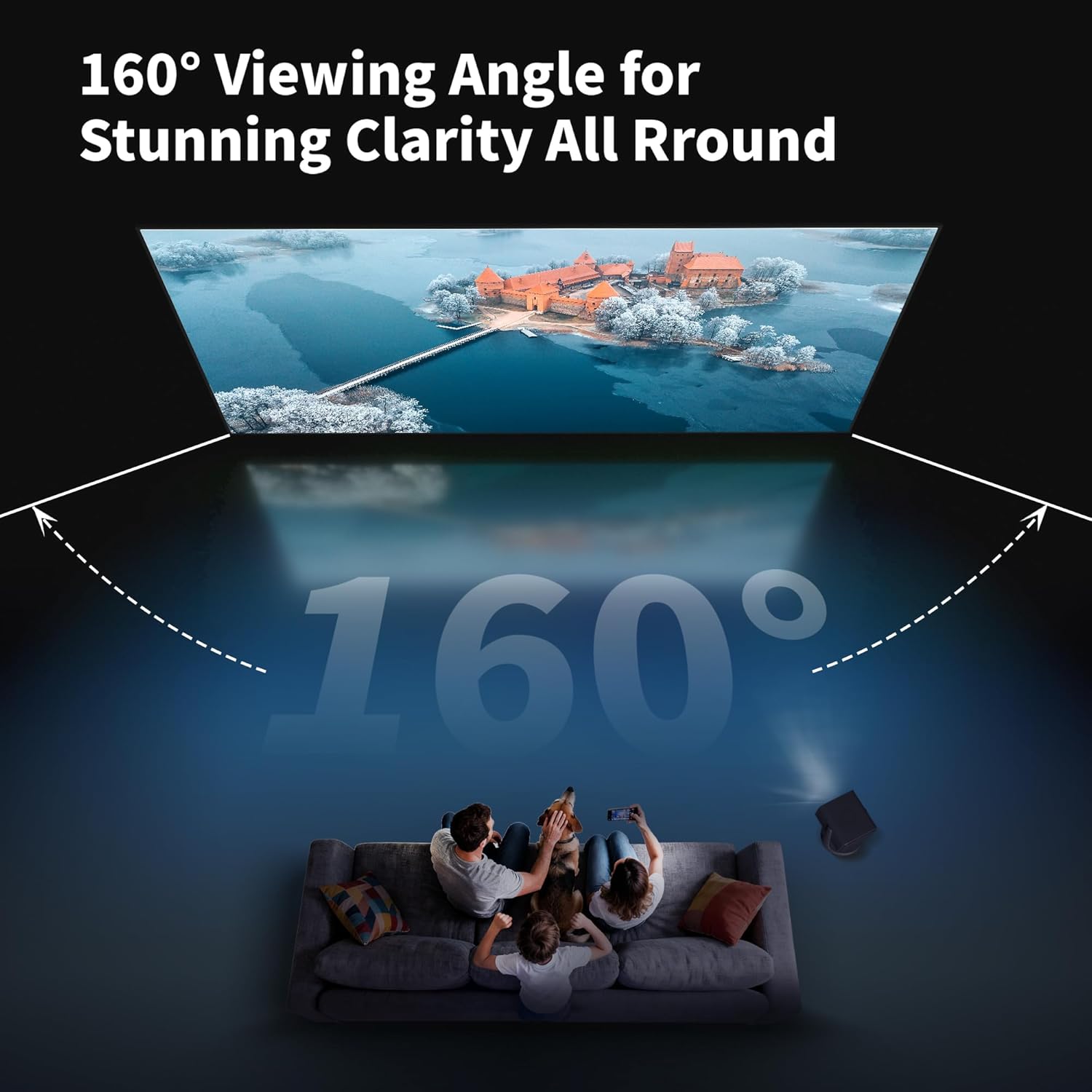
Image 4.1: Detail of the spring hook tensioning system, ensuring a flat screen surface.
4.3. 벽 장착
- Determine the desired mounting location and height.
- Mark the drilling points for the wall brackets, ensuring they are level and correctly spaced.
- 필요한 경우 파일럿 구멍을 뚫고 벽 앵커를 삽입합니다.
- 제공된 나사를 사용하여 벽걸이 브래킷을 벽에 고정하십시오.
- Carefully lift the assembled screen and hang it onto the wall brackets. Ensure it is securely seated.

Image 4.2: Visual guide for the easy installation process, including pushing the screen close to the wall and securing it.
4.4. 설치 동영상
For a visual guide on the assembly and installation process, please refer to the following video:
Video 4.1: WUPRO Fixed Frame Screen ALR Home Cinema 16:9 Screen Assembly Guide. This video demonstrates the assembly of the fixed frame screen and highlights its ALR features.
5. 사용 설명서
The WUPRO Gallery Fixed Frame Projector Screen is designed for optimal performance with specific projector types and view조건.
5.1. Projector Compatibility
- Recommended Projectors: Standard/Long-throw projectors with 1800 ANSI lumens or higher.
- Incompatible Projectors: Ultra-short-throw projectors.
- 메모: Limited speckle control for tricolor laser projectors.
5.2. Ambient Light Rejection (ALR)
The Black Crystal CLR screen material features Ambient Light Rejection (Ceiling) of ≥70%. This technology blocks overhead light interference, optimizing the viewing experience in normal lighting conditions. It reflects projector light towards the viewer while minimizing the impact of ambient light.

Image 5.1: Illustration of the multi-layered PVC material designed for 70% ambient light rejection.
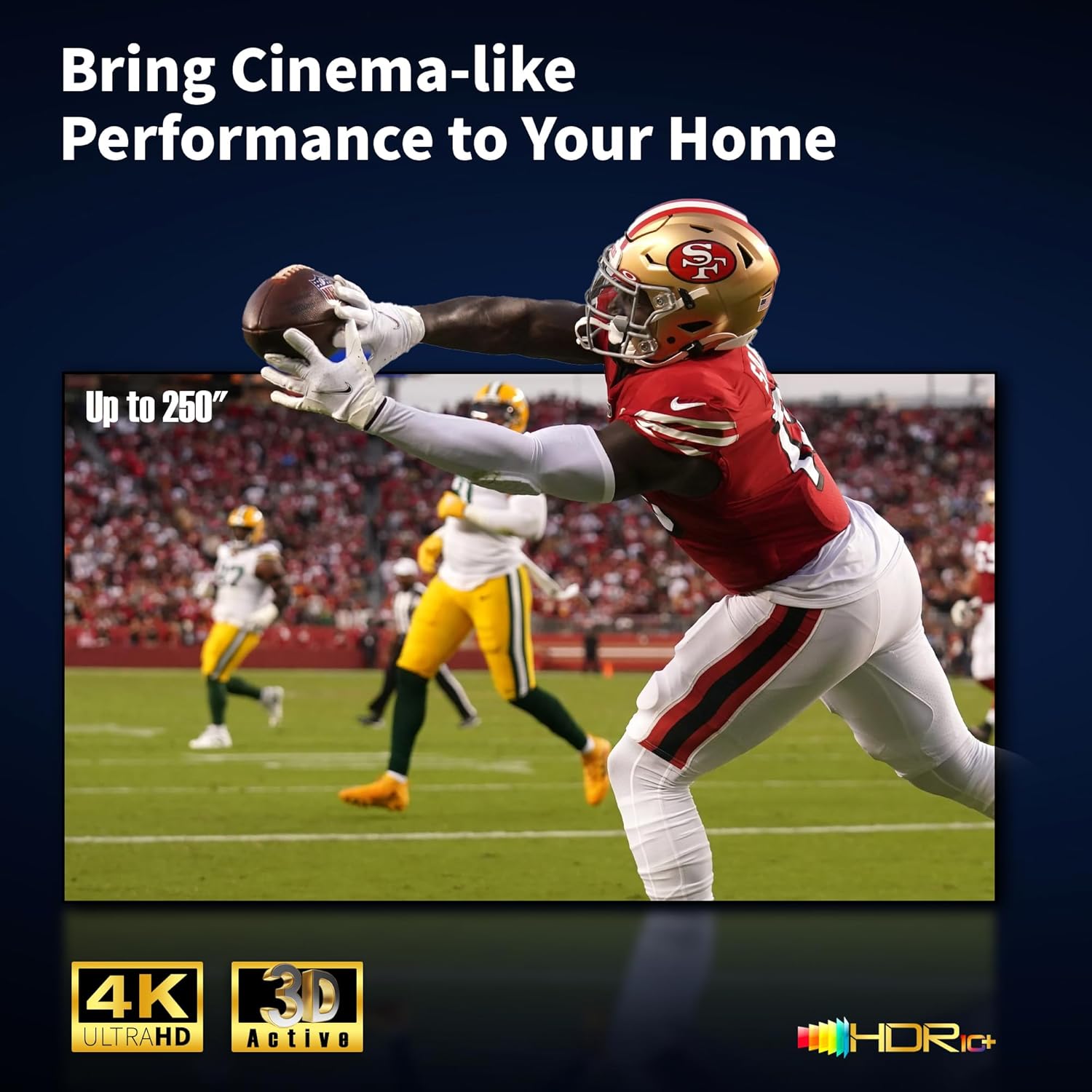
Image 5.2: The screen maintains vivid image quality even in a room with significant ambient light, thanks to its ALR properties.
5.3. View잉 각도
이 화면은 160°의 광각 시야각을 제공합니다. viewing angle, providing broad visibility from various positions within a room. This makes it suitable for diverse environments such as living rooms, bedrooms, schools, and offices.

Image 5.3: The 160° viewing angle ensures clear visibility for multiple viewers across a wide area.
6. 유지관리 및 관리
Proper care will ensure the longevity and optimal performance of your projector screen.
- 화면 표면 청소: Gently wipe the screen surface with a soft, lint-free cloth. For stubborn marks, lightly dampen the cloth with water. Avoid harsh chemicals, abrasive cleaners, or excessive pressure, as these can damage the screen material.
- 프레임 관리: The aluminum frame can be cleaned with a soft, dry cloth.
- 저장: If disassembling for storage, carefully roll the screen fabric without creasing and store it in its original protective packaging in a cool, dry place.
- 손질: Always handle the screen by its frame, not by the screen surface.
7. 문제 해결
이 섹션에서는 일반적으로 발생할 수 있는 문제에 대해 설명합니다.
7.1. Wrinkles or Creases on the Screen
- 원인: Improper handling during unpacking or assembly, or insufficient tensioning.
- 해결책: Ensure the screen fabric is stretched evenly and tautly using the spring hook tensioning system. Over time, minor creases from packaging may diminish as the screen remains under tension. If creases persist, re-check the tensioning and ensure all springs are correctly attached.
7.2. Poor Image Quality / Dim Image
- 원인: Incompatible projector, excessive ambient light, or incorrect projector placement.
- 해결책: Verify your projector is a standard/long-throw type with at least 1800 ANSI lumens. Ensure the screen is positioned to minimize direct ambient light hitting the surface. Adjust projector settings for optimal brightness and contrast.
7.3. Frame Not Level
- 원인: Wall brackets not installed level.
- 해결책: Remove the screen and re-adjust the wall brackets using a spirit level to ensure they are perfectly horizontal before re-mounting the screen.
8. 사양
Key technical specifications for the WUPRO Gallery Fixed Frame Projector Screen Black Crystal CLR 70 Inch:
| 특징 | 사양 |
|---|---|
| 모델 | Gallery Fixed Frame Projector Screen Black Crystal CLR |
| 화면 크기(대각선) | 70인치 |
| 종횡비 | 16시 9분 |
| 스크린 원단 | Black Crystal CLR (PVC material with metallic coating) |
| 얻다 | 1.0 |
| 대비율 | 1.5 |
| Ambient Light Rejection (Ceiling) | ≥70% |
| View잉 각도 | 160° |
| 지원되는 해상도 | 4K/8K, HDR, Active 3D |
| 프레임 스타일 | Slim Frame with Velvet Border |
| 프레임 소재 | 알루미늄 합금 |
| 제품 치수(폭 x 높이) | 61.77인치 x 35.08인치(1569mm x 891mm) |
| Image Dimensions (W x H) | 60.98인치 x 34.29인치(1549mm x 871mm) |
| 품목 무게 | 10파운드(4.5kg) |
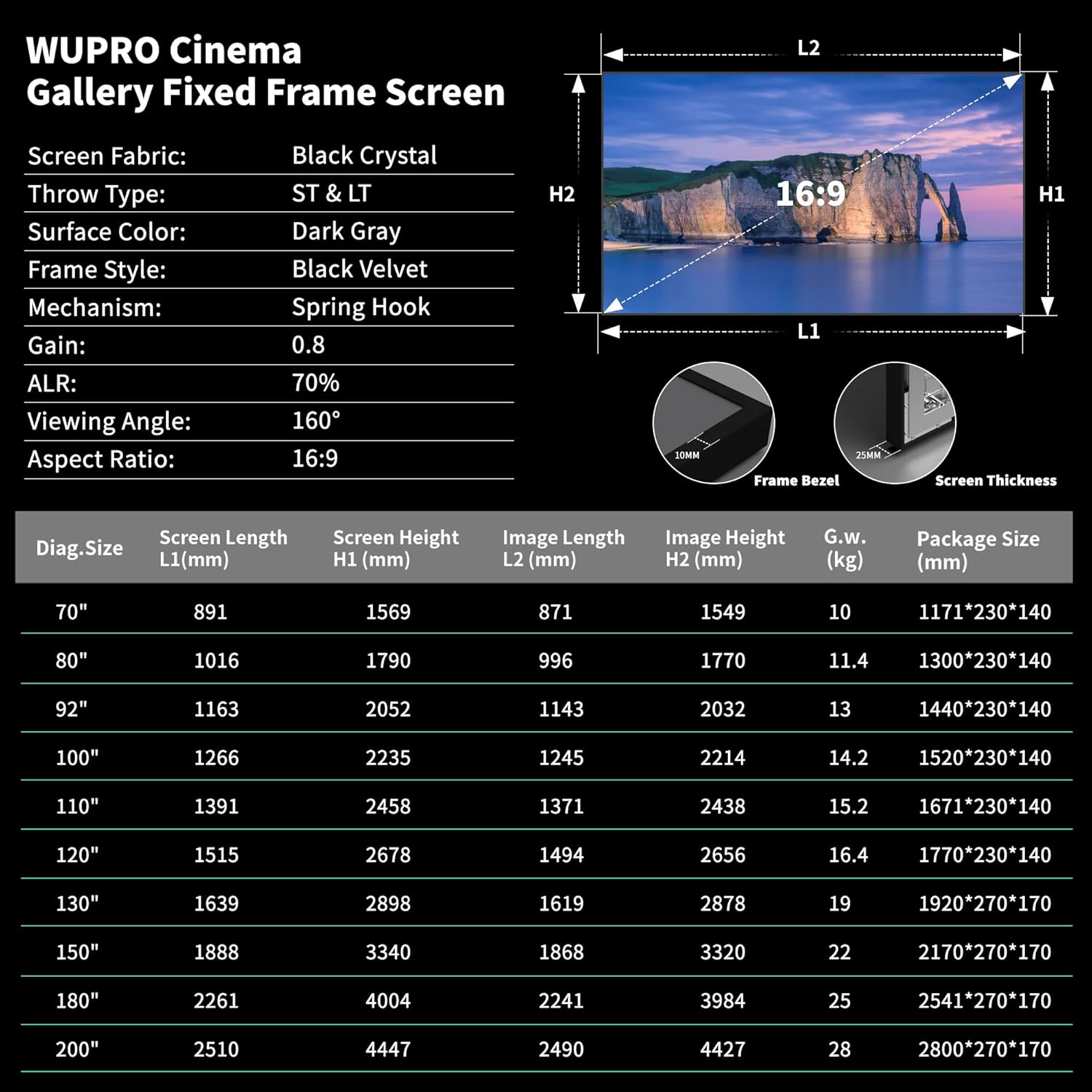
Image 8.1: Detailed specifications table for WUPRO Gallery Fixed Frame Screens across different sizes.
9. 보증 및 지원
WUPRO is committed to providing quality products. For any questions, technical assistance, or warranty claims, please contact WUPRO customer support through the retailer where the product was purchased or visit the official WUPRO web연락처 정보 사이트.
보증을 위해 구매 증빙서류를 보관하세요.