
Micool Y30
Micool Y30 Open Ear Headphones User Manual
모델: Y30
1. 서론
Thank you for choosing the Micool Y30 Open Ear Headphones. These wireless Bluetooth 5.3 earbuds are designed to provide a comfortable and safe listening experience by resting gently on your ears without blocking the ear canal. This design allows you to remain aware of your surroundings while enjoying high-quality audio, making them ideal for sports and daily activities.
2. 상자 안에 무엇이 들어있나요?
- Micool Y30 Open Ear Headphones (Left and Right)
- 무선 충전 케이스
- USB-C 충전 케이블
- 사용자 설명서
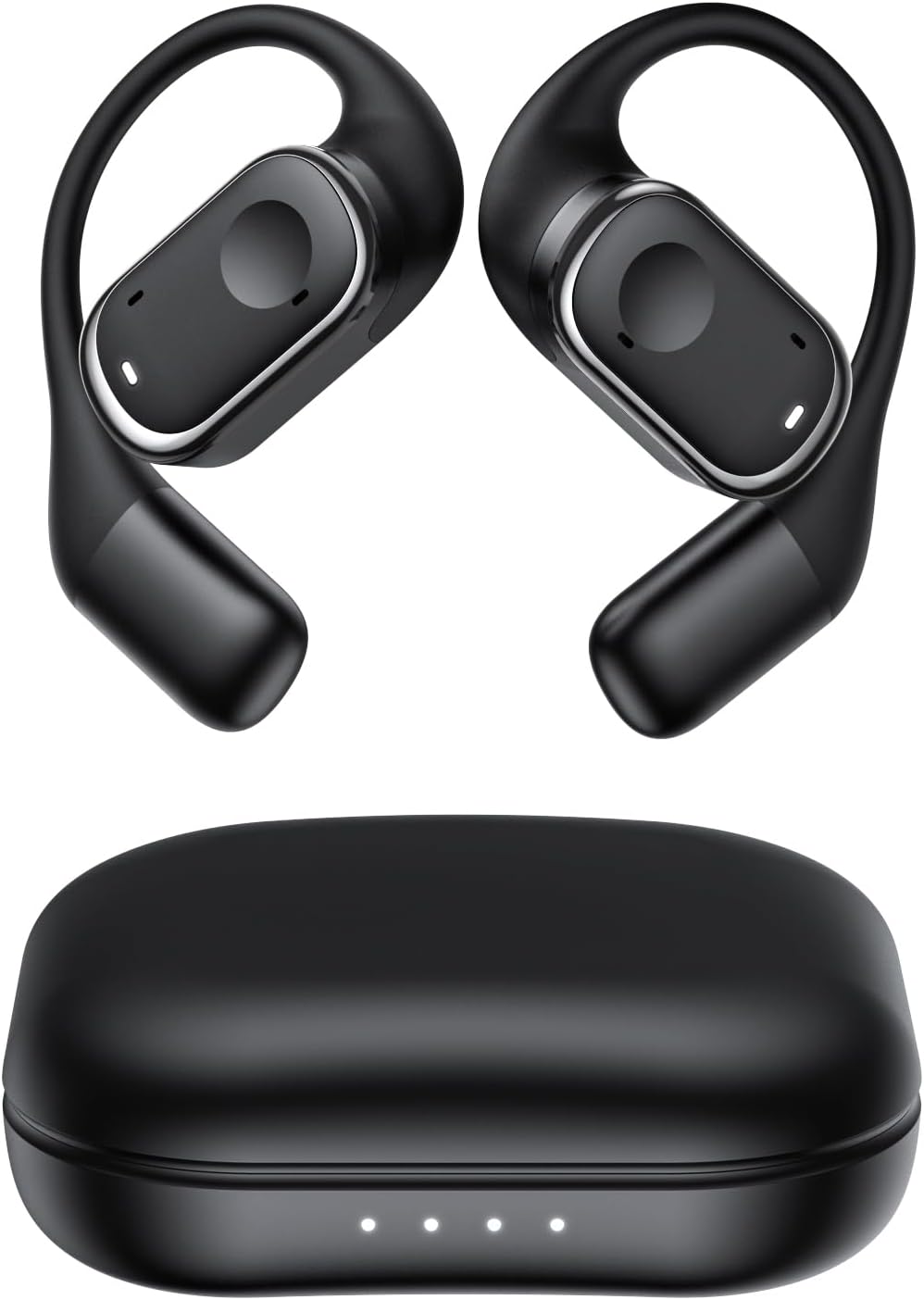
그림 2.1: Micool Y30 Open Ear Headphones and their charging case. The image shows two black open-ear earbuds with ear hooks, positioned above a sleek black charging case with four LED indicator lights on the front.
3. 제품 오버view
3.1 이어버드 구성 요소
Each earbud features an ergonomic design with a soft silicone ear hook for secure and comfortable placement. The main body houses the speaker and touch control area.

그림 3.1: 클로즈업 view illustrating the ergonomic design of the Micool Y30 earbud. The image highlights the curved ear hook and the soft silicone material designed for comfort and secure fit, conforming to the ear's contour.
3.2 충전 케이스
The charging case protects the earbuds and recharges them. It has a USB-C charging port and LED indicators to show battery status.

그림 3.2: 내부 view of the Micool Y30 charging case, showcasing the earbuds nestled inside. The image highlights the Bluetooth 5.3 technology and the digital display indicating battery levels, emphasizing fast response and stable connection.
4. 설정
4.1 장치 충전
처음 사용하기 전에 이어버드와 충전 케이스를 완전히 충전하세요.
- 케이스 충전: Connect the provided USB-C cable to the charging port on the case and to a USB power adapter (not included). The LED indicators on the case will show the charging status. A full charge takes approximately 1-2 hours.
- 이어버드 충전: Place the earbuds into the charging case. Ensure they are correctly seated. The earbuds will automatically begin charging. The case can charge the earbuds 4-5 times, providing up to 6 hours of playback per single earbud charge.
4.2 블루투스 페어링
To connect your Micool Y30 headphones to your device:
- 이어버드가 충전되어 있는지 확인하세요.
- 충전 케이스를 여세요. 이어버드가 자동으로 페어링 모드로 진입합니다.
- 사용하시는 기기(예: 스마트폰, 태블릿)에서 블루투스 설정으로 이동하여 블루투스를 켜세요.
- 검색 available devices. Select "Micool Y30" from the list.
- 연결되면 확인음이 들리고 이어버드를 사용할 준비가 됩니다.
The headphones support Bluetooth 5.3 for stable and efficient connection.
5. 사용 설명서
5.1 전원 켜기/끄기
- 전원 켜기: 충전 케이스를 열면 이어버드의 전원이 자동으로 켜집니다.
- 전원 끄기 : 이어버드를 충전 케이스에 다시 넣고 뚜껑을 닫으세요. 자동으로 전원이 꺼지고 충전이 시작됩니다.
5.2 음악 재생
The Micool Y30 headphones feature touch controls for media management.
- 재생/일시 중지: 양쪽 이어버드를 한 번 탭합니다.
- 다음 트랙: 오른쪽 이어버드를 두 번 탭합니다.
- 이전 트랙 : 왼쪽 이어버드를 두 번 탭합니다.
- 볼륨 업: 오른쪽 이어폰을 세 번 탭합니다.
- 볼륨 작게 : 왼쪽 이어버드를 세 번 탭합니다.
5.3 통화 관리
- 전화 받기/종료: 양쪽 이어버드를 한 번 탭합니다.
- 전화 거부: 양쪽 이어버드를 2초 동안 길게 누릅니다.
5.4 Single and Dual Earbud Mode
The Micool Y30 headphones support seamless switching between using a single earbud or both earbuds.
- 단일 이어 버드 모드 : You can use either the left or right earbud independently. Simply take one earbud out of the case, and it will connect to your device.
- 듀얼 이어버드 모드: Take both earbuds out of the case, and they will automatically connect to each other and then to your device for a stereo audio experience.

그림 5.1: Illustration of the Micool Y30's flexible usage modes. The diagram shows how the earbuds can be used independently in "Single Earphone Mode" or together in "Dual Headphone Mode" for a synchronized connection.
6. 유지관리
6.1 청소
- 부드럽고 마른 보푸라기 없는 천을 사용하여 이어버드와 충전 케이스를 청소하세요.
- 독한 화학 물질, 세척 용제 또는 강한 세제를 사용하지 마십시오.
- The earbuds have an IPX6 waterproof rating, meaning they are resistant to strong jets of water. However, they are not designed for submersion. Wipe them dry after exposure to sweat or water.
6.2 보관
- 이어버드를 사용하지 않을 때는 충전 케이스에 보관하여 보호하고 충전 상태를 유지하세요.
- 기기를 극한 온도(고온 또는 저온)나 습도가 매우 높은 환경에 보관하지 마십시오.
7. 문제 해결
| 문제 | 해결책 |
|---|---|
| 이어폰이 기기와 페어링되지 않습니다. |
|
| 한쪽 이어폰에서 소리가 나지 않습니다. |
|
| 이어폰이 충전되지 않습니다. |
|
| Poor sound quality or connection drops. |
|
8. 사양
| 특징 | 세부 사항 |
|---|---|
| 모델명 | Y30 |
| 연결 기술 | 무선(블루투스) |
| 블루투스 버전 | 5.3 |
| 귀 위치 | 오픈 이어 |
| 이어버드 배터리 용량 | 100mAh (각) |
| 충전 케이스 배터리 용량 | 450mAh |
| 재생 시간(1회 충전 기준) | 최대 6시간 |
| 총 재생 시간(케이스 포함) | Up to 30 hours (4-5 full charges from case) |
| 충전시간(케이스) | 1-2시간 |
| 충전 포트 | USB 타입-C |
| 방수 등급 | IPX6 |
| 재료 | 플라스틱 |
| 한국어: | 776584469303 |
9. 보증 및 지원
Micool products are designed with quality and reliability in mind. For warranty information or technical support, please refer to the warranty card included in your product packaging or visit the official Micool web사이트. 소매점에 문의하여 도움을 받으실 수도 있습니다.
추가 지원이 필요하면 다음을 방문하세요. Micool Store on Amazon.
Ask a question about this manual
Ask about setup, troubleshooting, compatibility, parts, safety, or missing instructions. Manuals+ will review the question and use this page’s manual context to help answer it.