
1. 서론
This manual provides instructions for the assembly, setup, operation, and maintenance of the Weytoll Signal Generator Kit. This device is a DIY (Do-It-Yourself) kit designed to generate various waveforms including sine, square, triangular, and sawtooth waves, with an adjustable frequency range from 1Hz to 20MHz.
As this is a DIY kit, user assembly is required. Please read all instructions carefully before beginning assembly or operation.
2. 안전 정보
항상 다음 안전 예방 조치를 준수하십시오.
- 전원 공급 장치 볼륨을 확인하십시오.tage는 지정된 범위(9V~15V DC) 내에 있습니다.
- 물기가 있거나 습기가 있는 곳에서 장치를 작동하지 마십시오.amp 정황.
- Avoid touching exposed circuit components when the device is powered on.
- Use appropriate tools and follow proper soldering techniques during assembly to prevent damage to components or injury.
- 기기를 어린이의 손이 닿지 않는 곳에 보관하세요.
3. 패키지 내용
Verify that all components listed below are present in your kit. If any parts are missing or damaged, please contact customer support.
- 1x Signal Generator PCB (Printed Circuit Board)
- 1x Acrylic Casing Set (Top and Bottom panels, screws)
- Electronic Components (Resistors, Capacitors, ICs, Potentiometers, Connectors, etc.)
- 1x 사용자 매뉴얼(이 문서)
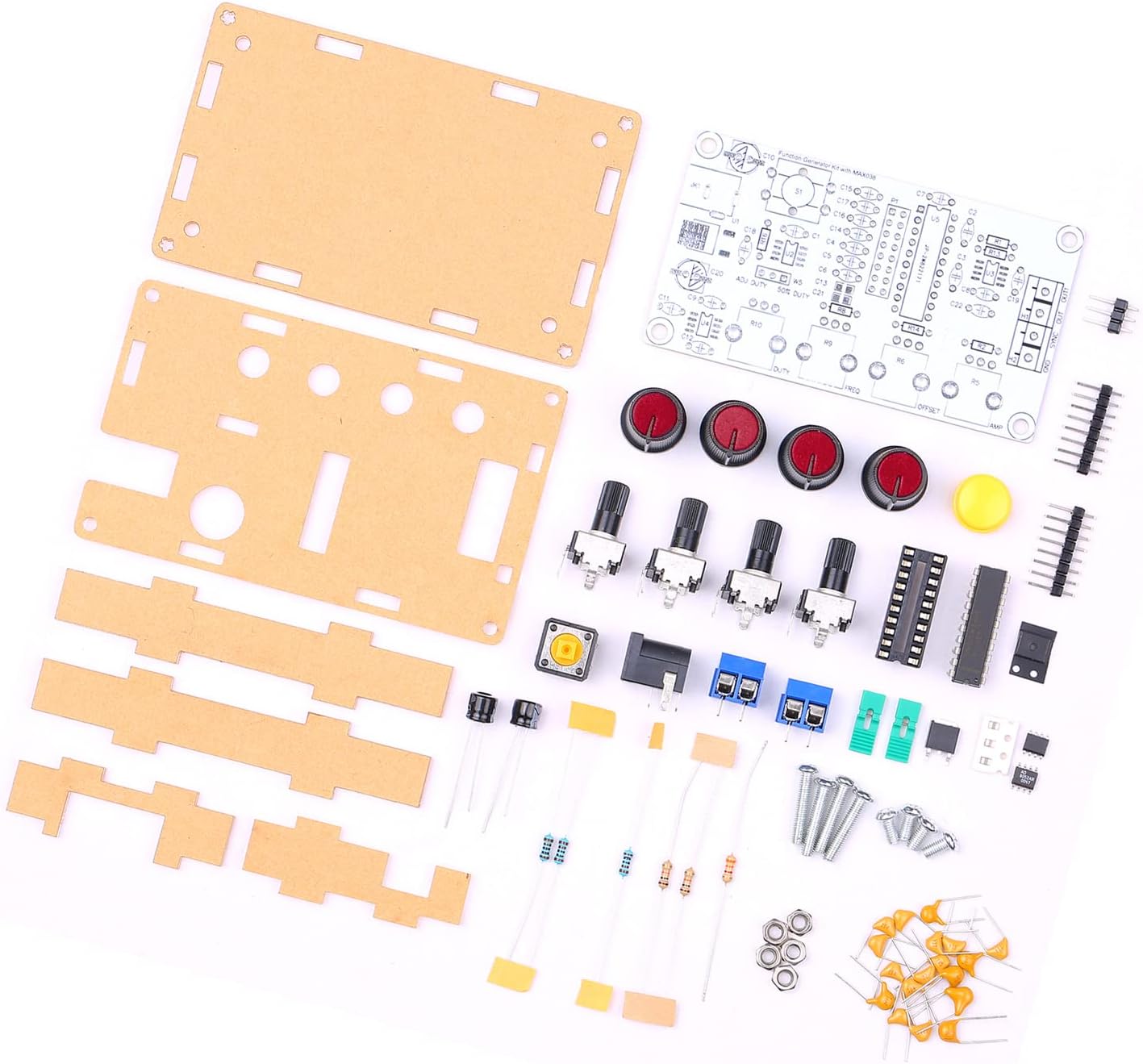
Figure 3.1: All components included in the Weytoll Signal Generator Kit.
4. 조립 설명서
Assembly of this kit requires basic soldering skills and tools (soldering iron, solder, wire cutters, multimeter recommended). Follow the steps below carefully.
- 구성 요소 식별: Before soldering, identify all components using the provided circuit diagram (if included, otherwise refer to component markings). Sort resistors by value, capacitors by type and value, and identify integrated circuits (ICs).
- 작은 부품부터 먼저 납땜하세요: Begin by soldering the smallest components to the PCB, such as resistors and diodes, followed by capacitors, IC sockets (if using), and then the ICs themselves. Pay attention to polarity for diodes, electrolytic capacitors, and ICs.
- Install Larger Components: Solder the larger components like potentiometers, connectors (power jack, output terminals), and switches. Ensure they are flush with the PCB and correctly oriented.
- 납땜 상태 확인: After all components are soldered, carefully inspect all solder joints for bridges, cold joints, or missing connections. Use a multimeter to check for continuity where appropriate.
- Assemble Acrylic Casing:
- Remove protective film from both sides of the acrylic panels.
- Attach the bottom acrylic panel to the PCB using the provided standoffs and screws.
- Align the top acrylic panel, ensuring all potentiometers, switches, and connectors fit through their respective openings. Secure with the remaining screws.
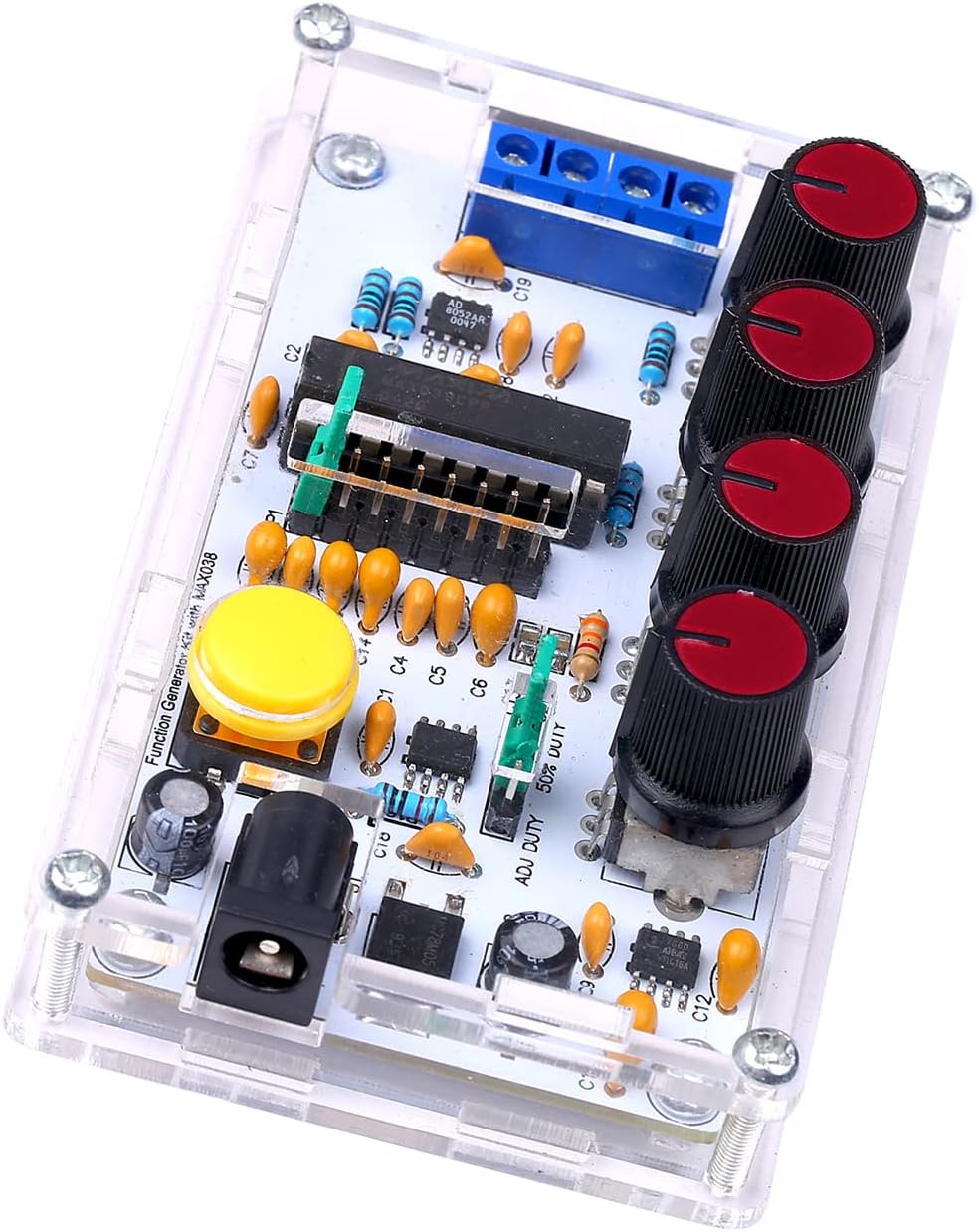
Figure 4.1: Fully assembled signal generator kit.
5. 설정
Once assembled, follow these steps to set up your signal generator:
- 전원 연결: Connect a DC power supply (9V to 15V) to the power input jack. Ensure correct polarity.
- 출력 연결: Connect the signal output (OUT) to your desired measurement device (e.g., oscilloscope, frequency counter) using appropriate cables. The SYNC OUT provides a synchronization signal.
- 초기 설정: Before powering on, set all potentiometer knobs to their center positions or minimum values to avoid unexpected outputs.
6. 사용 설명서
The Weytoll Signal Generator Kit allows for adjustment of frequency, duty cycle, DC offset, and amplitude. It can generate sine, square, triangular, and sawtooth waveforms.
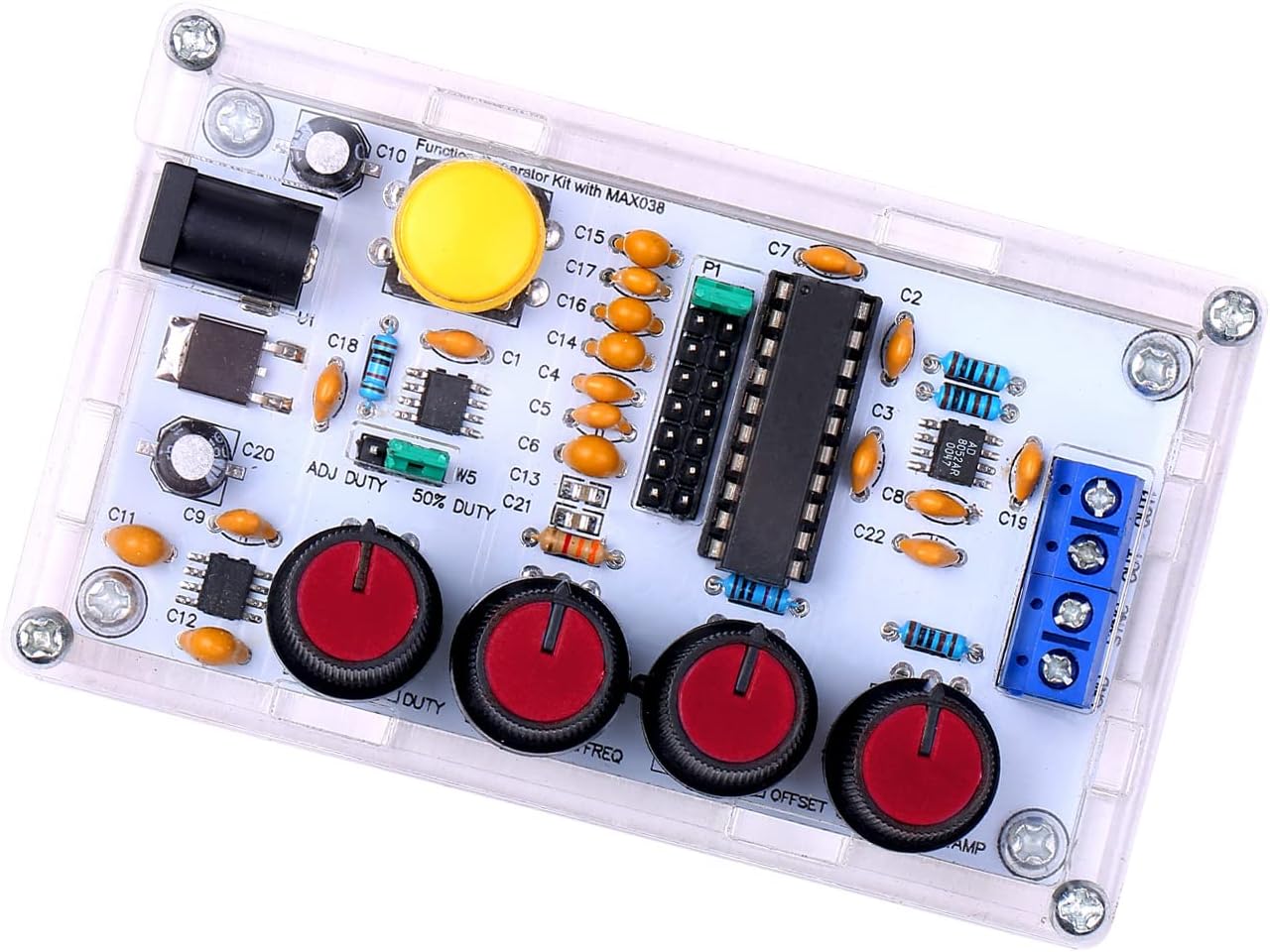
Figure 6.1: Control knobs for signal adjustment.
- Frequency Adjustment (FREQ): Use the FREQ knob to adjust the output frequency from 1Hz to 20MHz.
- Duty Cycle Adjustment (DUTY): Use the DUTY knob to adjust the duty cycle of square and sawtooth waves from 15% to 85%.
- DC Offset Adjustment (OFFSET): The OFFSET knob allows for adjusting the DC offset of the output signal from -5V to +5V.
- Amplitude Adjustment (AMP): 사용하세요 AMP knob to adjust the peak-to-peak amplitude of the output signal from 0.1VPP to 9.5VPP (with a 9V operating voltag이자형).
- 파형 선택: The kit supports output of triangular, square, sine, and forward/reverse sawtooth waves. Refer to the PCB markings or a detailed circuit diagram for specific waveform selection points or switches, if present.
- Synchronization Output (SYNC OUT): This terminal provides a synchronization signal, useful for triggering oscilloscopes or other external devices.
7. 유지관리
The Weytoll Signal Generator Kit requires minimal maintenance:
- 청소: 기기를 깨끗하고 먼지가 없는 상태로 유지하세요. 부드럽고 마른 천을 사용하여 청소하세요. 액체 세제는 사용하지 마세요.
- 저장: 사용하지 않을 때는 기기를 건조하고 서늘한 곳에 보관하십시오.
- 점검: Periodically inspect the connections and solder joints for any signs of wear or damage.
8. 문제 해결
If you encounter issues with your signal generator, refer to the following troubleshooting guide:
| 문제 | 가능한 원인 | 해결책 |
|---|---|---|
| 출력 신호 없음 |
|
|
| Incorrect frequency/waveform |
|
|
| 왜곡된 파형 |
|
|
이러한 해결 방법을 시도한 후에도 문제가 지속되면 고객 지원팀에 문의하세요.
9. 사양
The following are the technical specifications for the Weytoll Signal Generator Kit:
| 매개변수 | 값 |
|---|---|
| 모델 번호 | XXI0262789081113FJ |
| 재료 | PCB + Acrylic |
| 주파수 조정 범위 | 1Hz ~ 20MHz |
| Duty Cycle Adjustment Range | 15% ~ 85% |
| Low Loss True Sine Wave | 0.75% |
| Triangular Wave Output Linearity | 0.1% |
| Low Impedance Output Buffer | 0.1Ω |
| Adjustable DC Offset | -5V ~ 5V |
| 가변 출력 Amp위도 | 0.1VPP ~ 9.5VPP (with 9V operating voltage) |
| 전원 공급 장치 작동 볼륨tage | 9V ~ 15V DC |
| 온도 드리프트 | 200ppm/℃ |
| 품목 치수(L x W x H) | 99 x 59 x 32mm(3.90 x 2.32 x 1.26인치) |
| 품목 무게 | 82g |
| 패키지 크기 | 17.78 x 15.24 x 1.78cm(7 x 6 x 0.7인치) |
| 패키지 무게 | 89g |

Figure 9.1: Physical dimensions of the signal generator.
10. 보증 및 지원
Warranty information for the Weytoll Signal Generator Kit is not explicitly provided in the product details. Please refer to your purchase documentation or contact the seller directly for warranty terms and conditions.
For technical support or inquiries regarding assembly and operation, please contact Weytoll customer service through the retailer's platform or their official website, if available.