
소개
The Gainscha B300 is a compact and portable thermal barcode printer designed for various mobile printing scenarios. It supports high-speed printing of thermal stickers and thermal bills up to 120mm/s, offering a 203 DPI resolution for clear output. This manual provides essential information for setting up, operating, and maintaining your B300 printer.
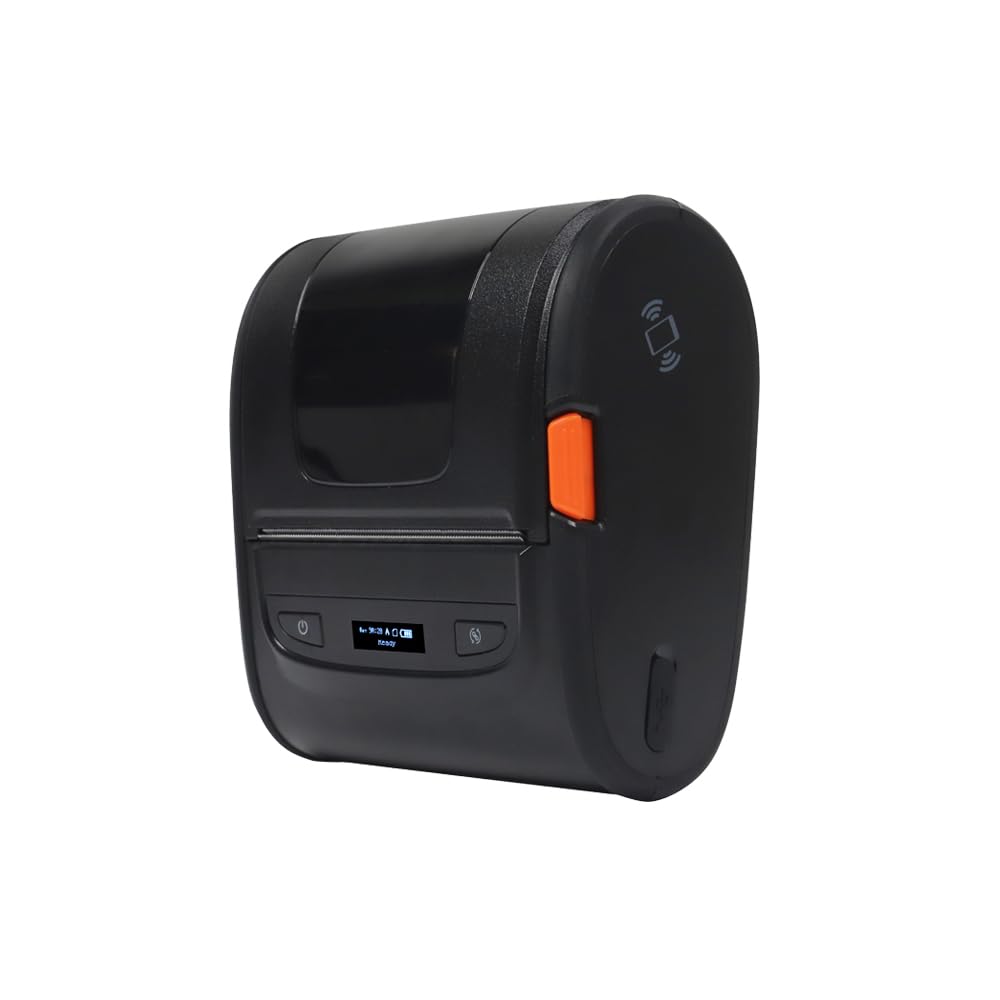
그림 1: 앞쪽 view of the Gainscha B300 Portable Barcode Printer, showing the power button, feed button, and a small display indicating "ready" status.
설정
1. 언박싱 및 구성품
Carefully unpack the printer and ensure all components are present. The standard package includes the Gainscha B300 printer unit.
2. 인쇄 매체 로딩
- Open the printer's top cover by gently pressing the release latches on the sides.
- Insert the thermal label roll or thermal bill roll into the media compartment, ensuring the printing surface faces the print head.
- Pull a small length of media out past the print head and close the top cover securely until it clicks into place.
3. 전원 켜기
Connect the power adapter to the printer and a power outlet. Press and hold the power button (marked with a ⏻ symbol) located on the front panel until the display illuminates.

그림 2: 클로즈업 view of the Gainscha B300 printer's front panel, highlighting the power button on the left and the feed button (circular arrow symbol) on the right, with the display in the center.
4. 연결성
- USB 연결: Connect the printer to your computer using the provided USB cable. Install the necessary drivers (available from the Gainscha website) for your operating system.
- 블루투스 연결 :
- Ensure Bluetooth is enabled on your smartphone or compatible device.
- On your device, search for available Bluetooth devices. The printer should appear as "Gainscha B300" or a similar identifier.
- 페어링할 프린터를 선택하십시오. PIN을 입력하라는 메시지가 나타나면 "0000" 또는 "1234"를 입력하십시오.
- Once paired, you can print directly from compatible applications on your smartphone.
작동 지침
1. 기본 인쇄
After connecting the printer via USB or Bluetooth, open your desired application (e.g., label design software, retail POS system, shipping software) on your computer or smartphone. Select the Gainscha B300 as your printer and initiate the print command. The printer will automatically feed and print the data.
2. 인쇄 설정
- 해결: The B300 supports a printing resolution of 203 DPI, suitable for clear text and barcode printing.
- 미디어 유형: Ensure your software settings match the type of thermal media loaded (e.g., label size, gap settings).
- 특별 기능: The printer supports watermark printing and two-color printing, depending on the media and software capabilities. Refer to your application's documentation for utilizing these features.
3. Feed Button Function
The feed button (circular arrow symbol) on the front panel can be used to advance the print media by one label or a set length, depending on the printer's mode. A quick press typically feeds one label, while holding it down may continuously feed paper.
유지
1. 프린트 헤드 청소
To maintain print quality, clean the thermal print head regularly. Use a lint-free cloth dampened with isopropyl alcohol. Gently wipe the print head surface. Ensure the printer is turned off and cooled down before cleaning.
2. 외부 청소
프린터 외부를 부드럽고 마른 천으로 닦으십시오. 강한 화학 약품이나 연마성 세척제 사용은 피하십시오.
3. 보관
When not in use, store the printer in a cool, dry place away from direct sunlight and extreme temperatures. Remove any media rolls if storing for an extended period.
문제 해결
- 프린터 전원이 켜지지 않음:
Check if the power adapter is securely connected to both the printer and a working power outlet. Ensure the power button is pressed correctly.
- 인쇄 품질 불량:
Clean the print head as described in the Maintenance section. Ensure you are using high-quality thermal media. Check print density settings in your software.
- No Printing/Paper Jam:
Verify that the media roll is loaded correctly and not jammed. Open the cover, clear any obstructions, and re-load the media. Ensure the printer cover is fully closed.
- Bluetooth 연결 문제:
Ensure the printer is within range of your device. Turn off and on Bluetooth on both the printer and your device. Re-pair the devices if necessary. Check if other Bluetooth devices are causing interference.
- USB 연결이 인식되지 않습니다:
Ensure the USB cable is securely connected. Try a different USB port or cable. Verify that the correct printer drivers are installed on your computer.
If issues persist, consult the Gainscha support web사이트를 방문하거나 고객 서비스에 문의하세요.
명세서
| 특징 | 세부 사항 |
|---|---|
| 모델 | B300 |
| 상표 | 가인샤 |
| 인쇄 기술 | 열의 |
| 프린터 해상도 | 203 x 203 DPI |
| 연결성 | 블루투스, USB |
| 호환 장치 | 스마트폰 |
| 인쇄 매체 | 라벨 |
| 최대 미디어 크기 | 4 x 6 인치 |
| 프린터 출력 | 단색화 |
| 특별 기능 | Bluetooth, Watermark Printing, Two-Color Printing (with compatible media) |
| 제품 치수 | 12.19 x 10.36 x 0.61cm |
| 색상 | 검은색 |
보증 및 지원
For warranty information, technical support, or service inquiries, please refer to the official Gainscha web해당 사이트를 방문하거나 고객 서비스 부서에 문의하세요. 구매 증빙 자료로 구매 영수증을 보관하세요.