
소개
This manual provides essential instructions for the safe and effective use of your HomEnjoy USB to DC Charging Cable, Model AR-01. Please read this manual thoroughly before use and retain it for future reference.
제품 끝view
The HomEnjoy USB to DC Charging Cable is designed as a replacement or spare charging cord for your Hydrogen Water Generator Bottle. It features a standard USB Type-A connector on one end and a DC barrel connector on the other, ensuring compatibility and reliable power delivery.
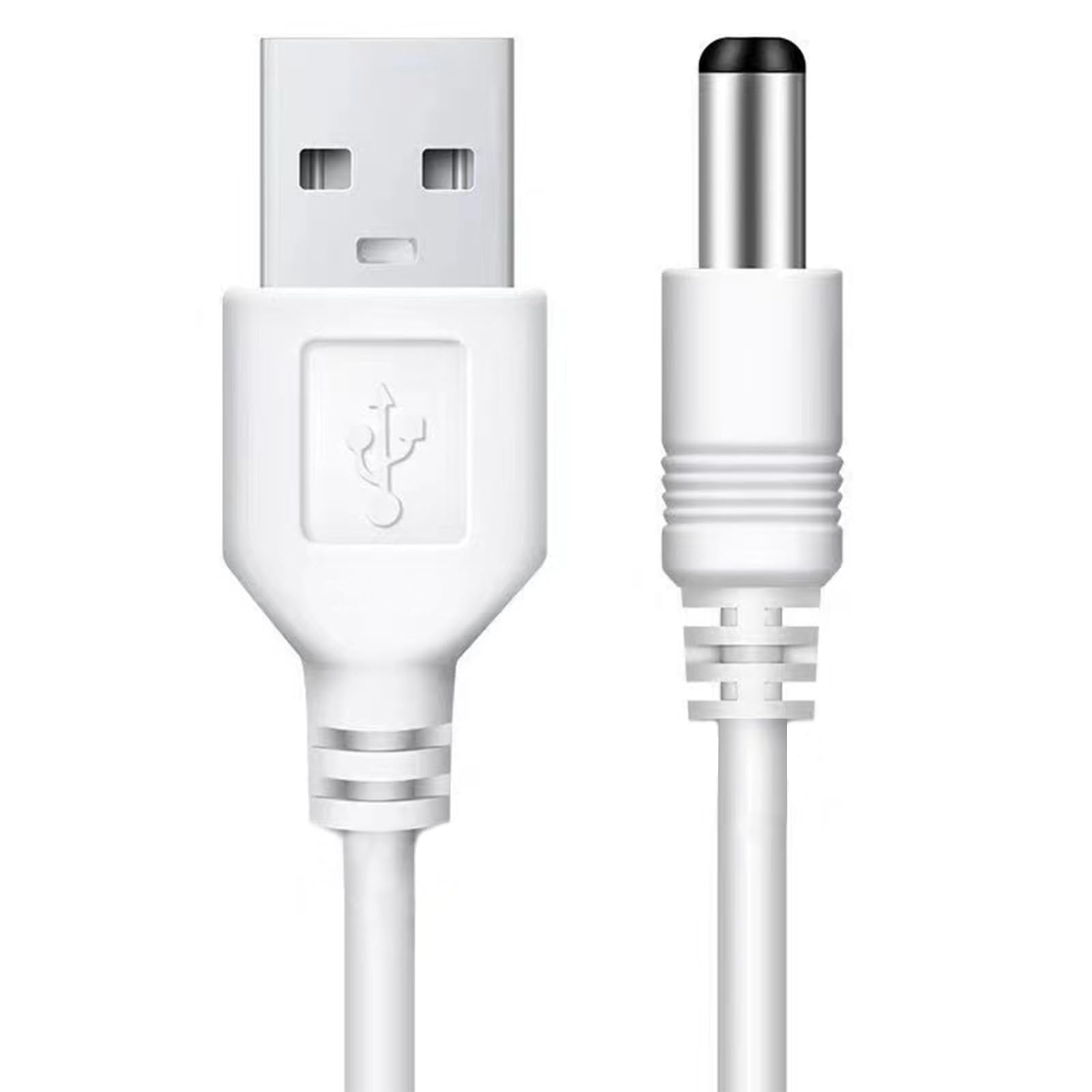
Image: The HomEnjoy USB to DC Charging Cable, featuring a white cable with a USB Type-A connector on the left and a DC barrel connector on the right.
- 커넥터 유형: USB Type-A to DC Barrel Connector
- 케이블 길이: Approximately 3 2/7 feet (1 meter)
- 호환성: Specifically designed for Hydrogen Water Generator Bottles.
설정
To begin charging your Hydrogen Water Generator Bottle, follow these simple steps:
- Locate the charging port on your Hydrogen Water Generator Bottle. This is typically a small circular port on the base of the device.
- Insert the DC barrel connector end of the charging cable into the charging port of the Hydrogen Water Generator Bottle. Ensure it is fully seated.
- Insert the USB Type-A connector end of the charging cable into a compatible USB power source, such as a wall adapter, computer USB port, or power bank.

Image: A Hydrogen Water Generator Bottle with the white USB charging cable connected to its base, resting on a countertop.

Image: Close-up of hands plugging the DC end of the white USB charging cable into the charging port of a Hydrogen Water Generator Bottle.
Operating Instructions (Charging)
Once the cable is properly connected to both the bottle and a power source, the charging process will begin automatically.
- 충전 표시기: When charging, the indicator light on your Hydrogen Water Generator Bottle will typically illuminate red.
- 완전 충전: The red indicator light will turn off once the bottle is fully charged.
- 충전 시간: 완전히 충전하는 데는 보통 2~3시간 정도 걸립니다.

Image: A Hydrogen Water Generator Bottle connected to its charging cable, with the base illuminated, indicating it is actively charging.
유지
Proper care will extend the life of your charging cable:
- 저장: 사용하지 않을 때는 케이블을 서늘하고 건조한 곳에 보관하십시오. 극한의 온도 변화를 피하십시오.
- 청소: Wipe the cable with a soft, dry cloth if it becomes dirty. Do not use harsh chemicals or abrasive cleaners.
- 손질: Avoid bending the cable sharply or pulling it forcefully from the device or power source. Always grasp the connector head when plugging or unplugging.
- 점검: Periodically inspect the cable for any signs of damage, such as frayed wires or bent connectors. Discontinue use if damage is observed.
문제 해결
| 문제 | 가능한 원인 | 해결책 |
|---|---|---|
| Bottle not charging |
|
|
| 느린 충전 |
|
|
명세서
| 특징 | 세부 사항 |
|---|---|
| 상표 | HomEnjoy |
| 모델명 | AR-01 |
| 커넥터 유형 | USB Type A, USB to DC |
| 케이블 유형 | USB |
| 호환 장치 | 수소수 생성기 병 |
| 케이블 길이 | 3 2/7 ft (1 meter) |
| 최대 볼륨tage | 5 볼트 |
| 색상 | 하얀색 |
| 품목 무게 | 0.634온스(0.02킬로그램) |
상자 안에 무엇이 들어있나요?
귀하의 패키지에는 다음 품목이 포함되어야 합니다.
- 1 x HomEnjoy USB to DC Charging Cable for Hydrogen Water Generator Bottle
보증 및 지원
For any questions, concerns, or support regarding your HomEnjoy USB to DC Charging Cable, please contact HomEnjoy customer service through the retailer where the product was purchased. Please refer to your purchase documentation for specific warranty details, if applicable.