
제품 끝view
The PAPIFEED Pet Camera Indoor Security Cam (Model B0CLZQ75K8) is designed to monitor your pets, babies, or home with advanced features. It offers 1080 HD video, 2-way audio, night vision, motion tracking, and is compatible with Alexa and Google Assistant. The camera supports both 2.4GHz and 5GHz WiFi networks for flexible connectivity.
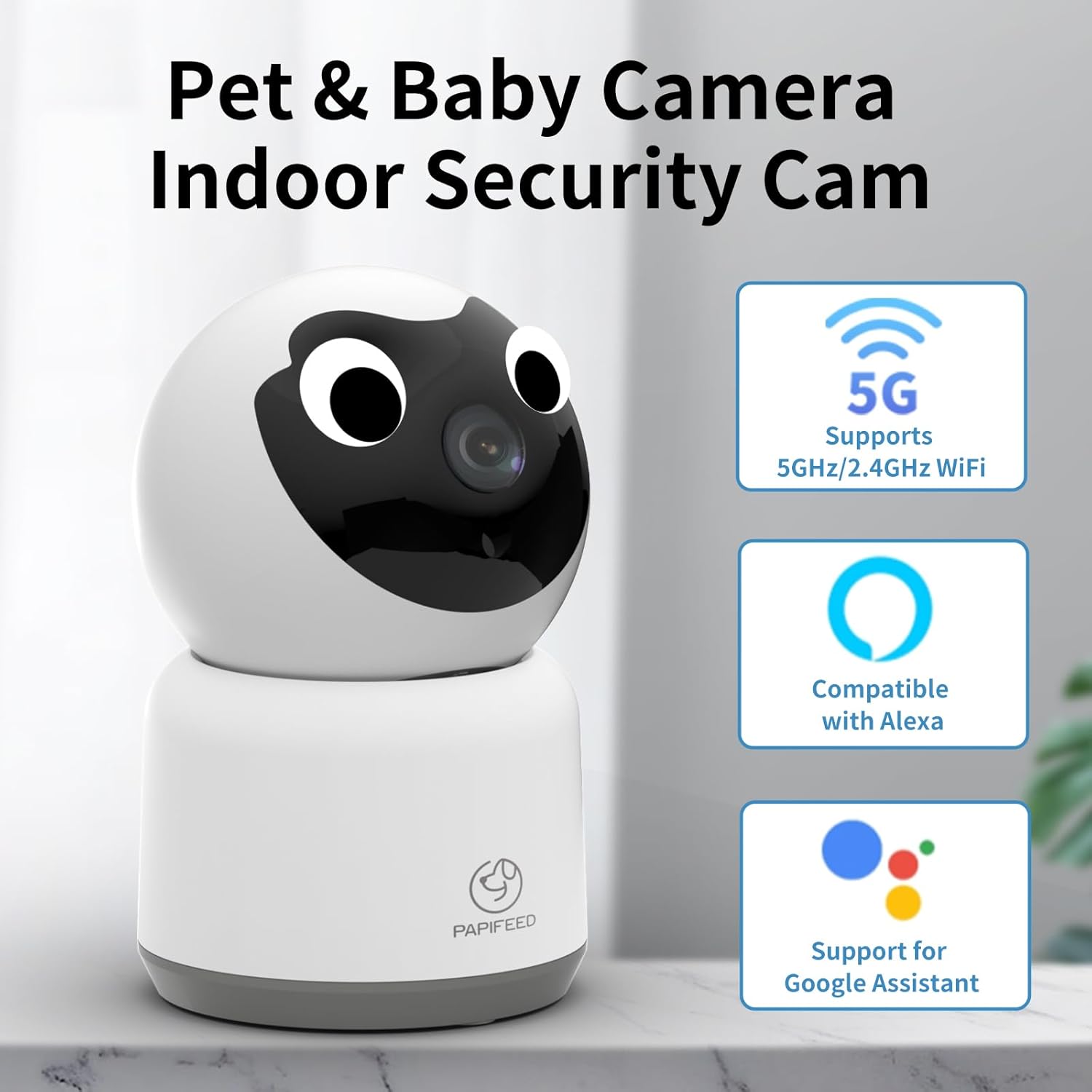
Image: PAPIFEED Pet Camera highlighting 5GHz/2.4GHz WiFi, Alexa, and Google Assistant compatibility.
주요 특징
- 1080P HD 비디오: 선명하고 상세한 영상 모니터링을 제공합니다.
- 팬 및 틸트 기능: Offers 360° horizontal rotation and 110° vertical tilt for comprehensive coverage.
- 듀얼 밴드 WiFi: Supports both 2.4GHz and 5GHz networks for stable connection.
- 양방향 오디오 : Enables real-time communication with pets or family members.
- Enhanced IR Night Vision: 어두운 환경에서도 선명한 시야를 확보해줍니다.
- 동작 감지 및 추적: Automatically detects and tracks movement, sending alerts to your phone.
- 저장 옵션 : Supports up to 128GB Micro SD card (not included) for local storage and offers cloud storage options.
- 스마트 홈 통합: Amazon Alexa 및 Google Assistant와 호환됩니다.

Image: Visual representation of the PAPIFEED Pet Camera's key features.
설치 가이드
1. 전원 연결
Connect the camera to a power source using the provided power adapter. The indicator light will turn on. Wait approximately 15 seconds until you hear a prompt tone and the camera rotates, indicating it's ready for network connection.
알아채다: When waiting for connection, the indicator light flashes quickly and makes a prompt tone. Once connected, the indicator light is always on, and no prompt tone is heard.
Video: PAPIFEED Camera WIFI Connection Guidance. This video demonstrates the power-on sequence and initial connection steps for the camera.
2. 앱 다운로드 및 설치
Download the "Smart Life" app from your mobile phone's app store. Ensure your phone's Bluetooth and WLAN are enabled.
3. Device Pairing (QR Code Method)
- Open the "Smart Life" app and tap "Add Device".
- Select "Camera & Lock" then "Smart Camera (Dual Band)".
- Check the box confirming the indicator light is flashing quickly and a prompt tone is heard, then click "Next".
- WiFi 계정과 비밀번호를 입력하세요.
- A QR code will appear on your phone screen. Face your phone's QR code towards the camera lens, keeping a distance of 15-20cm. Move slowly from near to far until you hear a "drop" sound, indicating a successful scan.
- Confirm you heard the prompt. The camera will then connect. Connection is successful when the indicator light is always on and the prompt tone disappears.
4. Device Pairing (WiFi Mode Method)
- From the "Reset the device" screen in the app, click the button in the upper right corner and select "WiFi Mode".
- "AP 모드"를 선택하세요.
- Enter your WiFi account and password, then click "Next".
- Connect your mobile phone to the camera's hotspot, typically named "SmartLife-XXXX".
- Return to the app and select "Confirm hot spot connection, next".
- The camera will then connect. Connection is successful when the indicator light is always on and the prompt tone disappears.
작동 지침
살다 View 및 팬/틸트 제어
Once connected, access the live video feed through the Smart Life app. You can remotely control the camera's pan (horizontal) and tilt (vertical) movements to view different areas of the room. The camera offers 350° horizontal and 110° vertical vision.

Image: Multi-view live feed from the camera, illustrating its pan and tilt functionality.
양방향 오디오
Use the two-way audio feature to speak through the camera and hear responses. This is ideal for comforting pets or communicating with family members remotely.

Image: Demonstrating the two-way audio communication feature.
나이트 비전
The camera is equipped with enhanced IR night vision, providing clear black and white video even in complete darkness.

Image: Comparison of day and night vision, highlighting the camera's night vision clarity.
모션 감지 및 추적
Enable motion detection to receive real-time alerts on your phone when movement is detected. The camera can also track moving subjects within its field of view.

Image: Motion tracking and alert notification on a smartphone.
저장 옵션
The camera supports local storage via a Micro SD card (up to 128GB, not included) for continuous 24/7 recording. Cloud storage is also available as an option, providing encrypted video storage.

Image: Storage options for the camera, including cloud and SD card.
설치 옵션
The PAPIFEED Pet Camera offers versatile installation options to suit your needs:
- 서 있는: 카메라를 테이블이나 선반과 같은 평평한 표면에 놓으세요.
- 벽면 장착: Securely mount the camera to a wall for an elevated view.
- 천장 장착: Install the camera on the ceiling for a wide, overhead perspective.

Image: Various installation methods for the camera.
명세서
| 특징 | 세부 사항 |
|---|---|
| 상표 | 파피드 |
| 모델 | B0CLZQ75K8 |
| 비디오 캡처 해상도 | 1080p, 2K |
| 연결 기술 | 무선(Wi-Fi) |
| 무선 통신 기술 | Wi-Fi (2.4GHz & 5GHz dual-band) |
| 특징 | Phone App Control, 2-Way Audio, Night Vision, Motion Sensor, Works with Alexa & Google Assistant, HD Resolution |
| 실내/실외 사용 | 실내 |
| 전원 | 코드식 전기 |
| 컨트롤러 유형 | Android (and iOS via Smart Life app) |
| 폼 팩터 | 둥근 천장 |
| 품목 치수 L x W x H | 3 x 3 x 5 인치 |
| 품목 무게 | 11.7 온스 |
| 최대 SD 카드 지원 | 128GB |
유지
To ensure optimal performance and longevity of your PAPIFEED Pet Camera, follow these maintenance guidelines:
- 청소: 부드럽고 마른 천으로 카메라 렌즈와 외부를 살살 닦아주세요. 강한 화학 약품이나 연마제를 사용하지 마십시오.
- 놓기: 카메라를 직사광선, 극한 온도 및 습기를 피해 안정적인 위치에 설치하십시오.
- 소프트웨어 업데이트: Regularly check the Smart Life app for firmware updates to ensure your camera has the latest features and security enhancements.
문제 해결
If you encounter issues with your PAPIFEED Pet Camera, refer to the following common troubleshooting steps:
- 연결 문제:
- Ensure your WiFi network is stable and within range.
- 와이파이 비밀번호를 정확하게 입력했는지 확인하세요.
- Check if the camera's indicator light is flashing quickly (waiting for connection) or solid (connected).
- 카메라와 공유기를 재시작해 보세요.
- Confirm your phone's Bluetooth and WLAN are enabled during setup.
- 비디오 없음/화질 불량:
- 인터넷 연결 속도를 확인하세요.
- 카메라 렌즈가 깨끗하고 방해물이 없는지 확인하세요.
- Verify the camera is powered on and connected to the network.
- 양방향 오디오 문제:
- 휴대폰과 앱의 볼륨 설정을 확인하세요.
- Ensure there is no interference near the camera's microphone or speaker.
- 동작 감지가 작동하지 않음:
- Verify motion detection settings are enabled in the Smart Life app.
- 필요한 경우 감도 설정을 조정하세요.
- 카메라 재설정: If issues persist, locate the reset button (often near the SD card slot) and press and hold it for several seconds until the camera resets. Then, attempt to re-pair the device.
보증 및 지원
PAPIFEED provides a professional after-sales team and customer service. If you have any questions or encounter issues with your product, please contact PAPIFEED customer support directly. The store offers free product replacement or returns/refunds as part of its quality assurance.
For further assistance, please refer to the contact information provided with your product packaging or visit the official PAPIFEED web대지.