
소개
Thank you for choosing the SKKTKT Vanity Desk with Large Lighted Mirror. This manual provides essential information for the safe assembly, operation, and maintenance of your new vanity desk. Please read these instructions carefully before use and retain them for future reference.
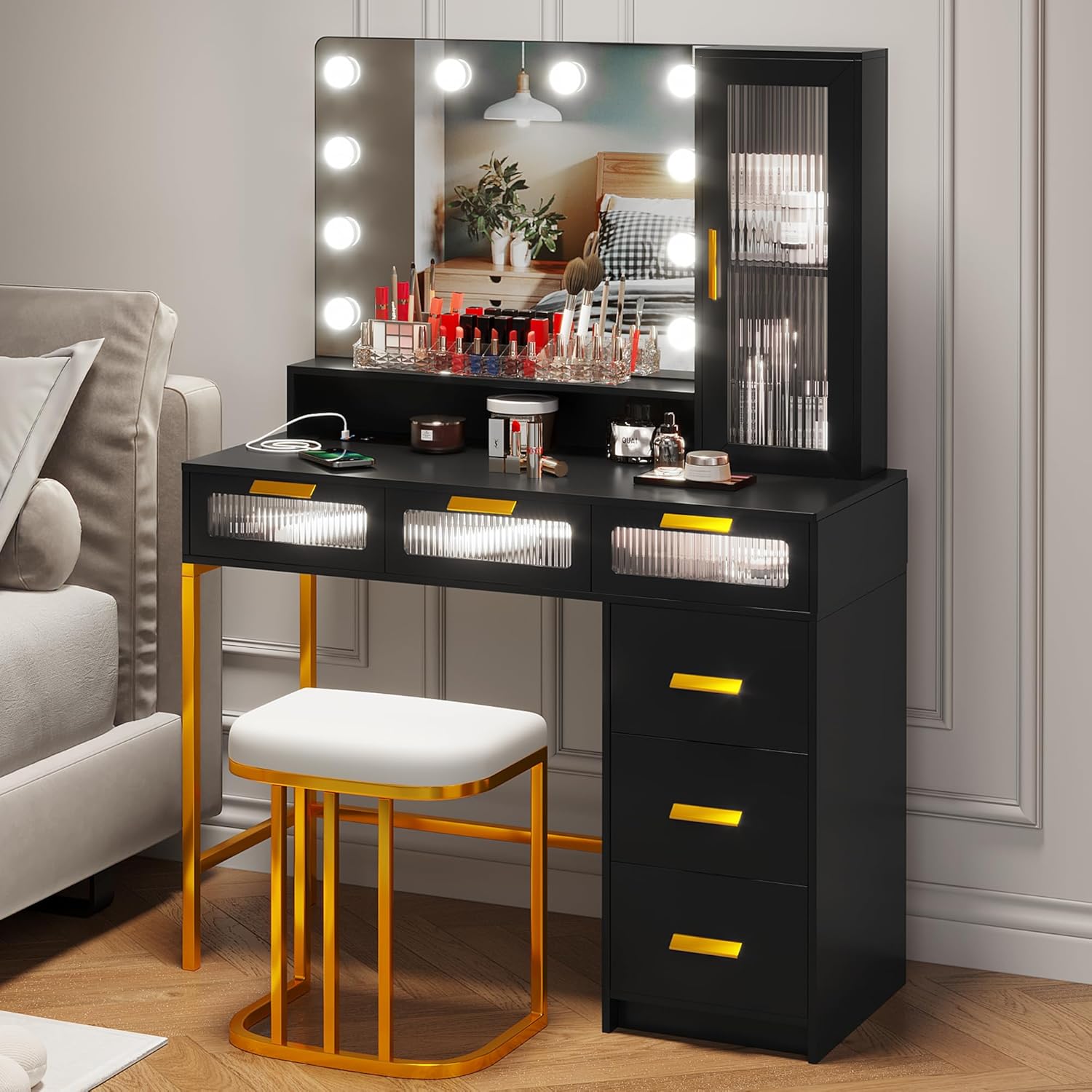
Image: The SKKTKT Vanity Desk with Large Lighted Mirror, featuring its spacious design and integrated lighting.
안전 정보
주의: Ensure the vanity is properly grounded and keep liquids away from electrical components. Do not exceed the recommended weight limit for the stool. Always follow electrical safety guidelines when connecting devices to the charging station.
설정 및 조립
The SKKTKT Vanity Desk is designed for straightforward assembly. All necessary parts are clearly labeled, and detailed step-by-step instructions are included in the packaging. For optimal efficiency, assembly with two people is recommended and can typically be completed in less than 2 hours.
조립 단계view:
- Unpack all components and verify against the parts list provided in the installation instruction manual.
- 모든 연결 부분이 안전한지 확인하고 메인 책상 프레임을 조립합니다.
- 서랍과 해당 슬라이드를 설치하십시오.
- Attach the mirror and any associated lighting fixtures.
- Connect the charging station components as per the electrical diagram.
- Place the stool in position.
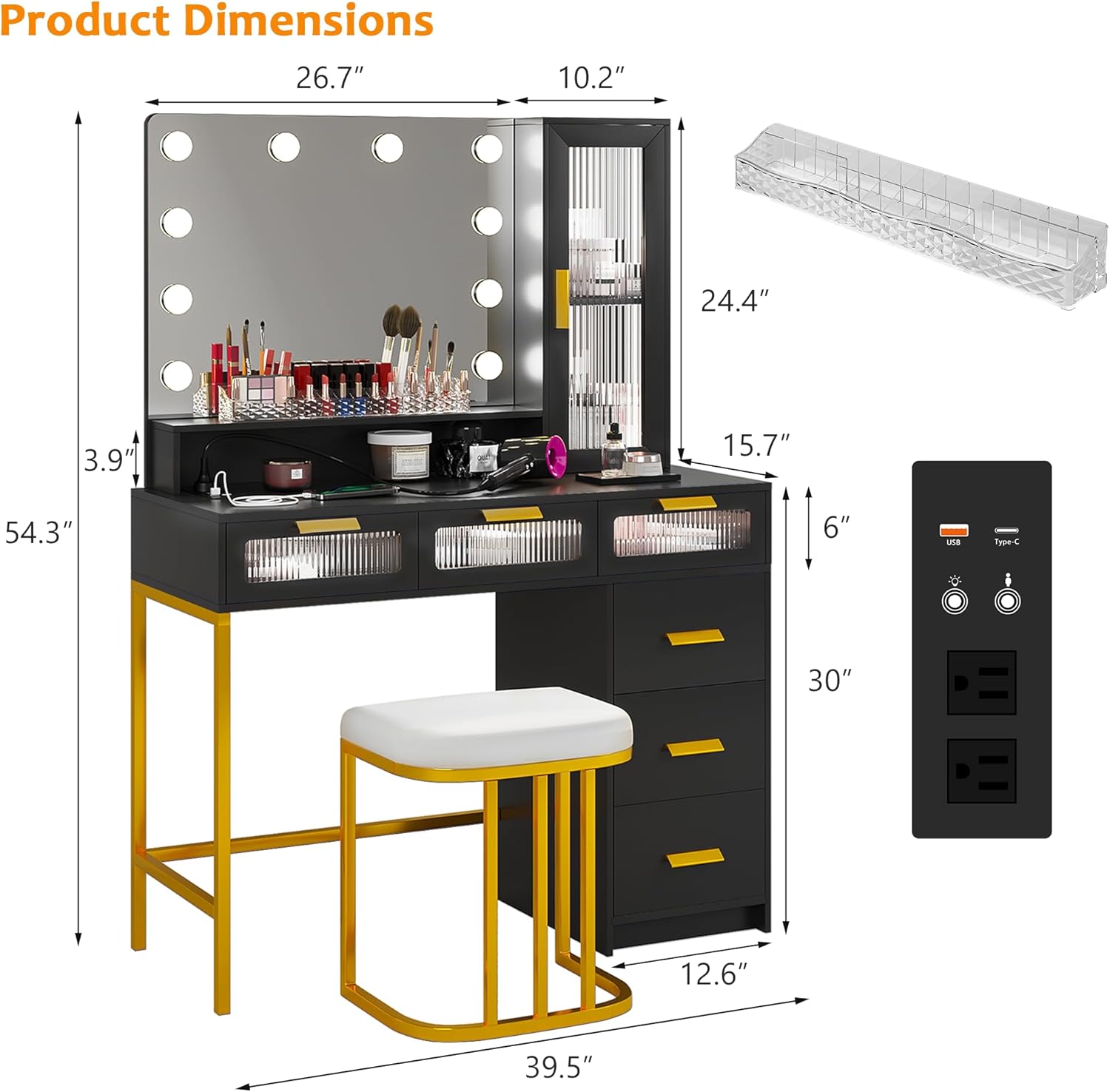
Image: Product dimensions and component layout for assembly reference.
작동 지침
충전 스테이션
The vanity desk features a convenient 3-in-1 charging station. This includes two standard plug sockets, one USB port, and one Type-C charging port. Use these ports to charge your phone, power hair styling tools, or other electronic devices.

Image: Detail of the integrated charging station with AC, USB, and Type-C ports.
조명 거울 작동
The large mirror is equipped with 10 LED bulbs offering three color lighting modes: Cold White, Warm White, and Warm Yellow. The brightness is also adjustable.
- Changing Color: Short press the touch switch on the mirror to cycle through the three color temperatures.
- 밝기 조정: Long press the touch switch to increase or decrease the light brightness. Release when the desired brightness is achieved.

Image: Demonstration of the three color lighting modes available on the mirror.
Auto-On/Off Light (Human Body Sensor)
The vanity desk features an auto-sensing mode for the LED lights. When activated, the lights will automatically turn on when you approach within 1-2 meters and turn off approximately 30 seconds after you leave. This mode can be toggled on or off as needed.
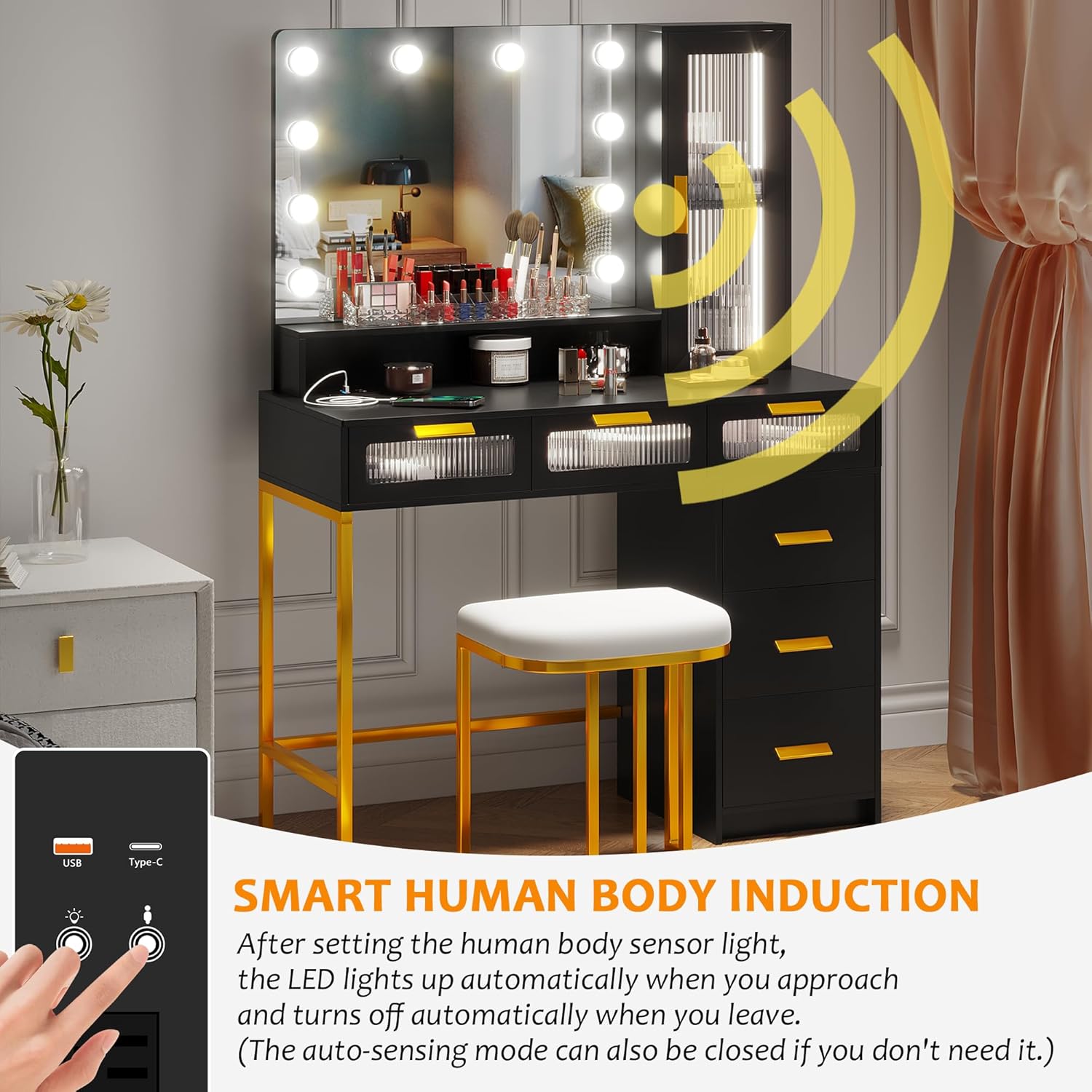
Image: Visual representation of the smart human body induction feature for the vanity lights.
저장 기능
화장대 책상은 다음을 제공합니다. ample storage with six drawers, three open shelves, and a side cabinet with a clear door. These features help keep your makeup and accessories organized and easily accessible.

이미지: 이상view of the spacious storage compartments, including drawers and shelves.
유지
To ensure the longevity and appearance of your vanity desk, follow these maintenance guidelines:
- 청소: 표면을 마른 부드러운 천으로 닦으십시오. 마감재를 손상시킬 수 있는 연마성 세척제나 독한 화학 물질은 사용하지 마십시오.
- 유출: 얼룩이 지거나 가공된 목재가 손상되는 것을 방지하기 위해 흘린 액체는 즉시 닦아내세요.
- 전구 교체: The LED bulbs are replaceable. Refer to the assembly instructions for details on how to safely replace them if needed. Ensure the power is disconnected before attempting any bulb replacement.
- 전기 부품: Keep the charging station and light wiring dry and free from dust. Do not attempt to repair electrical components yourself.
문제 해결
If you encounter any issues with your vanity desk, please refer to the following common troubleshooting steps:
- 표시등이 켜지지 않음:
- 전원 코드가 작동하는 콘센트에 단단히 꽂혀 있는지 확인하세요.
- 전등 스위치가 '켜짐' 위치에 있는지 확인하십시오.
- If using the auto-sensing mode, verify it is enabled and you are within the detection range.
- Inspect bulbs for damage; replace if necessary.
- 충전소가 작동하지 않습니다:
- Confirm the vanity desk is powered on.
- Test the outlet with another device to ensure it is functional.
- Ensure cables are fully inserted into the USB/Type-C ports and AC outlets.
- 서랍이 닫히지 않거나 부드럽게 닫히지 않음:
- 서랍 슬라이드에 방해물이 있는지 확인하세요.
- Ensure the drawer slides are properly aligned and lubricated if needed.
- 서랍 안의 내용물이 너무 많거나 고르게 분포되어 있지 않은지 확인하십시오.
이러한 단계를 거쳐도 문제가 해결되지 않으면 고객 지원팀에 문의하세요.
명세서
| 특징 | 사양 |
|---|---|
| 상표 | SKKTKT |
| 모델 번호 | makeup vanity |
| 색상 | 검은색 |
| 크기 | 39.5 inch Desk with Bulb |
| 재료 | Engineered Wood (MDF wood), metal frame, glass, acrylic |
| 제품 크기 (가로 x 세로 x 높이) | 폭 39.5인치 x 깊이 15.7인치 x 높이 54.3인치 |
| 서랍 수 | 6 |
| 충전 스테이션 | 2 Standard Plug Sockets, 1 USB Port, 1 Type-C Port |
| 거울 조명 | 10 Replaceable LED Light Bulbs, 3 Color Modes, Adjustable Brightness |
| 특별 기능 | Human Body Sensor for Auto-On/Off Lights |
| 조립이 필요합니다 | 예 |
| 제품 관리 | 마른 천으로 닦기 |
보증 정보
Specific warranty details for this product are typically provided at the point of purchase or within the product packaging. Please refer to your purchase receipt or contact the retailer for information regarding warranty coverage and terms.
고객 지원
For further assistance, technical support, or inquiries regarding your SKKTKT Vanity Desk, please contact the manufacturer or your retailer. Have your model number and purchase information ready when contacting support.
Manufacturer: SKKTKT
자세한 내용은 다음을 방문하세요. SKKTKT Store on Amazon.