
1. 서론
Thank you for choosing the cimetech M01-Plata Rechargeable Wireless Mouse. This manual provides detailed instructions for setting up, operating, and maintaining your new mouse. Please read this manual carefully before use to ensure optimal performance and longevity of your device.

Image: The cimetech M01-Plata Rechargeable Wireless Mouse, showcasin세련된 디자인과 RGB 조명이 특징입니다.
2. 패키지 내용
패키지에 모든 품목이 들어 있는지 확인하세요.
- 1 x cimetech M01-Plata Rechargeable Wireless Mouse
- 1 x USB Receiver (stored in the mouse's battery compartment)
- 1 x Type-C 충전 케이블
- 1 x 사용자 매뉴얼(이 문서)
3. 주요 특징
- 듀얼 모드 연결: Supports both 2.4Ghz wireless via USB receiver and Bluetooth 5.1 for versatile connection to various devices.
- 충전식 배터리: Built-in 450mAh lithium battery provides extended use on a single charge, easily rechargeable via Type-C cable.
- 조용한 클릭 디자인: Reduces click noise, ideal for quiet environments like offices or libraries.
- 조정 가능한 DPI: Three adjustable DPI levels (1000-1200-1600) for precise cursor control.
- Cool RGB Neon Lights: Features dynamic RGB lighting that changes colors, adding a visual element.
- 인체공학적이고 슬림한 디자인: Comfortable palm fit and lightweight, ultra-portable for travel.
- Auto Power-Saving: Automatically enters smart sleep mode after 10 minutes of inactivity to conserve battery.
4. 설정 및 연결
Your cimetech M01-Plata mouse offers two connection modes: 2.4Ghz Wireless and Bluetooth 5.1. Choose the mode that best suits your device.
4.1. 2.4Ghz 무선 모드
- Locate the USB receiver, typically stored in the battery compartment at the bottom of the mouse.
- USB 수신기를 컴퓨터나 노트북의 사용 가능한 USB 포트에 연결합니다.
- 마우스 하단에 있는 전원 스위치를 사용하여 마우스를 켜십시오. 마우스가 자동으로 연결될 것입니다.
- 이제 마우스를 사용할 준비가 되었습니다.
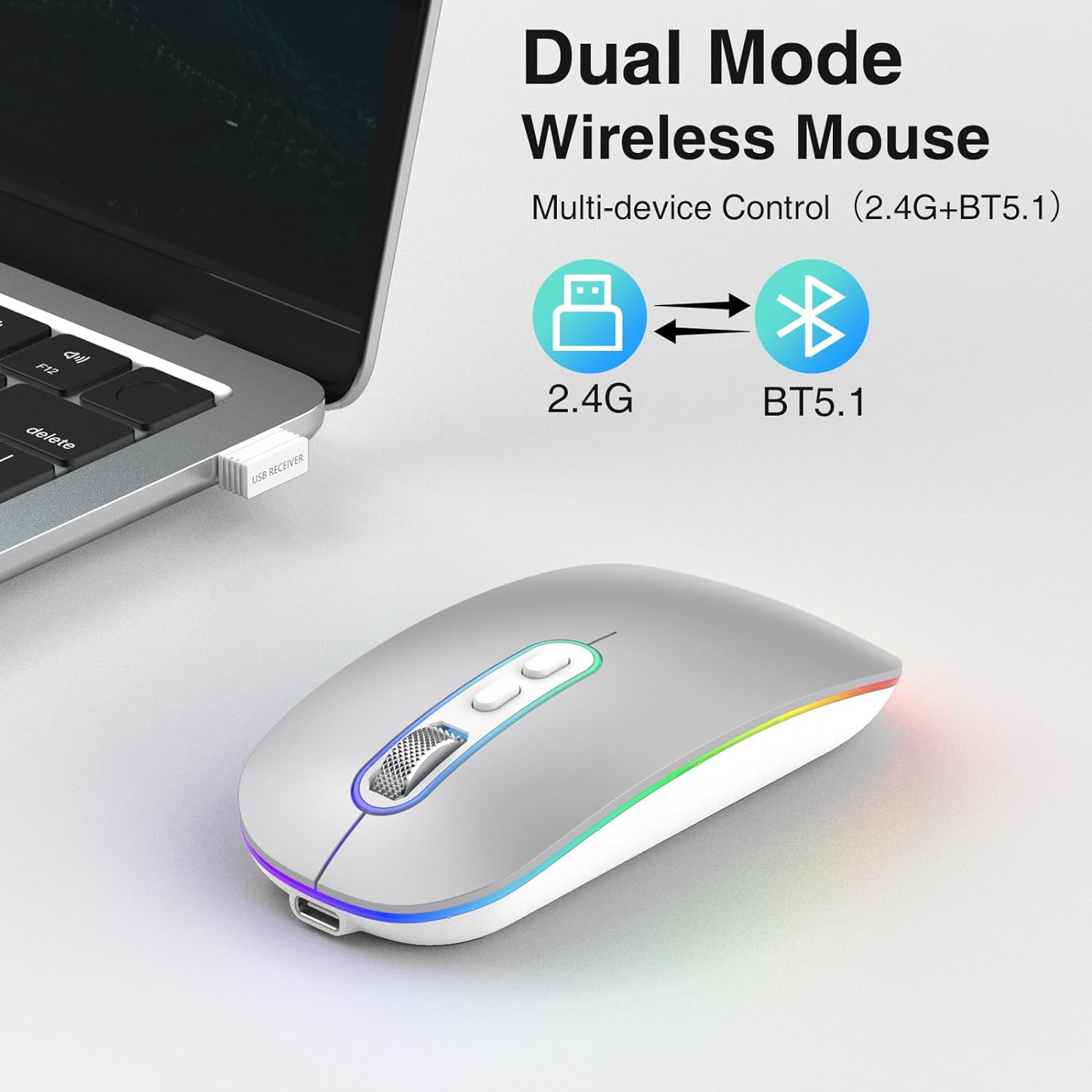
Image: Illustration showing the dual mode capability of the mouse, with icons for 2.4G and BT5.1 connectivity.
4.2. 블루투스 5.1 모드
- 기기의 Bluetooth가 활성화되어 있는지 확인하세요.
- 바닥의 전원 스위치를 사용하여 마우스를 켭니다.
- Press and hold the Bluetooth pairing button (if available, otherwise the mode switch button) on the mouse until the indicator light starts blinking, indicating it's in pairing mode.
- 기기에서 블루투스 설정으로 이동하여 새 기기를 검색하세요.
- Select "cimetech Mouse" or a similar name from the list of available devices to pair.
- Once paired, the indicator light on the mouse will become solid or turn off, and the mouse will be ready for use.

Image: The mouse positioned between a laptop and a smartphone, illustrating its ability to connect to multiple devices using its dual mode functionality.
5. 사용 설명서
5.1. DPI 조정
The mouse features a DPI button located on the top surface, usually near the scroll wheel. Press this button to cycle through the three available DPI settings: 1000, 1200, and 1600. Each press will change the cursor sensitivity, allowing you to select the speed that best suits your task.

Image: A visual representation of the three adjustable DPI levels (1000, 1200, 1600) and how they affect cursor control.
5.2. 마우스 충전
When the mouse battery is low, the indicator light may flash or the mouse performance may degrade. To charge the mouse:
- 제공된 Type-C 충전 케이블을 마우스 전면의 충전 포트에 연결하십시오.
- 케이블의 다른 쪽 끝을 USB 전원(예: 컴퓨터 USB 포트, USB 벽면 어댑터)에 꽂으세요.
- The indicator light will illuminate during charging and turn off when fully charged. A full charge typically takes 2-3 hours.
- 고속 충전기는 배터리를 손상시킬 수 있으므로 사용을 피하십시오.
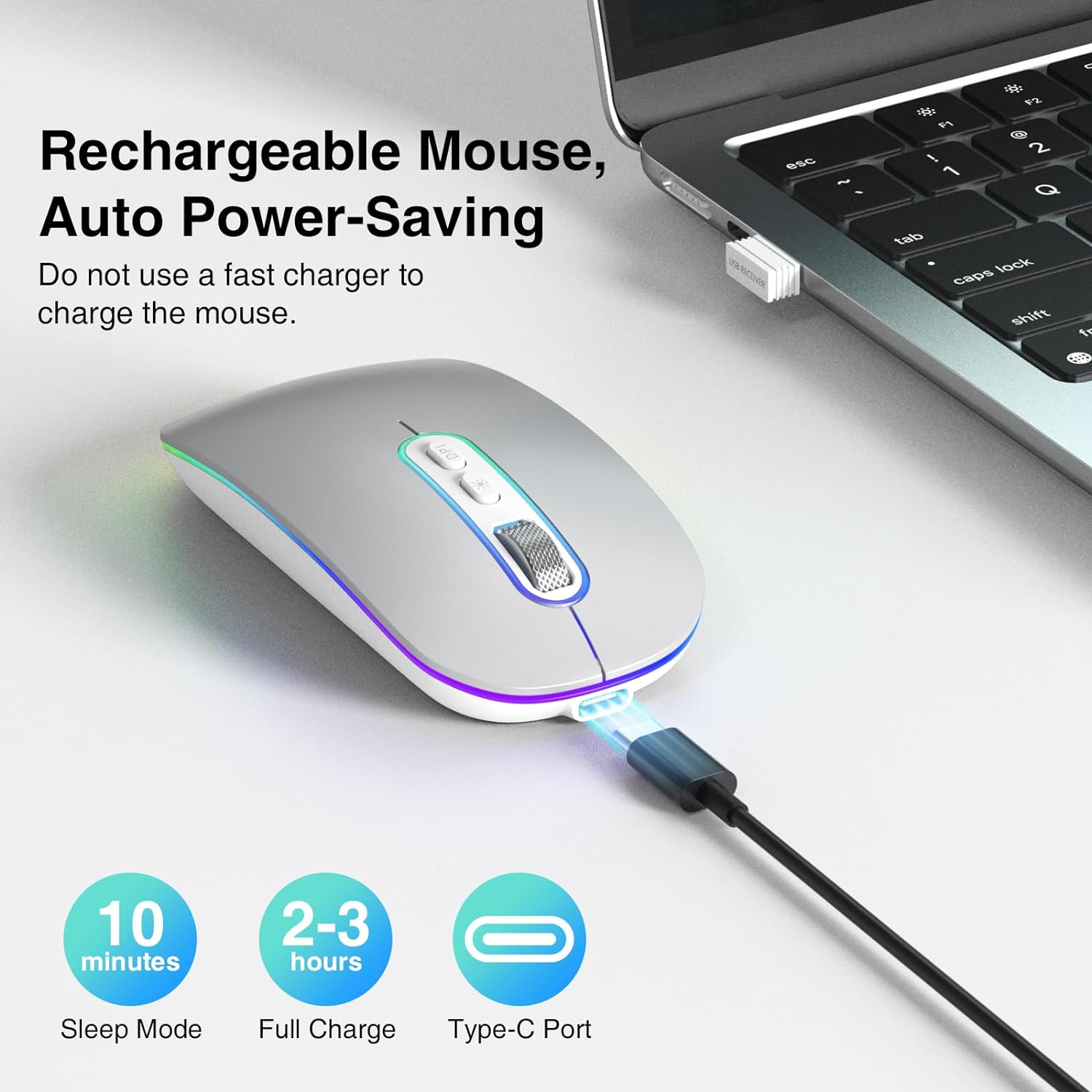
Image: The mouse connected via its Type-C charging cable, highlighting its rechargeable nature and auto power-saving features like sleep mode and full charge time.
5.3. 절전 모드
To conserve battery life, the mouse will automatically enter a smart sleep mode after 10 minutes of inactivity. To wake the mouse, simply click any button or move it.
5.4. RGB 조명
The mouse features cool rainbow RGB neon lights that randomly change colors during use. This provides a dynamic visual effect. The lighting is integrated into the mouse's operation and does not have separate controls for color or pattern selection.
6. 유지관리
- 청소: 부드럽고 마른 천으로 마우스 표면을 닦으세요. 잘 지워지지 않는 얼룩은 약간 거친 천으로 닦아내세요.amp 천을 사용할 수 있지만, 습기가 장치 내부로 들어가지 않도록 주의하세요.
- 저장: 장기간 사용하지 않을 때는 배터리 소모를 줄이기 위해 마우스 전원을 끄십시오. 직사광선과 극한 온도 변화를 피해 서늘하고 건조한 곳에 보관하십시오.
- 배터리 관리 : 배터리 수명을 연장하려면 마우스를 자주 완전히 방전시키지 마십시오. 배터리 부족 표시등이 켜지면 충전하십시오.
7. 문제 해결
If you encounter issues with your cimetech M01-Plata mouse, please refer to the following common solutions:
| 문제 | 가능한 원인 | 해결책 |
|---|---|---|
| 마우스가 응답하지 않음 | Low battery; Mouse turned off; Incorrect connection mode; USB receiver not detected (2.4Ghz); Bluetooth not paired (BT5.1) | Charge the mouse; Turn on the mouse; Ensure correct mode is selected (2.4Ghz or BT); Re-insert USB receiver or try another USB port; Re-pair Bluetooth. |
| 커서 움직임이 불규칙하거나 느립니다. | Low DPI setting; Unsuitable surface; Obstruction of optical sensor | Increase DPI using the DPI button; Use the mouse on a smooth, non-reflective surface; Clean the optical sensor at the bottom of the mouse. |
| RGB lights turn off when moving mouse | 정상 작동 | This is an intended feature to conserve power and is not a defect. The lights are designed to be active when the mouse is idle. |
| 마우스가 충전되지 않습니다 | Faulty cable; Faulty USB port; Using fast charger | Try a different Type-C cable; Try a different USB port; Ensure you are not using a fast charger. |
8. 제품 사양
- 모델: M01-Plata
- 연결성: 2.4Ghz Wireless, Bluetooth 5.1
- DPI 수준: 1000 / 1200 / 1600
- 배터리 유형: 충전식 리튬 폴리머 배터리(450mAh)
- 충전 포트: C타입
- 치수: 3.2 x 4.6 x 1.2인치(약 8.1 x 11.7 x 3.0cm)
- 무게: 3.52 온스(약 100그램)
- 특별 기능: LED Lights, Portable, Rechargeable, Slim, Silent Click
- 움직임 감지 기술: 광학
- 호환성: Windows 7/8/10/11/XP, iPadOS, macOS, Chrome OS, Android, Smart TV, Vista 7/8, Linux.
9. 안전 정보
- 마우스를 극한의 온도, 습도 또는 직사광선에 노출시키지 마세요.
- 마우스를 떨어뜨리거나 강한 충격을 주지 마십시오.
- Do not attempt to disassemble or modify the mouse. This will void the warranty and may cause damage.
- Keep the mouse away from children and pets.
- Dispose of the mouse and its battery responsibly according to local regulations.
10. 보증 및 지원
Specific warranty details for the cimetech M01-Plata mouse are not provided in this manual. For warranty claims, technical support, or further assistance, please refer to the product packaging or contact cimetech customer service through the retailer where the product was purchased.