
COCOCAM ZY-C2
COCOCAM 2PCS 태양광 카메라 실외 무선 사용 설명서
Model: ZY-C2
1. 서론
Thank you for choosing the COCOCAM 2PCS Solar Camera Outdoor Wireless. This manual provides detailed instructions for the installation, operation, and maintenance of your new security cameras. Please read this manual thoroughly before use to ensure proper functionality and safety.

Image: Two COCOCAM ZY-C2 solar cameras, showcasing their design and integrated solar panels.
2. 상자 안에 무엇이 들어있나요?
패키지 내용물을 확인하여 모든 품목이 들어 있는지 확인하세요.
- 2 x COCOCAM ZY-C2 Solar Security Cameras
- 2 x Solar Panels (integrated or separate, depending on model variant)
- 2 x 마운팅 브래킷
- 장착 나사 및 벽면 플러그
- USB 충전 케이블
- 사용 설명서 (본 문서)
3. 제품 오버view
The COCOCAM ZY-C2 is a high-performance outdoor security camera designed for comprehensive surveillance. Key features include:
- 2K QHD 해상도: Delivers crisp 3MP image quality for clear video monitoring.
- Flexible 360° Coverage: Features 355° pan and 120° tilt rotation, controllable via the Cloudage/Cococam app, ensuring no blind spots.
- 태양열 발전 및 100% 무선: Equipped with a solar panel and 5200mAh rechargeable batteries for continuous power, eliminating the need for frequent charging.
- AI 동작 감지: Optimized algorithms enhance human-like recognition, reducing false alarms. Supports optional paid features for pet, car, and package recognition.
- 컬러 나이트 비전: Provides clear, full-color video even in low-light conditions, alongside traditional infrared night vision.
- 양방향 오디오: 내장된 마이크와 스피커로 실시간 통신이 가능합니다.
- IP66 방수: Designed to withstand various weather conditions, operating reliably from -25°C to 60°C (-13°F to 140°F).
- 듀얼 안테나: 4DBi dual antennas ensure stronger and more stable 2.4GHz Wi-Fi reception.

Image: The camera's dual solar panel design, illustrating 365-day power capability.

Image: Comparison of color night vision and infrared night vision, highlighting the camera's low-light capabilities.
4. 설정 가이드
4.1 배터리 충전
Although solar-powered, it is recommended to fully charge the camera's internal battery via the USB port before the first use. Connect the camera to a 5V/2A USB power adapter (not included) using the provided USB cable. The charging indicator light will show the charging status.
4.2 앱 설치 및 계정 생성
- Download the 'Cloudage' or 'Cococam' app from your smartphone's app store (iOS or Android).
- 앱을 열고 이메일 주소를 사용하여 새 계정을 등록하세요.
- 화면의 지시에 따라 등록 절차를 완료하세요.
4.3 Camera Pairing with Wi-Fi
- Wi-Fi 네트워크가 2.4GHz인지 확인하세요. 카메라는 5GHz Wi-Fi를 지원하지 않습니다.
- In the app, tap '+' or 'Add Device' to add a new camera.
- Select the appropriate camera model or scan the QR code on the camera.
- Follow the in-app instructions to connect the camera to your Wi-Fi network. This typically involves generating a QR code on your phone screen for the camera to scan.
- Once connected, you will hear a confirmation sound from the camera, and it will appear in your app's device list.
4.4 물리적 설치
Choose a suitable outdoor location for installation, ensuring the solar panel receives adequate direct sunlight throughout the day. The camera can be mounted on a wall or ceiling.
- 장착 브래킷을 템플릿으로 사용하여 드릴링 지점을 표시합니다.
- 필요한 경우 구멍을 뚫고 벽면 플러그를 삽입하세요.
- 나사를 사용하여 장착 브래킷을 표면에 고정합니다.
- 카메라를 마운팅 브래킷에 부착하고 최적의 각도로 조정하십시오. view주고받음.
- Ensure the solar panel is positioned to maximize sun exposure.

Image: An outdoor mounted camera illustrating its pan and tilt range for comprehensive monitoring.
5. 사용 설명서
5.1 라이브 View 및 PTZ 제어
Open the Cloudage/Cococam app and select your camera from the device list to access the live view. 여기에서 다음을 수행할 수 있습니다.
- 팬/틸트: Drag your finger across the screen to remotely adjust the camera's horizontal (355°) and vertical (120°) view각도를 나타냅니다.
- 디지털 줌: Pinch to zoom in or out on the live feed for more detail.
- 스냅샷/기록: 사진을 촬영하거나 동영상 클립을 녹화하여 스마트폰에 바로 저장하세요.
5.2 AI Motion Detection and Alerts
The camera uses advanced AI to detect motion and send instant alerts to your smartphone.
- 활성화/비활성화: Navigate to camera settings in the app to enable or disable motion detection.
- 감도 조정 : 오경보를 최소화하도록 탐지 감도를 조정하십시오.
- 인간 탐지: Enable AI human detection for more accurate alerts.
- Paid Features: Optional paid features allow for recognition of pets, cars, and packages.
- Alert Methods: Configure push notifications, light warnings, sound warnings, or audible/light warnings via the app.
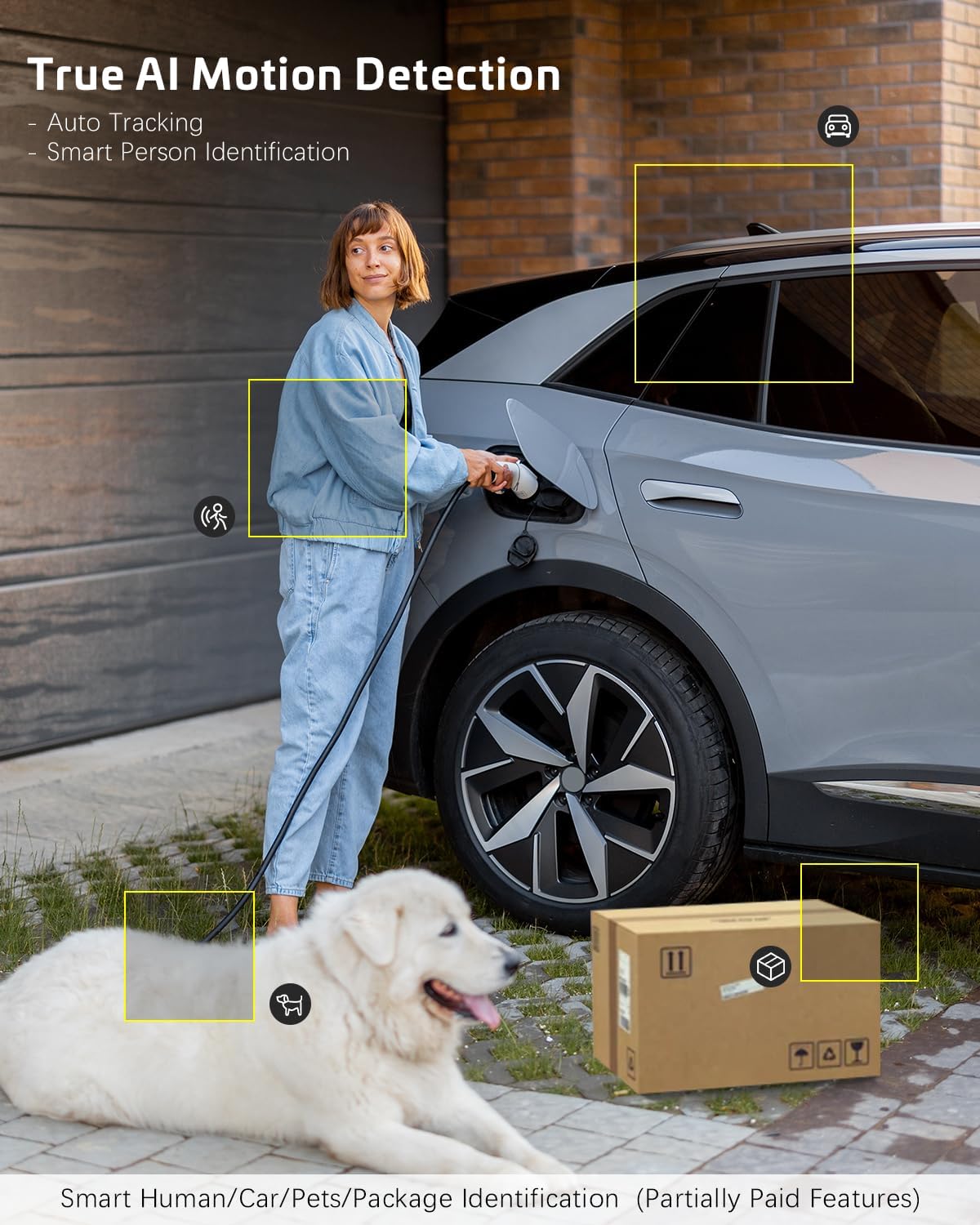
Image: AI motion detection in action, highlighting its ability to identify various objects like people, vehicles, and packages.
5.3 야간 투시 모드
The camera supports two night vision modes:
- 컬러 나이트 비전: Utilizes built-in spotlights to provide full-color video in dark environments.
- 적외선 나이트 비전: Uses infrared LEDs for black-and-white video in complete darkness.
- 앱 설정에서 이러한 모드 간에 전환하거나 자동으로 설정할 수 있습니다.
5.4 양방향 오디오
양방향 오디오 기능을 사용하려면 다음 단계를 따르세요.
- 라이브에서 view마이크 아이콘을 탭하면 카메라 스피커를 통해 말할 수 있습니다.
- 카메라 마이크에서 나오는 오디오를 들으려면 스피커 아이콘을 탭하세요.
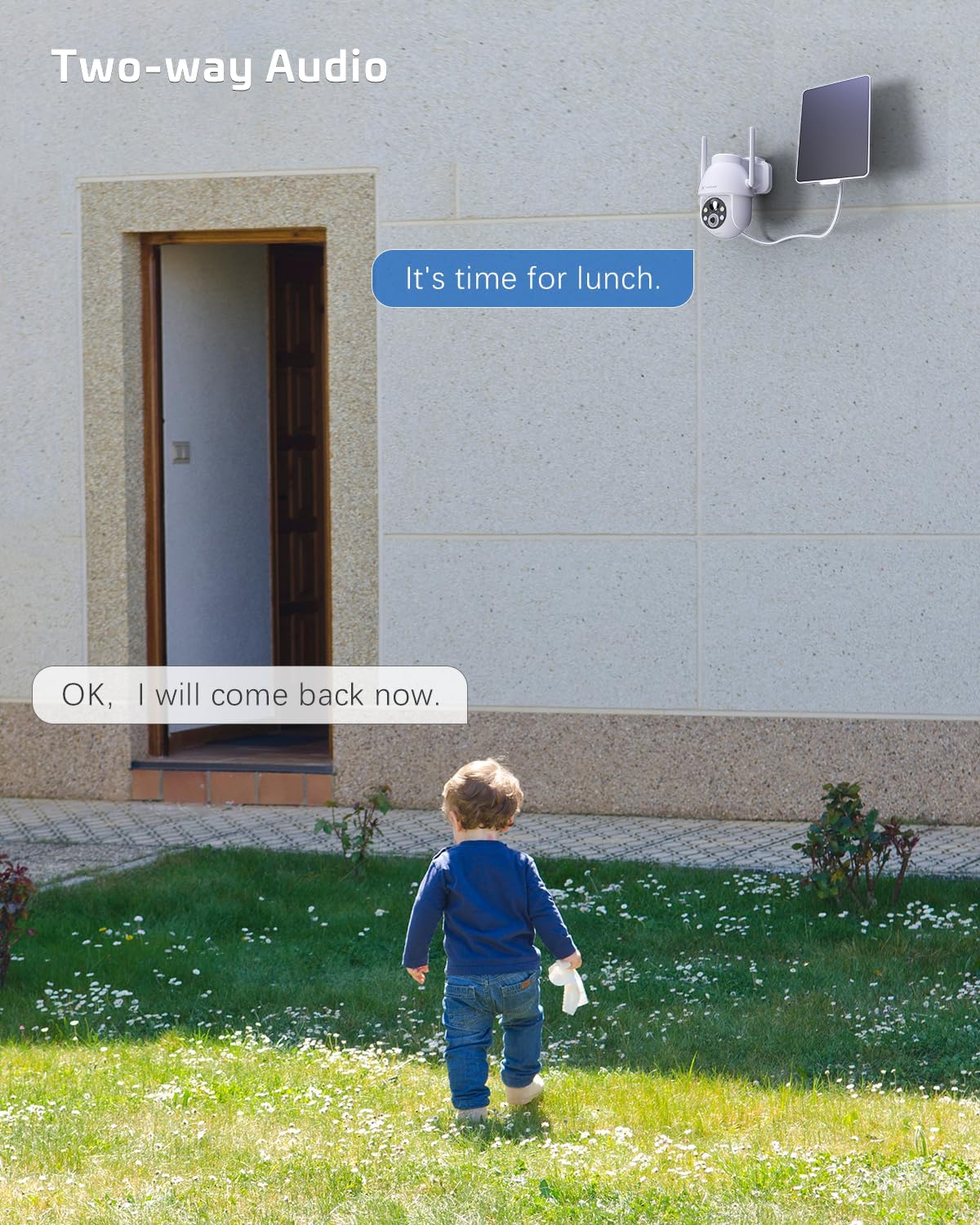
Image: A visual representation of the two-way audio feature, showing communication between a person and the camera.
5.5 저장 옵션
The camera offers flexible storage solutions for recorded footage:
- TF 카드 저장: Supports up to 128GB TF (microSD) card (not included) for local storage. Insert the card into the designated slot on the camera.
- 클라우드 스토리지: A cloud storage service is available (paid feature) for secure, off-site storage of your video recordings. All cloud video is encrypted.
5.6 다중 사용자 공유
You can easily share camera access with family members or friends:
- In the app, go to the camera settings and find the 'Share Device' option.
- Generate a QR code or invite link for others to scan or click, granting them access to the camera feed.
6. 유지관리
To ensure optimal performance and longevity of your COCOCAM security camera:
- 정기 청소: 카메라 렌즈와 태양 전지 패널을 부드러운 천으로 주기적으로 닦아주세요.amp 먼지와 이물질을 제거하는 데는 천을 사용하십시오. 독한 화학 약품은 사용하지 마십시오.
- 펌웨어 업데이트: Check the app regularly for firmware updates. Keeping your camera's firmware up-to-date ensures the latest features and security patches.
- 배터리 상태: While solar-powered, ensure the solar panel is free from obstructions to maintain optimal battery charge. In prolonged periods of low sunlight, consider manually charging the camera via USB.
- 환경 조건: The camera is IP66 weatherproof, but extreme conditions outside its operating temperature range (-25°C to 60°C / -13°F to 140°F) may affect performance.

Image: The camera operating effectively in rainy conditions, highlighting its IP66 weatherproof design.
7. 문제 해결
7.1 Camera Offline / Disconnected
- 와이파이 신호: Ensure the camera is within range of your 2.4GHz Wi-Fi router and the signal strength is adequate.
- 라우터 설정: Verify that your router's settings are not blocking the camera. Restarting the router may help.
- 전원 공급 장치: Check if the camera has sufficient battery charge. Ensure the solar panel is clean and receiving sunlight.
- 수리하다: 문제가 지속되면 카메라와 앱을 다시 페어링해보세요.
7.2 Motion Detection Issues (Too Many/Few Alerts)
- 감광도: Adjust the motion detection sensitivity in the app settings. Lower sensitivity for fewer false alarms, higher for more detections.
- 탐지 지역: If available, configure specific detection zones to focus on critical areas and ignore irrelevant motion.
- AI 인간 감지: Ensure AI human detection is enabled to filter out non-human movements.
7.3 이미지 품질이 좋지 않음
- 렌즈 청결도: 카메라 렌즈에 묻은 얼룩이나 먼지를 닦아내세요.
- 네트워크 속도: Ensure your internet connection is stable and fast enough for 2K video streaming.
- 야간 투시경: If image quality is poor at night, check if the night vision mode is set correctly (color or infrared) and if the spotlights/IR LEDs are unobstructed.
7.4 배터리가 충전되지 않음
- 태양광 패널: 태양광 패널이 깨끗한지, 하루 몇 시간 동안 직사광선을 받을 수 있는 위치에 있는지 확인하세요.
- 케이블 연결: 태양광 패널과 카메라의 연결 상태를 확인하십시오.
- Manual Charge: Try charging the camera directly via the USB port to confirm the battery is functional.
8. 사양
| 특징 | 사양 |
|---|---|
| 모델 | ZY-C2 |
| 비디오 캡처 해상도 | 1440p (2K QHD) |
| 연결 기술 | 무선(2.4GHz Wi-Fi, 블루투스) |
| 전원 | 배터리 구동, 태양열 구동 |
| 배터리 용량 | 5200mAh (충전식) |
| 메모리 저장 용량 | 128 GB (TF card, not included) |
| 팬 / 틸트 각도 | 355° 팬, 120° 틸트 |
| 비바람에 견디는 등급 | IP66 |
| 작동 온도 | -25°C ~ 60°C (-13°F ~ 140°F) |
| 장착 유형 | 천장 마운트, 벽 마운트 |
| 호환 OS | iOS, 안드로이드 |
| 치수(길이 x 너비 x 높이) | 18 x 17 x 14cm |
| 품목 무게 | 1.3kg |
9. 보증 및 지원
COCOCAM provides a 2년 보증 for its cameras. If you encounter any problems using our products or require technical assistance, please do not hesitate to contact our customer support team. Refer to the contact information provided on the product packaging or the official COCOCAM web지원 채널을 위한 사이트입니다.
We are committed to providing high-quality service and ensuring your satisfaction with our products.
Ask a question about this manual
Ask about setup, troubleshooting, compatibility, parts, safety, or missing instructions. Manuals+ will review the question and use this page’s manual context to help answer it.