
1. 서론
Thank you for choosing the MOJOGEAR Wireless Powerbank 10,000 mAh. This portable power bank is designed to provide convenient and efficient charging for your mobile devices, featuring both wireless magnetic charging capabilities and traditional wired charging ports. It includes an integrated stand for enhanced usability.
제품의 올바른 작동과 수명 극대화를 위해 제품을 사용하기 전에 이 설명서를 주의 깊게 읽어주세요.
2. 패키지 내용
- MOJOGEAR Wireless Powerbank 10,000 mAh
- MagSafe Compatible Magnetic Ring
- USB-A to USB-C Cable (25 cm)
3. 제품 오버view
The MOJOGEAR Wireless Powerbank offers a versatile charging experience. Key features include:
- 10,000mAh 용량: Provides 1.5 to 4 full charges for most smartphones, depending on the model.
- 자기 무선 충전 : Compatible with MagSafe devices (iPhone 12 series and newer) for secure and cable-free charging up to 15W (7.5W for iPhone).
- 유선 충전: Equipped with a USB-C port (20W output, 18W input) and a USB-A port (22.5W output) for fast charging multiple devices simultaneously.
- Integrated Foldable Stand: Allows the power bank to function as a desktop stand, enabling hands-free view충전하는 동안.
- 컴팩트한 디자인: Dimensions of 10.6 x 7 x 1.6 cm and a weight of 202 grams make it highly portable.
- 통과 충전: Charge your device while the power bank itself is being recharged.

Image: The MOJOGEAR Wireless Powerbank demonstrating wireless charging with a phone on its integrated stand.
4. 설정
4.1 파워뱅크 초기 충전
- 처음 사용하기 전에 보조 배터리를 완전히 충전하십시오.
- Connect the supplied USB-A to USB-C cable to the power bank's USB-C port.
- 케이블의 다른 쪽 끝을 호환되는 USB 벽면 어댑터(별도 구매)에 연결하십시오.
- The LED indicators on the bottom of the power bank will illuminate to show the charging status. All four LEDs will be solid when fully charged.
5. 사용 설명서
5.1 무선 충전(MagSafe 호환)
- Ensure your device is compatible with MagSafe or wireless charging.
- Align your MagSafe-compatible smartphone (e.g., iPhone 12, 13, 14, 15 series) with the magnetic charging pad on the power bank. The magnets will automatically snap the phone into place.
- Charging will begin automatically. The power bank delivers up to 15W wireless charging (7.5W for iPhones).
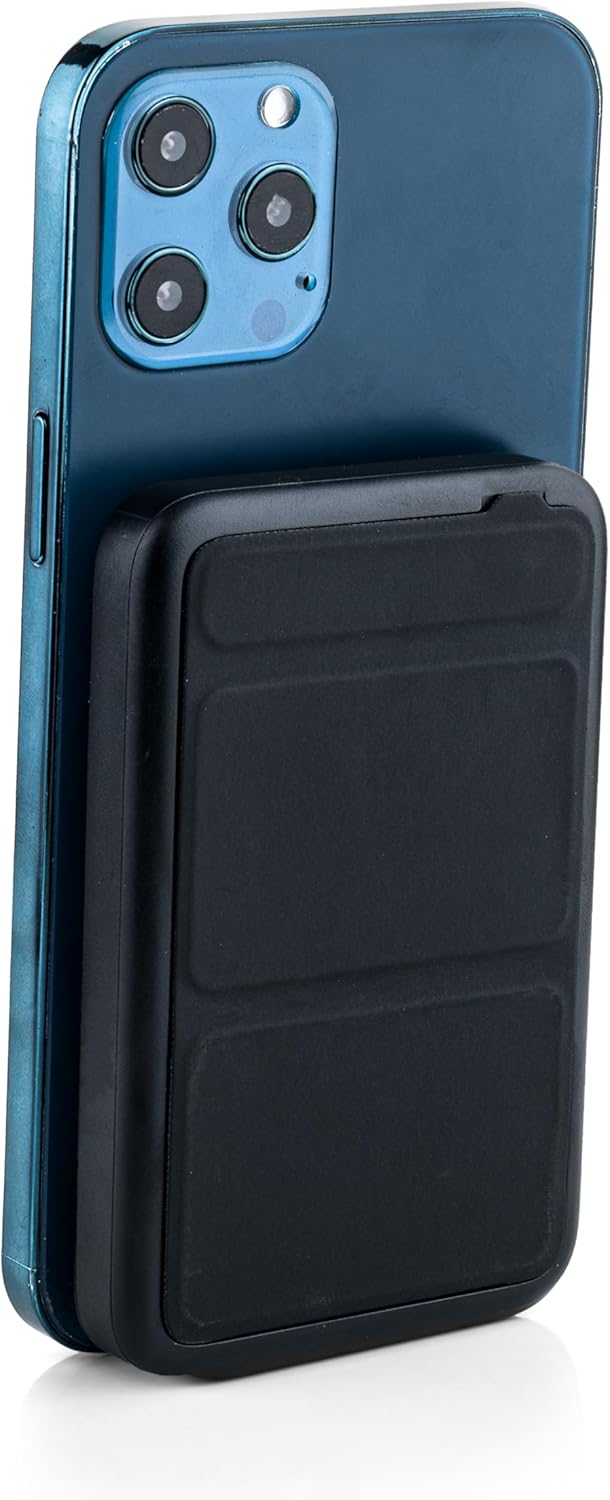
Image: The power bank magnetically attached to the back of a smartphone for wireless charging.
5.2 유선 충전(USB-C 및 USB-A)
- Connect your device's charging cable to either the USB-C port (output up to 20W) or the USB-A port (output up to 22.5W) on the power bank.
- Connect the other end of the cable to your smartphone, tablet, e-reader, action camera, or wireless headphones.
- The power bank can charge up to three devices simultaneously (one wirelessly, two wired).
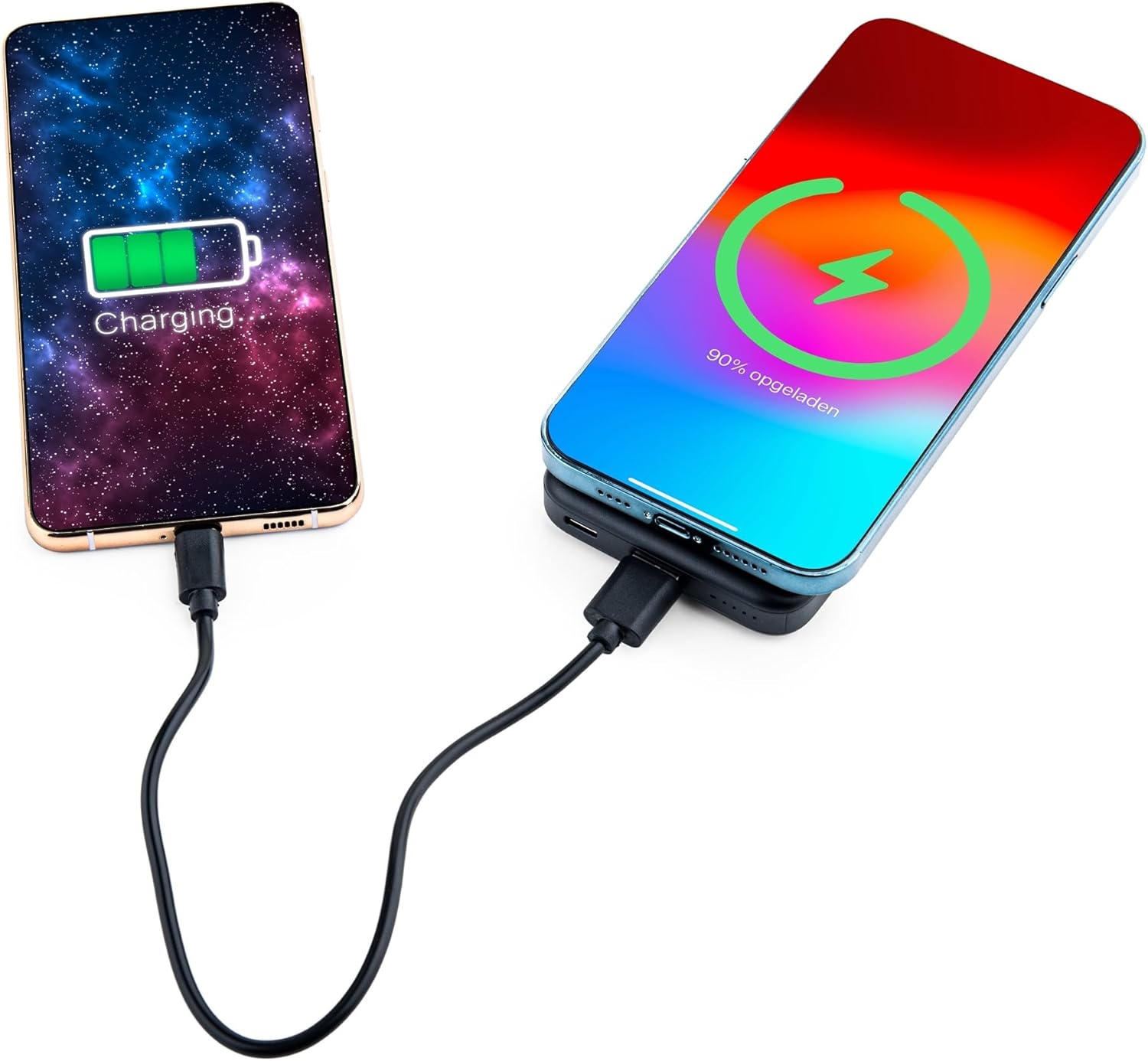
Image: Demonstrating simultaneous charging of two devices, one wirelessly and one via cable.
5.3 일체형 스탠드 사용하기
- 보조 배터리 뒷면에 있는 접이식 스탠드를 찾으세요.
- Gently pull out the stand to deploy it. It can be adjusted to two different view각도를 나타냅니다.
- Attach your MagSafe-compatible phone to the power bank's magnetic surface. The stand allows you to prop up your phone for hands-free view충전하는 동안 작동합니다.

Image: A smartphone positioned on the power bank's stand for convenient viewing during wireless charging.
5.4 LED 표시등 상태
The power bank features four LED status lights on the bottom to indicate the remaining battery level and charging status:
- LED 4개 모두 켜짐: 75-100 % 충전
- LED 3개 모두 켜짐: 50-75 % 충전
- LED 2개 모두 켜짐: 25-50 % 충전
- LED 1개 켜짐: 0-25 % 충전
- 깜박이는 LED: 현재 보조 배터리가 충전 중임을 나타냅니다.
6. MagSafe Compatibility for Non-MagSafe Devices
If your smartphone does not have built-in MagSafe compatibility, you can still utilize the magnetic attachment feature using the included magnetic ring:
- 휴대폰이나 휴대폰 케이스의 뒷면을 깨끗하게 닦으세요.
- 자석 링의 접착면을 조심스럽게 벗겨냅니다.
- Center the magnetic ring on the back of your phone or phone case. Ensure it does not obstruct any cameras or sensors.
- 반지를 단단히 눌러 고정하세요.
- Once the ring is attached, your phone can magnetically connect to the power bank for wireless charging.
7. 안전 정보
안전한 작동을 보장하고 손상을 방지하려면 다음 사항을 준수하세요.
- 모바일 기기를 극한의 온도, 직사광선 또는 불에 노출시키지 마세요.
- 기기를 떨어뜨리거나 분해하거나 개조하지 마십시오.
- 물과 높은 습도를 피해 보관하십시오.
- 보조 배터리가 손상되었거나 부풀어 오른 경우에는 사용하지 마십시오.
- 어린이의 손이 닿지 않는 곳에 보관하세요.
- This power bank is tested and protected against overcharge, over-discharge, overcurrent, and short circuits.
- The power bank is suitable for air travel.
8. 유지관리
To maintain the performance and longevity of your power bank:
- 부드럽고 마른 천으로 보조 배터리를 닦으세요. 강한 화학 물질이나 연마재를 사용하지 마세요.
- 사용하지 않을 때는 시원하고 건조한 곳에 보관하세요.
- Recharge the power bank at least once every three months if unused for extended periods to preserve battery health.
9. 문제 해결
- 장치가 무선으로 충전되지 않음:
- Ensure your device supports wireless charging and is correctly aligned with the power bank's charging pad.
- 무선 충전을 방해할 수 있는 두꺼운 휴대폰 케이스를 제거하세요.
- 보조 배터리의 충전량이 충분한지 확인하세요.
- 기기가 케이블로 충전되지 않습니다.
- Verify that the cable is securely connected to both the power bank and your device.
- 케이블이나 포트의 고장 여부를 확인하기 위해 다른 케이블이나 포트를 사용해 보세요.
- 보조 배터리의 충전량이 충분한지 확인하세요.
- 모바일 기기가 충전되지 않음:
- Ensure the charging cable is properly connected to the power bank's USB-C input and a working power source.
- Try a different wall adapter or cable.
10. 사양
| 모델 번호 | MG-PB-8-BLACK |
| 배터리 용량 | 10,000mAh |
| USB-C 입력 | 최대 18W |
| USB-C 출력 | 최대 20W |
| USB-A 출력 | 최대 22.5W |
| 무선 출력 | Max 15W (iPhone Max 7.5W) |
| 치수 | 10.6 x 7 x 1.6cm |
| 무게 | 202그램 |
| 재료 | 플라스틱, 금속 |
| 색상 | 검은색 |
| 특별 기능 | MagSafe Compatible, Integrated Stand, Wireless Charging, Pass-Through Charging, Air Travel Approved |
11. 보증 및 지원
The MOJOGEAR Wireless Powerbank 10,000 mAh comes with a 2년 보증 구매일로부터. 본 보증은 제조상의 결함에 대한 보증이며, 정상적인 사용 환경에서 제품이 의도한 대로 작동하는지 확인합니다.
For technical support, warranty claims, or any questions regarding your product, please contact MOJOGEAR customer service through the retailer where you purchased the product or visit the official MOJOGEAR web연락처 정보 사이트.