
1. 제품 오버view
The Electro-Harmonix Pico Triboro Bridge is a versatile multi-mode drive pedal designed to provide a wide range of tonal possibilities. It features three distinct modes: Overdrive, Distortion, and Fuzz, allowing musicians to bridge any gap in their gain requirements. With its powerful EQ capabilities, input contouring, and compact pico-sized footprint, the Triboro Bridge can serve as a foundational element for your tone or offer a fresh alternative to your existing drive pedals.
주요 특징:
- Wide range of saturation with Overdrive, Distortion, and Fuzz modes.
- Treble control boosts or cuts high end in Overdrive and Distortion modes.
- Bass control boosts or cuts low end in Overdrive and Distortion modes.
- Fuzz mode features a dedicated Gate control and a Low Pass Filter.
- Includes a power adapter for immediate use.

이미지: 각도 view of the Electro-Harmonix Pico Triboro Bridge pedal, highlighting its compact size and control knobs.
2. 설정 및 연결
Follow these steps to connect your Pico Triboro Bridge pedal to your audio setup:
- 전원 연결: Connect the included 9V DC power adapter to the power jack on the top of the pedal. Ensure the power supply meets the pedal's specifications (9V DC, center-negative).
- 입력 연결: Connect your instrument (guitar, bass, etc.) to the INPUT jack on the right side of the pedal using a standard 1/4-inch instrument cable.
- 출력 연결: 페달 왼쪽의 OUTPUT 잭을 페달에 연결합니다. amp표준 1/4인치 악기 케이블을 사용하여 신호 체인의 다음 페달이나 리파이어를 연결합니다.
- 전원 켜기: Once all connections are secure, plug the power adapter into a wall outlet. The pedal's LED will illuminate when active.
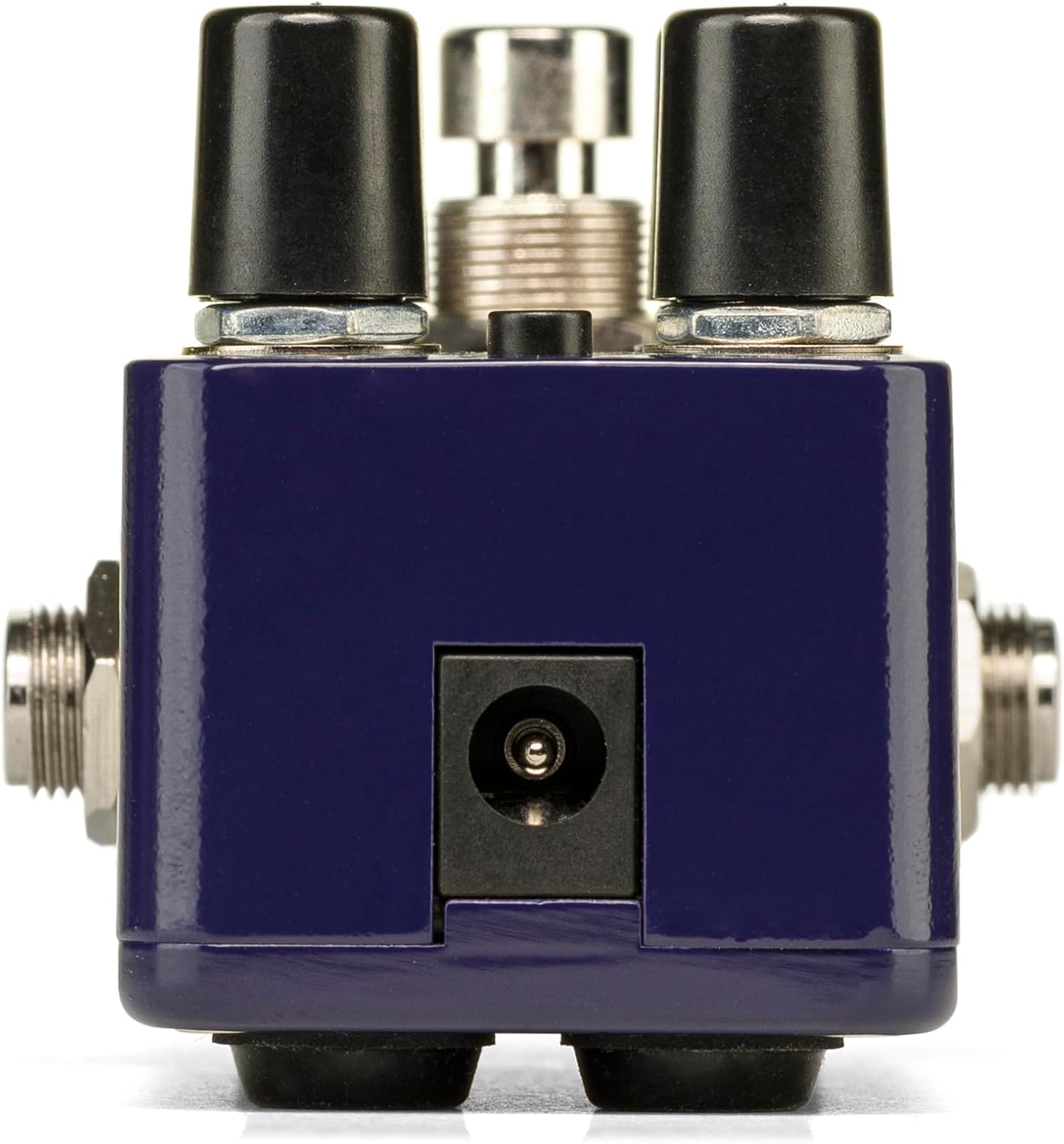
이미지: 후면 view of the Pico Triboro Bridge pedal, showing the power input jack for connecting the power adapter.
3. 제어 및 작동
The Pico Triboro Bridge features intuitive controls for shaping your desired drive tone. Understanding each knob and button is key to unlocking its full potential.
컨트롤 노브:
- 볼륨(볼륨): Controls the overall output level of the pedal. Adjust this to balance the effect's volume with your bypassed signal or other effects.
- 이득: Controls the intensity of the drive, distortion, or fuzz effect. Higher settings result in more saturation and sustain.
- BASS / GATE:
- In Overdrive and Distortion modes, this knob functions as a 베이스 control, allowing you to boost or cut low frequencies.
- In Fuzz mode, this knob functions as a 문 control, adjusting the noise gate threshold to eliminate unwanted noise and feedback.
- TREBLE / TONE:
- In Overdrive and Distortion modes, this knob functions as a 고음부 control, allowing you to boost or cut high frequencies.
- In Fuzz mode, this knob functions as a 음정 control, specifically a Low Pass Filter, for extreme tonal variations and shaping the fuzz character.
입력 버튼:
The small button labeled "TYPE" at the top of the pedal is used to select between the three primary drive modes and to engage the Input Contour Mode.
- 모드 선택: Pressing the TYPE button cycles through the Overdrive (green LED), Distortion (orange LED), and Fuzz (red LED) modes.
- Input Contour Mode: Press and hold the TYPE button to enable or disable the Input Contouring EQ. When active, this mode applies a specific EQ to the input signal for a tighter, more modern character across all drive modes.

이미지: 상단 view of the Pico Triboro Bridge pedal, illustrating the layout of the VOL, GAIN, BASS/GATE, TREBLE/TONE knobs, and the TYPE button.
4. Drive Modes Explained
The Pico Triboro Bridge offers three distinct drive modes, each with its unique sonic characteristics:
- Overdrive Mode (Green LED): This mode provides a gain spectrum ranging from low to mid-level saturation with an open voicing. It is ideal for use as a subtle "always-on" drive, adding warmth and grit, or as a solo boost to push your amp리퍼.
- Distortion Mode (Orange LED): Engaging this mode provides additional gain-staging, delivering tones from crunchy rhythms to fully saturated leads. It offers a more aggressive and compressed sound compared to the Overdrive mode.
- Fuzz Mode (Red LED): This mode transforms the pedal into a high-gain fuzz effect with over-the-top saturation. The BASS knob becomes a GATE control, and the TREBLE knob becomes a Low Pass Filter, allowing for unique and extreme tonal variations specific to fuzz.
Video: Official demonstration of the Electro-Harmonix Pico Triboro Bridge pedal, showcasing its Overdrive, Distortion, and Fuzz modes, along with an overview of its controls and input contouring feature. This video highlights the tonal versatility of the pedal for both guitar and bass.
5. 사양
| 특징 | 사양 |
|---|---|
| 품목 무게 | 1.21파운드(0.55킬로그램) |
| 제품 치수 | 3.65인치 길이 x 2인치 너비 x 2인치 높이(3.65 x 2 x 2인치) |
| 품목 모델 번호 | PICO TRIBORO |
| 본체 소재 | 플라스틱, 금속 |
| 색상 | 파란색 |
| 커넥터 유형 | Power Adapter (1/4-inch Audio Hardware Interface) |
| 신호 형식 | 비슷한 물건 |
| 전원 | 코드식 전기 |
| 권tage | 9 볼트 |
6. 유지관리
To ensure the longevity and optimal performance of your Pico Triboro Bridge pedal, follow these maintenance guidelines:
- 청소: 페달 외부를 닦을 때는 부드럽고 마른 천을 사용하십시오. 연마성 세척제, 용제 또는 과도한 습기는 마감재나 내부 부품을 손상시킬 수 있으므로 사용하지 마십시오.
- 저장: 페달을 사용하지 않을 때는 직사광선, 극한의 온도, 높은 습도를 피해 시원하고 건조한 곳에 보관하세요.
- 사이: 모든 케이블 연결 부위의 마모나 손상을 주기적으로 점검하세요. 잭에 먼지나 이물질이 없는지 확인하세요.
- 전원 공급 장치: Always use the recommended 9V DC center-negative power adapter. Using an incorrect power supply can damage the unit and void the warranty.
7. 문제 해결
If you encounter issues with your Pico Triboro Bridge pedal, refer to the following common troubleshooting steps:
- 소리 없음:
- 모든 케이블 연결 상태(기기와 입력 단자, 출력 단자)를 확인하십시오. amp).
- 전원 어댑터가 올바르게 연결되어 있고 제대로 작동하는지 확인하십시오.
- 귀하의 악기와 amplifier가 올바르게 작동하고 있습니다.
- Check the pedal's bypass status; if it's true bypass, sound should pass even if the pedal is off.
- 소리가 약하거나 왜곡되는 현상(예상치 못한 경우):
- Check the GAIN and VOL knob settings.
- Ensure the correct drive mode (Overdrive, Distortion, Fuzz) is selected for your desired sound.
- If in Fuzz mode, adjust the GATE and TONE (Low Pass Filter) knobs, as extreme settings can significantly alter the sound.
- Test with different cables and power supplies to rule out faulty accessories.
- 과도한 소음/험:
- Ensure you are using a regulated, isolated power supply.
- If in Fuzz mode, adjust the GATE knob to reduce unwanted noise.
- 설정에서 접지 루프를 확인하세요.
- 페달을 변압기나 기타 전자기 간섭 발생원으로부터 멀리 옮기십시오.
8. 보증 및 지원
Electro-Harmonix products are designed for reliability and performance. For warranty information, product registration, or technical support, please refer to the official Electro-Harmonix web사이트를 방문하거나 고객 서비스 부서에 문의하세요. 보증 청구를 위해 구매 증빙 자료로 구매 영수증을 보관하세요.
추가 지원을 받으려면 다음을 방문하세요. www.ehx.com