
1. 제품 오버view
The Roku 40" Select Series 1080p Full HD Smart RokuTV offers a seamless entertainment experience with its integrated Roku platform. Enjoy bright, full HD picture quality and clear audio. The customizable home screen provides quick access to streaming apps, inputs, and free live TV. This model features a bezel-less design and comes with a voice remote for easy navigation.
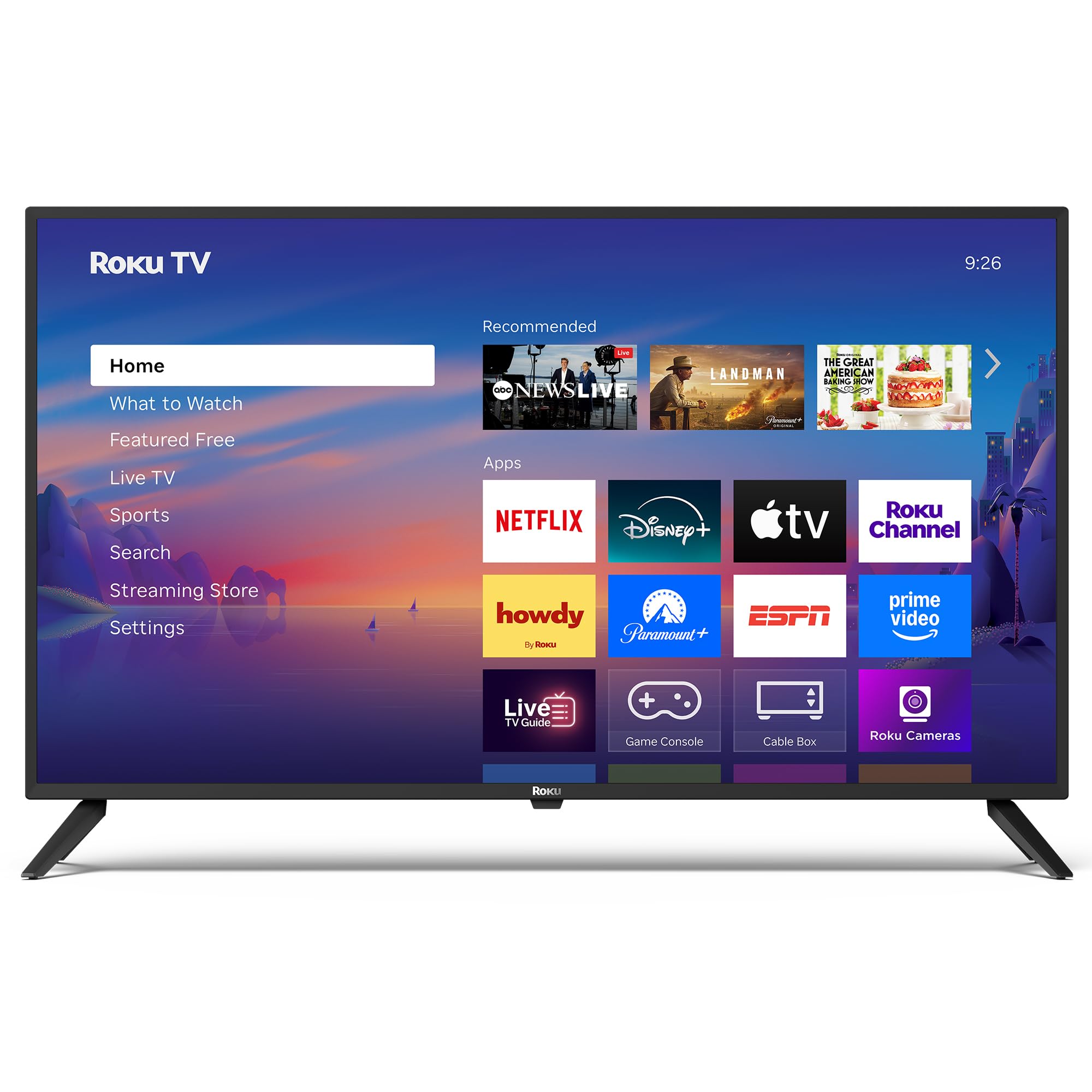
이미지: 앞면 view of the Roku 40" Select Series Full HD Smart TV.
2. 상자 안에 무엇이 들어있나요?
- Roku 40” Select Series Full HD Smart TV
- Roku voice remote with batteries
- TV 스탠드 (2)
- 스탠드 나사(4)
- 사용 설명서 (본 문서)

Image: Diagram illustrating the components included in the Roku TV package.
3. 설정 가이드
3.1 TV 스탠드 부착
- 긁힘을 방지하려면 TV 화면을 부드럽고 깨끗한 표면에 조심스럽게 놓으세요.
- 각 TV 스탠드를 TV 하단에 있는 해당 나사 구멍에 맞춰 끼우세요.
- Insert the provided screws into the holes and tighten them securely with a screwdriver.
- Ensure both stands are firmly attached before proceeding.
3.2 전원 연결 및 초기 설정
- Connect the power cord to the TV and then to a standard electrical outlet (100-240 VAC, 50-60 Hz).
- Insert the AAA batteries into the Roku voice remote.
- 리모컨의 전원 버튼을 눌러 TV를 켜세요.
- 화면의 지시에 따라 언어를 선택하고, Wi-Fi 네트워크에 연결하고, Roku 계정을 활성화하세요.
- The TV will guide you through adding your preferred streaming apps and setting up any connected devices.

이미지: 클로즈업 view of the TV's side panel, showing various input ports like HDMI, USB, and antenna connection.
4. Roku TV 작동 방법
4.1 홈 화면 탐색
The Roku home screen provides a centralized hub for all your entertainment. Easily access streaming apps, connected devices (like game consoles or cable boxes), and free live TV channels. The interface is designed for quick and intuitive navigation using your Roku voice remote.

Image: The Roku TV home screen, showing a grid of streaming applications and input selections.
4.2 음성 리모컨 사용
The included voice remote simplifies your TV experience. Use voice commands to search for movies, shows, or songs across thousands of streaming apps. Dedicated shortcut buttons provide instant access to popular services like Netflix, Disney+, and Apple TV. Volume controls are conveniently located on the side of the remote.

Image: Close-up of the Roku voice remote, highlighting the voice command button and dedicated app shortcuts.
4.3 화면 및 사운드 설정
The Roku TV delivers a bright, full HD picture with exceptional clarity. It features direct LED backlighting for better brightness and uniformity. Enhanced audio output is provided by built-in speakers. You can adjust picture modes, screen brightness, and other advanced settings through the TV's menu to optimize your view경험.
4.4 스마트 홈 통합
The Roku TV is compatible with various smart home ecosystems, including Apple AirPlay 2, Apple Home, Alexa, and Google Home. This allows for integrated control and seamless interaction with your existing smart devices.

Image: Icons representing compatibility with various smart home platforms.
5. 유지관리
To ensure the longevity and optimal performance of your Roku TV, follow these maintenance guidelines:
- 화면 청소: Use a soft, lint-free cloth specifically designed for electronics. Gently wipe the screen to remove dust and smudges. Avoid harsh chemicals or abrasive materials.
- 외부 청소: Wipe the TV's exterior with a soft, dry cloth. Do not use liquid cleaners directly on the TV.
- 통풍: 과열을 방지하기 위해 TV의 통풍구가 막히지 않도록 주의하세요. TV 주변에 공기 순환을 위한 충분한 공간을 확보하세요.
- 전원 관리 : Unplug the TV from the power outlet during electrical storms or when it will be left unattended for long periods.
6. 문제 해결
If you encounter issues with your Roku TV, try the following basic troubleshooting steps:
- 전원 없음: Ensure the power cord is securely plugged into both the TV and the electrical outlet. Check if the outlet is functioning by plugging in another device.
- 화면/소리 없음: Verify that the correct input source is selected on the TV. Check all cable connections (HDMI, AV, etc.) for looseness.
- 원격 응답 없음: Replace the batteries in the remote. Ensure there are no obstructions between the remote and the TV. Re-pair the remote if necessary (refer to the on-screen instructions during initial setup or the Roku support site).
- 네트워크 연결 문제: Restart your Wi-Fi router and modem. Go to the TV's network settings to reconnect to your Wi-Fi network.
- 앱 정지/충돌: Restart the specific app. If the issue persists, restart the TV by unplugging it from the power outlet for 30 seconds and then plugging it back in.
보다 자세한 문제 해결 방법이나 지속적인 문제가 발생하는 경우 Roku 공식 지원 페이지를 방문하세요. web대지.
7. 사양
| 특징 | 세부 사항 |
|---|---|
| 화면 크기 | 40 인치 |
| 상표 | 로쿠 |
| 모델 번호 | 40R2A5R |
| 디스플레이 기술 | 주도의 |
| 해결 | 1080p 풀 HD |
| 새로 고침 빈도 | 60Hz |
| 운영 체제 | 로쿠 OS |
| 특별 기능 | Bezel-Less Design, Voice Remote |
| 연결 기술 | HDMI, USB, Wi-Fi |
| 총 HDMI 포트 | 3 |
| Total USB 3.0 Ports | 1 |
| 오디오 출력 모드 | 강화됨 |
| 제어 방법 | 앱 제어, 원격 제어, 음성 제어 |
| Screen Mirroring Technology | AirPlay 2, Miracast |
| 제품 크기(D x W x H) | 8.7인치 깊이 x 35.5인치 너비 x 22.6인치 높이 |
| Item Weight Without Stand | 11.2 파운드 |
| VESA 마운트 표준 | 200 x 100mm |
8. 보증 및 지원
8.1 제한 보증
Roku warrants the hardware of this device against defects in materials and workmanship under normal use for a period of one (1) year from the date of purchase ("Warranty Period"), provided it is used in accordance with the provided documentation. If a hardware defect is determined during the Warranty Period, Roku's sole obligation and your exclusive remedy will be to either repair or replace the unit with a new or rebuilt device, at Roku's option.
Important information about warranty returns and replacements is available on the Roku support site.
8.2 제품 반품
You may return a device for any reason, subject to the terms of the applicable return policy:
- Within thirty (30) days from the date of purchase from Roku.
- Within the applicable return period if purchased from an authorized reseller or distributor.
Additional details regarding product returns can be found on the Roku support site.