
소개
Thank you for choosing Micool T35 Open Ear Headphones. These headphones are designed to provide a comfortable and safe listening experience, allowing you to enjoy high-quality audio while remaining aware of your surroundings. Featuring Bluetooth 5.3 connectivity, IPX6 waterproofing, and a long-lasting battery, they are ideal for sports and daily use.
패키지 내용
다음 품목이 패키지에 포함되어 있는지 확인하세요.
- Micool T35 Open Ear Headphones
- 무선 충전 케이스
- USB Type-C 충전 케이블
- 사용자 설명서
제품 끝view
The Micool T35 headphones feature an open-ear design with earhooks for secure and comfortable wear. The charging case protects and recharges your headphones.

Image: Micool T35 Open Ear Headphones and Charging Case. The image displays the charging case with one earbud inside and the other earbud placed next to it, showcasing the open-ear design and earhook.
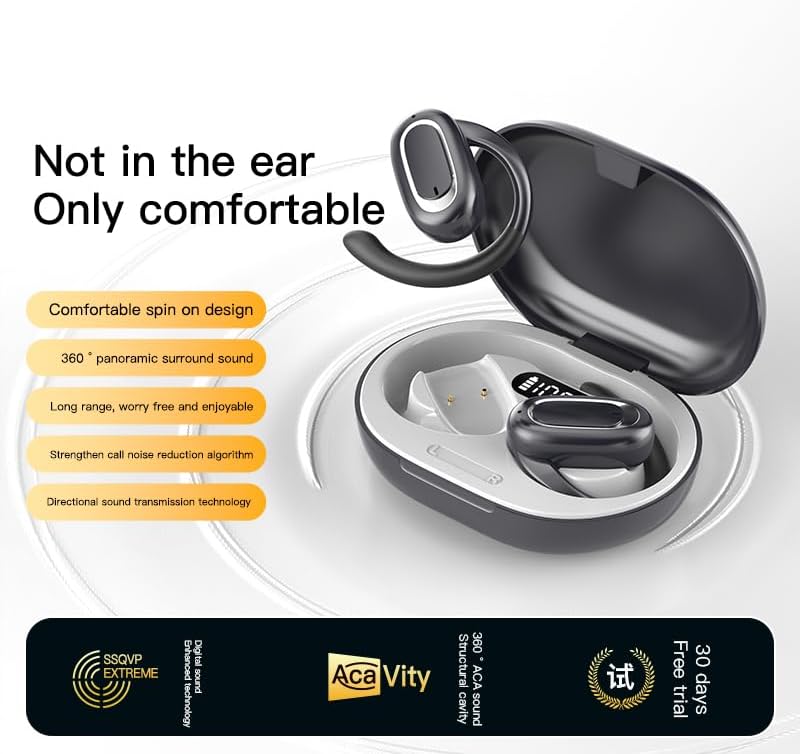
Image: Micool T35 Open Ear Headphones. This image shows both left and right earbuds with their earhooks, highlighting their ergonomic shape.
주요 특징:
- 오픈 이어 디자인: Rests gently on the ear without blocking the ear canal, reducing ear fatigue and maintaining environmental awareness.
- 블루투스 5.3 : 안정적이고 효율적인 무선 연결을 보장합니다.
- 인체공학적 이어후크: Provides a secure and comfortable fit, even during extended use or physical activity.
- IPX6 방수 : 땀과 물 튀김에 강하여 스포츠 활동에 적합합니다.
- 긴 배터리 수명: Up to 12 hours of playback on a single charge, extended to 34 hours with the charging case.
- 지향성 사운드 전송: Minimizes sound leakage while delivering clear audio.
설정
1. 헤드폰 및 케이스 충전
처음 사용하기 전에 헤드폰과 충전 케이스를 완전히 충전하세요.
- 헤드폰을 충전 케이스에 넣으세요.
- USB Type-C 케이블을 케이스의 충전 포트와 전원에 연결하세요.
- The charging case takes approximately 1-2 hours to fully charge.
- A full charge provides up to 12 hours of listening time for the headphones, with the charging case extending total playback to 34 hours.
2. 블루투스 페어링
To connect your Micool T35 headphones to a device:
- 이어폰이 충전되어 있고 충전 케이스 안에 있는지 확인하십시오.
- 충전 케이스를 엽니다. 헤드폰이 자동으로 페어링 모드로 진입하며, 이어버드의 LED 표시등이 깜박입니다.
- 기기(스마트폰, 태블릿 등)에서 Bluetooth 설정으로 이동하세요.
- 검색 available devices and select "Micool T35" from the list.
- 연결이 완료되면 헤드폰의 LED 표시등이 깜빡임을 멈춥니다.
- 헤드폰을 케이스에서 꺼내면 기기에서 블루투스가 활성화된 경우 마지막으로 페어링된 장치에 자동으로 다시 연결됩니다.
작동 지침
1. 헤드폰 착용
The Micool T35 headphones are designed for an open-ear fit with rotatable earhooks.
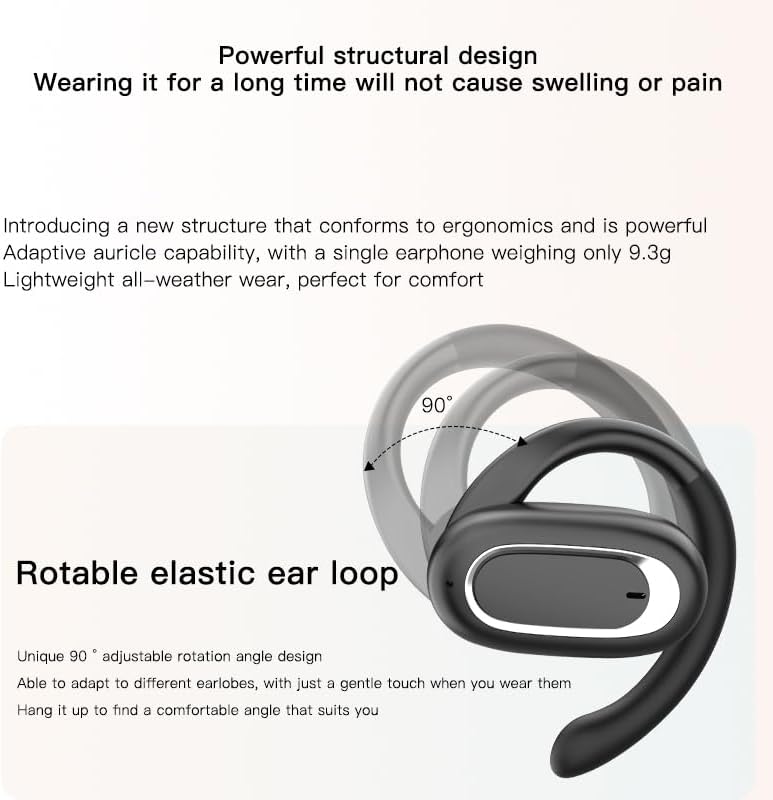
Image: Micool T35 Headphones: Rotatable Earhook Adjustment. The image illustrates the 90-degree rotation capability of the earhook for a customized fit.
- Gently place the earbud on your ear, ensuring the earhook wraps securely around the back of your ear.
- Adjust the rotatable earhook to find the most comfortable and stable position for your earlobe.
- The open-ear design ensures comfort and allows you to hear your surroundings.

Image: Micool T35 Headphones: Usage Scenarios. This image shows individuals using the headphones in various settings: during fitness activities, in an office environment, outdoors while running, and during leisure time.
2. 터치 컨트롤
The Micool T35 headphones feature intuitive touch controls on each earbud.
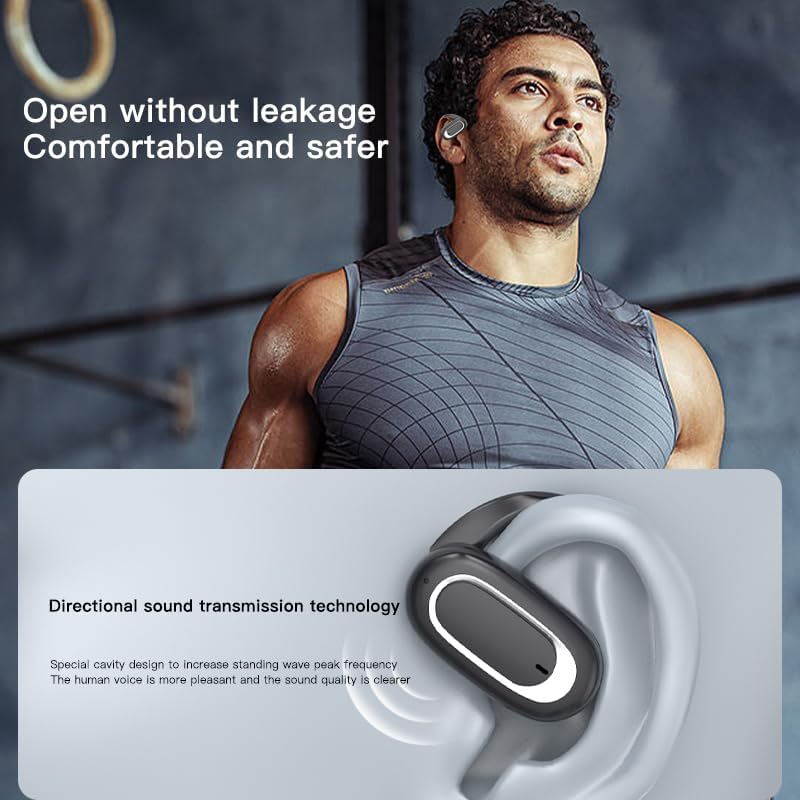
Image: Micool T35 Headphones: Touch Controls Diagram. This diagram illustrates the touch-sensitive area on the earbud and lists the corresponding functions for single tap, double tap, triple tap, and long press.
- 음악 재생/일시정지: Tap the function key once.
- 전화 받기/종료: Click the function key.
- 음성 비서 호출: Long press the function key for 2 seconds.
- 통화 거부: Long press the function key for 2 seconds during an incoming call.
- Switching Up/Down Tracks: Triple click the left/right ear function keys.
- 볼륨 증가/감소: Double click the right/left ear function keys.
3. 게임 모드
The Micool T35 headphones support a low-latency game mode for improved audio-video synchronization.

Image: Micool T35 Headphones: Low Latency Game Mode. The image shows a smartphone displaying a mobile game, indicating the headphones' capability for synchronized audio and video during gaming.
To activate game mode, refer to the specific instructions provided in the quick start guide or product packaging, as this feature often requires a specific touch gesture or setting within the connected device.
유지
적절한 관리는 헤드폰의 수명과 성능을 보장합니다.
- 청소: 부드럽고 마른 보풀 없는 천으로 이어폰과 충전 케이스를 닦으십시오. 연마성 세제나 용제를 사용하지 마십시오.
- 방수 기능: The headphones are IPX6 waterproof, meaning they are resistant to strong jets of water. They are suitable for use during workouts and in light rain, but should not be submerged in water. Dry them thoroughly before placing them back in the charging case.
- 저장: 사용하지 않을 때는 먼지와 손상으로부터 보호하기 위해 충전 케이스에 보관하세요. 서늘하고 건조한 곳에 보관하고 극한의 온도는 피해 주세요.
- 배터리 관리 : 배터리 수명을 연장하려면 장기간 사용하지 않더라도 헤드폰을 정기적으로 충전하십시오. 배터리를 자주 완전히 방전시키지 마십시오.
문제 해결
If you encounter issues with your Micool T35 headphones, try the following solutions:
- 소리 없음:
- 헤드폰이 충전되어 있는지 확인하세요.
- 헤드폰이 기기와 제대로 페어링되었는지 확인하세요.
- 헤드폰과 기기의 볼륨을 모두 조절하세요.
- 다른 애플리케이션이나 소스에서 오디오를 재생해보세요.
- 페어링 실패:
- 기기의 Bluetooth를 껐다가 다시 켜세요.
- Forget "Micool T35" from your device's Bluetooth list and attempt to pair again.
- 헤드폰이 페어링 모드인지 확인하십시오(LED가 깜빡임).
- 헤드폰을 기기에 더 가까이 가져가세요.
- 충전 문제:
- 충전 케이블이 케이스와 전원에 모두 단단히 연결되어 있는지 확인하세요.
- 다른 USB Type-C 케이블이나 전원 어댑터를 사용해 보세요.
- Clean the charging contacts on the headphones and inside the case with a dry cotton swab.
- 통화 품질이 좋지 않음:
- 마이크가 가려지지 않았는지 확인하세요.
- 주변 소음이 적은 지역으로 이사하세요.
- 기기의 네트워크 신호를 확인하세요.
명세서
| 상표 | 미쿨 |
| 모델명 | T35 |
| 연결 기술 | 무선(블루투스 5.3) |
| 귀 위치 | 오픈 이어 |
| 폼 팩터 | On Ear (with earhooks) |
| 방수 등급 | IPX6 |
| 재생 시간 | 최대 12시간(1회 충전), 34시간(충전 케이스 사용 시) |
| 충전 포트 | USB 타입-C |
| 제어 유형 | 미디어 컨트롤(터치) |
| 재료 | 플라스틱 |
| 호환 장치 | 핸드폰 |
보증 및 지원
Micool T35 Open Ear Headphones come with a 1-year limited warranty from the date of purchase. This warranty covers manufacturing defects and workmanship under normal use.
For technical support, warranty claims, or any questions regarding your product, please contact Micool customer service through the retailer where you purchased the product or visit the official Micool brand store:
Please have your purchase receipt and product model number (T35) ready when contacting support.