
WONLINK WL-AP7204-USHS1-YAM
WONLINK Outdoor WiFi Extender User Manual
Model: WL-AP7204-USHS1-YAM
소개
Thank you for choosing the WONLINK Outdoor WiFi Extender. This device is designed to provide robust and stable wireless internet connectivity in outdoor environments, extending your existing WiFi network to cover large areas such as backyards, farms, parks, and more. This manual will guide you through the installation, setup, and operation of your new WiFi extender.

Figure 1: WONLINK Outdoor WiFi Extender
주요 특징
- 1200Mbps Dual-Band WiFi: Compliant with IEEE 802.11ac/a/b/g/n standards, offering speeds up to 867Mbps on 5GHz and 300Mbps on 2.4GHz for high-definition and smooth network performance.
- Flexible Installation with PoE: Integrated Power over Ethernet (PoE) support allows for installation in locations without direct power outlets. Includes a 24V PoE adapter.
- 듀얼 기가비트 이더넷 포트: Equipped with two 1000Mbps LAN/WAN Ethernet ports for excellent wired network speeds.
- 다중 작동 모드: Supports Repeater, AP (Access Point), Router, and Bridge modes to suit various network environments and applications.
- High Client Capacity: A single unit can handle over 40 wireless devices on 2.4GHz and 80 on 5.8GHz concurrently.
- Advanced WiFi Security: Features 128-bit encryption and WPA/WPA2/WPA-PSK/WPA2-PSK protocols to prevent unauthorized access and interference.
- IP66 방수 설계: Robust weatherproof and heat-resistant casing with a waterproof silicone ring ensures continuous operation in harsh outdoor conditions, including extreme cold (-10°C) to hot (60°C) and humid climates.

Figure 2: High-Speed AC1200 Dual Band Performance
패키지 내용
패키지를 열 때 모든 품목이 들어 있고 상태가 양호한지 확인하세요.
- 1 x Outdoor WiFi Extender Unit
- 1 x 24V PoE Adapter
- 2 x Stainless Ties (for mounting)
- 나사 2개 (장착용)
- 2 x Silicone Seals
- 1 x 빠른 설치 가이드
설정 및 설치
The WONLINK Outdoor WiFi Extender supports Power over Ethernet (PoE) for simplified installation. The main unit is weatherproof, but the PoE adapter must be installed indoors.
PoE 연결
The included 24V PoE adapter provides both power and data connectivity to the extender unit via a single Ethernet cable. This allows for flexible placement of the extender up to 100 meters (approximately 328 feet) from the power source.
- Connect one end of an Ethernet cable (up to 100m) to the 증서 port on the 24V PoE Adapter.
- Connect the other end of this Ethernet cable to the Ethernet port on the Outdoor WiFi Extender unit.
- Connect your router or network switch to the 랜 port on the 24V PoE Adapter using another Ethernet cable.
- Plug the 24V PoE Adapter into a standard indoor power outlet.

Figure 3: Power Over Ethernet Connection
익스텐더 장착
The extender can be mounted on a wall or pole using the provided stainless ties and screws. Ensure the mounting location provides optimal signal coverage and is within the 100m PoE cable limit.
Initial Configuration (Recommended AP Mode for Outdoor Use)
For optimal performance in large outdoor areas, the wired AP (Access Point) mode is strongly advised. This involves connecting the extender directly to your router via an Ethernet cable through the PoE adapter.
- Connect the extender to your computer using an Ethernet cable (via the PoE adapter) for initial setup.
- 열기 web browser and navigate to the default IP address provided in the Quick Installation Guide (typically 192.168.1.1 or similar).
- 기본 로그인 정보(일반적으로 admin/admin)를 사용하여 로그인하십시오.
- Follow the on-screen wizard to configure the device. Select AP 모드 야외용으로 사용 가능.
- Set your desired WiFi network name (SSID) and password.
- Save settings and restart the device if prompted.
작동 모드
The WONLINK Outdoor WiFi Extender supports four primary operating modes to adapt to various network requirements:
- AP 모드(액세스 포인트): Converts a wired network connection into a wireless one. Ideal for creating a new WiFi hotspot or extending a wired network wirelessly. This is the recommended mode for large outdoor deployments.
- 리피터 모드: Extends the coverage of an existing wireless network by receiving the WiFi signal and re-transmitting it. Best used when the extender is placed within 3-5 meters of the main router for optimal signal reception.
- 라우터 모드 : Functions as a primary router, connecting to a modem and providing both wired and wireless internet access to multiple devices.
- 브리지 모드: Connects two separate wired networks wirelessly, acting as a wireless bridge between them.

Figure 4: Multiple Working Modes Diagram
유지
The WONLINK Outdoor WiFi Extender is designed for durability and minimal maintenance due to its IP66 weatherproof enclosure.
- 내후성: The IP66 rating ensures protection against dust ingress and powerful water jets. It is built to withstand rain, snow, wind, and extreme temperatures (-10°C to 60°C).
- 청소: 주기적으로 부드러운 천으로 장치 외부를 닦아주세요.amp cloth to remove any accumulated dirt or debris. Do not use harsh chemicals or abrasive cleaners.
- 펌웨어 업데이트: Check the WONLINK official website periodically for firmware updates. Keeping the firmware updated ensures optimal performance, security, and access to new features.
- 케이블 검사: Regularly inspect the Ethernet cable connecting the extender to the PoE adapter for any signs of wear, damage, or degradation, especially if exposed to direct sunlight or physical stress.
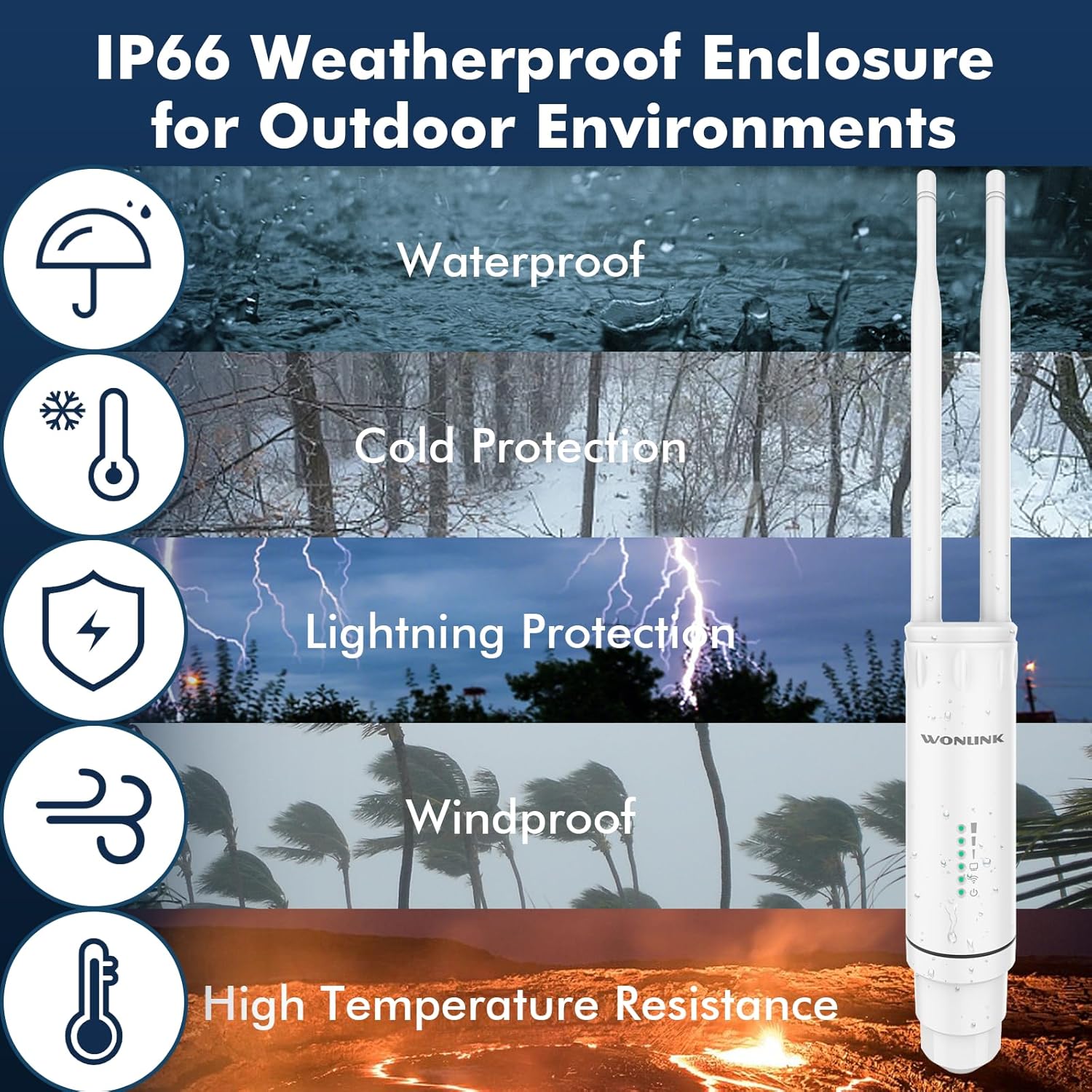
Figure 5: IP66 Weatherproof Enclosure Features
문제 해결
If you encounter issues with your WONLINK Outdoor WiFi Extender, try the following troubleshooting steps:
- No Power/Lights Off:
- Ensure the PoE adapter is securely plugged into a working power outlet.
- Check the Ethernet cable connection between the PoE adapter and the extender unit.
- Verify the PoE adapter is functioning correctly.
- 인터넷 접속 불가:
- In AP/Router mode, ensure the LAN port of the PoE adapter is connected to your main router/modem.
- Check if your main router/modem has internet access.
- If in Repeater mode, ensure the extender is receiving a strong signal from your main router. Try repositioning the extender closer to the router.
- 확장기와 메인 라우터를 모두 재시작하세요.
- Weak Signal/Slow Speed:
- Ensure the extender is placed in an optimal location, away from obstructions and sources of interference (e.g., thick walls, large metal objects, microwaves).
- For Repeater mode, ensure the extender is not too far from the main router.
- 펌웨어 업데이트를 확인하십시오.
- 안테나가 단단히 고정되어 있고 올바른 방향으로 설치되어 있는지 확인하십시오.
- 접근할 수 없습니다 Web 관리 페이지:
- Ensure your computer is connected to the extender (either directly via Ethernet or its WiFi network).
- Verify you are using the correct IP address (refer to the Quick Installation Guide).
- 브라우저 캐시를 지우거나 다른 브라우저를 사용해 보세요.
- 컴퓨터의 방화벽이나 바이러스 백신 소프트웨어를 일시적으로 비활성화하세요.
- 공장 초기화 : If issues persist, you may need to perform a factory reset. Locate the reset button (usually a small pinhole) on the device. With the device powered on, press and hold the reset button for 5-10 seconds until the lights flash, then release. The device will revert to its default factory settings.
명세서
| 상표 | 원링크 |
| 모델 번호 | WL-AP7204-USHS1-YAM |
| 무선 통신 표준 | 802.11a/b/g/n/ac |
| 데이터 전송 속도 | 초당 1200메가비트(Mbps) |
| 주파수 대역 클래스 | 듀얼 밴드(2.4GHz 및 5GHz) |
| 전원 공급 장치 | 24V PoE 어댑터 |
| 비바람에 견디는 등급 | IP66 |
| 작동 온도 | -10°C ~ 60°C |
| 품목 무게 | 1.17파운드 |
| 패키지 크기 | 9.33 x 6.02 x 2.4 인치 |
안전 정보
Please read and follow these safety guidelines to ensure safe operation of your device:
- Only use the provided 24V PoE adapter. Using unauthorized power adapters may damage the device and void the warranty.
- The PoE adapter is for indoor use only. Do not expose it to water, moisture, or extreme temperatures.
- Ensure proper grounding during installation to protect against lightning strikes.
- 기기를 직접 분해하거나 수리하지 마십시오. 모든 정비는 자격을 갖춘 기술자에게 맡기십시오.
- 기기를 열원, 직사광선, 가연성 물질로부터 멀리 두십시오.
- Ensure all cable connections are secure and properly sealed to maintain the weatherproof integrity of the outdoor unit.
보증 및 지원
For warranty information and technical support, please refer to the documentation included with your product or visit the official WONLINK web대지. 다음을 방문할 수도 있습니다. WONLINK Store on Amazon for more product details and customer service options.