
1. 서론
The HUBBLE CONNECTED Nursery Pal Dual Vision Smart Camera is designed to provide comprehensive monitoring of your baby and nursery environment. This device features both a wide-angle and a regular view camera, AI Motion Tracking, and connectivity through the HubbleClub app, allowing for remote viewing and interaction. This manual provides instructions for setting up, operating, and maintaining your smart camera.
2. 상자 안에 무엇이 들어있나요?
패키지에 모든 구성품이 들어 있는지 확인하세요.
- Nursery Pal Dual Vision Smart Camera
- 전원 어댑터
- 빠른 시작 가이드
- 사용 설명서 (본 문서)
- 보증 정보
- Universal Wall Mount (optional installation)

Image: Components included with the Nursery Pal Dual Vision Smart Camera.
3. 제품 오버view 및 기능
The Nursery Pal Dual Vision Smart Camera is equipped with advanced features for comprehensive baby monitoring:
- Dual Vision Monitoring: Simultaneous wide-angle and close-up views.
- AI 모션 트래킹: Camera automatically follows movement.
- 원격 팬/틸트: Control the close-up view 카메라를 원격으로 조작합니다.
- Full HD 1080p 비디오: Clear video streaming on both cameras.
- 적외선 나이트 비전: 분명한 view낮은 조명 조건에서 ing.
- Two-Way Talk (ConnectChat): 아기와 원격으로 소통하세요.
- Preloaded Soothing Sounds: Lullabies, nature sounds, and stories.
- 실내 온도 센서: Monitor nursery temperature.
- HubbleClub App Integration: Access live feed, activity alerts, growth tracker, and sleep insights.
- 보안 Wi-Fi 연결: Private and secure data transmission.

Image: Key features of the Nursery Pal Dual Vision Smart Camera.
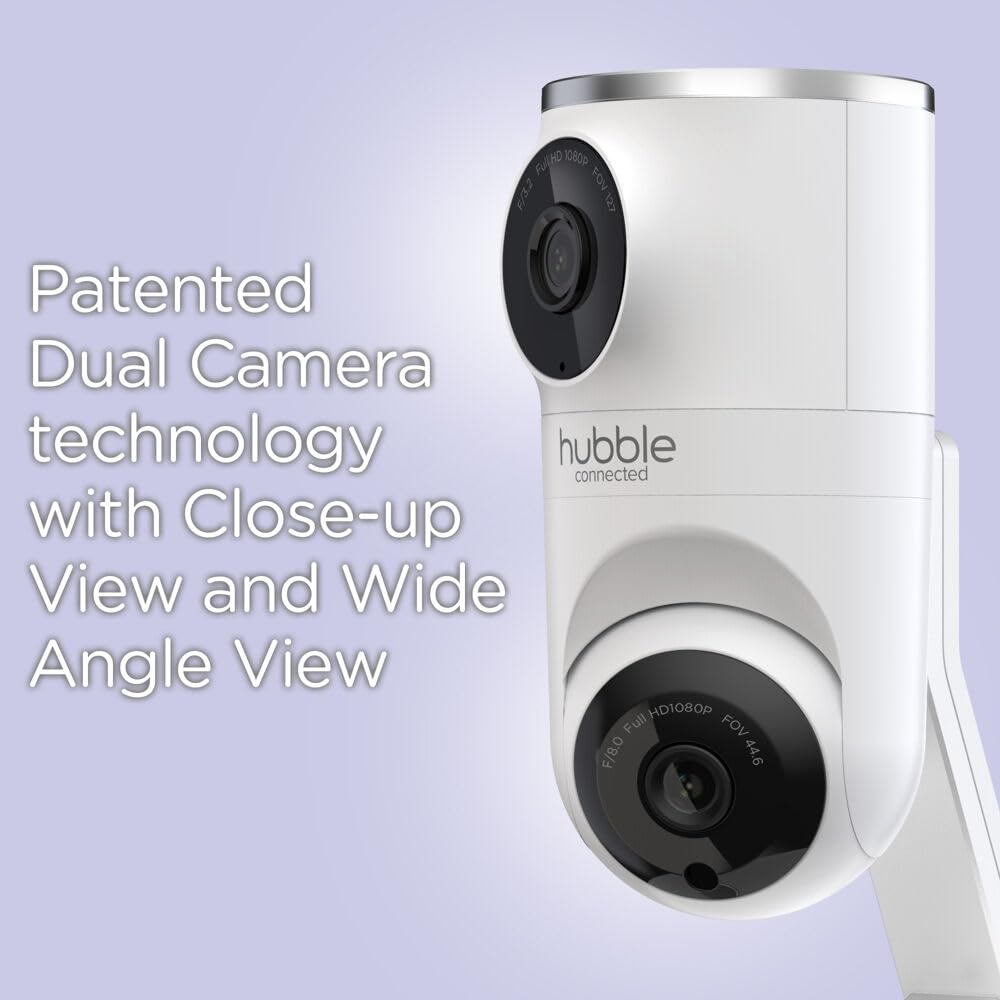
Image: Patented Dual Camera Technology for close-up and wide-angle views.
4. 설정 지침
4.1 카메라 배치
선명한 영상을 얻을 수 있는 위치에 카메라를 설치하세요. view of your baby and the nursery. The camera can be placed on a flat surface or mounted to a wall.
- Ensure the camera is out of reach of children.
- Keep the power cord away from the crib or play area to prevent entanglement hazards.
- For optimal Wi-Fi performance, place the camera within 10 feet of your Wi-Fi router during initial setup.

Image: Camera mounted above a crib for optimal view주고받음.

Image: Camera placed on a flat surface.
4.2 전원 연결
- 전원 어댑터를 카메라의 전원 입력 포트에 연결합니다.
- 전원 어댑터를 적합한 전기 콘센트에 연결하십시오.
- The camera will power on automatically. Wait for the indicator light to show it is ready for pairing.
4.3 HubbleClub App Installation and Wi-Fi Pairing
- 다운로드 HubbleClub app from the App Store (iOS) or Google Play Store (Android) on your smartphone or tablet.
- Open the HubbleClub app and follow the on-screen instructions to create an account or log in.
- Select "Add Device" and choose your Nursery Pal Dual Vision Smart Camera model.
- Ensure your smartphone/tablet is connected to a 2.4GHz Wi-Fi 네트워크 during the setup process. The camera is compatible with dual-band routers (2.4GHz and 5.0GHz), but initial setup requires 2.4GHz.
- Follow the app's prompts to connect the camera to your Wi-Fi network. This typically involves scanning a QR code generated by the app with the camera.
- 연결되면 다음을 수행할 수 있습니다. view the live feed and access all camera features through the app. After setup, you can switch your phone/tablet back to a 5GHz network if desired.
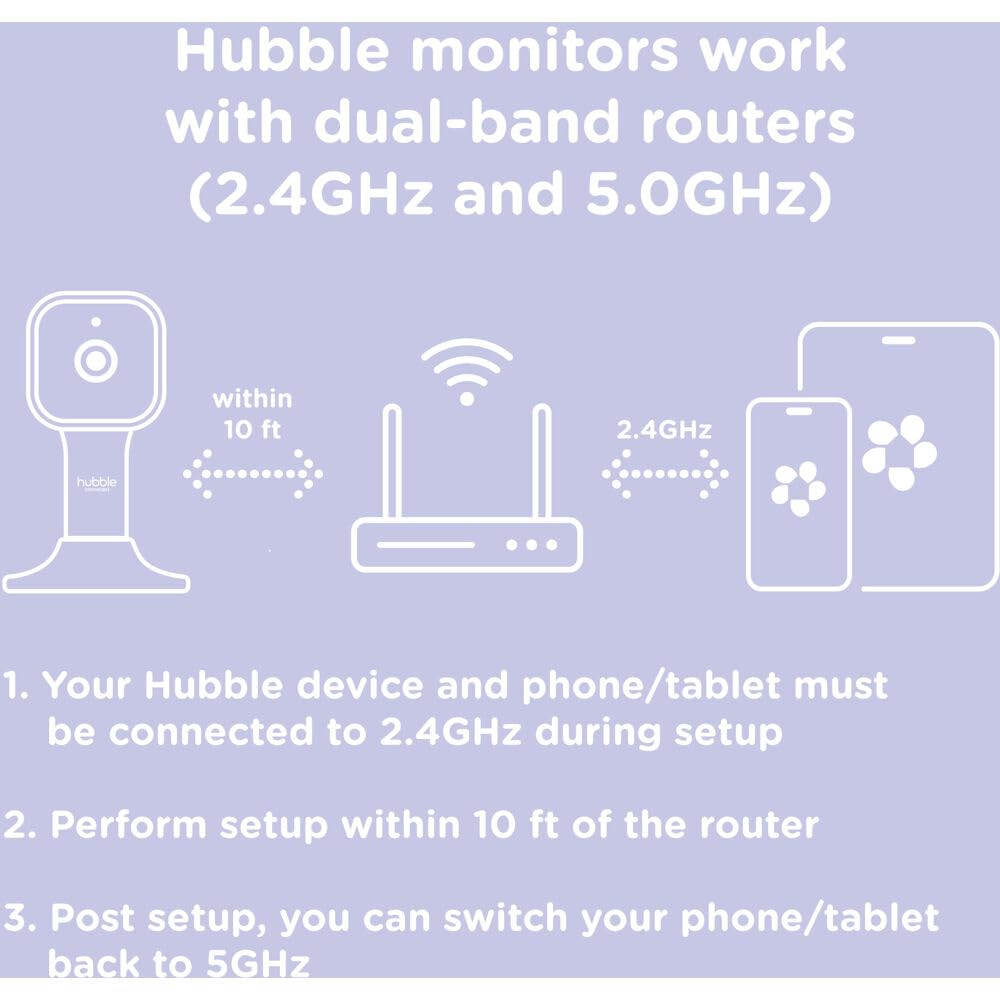
Image: Wi-Fi setup guidelines for Hubble monitors.

Image: Camera connected to the HubbleClub app on a smartphone.
5. 사용 설명서
5.1 Live Monitoring and Dual Vision
Once connected, open the HubbleClub app to view the live feed from your camera. The app displays both the wide-angle and close-up views simultaneously, providing a comprehensive perspective of the nursery.
- 사이를 전환 views or use the split-screen feature within the app.
- Use the remote pan and tilt controls for the close-up camera to adjust its angle as needed.
5.2 AI Motion Tracking
Activate the AI Motion Tracking feature in the HubbleClub app. The camera will automatically pan and tilt to follow your baby's movements within its field of view, ensuring they remain in the frame.

Image: AI Motion Tracking in action, keeping the baby in view.
5.3 Two-Way Communication (ConnectChat)
Use the ConnectChat feature in the app to speak to your baby. Press and hold the microphone icon in the app to transmit your voice through the camera's speaker. This can be used to soothe your baby or communicate with them.

Image: Push-to-Talk ConnectChat button on the camera base.
5.4 마음을 편안하게 해주는 소리와 자장가
The camera comes with preloaded soothing sounds, lullabies, and stories. Access these features through the HubbleClub app to play them remotely and help your baby relax or fall asleep.
5.5 HubbleClub App Features
The HubbleClub app offers additional functionalities to enhance your monitoring experience:
- 활동 알림: Receive notifications for motion or sound detection.
- Baby Growth Tracker: Log and monitor your baby's milestones, growth, and development.
- 수면에 대한 통찰력: Track resting and waking patterns to manage sleep routines.
- 클라우드 스토리지: Securely store precious images and videos (unlimited streaming and motion-triggered recordings stored for 24 hours in the cloud; premium service available for extended storage).
- Feeding and Diaper Log: Manage and log feeding patterns and diaper changes.

Image: Sleep routine management and tracking within the HubbleClub app.

이미지: 이상view of HubbleClub app features.
6. 유지관리
- 청소: Gently wipe the camera lens and body with a soft, dry cloth. Do not use abrasive cleaners or solvents.
- 환경: This device is designed for indoor use only. Avoid exposing it to water or high humidity, as it is not water resistant.
- 힘: Always use the provided power adapter. Disconnect power before cleaning or if the device will be unused for an extended period.
7. 문제 해결
If you encounter issues with your Nursery Pal Dual Vision Smart Camera, refer to the following common solutions:
| 문제 | 가능한 해결책 |
|---|---|
| 카메라가 Wi-Fi 또는 앱에 연결되지 않습니다. |
|
| Video feed lagging or cutting out |
|
| Camera freezing or turning off randomly |
|
| Night Vision not working |
|
| Inaccurate Room Temperature Sensor |
|
8. 사양
| 특징 | 세부 사항 |
|---|---|
| 모델 번호 | HCTNPDVX-BU |
| 상표 | HUBBLE CONNECTED |
| 실내/실외 사용 | 실내 |
| 호환 장치 | 스마트폰, 태블릿 |
| 전원 | 전원 어댑터(AC) |
| 연결 프로토콜 | Wi-Fi (2.4GHz for setup) |
| 장착 유형 | Tabletop Mount, Universal Wall Mount |
| 비디오 캡처 해상도 | 1080p 풀 HD |
| 색상 | 하얀색 |
| 재료 | 플라스틱 |
| 품목 치수(L x W x H) | 6.75 x 7.25 x 4.5 인치 |
| 품목 무게 | 11.7 온스(0.73 파운드) |
| 방수 레벨 | 방수가 되지 않음 |
| 저조도 기술 | 야간 색상(적외선 야간 투시) |
| 줌 타입 | 디지털 줌 |
| 경고 유형 | 오디오 및 모션 |
| 제어 방법 | App (HubbleClub) |
| 국제 보호 등급 | IP65 |
| 한국어: | 810074830874 |
Note on IP65 rating: While the product lists an IP65 rating, it is also specified as "Not Water Resistant." For optimal device longevity and safety, avoid exposing the camera to water or high humidity. The IP65 rating typically refers to protection against dust and low-pressure water jets, not immersion or heavy rain. This device is intended for indoor use.
9. 보증 및 지원
Your Nursery Pal Dual Vision Smart Camera includes a warranty. Please refer to the separate warranty information document included in your package for details regarding coverage, terms, and conditions.
For technical support, troubleshooting assistance, or further inquiries, please visit the official HUBBLE CONNECTED support website or contact their customer service department. Contact information can typically be found in the Quick Start Guide or on the brand's official web대지.
온라인 리소스:
- HubbleClub App: Available on 앱스토어 그리고 구글 플레이
- HUBBLE CONNECTED Official Web대지: www.hubbleconnected.com