
1. 서론
This manual provides detailed instructions for the installation, operation, and maintenance of your Ernitec WOLF-PX-515IR Turret Camera. This camera is designed for surveillance applications, offering high-resolution video recording, motion detection, night vision, and remote viewing capabilities via a smartphone application.
기기를 올바르게 사용하고 손상을 방지하기 위해 작동 전에 이 설명서를 꼼꼼히 읽어 주십시오.
1.1 안전 정보
- 전원 공급 장치: 지정된 전원 어댑터만 사용하십시오. 볼륨이 잘못되었습니다.tage may damage the camera and void the warranty.
- 설치 환경: Avoid installing the camera in extreme temperatures, high humidity, or dusty environments. Ensure the mounting surface is strong enough to support the camera's weight.
- 청소: Disconnect power before cleaning. Use a soft, dry cloth. Do not use strong detergents or abrasive cleaners.
- 서비스: 카메라를 직접 분해하거나 수리하지 마십시오. 모든 정비는 자격을 갖춘 기술자에게 맡기십시오.
- 케이블 : Ensure all cables are properly secured and protected from damage.
2. 패키지 내용
패키지에 모든 구성품이 들어 있는지 확인하십시오. 누락되거나 손상된 구성품이 있는 경우 공급업체에 문의하십시오.
- Ernitec WOLF-PX-515IR Turret Camera
- 장착 템플릿
- 장착 나사 및 벽면 플러그
- 빠른 시작 가이드
- Waterproof Connector Kit (for outdoor installations)
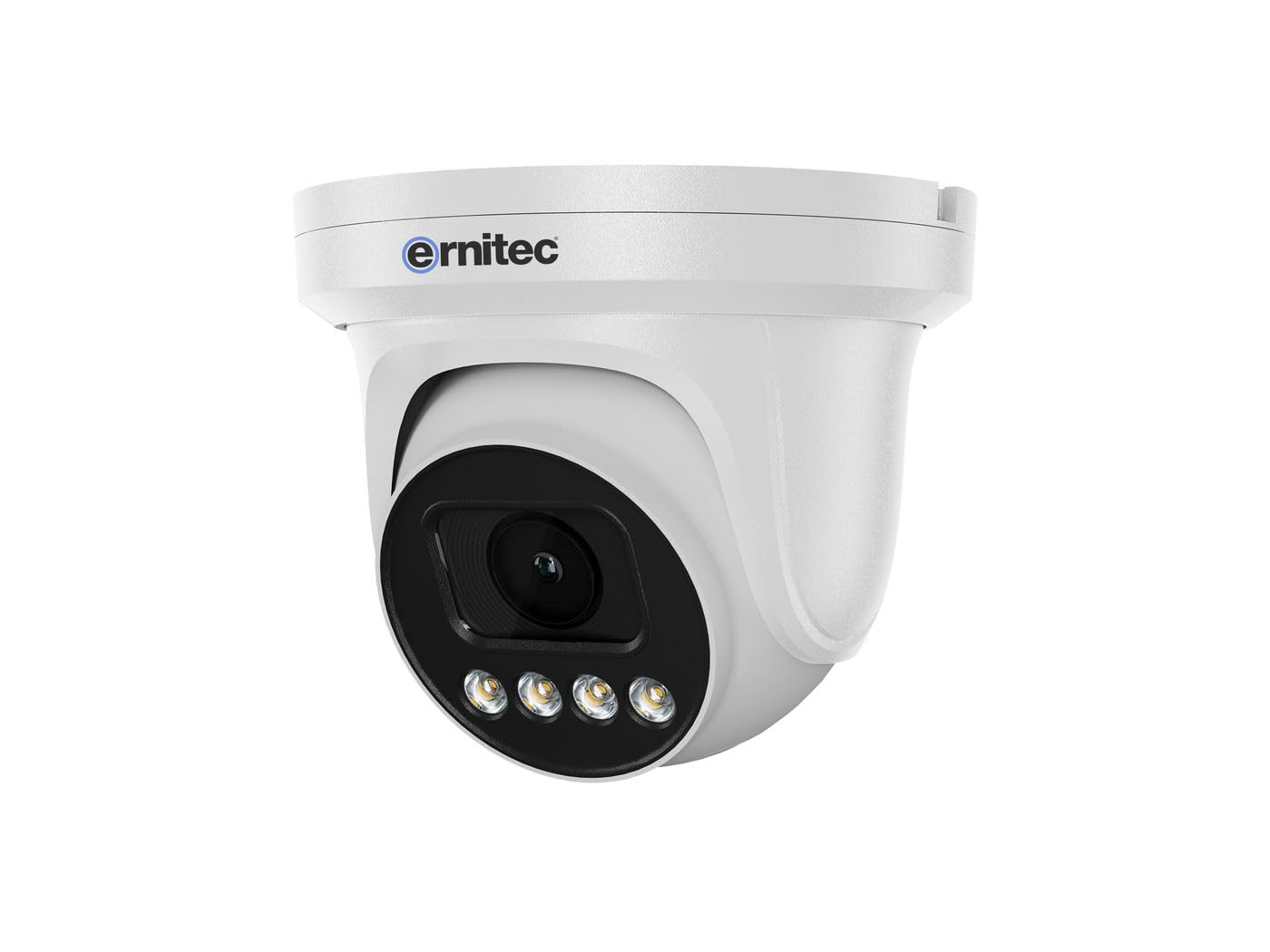
Image 2.1: Ernitec WOLF-PX-515IR Turret Camera with typical accessories.
3. 설정
3.1 물리적 설치
- 위치 선택: Choose a suitable location for the camera, ensuring it provides the desired field of view 전원과 네트워크 연결이 가능합니다.
- 설치:
- 제공된 장착 템플릿을 사용하여 벽이나 천장에 드릴 구멍 위치를 표시하십시오.
- 필요한 경우 구멍을 뚫고 벽면 플러그를 삽입하세요.
- 제공된 나사를 사용하여 카메라 베이스를 장착면에 고정합니다.
- 각도 조정: 카메라 본체의 조절 나사를 풀어 원하는 설정을 맞추세요. viewing angle. Tighten the screws once the position is finalized.
3.2 배선
Connect the necessary cables to the camera's ports:
- 전원 케이블 : Connect the power adapter to the camera's power input port. Ensure the power source matches the camera's requirements (e.g., 12V DC).
- Network Cable (Ethernet): Connect an Ethernet cable from the camera's RJ45 port to your network router or PoE switch. If using Power over Ethernet (PoE), a separate power adapter is not required.
3.3 네트워크 구성
After physical installation and wiring, configure the camera for network access:
- 초기 연결: 컴퓨터를 카메라와 동일한 네트워크에 연결하세요.
- IP 주소: The camera typically obtains an IP address automatically via DHCP. Use the Ernitec IP Search Tool (available on the Ernitec web(사이트)를 통해 네트워크에서 카메라의 IP 주소를 확인할 수 있습니다.
- 입장 Web 인터페이스: 열기 web browser and enter the camera's IP address. Log in using the default username and password (refer to the Quick Start Guide for default credentials).
- 비밀번호 변경: 보안을 위해 첫 로그인 시 기본 비밀번호를 즉시 변경하십시오.
- 네트워크 설정: Configure network settings as needed, such as assigning a static IP address or adjusting port forwarding for remote access.
4. 카메라 작동
4.1 기본 기능
- 살다 View: 카메라에 접근 web interface or dedicated software to view 라이브 비디오 피드.
- 녹음:
- 연속 녹화 : Configure the camera to record continuously to a Network Video Recorder (NVR) or local storage (if supported).
- 모션 감지 녹화: Set up motion detection zones and sensitivity. The camera will record when motion is detected.
- 예약 녹화 : 녹화할 구체적인 기간을 정하십시오.
- 야간 투시경: The camera automatically switches to infrared (IR) night vision in low-light conditions. Ensure the IR illuminators are not obstructed.
4.2 리모컨 Viewing via Smartphone Application
- 앱 다운로드 : Download the official Ernitec surveillance application from your smartphone's app store.
- 계정 등록: 계정을 만들고 로그인합니다.
- 장치 추가: Follow the in-app instructions to add your WOLF-PX-515IR camera. This typically involves scanning a QR code on the camera or manually entering its serial number/IP address.
- 살다 View 및 재생: 추가한 후에는 다음을 수행할 수 있습니다. view 라이브 푸tage, access recorded videos, and receive motion detection alerts directly on your smartphone.
5. 유지관리
5.1 청소
- 선명한 이미지 품질을 보장하려면 카메라 렌즈와 하우징을 정기적으로 청소하세요.
- Use a soft, lint-free cloth. For stubborn dirt, slightly damp천에 물을 적셔요.
- Do not use harsh chemicals, solvents, or abrasive materials, as these can damage the lens coating or camera finish.
5.2 펌웨어 업데이트
Periodically check the Ernitec official web펌웨어 업데이트 사이트입니다. 펌웨어 업데이트를 통해 성능을 향상시키고, 새로운 기능을 추가하며, 보안을 강화할 수 있습니다. 펌웨어 업데이트 패키지에 포함된 지침을 주의 깊게 따르십시오.
6. 문제 해결
| 문제 | 가능한 원인 | 해결책 |
|---|---|---|
| 전원이 없습니다 | Power adapter disconnected or faulty; no PoE. | Check power connections. Ensure PoE switch is active if using PoE. Test power adapter. |
| 비디오 피드 없음 | Network connection issue; incorrect IP address; camera offline. | Verify network cable connection. Check camera's IP address. Ensure camera is powered on and connected to the network. Restart camera and router. |
| 화질이 나쁘다 | Dirty lens; low light; incorrect settings. | Clean the camera lens. Adjust camera settings (e.g., exposure, brightness). Ensure adequate lighting or proper night vision activation. |
| 원격으로 접속할 수 없습니다 | Network configuration issues (e.g., port forwarding); app not configured correctly. | Check router settings for port forwarding. Ensure the camera is connected to the internet. Reconfigure the smartphone application. |
7. 사양
| 특징 | 세부 사항 |
|---|---|
| 모델 번호 | 0070-08113 |
| 상표 | 에르니텍 |
| 전력 소비 | 10 와트 |
| 채널 | 1 |
| 주요 특징 | High-resolution video, motion detection, night vision, remote view스마트폰 앱을 통해 접속합니다. |
| ASIN | B0CKJ4KDNX |
| 제조업체 | 에르니텍 |
8. 보증 및 지원
For warranty information, please refer to the warranty card included with your product or visit the official Ernitec website. Technical support is available through the Ernitec customer service channels, which can typically be found on their web대지.
Note: Information regarding spare parts availability and software updates is not available at the time of this manual's publication. Please check the manufacturer's web최신 정보를 제공하는 사이트.


