
Twisted Minds TM32 FHD 240Hz VA
Twisted Minds 32 FHD 240Hz VA Gaming Monitor User Manual
Model: TM32 FHD 240Hz VA
소개
Thank you for choosing the Twisted Minds 32 FHD 240Hz VA Gaming Monitor. This manual provides essential information for setting up, operating, maintaining, and troubleshooting your new monitor. Please read this manual thoroughly before use to ensure proper operation and to maximize your view경험.
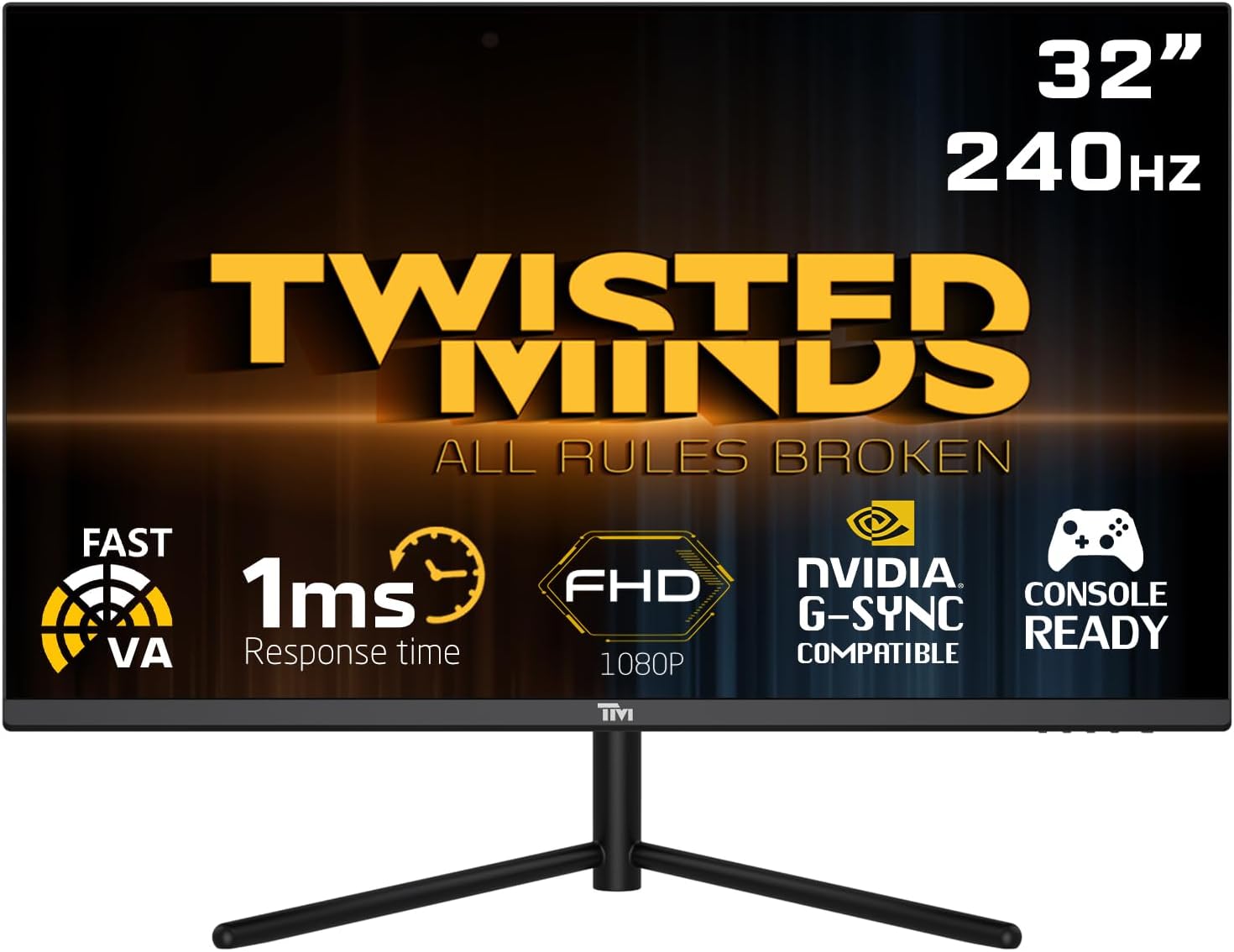
앞쪽 view of the Twisted Minds 32-inch Gaming Monitor, highlighting its 32-inch display, 240Hz refresh rate, 1ms MPRT response time, FHD 1080p resolution, NVIDIA G-SYNC compatibility, and console readiness.
설치 가이드
1. 언박싱 및 패키지 구성품
모든 구성품을 포장에서 조심스럽게 꺼내세요. 아래 나열된 모든 품목이 있는지 확인하세요.
- Twisted Minds 32-inch Gaming Monitor
- 모니터 스탠드(베이스 및 넥)
- 전원 어댑터 및 케이블
- HDMI 케이블
- DisplayPort 케이블
- 사용 설명서 (본 문서)
2. 스탠드 조립
- 긁힘을 방지하려면 모니터를 부드럽고 깨끗한 표면에 뒤집어서 놓으세요.
- 스탠드 목 부분을 모니터 뒷면에 부착하고 장착 구멍을 맞춰주세요. 제공된 나사가 있다면 나사로 고정하세요.
- Connect the stand base to the stand neck and tighten the thumb screw or screws from the bottom of the base.
3. 모니터 연결하기
The monitor supports multiple input options. Choose the appropriate cable for your device.

뒤쪽 view of the monitor displaying its various input/output ports, including DC power, HDMI 2.1 (x2), DisplayPort 1.4 (x2), and Audio Out, along with menu buttons and a quick release base.
- 전원 연결: 전원 어댑터를 모니터의 DC 입력 포트에 연결한 다음 전원 케이블을 벽면 콘센트에 꽂으십시오.
- 비디오 연결:
- For PC: Connect one end of the DisplayPort cable to your computer's graphics card and the other end to a DisplayPort 1.4 input on the monitor.
- For PC/Console: Connect one end of the HDMI cable to your computer's graphics card or game console and the other end to an HDMI 2.1 input on the monitor.
- 오디오 출력: 원하는 경우 외부 스피커 또는 헤드폰을 모니터의 오디오 출력 포트에 연결하십시오.
4. 초기 전원 켜기
After all connections are made, press the power button on the monitor. The power indicator light will illuminate, and the display will turn on. If no signal is detected, ensure your source device is powered on and correctly configured.
작동 지침
1. 기본 동작
- 전원 켜기/끄기: 모니터에 있는 전원 버튼을 눌러 모니터를 켜거나 끄세요.
- 입력 선택: Use the OSD (On-Screen Display) menu buttons to navigate and select the desired input source (HDMI 1, HDMI 2, DP 1, DP 2).
2. 화면 디스플레이(OSD) 메뉴
The OSD menu allows you to adjust various display settings. Use the menu buttons (typically located on the back or bottom of the monitor) to navigate.
- 밝기/대비: 디스플레이의 전반적인 밝기와 대비를 조정합니다.
- 색상 설정: 색온도, 감마, 개별 RGB 레벨을 수정합니다.
- 사진 모드: Select from preset modes (e.g., Standard, Game, Movie, Text) optimized for different content.
- 응답 시간/오버드라이브: Adjust the pixel response time for reduced ghosting in fast-paced content. This monitor features a 1ms MPRT response time for smooth visuals.
- 새로 고침 빈도: The monitor supports up to 240Hz refresh rate. Ensure your graphics card settings are configured to utilize this high refresh rate for optimal gaming performance.
- HDR(하이 다이내믹 레인지): Enable or disable HDR for enhanced contrast and color depth with compatible content.
- FreeSync/G-SYNC 호환성: This monitor is compatible with adaptive sync technologies. Enable this feature in the OSD and your graphics card control panel for tear-free gaming.

Illustration demonstrating the 1ms quick response time of the monitor, showing a fast-paced gaming scene with reduced motion blur and low input lag.

이미지 표시casing the monitor's frameless design, ideal for multi-monitor setups, with a wide 178-degree view잉 각도.

A user engaged in gaming on the Twisted Minds monitor, emphasizing the immersive experience provided by the 1920x1080 resolution, 300 nits brightness, 4000:1 contrast ratio, and 240Hz refresh rate.
3. 인체공학적 조정
모니터 스탠드는 최적의 사용을 위해 기울기 조절이 가능합니다. viewing angle and reduce strain.

Diagram illustrating the ergonomic tilt adjustment range of the monitor stand (-5 to 15 degrees) for optimal viewing comfort, and highlighting VESA wall-mount compatibility (100x100mm).
- 경사: Gently tilt the monitor screen forward or backward to find your preferred viewing angle. The tilt range is typically -5° to 15°.
- VESA 마운트: For alternative mounting solutions, the monitor is VESA compatible (100x100mm). Remove the stand and attach a compatible VESA mount (sold separately).
유지
적절한 관리와 유지보수는 모니터의 수명을 연장시켜 줍니다.
- 화면 청소: 부드럽고 보풀이 없는 천으로 화면을 부드럽게 닦으세요. 잘 지워지지 않는 얼룩의 경우,amp물이나 암모니아, 알코올 성분이 없는 화면 세정제를 천에 살짝 적셔 사용하세요. 화면에 액체를 직접 분사하지 마세요.
- C 청소asing: 부드럽고 마른 천을 사용하여 모니터를 닦으세요.asing. 연마성 세척제나 용제 사용을 피하세요.
- 통풍: 모니터의 통풍구가 막히지 않았는지 확인하세요. 공기 흐름이 원활하지 않은 밀폐된 공간에 모니터를 두지 마세요.
- 사용하지 않을 때 전원 끄기: 장시간 사용하지 않을 때는 모니터를 꺼서 에너지를 절약하고 수명을 연장하세요.
문제 해결
모니터에 문제가 발생하면 다음의 일반적인 문제와 해결 방법을 참조하세요.
| 문제 | 가능한 원인 | 해결책 |
|---|---|---|
| 화면에 이미지가 없습니다. | 모니터 전원이 켜져 있지 않음; 잘못된 입력이 선택됨; 비디오 케이블이 헐거워짐. | 전원 케이블이 연결되어 있고 모니터가 켜져 있는지 확인하십시오. 올바른 입력 소스를 선택하십시오. 비디오 케이블 연결 상태를 확인하십시오. |
| 이미지가 흐릿하거나 왜곡됩니다. | 잘못된 해상도, 그래픽 드라이버 문제. | 디스플레이 해상도를 1920x1080으로 설정하세요. 그래픽 카드 드라이버를 업데이트하세요. |
| 스피커/헤드폰에서 소리가 나지 않습니다 | 오디오 케이블이 연결되지 않았습니다. 볼륨이 너무 작습니다. PC에서 잘못된 오디오 출력이 선택되었습니다. | Ensure audio cable is connected to the monitor's audio out port. Adjust volume. Select monitor as audio output device in PC settings. |
| 화면 깜박임 | 새로 고침 빈도 불일치, 케이블 결함. | Ensure refresh rate is set correctly (e.g., 240Hz). Try a different video cable. |
| 버튼이 응답하지 않습니다 | OSD 잠금이 활성화되었습니다. | Refer to OSD menu section for unlocking button functions (if applicable). Power cycle the monitor. |
이러한 해결 방법을 시도한 후에도 문제가 지속되면 고객 지원팀에 문의하세요.
명세서
Detailed technical specifications for the Twisted Minds 32 FHD 240Hz VA Gaming Monitor.
| 특징 | 사양 |
|---|---|
| 상표 | Twisted Minds |
| 모델 번호 | TM32 FHD 240Hz VA |
| 디스플레이 크기 | 32 인치 |
| 화면 해상도 | 1920 x 1080(FHD 1080p) |
| 새로 고침 빈도 | 240Hz |
| 응답 시간 | 1ms MPRT |
| 패널 유형 | VA |
| 종횡비 | 16시 9분 |
| 명도 | 300니트 |
| 대비율 | 4000시 1분 |
| 색상 영역 | 77.29% NTSC |
| 연결성 | HDMI 2.1 2개, DisplayPort 1.4 2개, 오디오 출력 |
| VESA 호환성 | 100 x 100mm |
| 제품 치수 | 10 x 63 x 44cm |
| 품목 무게 | 8.8 킬로그램 |
| 색상 | 검은색 |
보증 및 지원
보증 정보
Twisted Minds products are manufactured to the highest quality standards. This monitor comes with a standard manufacturer's warranty. Please refer to the warranty card included in your package or visit the official Twisted Minds web해당 지역의 자세한 보증 약관 및 조건은 해당 사이트에서 확인하세요.
고객 지원
If you require technical assistance or have questions regarding your monitor, please contact Twisted Minds customer support. Have your model number (TM32 FHD 240Hz VA) and purchase information ready when contacting support.
For the most up-to-date contact information, please visit the official Twisted Minds web제품을 구매한 사이트나 소매업체의 지원 페이지에서 확인하세요.
Ask a question about this manual
Ask about setup, troubleshooting, compatibility, parts, safety, or missing instructions. Manuals+ will review the question and use this page’s manual context to help answer it.