
소개
구매해주셔서 감사합니다asing the Emerson EPD-1001 Portable 10-inch DVD Player. This manual provides essential information for setting up, operating, and maintaining your device. Please read these instructions carefully before use to ensure proper functionality and to maximize your view경험.
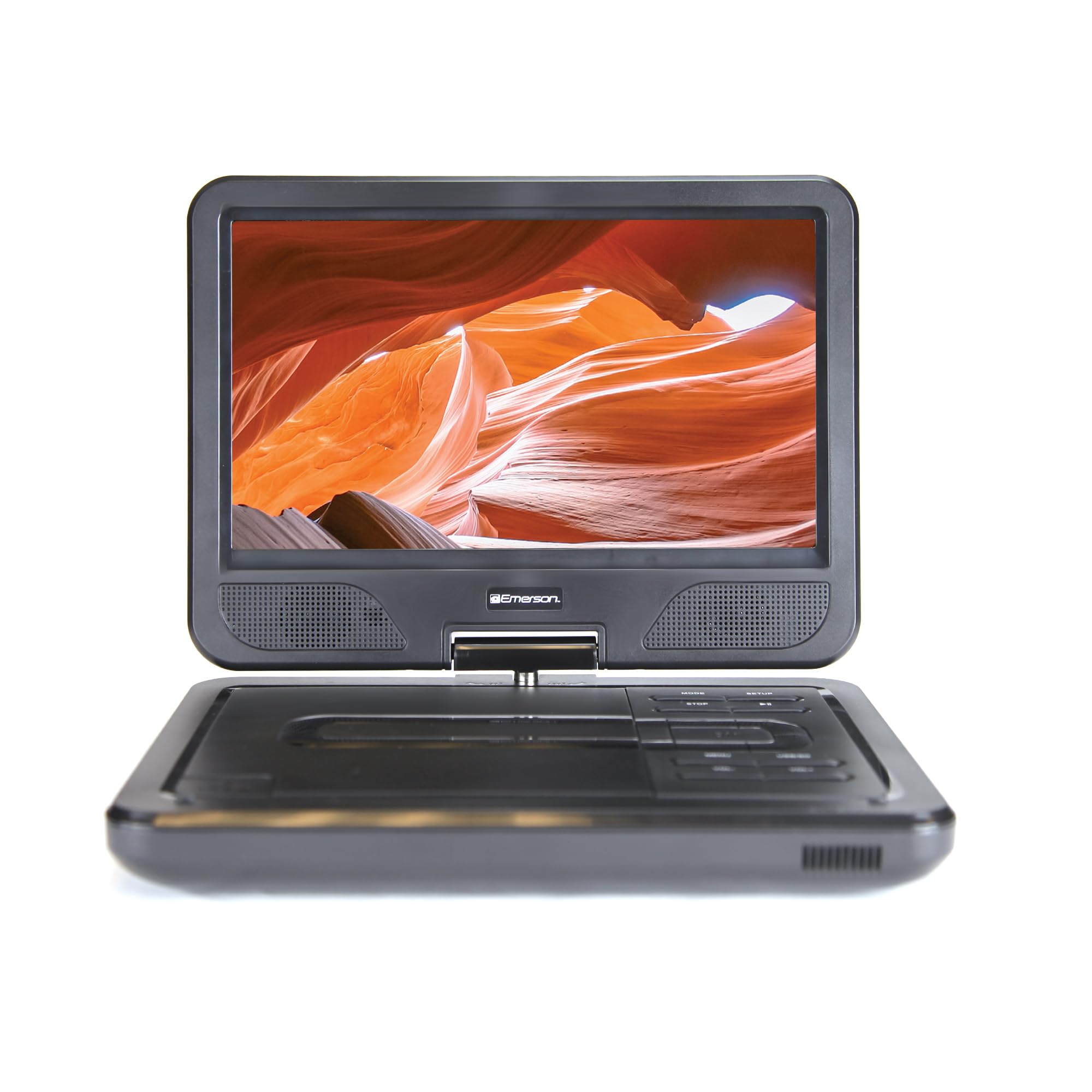
Image: The Emerson EPD-1001 Portable 10-inch DVD Player shown with its screen open, displaying a vibrant image.
상자 안에 무엇이 들어있나요?
모든 품목이 포장에 들어 있는지 확인하세요.
- Emerson EPD-1001 Portable 10-inch DVD Player
- 원격 제어
- AC 전원 어댑터
- DC 차량용 전원 코드
- AV 케이블
- 사용 설명서 (본 문서)
- 보증 카드

Image: The Emerson EPD-1001 Portable 10-inch DVD Player displayed alongside its remote control.
제품 특징
- 10-inch Swivel Screen: The large 10-inch screen swivels 180 degrees, allowing for flexible view각도를 나타냅니다.
- 내장 스피커: Integrated speaker provides clear audio for an immersive experience.
- 충전식 배터리: Enjoy portable viewing with the built-in rechargeable battery, offering hours of playback.
- 원격 제어: Navigate menus and control playback effortlessly with the included remote.
- 컴팩트한 디자인: Lightweight and compact for easy transport during travel.
- Multi-Format Compatibility: Supports a wide range of DVD formats, as well as media from USB flash drives and SD cards.
Video: A 360-degree product overview of the Emerson EPD-1001 Portable DVD Player, showcasin다양한 각도에서 디자인과 특징을 살펴봅니다.
설정
- 짐 풀기: 모든 구성품을 포장에서 조심스럽게 꺼내세요. 나중에 보관하거나 배송할 때를 대비해 포장재를 보관하세요.
- 배터리 충전: Before first use, fully charge the internal rechargeable battery. Connect the AC power adapter to the DC IN 9-12V port on the DVD player and plug it into a standard wall outlet. The charging indicator light will illuminate. A full charge typically takes several hours.
- 차량 전원(선택 사항): For in-car use, connect the DC car cord to the DC IN 9-12V port and plug the other end into your vehicle's 12V accessory socket.
- External Display Connection (Optional): To connect to an external display (e.g., TV), use the provided AV cable. Connect the AV OUT port on the DVD player to the corresponding AV IN ports on your television.

Image: A hand plugging a 12V car adapter into a vehicle's power outlet, demonstrating how to power the DVD player on the go.
작동 지침
전원 켜기/끄기
- 전원을 켜려면 힘 화면이 켜질 때까지 버튼을 누르세요.
- 전원을 끄려면 힘 화면이 꺼질 때까지 버튼을 다시 누르세요.
Inserting and Playing a DVD
- Open the disc cover by gently lifting the 열려 있는 걸쇠.
- Place a DVD disc onto the spindle with the label side facing up. Gently press the center of the disc to secure it.
- 디스크 커버를 닫습니다.
- 플레이어가 디스크를 자동으로 감지하고 재생을 시작합니다. 그렇지 않으면 버튼을 누르십시오. 재생/일시정지 단추.
Using the Swivel Screen
The screen can be rotated up to 180 degrees. Gently swivel the screen to your desired viewing angle. You can also fold the screen flat against the base for a tablet-like view경험.

Image: A woman using the Emerson EPD-1001 Portable DVD Player, demonstrating the swivel screen feature for comfortable view주고받음.
Media Playback (USB/SD Card)
- USB 플래시 드라이브를 삽입하세요 USB 포트 또는 SD 카드를 SD 카드 슬롯.
- 사용하세요 방법 button on the player or remote to select the appropriate input (USB or SD).
- 미디어 탐색 files using the arrow buttons and press 입력하다 놀다.

Image: A hand inserting a USB flash drive into the side port of the portable DVD player, illustrating media playback from external storage.
리모컨 사용
Point the remote control directly at the infrared sensor on the DVD player. The remote allows access to functions such as Play, Pause, Stop, Fast Forward, Rewind, Chapter Skip, Volume Control, Menu Navigation, and Input Selection.
오디오 출력
- 내장 스피커: Audio will play automatically through the integrated speakers. Adjust volume using the 볼륨+ 그리고 권 버튼.
- 헤드폰 잭: 개인적인 청취를 위해서는 표준 3.5mm 헤드폰을 연결하세요. 헤드폰 jack. This will mute the built-in speakers.
유지
- 청소: Use a soft, dry cloth to clean the exterior of the DVD player. For the screen, use a soft, lint-free cloth specifically designed for electronics screens. Do not use liquid cleaners or abrasive materials.
- 디스크 관리: Handle discs by their edges. Keep discs clean and free of scratches. Use a soft, lint-free cloth to wipe discs from the center outwards if cleaning is necessary.
- 배터리 관리 : To prolong battery life, avoid fully discharging the battery frequently. If storing the device for an extended period, charge the battery to approximately 50% and store in a cool, dry place. Recharge every few months to prevent deep discharge.
- 저장: Store the DVD player in a cool, dry environment away from direct sunlight, extreme temperatures, and excessive dust.
문제 해결
| 문제 | 가능한 원인 | 해결책 |
|---|---|---|
| 플레이어가 켜지지 않습니다. | 배터리가 방전되었거나 전원 어댑터가 연결되어 있지 않습니다. | Connect the AC power adapter and allow the battery to charge. Ensure the power button is pressed and held. |
| 화면에 그림이 나오지 않습니다. | Disc is dirty/scratched, incorrect input selected, or screen is folded incorrectly. | Clean the disc. Ensure the screen is properly opened and swiveled. If connected to an external display, verify AV cable connections and TV input selection. |
| 소리가 나지 않습니다. | Volume is too low, headphones are connected, or disc has no audio track. | Increase the volume. Disconnect headphones if using built-in speakers. Check disc for audio content. |
| 디스크가 재생되지 않거나 튕깁니다. | 디스크가 더럽거나 긁혔거나 호환되지 않는 형식입니다. | Clean the disc thoroughly. Try a different disc. Ensure the disc format is supported by the player. |
| 리모컨이 작동하지 않습니다. | Batteries are dead or remote is not pointed at sensor. | Replace remote control batteries. Ensure direct line of sight to the player's IR sensor. |
명세서
| 특징 | 세부 사항 |
|---|---|
| 상표 | 에머슨 |
| 모델 번호 | EPD-1001 |
| 화면 크기 | 10 인치 |
| 디스플레이 유형 | 액정표시장치 |
| 네이티브 해상도 | 1280x720 |
| 연결 기술 | USB |
| 호환 장치 | Mobile Phone, Television (via AV out) |
| 미디어 유형 | DVD, CD, MP3, USB, SD Card |
| 품목 치수(L x W x H) | 10인치 길이 x 1.8인치 너비 x 7.35인치 높이 |
| 품목 무게 | 2.2 파운드 |
| 색상 | 검은색 |
| 전원 옵션 | Built-in rechargeable battery, AC adapter, 12V car adapter |

Image: A diagram illustrating the dimensions (length, width, height) and weight of the Emerson EPD-1001 Portable DVD Player.
보증 및 지원
The Emerson EPD-1001 Portable 10-inch DVD Player comes with a warranty covering 1 Year for Parts 그리고 90 Days for Labor 구매일로부터.
For technical support, warranty claims, or service inquiries, please contact the manufacturer, Naxa Electronics, Inc. Refer to the warranty card included in your product packaging for specific contact details and procedures.
보증 확인을 위해 구매 증빙서류를 보관하세요.