
HyperGear Stealth2 ANC 무선 헤드폰 사용 설명서
모델: 15860
소개
Thank you for choosing the HyperGear Stealth2 ANC Wireless Headphones. These headphones are designed to provide a superior audio experience with advanced active noise cancellation, comfortable over-ear design, and convenient wireless connectivity. This manual will guide you through the setup, operation, and maintenance of your new headphones.

Image: HyperGear Stealth2 ANC Wireless Headphones in black, shown with its retail packaging highlighting features like ANC, battery life, and rapid charge.
패키지 내용
패키지에 모든 품목이 들어 있는지 확인하세요.
- HyperGear Stealth2 ANC Wireless Headphones
- USB-C 충전 케이블

이미지: 자세한 view of the HyperGear Stealth2 ANC Headphones, illustrating features such as Premium HD Sound, Rapid Charging, Memory Foam Comfort, Quick Pair Bluetooth, No Lag Mode, and Hands-Free Control.
제품 끝view & 컨트롤
헤드폰을 최적으로 사용하려면 헤드폰의 버튼과 포트에 익숙해지세요.
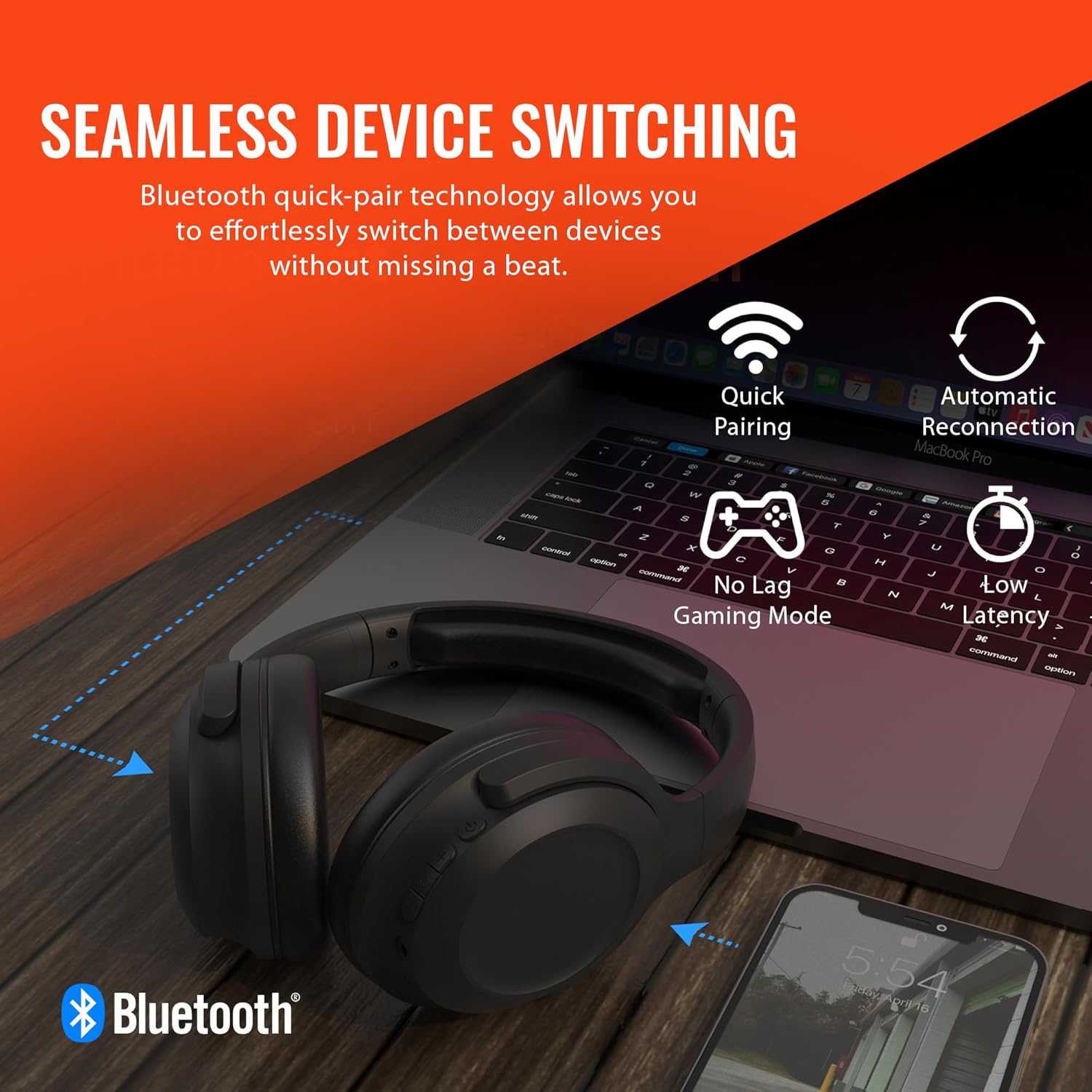
Image: A diagram illustrating the location and function of the on-ear controls for the HyperGear Stealth2 ANC Headphones, including Volume Down, Previous Track, Play/Pause, Answer/End Call, Reject Call, Activate Voice Assistant, Gaming Mode On/Off, Volume Up, Next Track, Power On/Off, Entering Pairing Mode, and ANC On/Off.
- 전원 버튼: 전원을 켜거나 끄려면 길게 누릅니다.
- 볼륨 업/다음 트랙: 짧게 누르면 볼륨이 커지고, 길게 누르면 다음 트랙이 됩니다.
- 볼륨 낮추기/이전 트랙: 짧게 누르면 볼륨이 낮아지고, 길게 누르면 이전 트랙으로 돌아갑니다.
- 다기능 버튼(MFB): 재생/일시정지, 통화 받기/끊기.
- ANC 버튼: 능동형 소음 제거 기능을 켜거나 끕니다.
- 게임 모드 버튼: Activate/Deactivate low-latency gaming mode.
설정
헤드폰 충전하기
처음 사용하기 전에 헤드폰을 완전히 충전하세요. 완전히 충전하는 데는 약 2시간이 걸립니다.
- USB-C 충전 케이블을 헤드폰의 충전 포트에 연결합니다.
- 케이블의 다른 쪽 끝을 USB 전원(예: 벽면 어댑터, 컴퓨터 USB 포트)에 연결합니다.
- LED 표시등은 충전 상태를 표시하고, 완전히 충전되면 꺼집니다.
빠른 충전 기능: 10분 충전으로 약 3시간 동안 사용할 수 있습니다.

Image: The HyperGear Stealth2 ANC Headphones folded, illustrating their lightweight and foldable design, along with battery life details: 18 hours with ANC on, up to 24 hours with ANC off, and a rapid charge feature providing 3 hours of play from a 10-minute charge.
블루투스 페어링
무선 오디오를 위해 헤드폰을 기기와 페어링하세요.
- 헤드폰의 전원이 꺼져 있는지 확인하십시오.
- Press and hold the Power button until the LED indicator flashes rapidly (indicating pairing mode).
- 기기(스마트폰, 태블릿, 컴퓨터)에서 Bluetooth를 활성화하고 사용 가능한 기기를 검색하세요.
- Select "HyperGear Stealth2 ANC" from the list of devices.
- 연결되면 LED 표시등이 깜박임을 멈추고 파란색으로 계속 켜져 있습니다.
The headphones feature quick-pair technology for seamless switching between devices.

Image: HyperGear Stealth2 ANC Headphones connected wirelessly to a laptop and a smartphone, illustrating the seamless device switching capability with quick pairing and automatic reconnection.
작동 지침
전원 켜기/끄기
- 전원 켜기: 전원 버튼을 3초간 길게 누르세요.
- 전원 끄기 : 전원 버튼을 3초간 길게 누르세요.
음악 재생
- 재생/일시 중지: MFB를 한 번 누르세요.
- 다음 트랙: 볼륨 높이기 버튼을 길게 누르세요.
- 이전 트랙 : 볼륨 낮추기 버튼을 길게 누르세요.
- 볼륨 업: 볼륨 높이기 버튼을 짧게 누르세요.
- 볼륨 작게 : 볼륨 낮추기 버튼을 짧게 누르세요.
통화 관리
- 전화 받기/종료: MFB를 한 번 누르세요.
- 전화 거부: MFB를 2초간 누르세요.
능동 잡음 제거 (ANC)
The headphones feature dual built-in ANC microphones to block out external distractions.
- ANC 활성화/비활성화: Press the dedicated ANC button.

Image: A close-up of the HyperGear Stealth2 ANC Headphones with sound waves emanating, indicating noise cancellation. Icons represent common noises like a basketball, dog barking, train, and airplane, with text stating "UP TO 8X QUIETER".
음성 지원
- 음성 지원(Siri/Google Assistant) 활성화: MFB를 두 번 누릅니다.
게임 모드
Activate gaming mode for reduced audio latency.
- 게임 모드 활성화/비활성화: Press the Gaming Mode button.
유지
헤드폰을 올바르게 관리하면 수명을 연장할 수 있습니다.
- 청소: 부드럽고 마른 천으로 헤드폰을 닦으세요. 강한 화학 물질이나 연마재를 사용하지 마세요.
- 저장: 헤드폰은 직사광선과 극한 온도 변화를 피해 서늘하고 건조한 곳에 보관하십시오. 사용하지 않을 때는 접어서 보관하는 것이 좋습니다.
- 방수 기능: 이 헤드폰은 방수 기능이 없습니다. 액체에 노출되지 않도록 주의하세요.

이미지: 측면 view of the HyperGear Stealth2 ANC Headphones, folded for travel, highlighting the adjustable headband, ultra-lightweight materials, oversized breathable ear cups with plush memory foam padding, and dual-axis hinges.
문제 해결
문제가 발생하면 다음과 같은 일반적인 해결책을 시도해 보세요.
| 문제 | 해결책 |
|---|---|
| 헤드폰 전원이 켜지지 않습니다 | Ensure the headphones are fully charged. Press and hold the Power button for a longer duration (up to 5 seconds). |
| 기기와 페어링할 수 없습니다 | 헤드폰이 페어링 모드(LED 깜박임)인지 확인하세요. 기기의 Bluetooth를 껐다가 다시 켜세요. 헤드폰을 기기에 더 가까이 두세요. Bluetooth 설정에서 기기를 삭제하고 다시 페어링해 보세요. |
| 소리가 나지 않거나 볼륨이 작음 | Check volume levels on both headphones and your device. Ensure headphones are properly connected. Try playing different audio sources. |
| Poor Active Noise Cancellation (ANC) | Ensure ANC is activated. Adjust headphone position on your ears for a better seal. ANC is most effective for low-frequency constant noises. |
| 소리 끊김 | Move closer to your device (within 33 feet/10 meters). Avoid obstacles between headphones and device. Reduce interference from other wireless devices. |
명세서
| 특징 | 세부 사항 |
|---|---|
| 모델명 | HyperGear Stealth2 ANC Headphones |
| 연결 기술 | 무선(블루투스 5.0) |
| 블루투스 범위 | 33피트(10미터) |
| 소음 제어 | 능동 소음 제거 |
| 오디오 드라이버 유형 | 동적 드라이버 |
| 오디오 드라이버 크기 | 40mm |
| 주파수 범위 | 20Hz - 20,000Hz |
| 배터리 수명(ANC 꺼짐) | 최대 24시간 |
| 배터리 수명(ANC 켜짐) | 최대 18시간 |
| 충전 시간 | 2시간(완전 충전) |
| 재료 | 플라스틱 |
| 치수 | 7.88 x 2.25 x 10.51 인치 |
| 품목 무게 | 13.4 온스 |
| 포함된 구성 요소 | USB-C 충전 케이블 |
보증 및 지원
HyperGear products are designed with quality and reliability in mind. For information regarding warranty coverage and customer support, please visit the official HyperGear web사이트 또는 고객 서비스 부서에 문의하십시오.
더 많은 정보와 지원은 다음에서 찾을 수 있습니다. HyperGear Amazon Store.