
소개
This manual provides detailed instructions for the setup, operation, and maintenance of your Tuya S18 Smart WiFi Universal IR Remote Control. This device allows you to control various infrared-enabled home appliances, such as televisions, air conditioners, and fans, through a smartphone application and voice commands via smart assistants like Amazon Alexa and Google Home.
제품 끝view
특징:
- 범용 IR 제어: Controls a wide range of infrared devices including TVs, air conditioners, set-top boxes, fans, and more.
- WiFi 연결성: Connects to your home WiFi network for remote control from anywhere.
- 앱 제어: Manage devices and settings through the Tuya Smart Life application on your smartphone.
- 음성 제어: Amazon Alexa, Google Home, Yandex Alice와 호환되어 핸즈프리로 작동할 수 있습니다.
- 컴팩트한 디자인: Small and unobtrusive, designed to blend into any home environment.
- 프로그래밍이 필요 없습니다: Simplifies setup with pre-programmed IR codes and learning function.
상자 안에 무엇이 들어있나요?
- Tuya S18 Smart WiFi Universal IR Remote Control device
- USB Power Cable (Note: Power adapter is NOT included)
- 사용 설명서(본 문서)

Image: The retail packaging for the Tuya S18 Smart WiFi Universal IR Remote Control, showing the device and its key features.

Image: The Tuya S18 device with its dimensions (40mm diameter) and the 1-meter USB cable. A coin is shown for scale. Note: Power adapter is not included.
설치 지침
- 전원 켜기: Connect the Tuya S18 device to a 5V/1A USB power adapter (not included) using the provided USB cable. The device will power on and a blue indicator light may flash.
- 앱 다운로드 : 스마트폰 앱스토어에서 "Smart Life" 또는 "Tuya Smart" 앱을 다운로드하세요(iOS 및 Android에서 사용 가능).
- 등록/로그인: 앱을 열고 새 계정을 등록하거나 기존 계정으로 로그인하세요.
- 장치 추가:
- 앱에서 오른쪽 상단의 "+" 아이콘을 탭하여 새 기기를 추가하세요.
- Select "Universal Remote Control" or "IR Remote Control" from the device list.
- Follow the on-screen instructions to connect the device to your 2.4GHz Wi-Fi network. Ensure your phone is connected to the same 2.4GHz Wi-Fi network during setup.
- The indicator light on the S18 will flash rapidly during pairing and become solid blue once connected.
- Add IR Appliances:
- Once the S18 is added, select it in the app.
- Tap "Add Remote Control" or similar option.
- Choose the type of appliance you want to control (e.g., TV, Air Conditioner, Set-Top Box, Fan).
- Select the brand of your appliance. The app will attempt to find a matching IR code library.
- Test the controls. If they work, save the remote. If not, try other codes or use the DIY learning function (refer to app for detailed DIY instructions).

Image: A visual representation of the Tuya S18 connecting to various IR devices (TV, A/C, Speaker, STB, Fan) and integrating with Amazon Alexa and Google Assistant for voice control.
작동 지침
Controlling Devices via App:
- Smart Life/Tuya Smart 앱을 엽니다.
- Select the Tuya S18 device.
- 제어하려는 특정 기기를 선택하세요(예: "거실 TV").
- Use the virtual remote control interface in the app to operate your device (e.g., change channels, adjust volume, set AC temperature).
- You can also set up schedules and automation routines within the app for enhanced control.
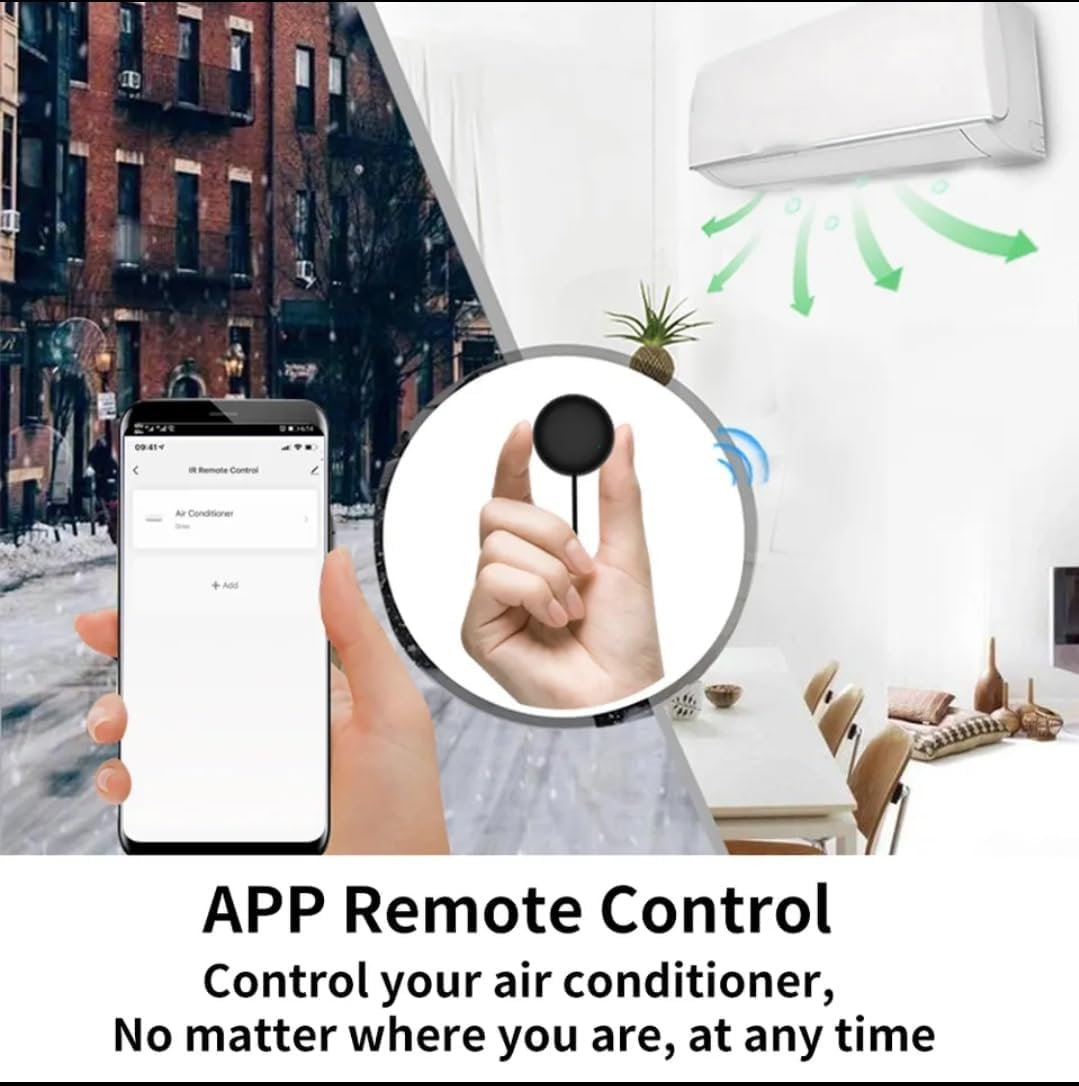
Image: A smartphone displaying the Smart Life app interface, showing how to control an air conditioner remotely from anywhere.
음성 제어 통합:
The Tuya S18 is compatible with popular voice assistants. To enable voice control:
- 계정 연동: In your Amazon Alexa, Google Home, or Yandex Alice app, search for the "Smart Life" or "Tuya Smart" skill/service.
- 기술 활성화: Enable the skill and link your Smart Life/Tuya Smart account using your app credentials.
- 장치 검색: 연결이 완료되면 음성 비서에게 "기기 검색"을 요청하세요.
- 음성 명령: You can now use voice commands to control your IR appliances. Examp레:
- "알렉사, TV 켜줘."
- "구글, 에어컨 온도를 24도로 맞춰줘."
- "Yandex, turn off the fan."

Image: Demonstrates the Tuya S18's compatibility with Amazon Alexa, Google Home, and Yandex Alice for voice-controlled operation of TV, STB, AC, and fans.

Image: Highlights the extensive IR code library, covering over 98% of IR devices such as TVs, air conditioners, STBs, fans, and lighting.
유지
- 청소: 부드럽고 마른 천으로 기기를 닦으세요. 액체 세척제나 연마재를 사용하지 마세요.
- 놓기: Ensure the device is placed in a central location within the room, with a clear line of sight to the appliances it controls, as infrared signals require direct line of sight.
- 힘: Keep the device continuously powered for uninterrupted smart control.
문제 해결
| 문제 | 가능한 원인 | 해결책 |
|---|---|---|
| 기기가 Wi-Fi에 연결되지 않습니다. | Incorrect Wi-Fi password, 5GHz network, or device too far from router. |
|
| IR appliance not responding. | No clear line of sight, incorrect IR code, or device not powered. |
|
| 음성 제어가 작동하지 않습니다. | Smart Life/Tuya Smart skill not enabled or accounts not linked. |
|
명세서
| 모델 번호 | S18 |
| 상표 | 투야 |
| 연결 기술 | Infrared (IR), Wi-Fi (2.4GHz) |
| 호환 장치 | TV, Air Conditioner, Set-Top Box, Fan, and other IR-controlled appliances |
| 특별 기능 | No programming needed, App Control, Voice Control (Alexa, Google Home, Yandex Alice) |
| 색상 | Multi-color (typically black) |
| 전원 입력 | 5V/1A (마이크로 USB를 통해) |
보증 및 지원
Specific warranty information for the Tuya S18 Smart WiFi Universal IR Remote Control is not provided in this document. Please refer to the product packaging or contact your retailer for details regarding warranty coverage and customer support. For technical assistance, you may also visit the official Tuya Smart Life website or app support section.