
1. 서론
This manual provides detailed instructions for the installation, operation, and maintenance of your EverBrite 88LED Under Cabinet Lighting. This versatile lighting solution features a motion sensor, remote control, adjustable color temperatures, and dimmable brightness, designed to enhance visibility in various indoor spaces.
2. 패키지 내용
아래 나열된 모든 품목이 패키지에 포함되어 있는지 확인하세요.
- EverBrite 88LED Under Cabinet Light Bar
- 원격 제어
- USB 충전 케이블
- Magnetic Mounting Bracket(s)
- 접착 패드
- 나사 및 벽 앵커
- 사용자 설명서

3. 제품 특징
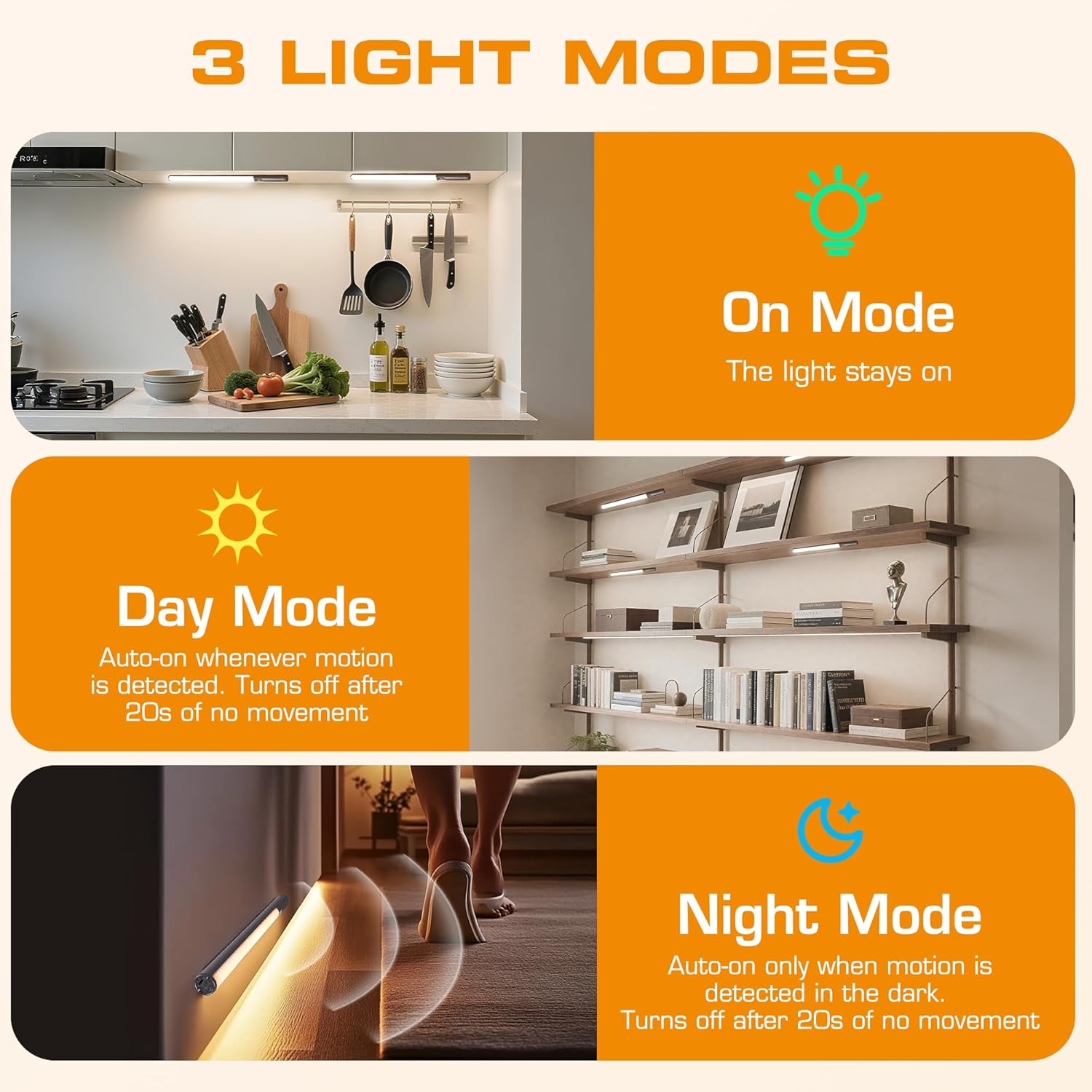
- 3가지 조명 모드: On Mode (light stays on), Day Mode (motion-activated regardless of ambient light), Night Mode (motion-activated only in dark).
- 3 가지 색 온도 : Warm Light (3000K), Natural Light (4000K), Cold Light (6500K).
- 밝기 조절 가능: 10 brightness levels with short press, stepless dimming with long press.
- 이중 제어: Operable via remote control or direct touch on the light bar.
- 간편한 설치: Multiple mounting options including magnetic, adhesive, and screw-in.
- 충전식 배터리: 2600mAh capacity for extended use.
- 다양한 용도: Suitable for kitchens, closets, wardrobes, garages, stairwells, and more.
4. 설정 및 설치
The EverBrite Under Cabinet Light offers flexible installation to suit various surfaces and needs.
- 장착 방법을 선택하세요:
- 자석 부착: For iron surfaces, simply attach the light bar directly. The light has built-in magnets.
- 접착 장착: For non-iron surfaces, peel the backing from the adhesive pads and attach them to the magnetic mounting bracket. Then, adhere the bracket to your desired surface. The light bar can then be magnetically attached to this bracket.
- 나사 장착: For a more permanent installation, use the provided screws and wall anchors. Determine the mounting location, drill two holes, insert anchors, and fasten the magnetic mounting bracket with screws. Attach the light bar magnetically.
- 위치: Ensure the motion sensor is facing the area where movement is expected for optimal detection. The light bar can be rotated up to 90 degrees on its magnetic mount to direct illumination.


5. 충전
The EverBrite light is equipped with a 2600mAh rechargeable Lithium-Ion battery.
- Locate the USB-C charging port on the end of the light bar.
- Connect the provided USB charging cable to the light bar and a compatible USB power source (e.g., wall adapter, computer USB port).
- The indicator light will show charging status (refer to product for specific indicator behavior).
- A full charge provides approximately 25 hours of continuous light or up to 25 days in motion sensor mode (based on 1 hour of activation per day).


6. 사용 설명서
Your EverBrite light can be operated using either the manual touch controls on the device or the included remote control.
6.1. Manual Control (On-Device)
The light bar features a switch and a touch sensor on one end for direct control.
- 모드 스위치: Slide the switch to select between 'Off', 'Day Mode' (motion sensor always active), 'Night Mode' (motion sensor active only in dark), or 'On Mode' (light stays on continuously).
- 색온도: In 'On Mode', short press the touch sensor to cycle through the 3 color temperatures: Warm White (3000K), Natural White (4000K), and Cold White (6500K).
- 밝기 조정: In 'On Mode', long press the touch sensor to activate stepless dimming. Release at your desired brightness level.

6.2. 원격 제어
The remote control provides convenient access to all light functions from a distance.
- 전원 켜기/끄기: 를 누르세요 끄다 button to turn the light off. Press the ON 버튼을 눌러 켜세요.
- 조명 모드: 전용 버튼을 사용하세요 ON (continuous light), 낮 (motion sensor always active), or 밤 (motion sensor active only in dark).
- 색온도: 선택하다 WW (따뜻한 흰색) NW (내추럴 화이트) 또는 CW (Cold White) to change the light color.
- 밝기 조정: Short press the brightness buttons (sun icons) to cycle through 10 preset brightness levels. Long press for stepless dimming.
- 타이머 설정 : 누르다 15분, 30분, 또는 60분 to set an automatic shut-off timer. Press the 타이머 끄기 button to cancel any active timer.

6.3. 모션 센서 모드
The integrated motion sensor provides hands-free illumination.
- 주간 모드: The light will turn on automatically when motion is detected, regardless of the ambient light level. It will turn off after 20 seconds of no movement.
- 야간 모드: The light will turn on automatically only when motion is detected in dark conditions. It will turn off after 20 seconds of no movement.

7. 사양
| 특징 | 사양 |
|---|---|
| 상표 | 에버브라이트 |
| 모델 번호 | E101115A |
| 전원 | 배터리 구동(리튬 이온 배터리 1개 포함) |
| 배터리 용량 | 2600mAh |
| 광원 유형 | 주도의 |
| 색온도 | 3000K (Warm Light), 4000K (Natural Light), 6500K (Cold Light) |
| 제어 방법 | 터치, 원격 제어 |
| 특징 | Cordless, Motion Sensor, Dimmable |
| 설치 유형 | Surface Mount (Magnetic, Adhesive, Screws) |
| 재료 | 알류미늄 |
| 품목 무게 | 9.9 온스 |
| 패키지 크기 | 16.3 x 1.97 x 1.65 인치 |
| 실내/실외 사용 | 실내 |
8. 유지관리
To ensure the longevity and optimal performance of your EverBrite Under Cabinet Light, follow these simple maintenance guidelines:
- 청소: Wipe the light bar and remote control with a soft, dry cloth. Avoid using abrasive cleaners or solvents, as these may damage the finish or electronic components.
- 배터리 관리 : Recharge the battery when the light output diminishes. Avoid fully depleting the battery frequently to prolong its lifespan. Store the device in a cool, dry place if not in use for extended periods.
- 센서 유지 보수: 정확한 감지를 위해 동작 감지 센서 렌즈를 깨끗하게 유지하고 장애물이 없도록 하십시오.
9. 문제 해결
If you encounter any issues with your EverBrite Under Cabinet Light, please refer to the following common problems and solutions:
- 표시등이 켜지지 않음:
- 배터리가 충전되어 있는지 확인하세요.
- Check the mode switch on the light bar; it should be set to 'On', 'Day Mode', or 'Night Mode'.
- If using the remote, ensure the light bar's main switch is in an active mode (not 'Off').
- 모션 센서가 작동하지 않습니다:
- Verify the light is set to 'Day Mode' or 'Night Mode'.
- In 'Night Mode', ensure the environment is sufficiently dark.
- Check for any obstructions blocking the sensor lens.
- Ensure the motion is within the 9.8ft (3m) detection range and 120-degree angle.
- 리모컨이 응답하지 않습니다:
- Ensure the light bar's main switch is in an active mode (not 'Off').
- 리모컨 배터리를 확인하세요.
- 리모컨과 라이트바 사이에 장애물이 없는지 확인하십시오.
- 조명이 충전되지 않습니다.
- USB 케이블이 라이트 바와 전원에 제대로 연결되어 있는지 확인하십시오.
- 다른 USB 케이블이나 전원 어댑터를 사용해 보세요.
10. 보증 및 지원
For warranty information, technical support, or further assistance, please refer to the manufacturer's official web사이트를 방문하거나 고객 서비스에 직접 문의하세요. 보증 청구를 위해 구매 영수증을 보관하세요.