
Leipan LPM7-LP
Leipan LPM7 4.3" Coin Microscope User Manual
Model: LPM7-LP
Your guide to exploration and detailed observation.
1. 소개 및 이상view
The Leipan LPM7 4.3" Coin Microscope is an advanced digital microscope featuring a 4.3-inch IPS screen, designed for detailed observation of various objects, from coins to intricate electronic components. It offers a magnification range of 50X to 1000X, enabling users to explore subjects at different levels of detail. This device simplifies the process of capturing high-resolution images and videos of your discoveries.

Figure 1.1: Leipan LPM7 4.3" Coin Microscope.
주요 특징은 다음과 같습니다.
- 4.3 Inches IPS Screen: Provides a generous display area with remarkable clarity and color accuracy, offering a 178° full view잉 각도.
- 50X-1000X 배율: Allows for exploration of objects from larger structures to intricate microscopic elements.
- One-Click Photo and Video Capture: Effortlessly record high-resolution images or videos.
- High-Speed 32GB TF Card: Ample storage for captured observations.
- 향상된 배터리 수명: Extended usage periods for prolonged exploration.
2. 상자 안에 무엇이 들어있나요?
Upon unboxing your Leipan LPM7 Coin Microscope, please verify that all components listed below are present:
- Microscope Unit with 4.3-inch IPS Screen
- 사용자 설명서
- Bracket (Stand Assembly)
- 베이스
- USB 케이블
- 32GB TF 카드
- Calibrating Ruler

Figure 2.1: All-in-One package contents.
3. 설정 지침
Follow these steps to assemble and prepare your microscope for use:
- 브래킷을 조립하세요: Insert the vertical rod of the bracket into the base and secure it.
- 현미경을 부착하세요: Mount the microscope unit onto the bracket. Ensure it is securely fastened.
- 렌즈 캡을 제거하세요: Carefully remove the protective cap from the microscope lens.
- 메모리 카드 삽입: Locate the TF card slot on the microscope unit and gently insert the provided 32GB TF card until it clicks into place.
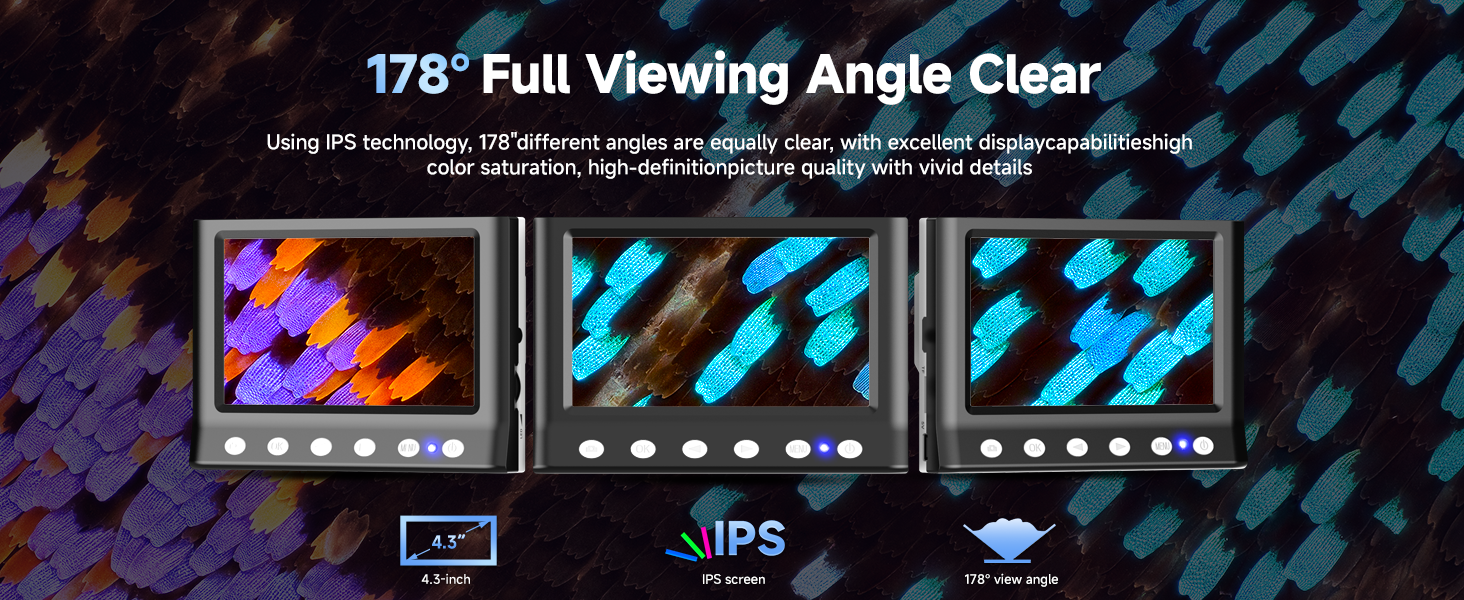
Figure 3.1: Easy assembly steps.
Video 3.1: Installation guide for the LPM7 Digital Microscope with 4.3 Inches Screen.
4. 사용 설명서
To begin using your microscope:
- 전원 켜기: 현미경 본체의 전원 버튼을 화면이 켜질 때까지 길게 누르십시오.
- 표본 채취 장소: Position the object you wish to observe on the base directly beneath the microscope lens.
- 높이 조정: Use the adjustment knob on the bracket to raise or lower the microscope unit until the specimen is visible on the screen.
- 집중하다: Rotate the focus wheel on the microscope barrel to achieve a clear and sharp image.
- 조명 조정: The microscope features 8 LED lights. Adjust their brightness as needed for optimal illumination of your specimen.

Figure 4.1: The 4.3-inch IPS screen provides a clear and wide view잉 각도.
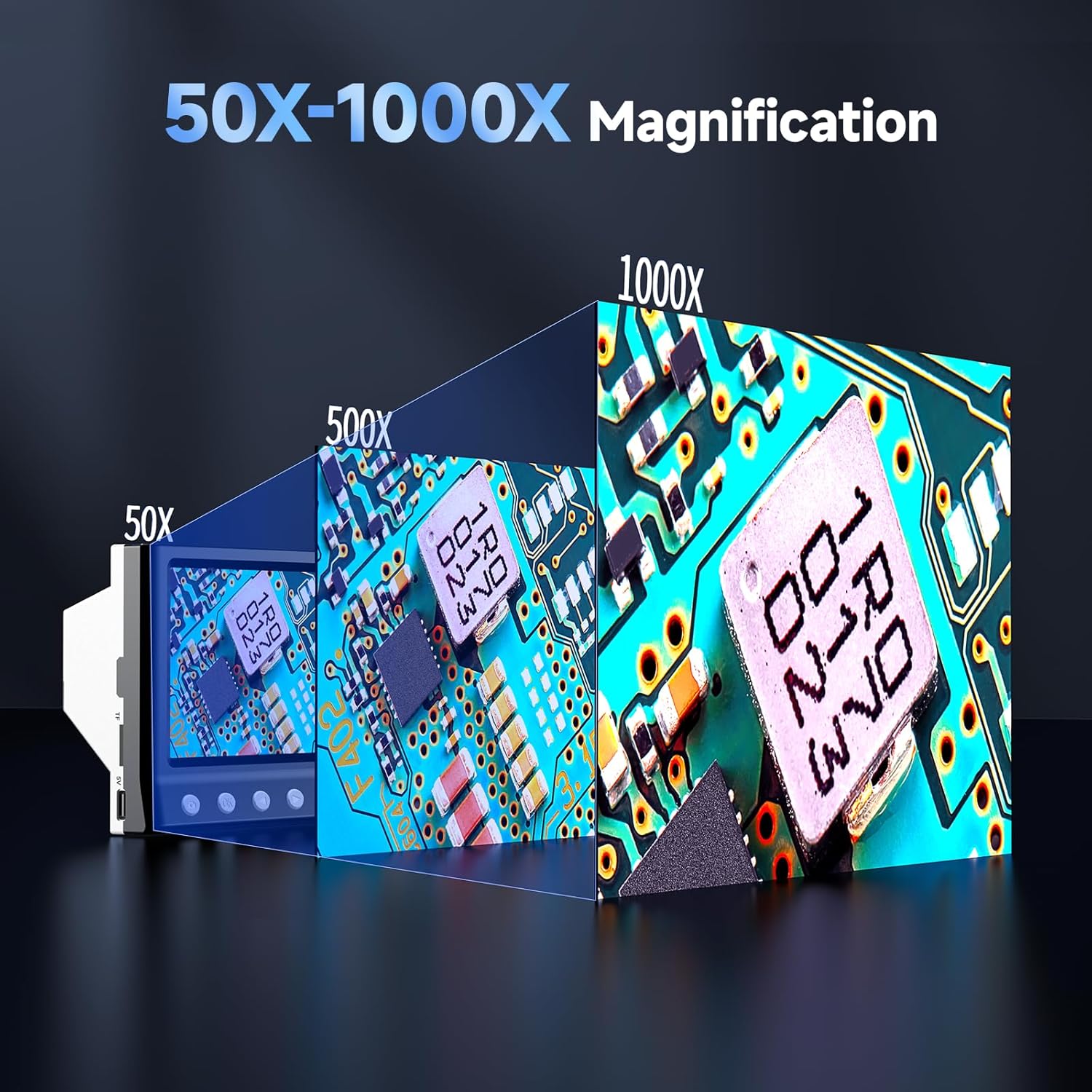
Figure 4.2: Magnification capabilities from 50X to 1000X.
5. 사진 및 비디오 촬영
The LPM7 microscope allows for easy capture of images and videos directly to the inserted 32GB TF card.
- 스위치 모드: Use the 'Mode' button to switch between Video mode and Photo mode.
- 비디오 녹화: In Video mode, press the 'OK' button to start recording. Press 'OK' again to stop recording.
- 사진 찍기: In Photo mode, press the 'OK' button to capture an image.
- 재생: Press the 'Camera' button to switch to Playback mode. You can then view 촬영한 사진과 비디오.

Figure 5.1: One-click photo and video capture.

Figure 5.2: High-speed 32GB TF card for amp르 스토리지.
Video 5.1: Demonstrates how to observe, photo, and video with the LPM7 Coin Microscope.
6. PC에 연결
더 큰 것을 원하시면 viewing experience or to save files directly to your computer, you can connect the microscope to a PC.
- USB 케이블을 연결하십시오: Use the provided USB cable to connect the microscope to an available USB port on your computer.
- PC 카메라 모드를 선택하세요: On the microscope, select the 'PC Camera' mode. The microscope screen may display 'PC Cam'.
- Access on PC: Open your computer's camera application (e.g., 'Camera' app on Windows, 'Photo Booth' on Mac, or third-party microscope software). The microscope's live feed should appear.
- Observe, Photo, and Video: Use your computer's camera software to observe specimens, take photos, and record videos.

Figure 6.1: Work with PC for a larger view.
Video 6.1: Demonstrates how the USB Microscope works with your computer.
7. 유지관리
적절한 유지 관리는 현미경의 수명과 최적의 성능을 보장합니다.
- 렌즈 청소: 광학 렌즈 전용으로 제작된 부드럽고 보풀 없는 천을 사용하여 현미경 렌즈를 살살 닦으십시오. 연마성 재질이나 강한 화학 물질은 사용하지 마십시오.
- 화면 청소: Use a microfiber cloth to clean the IPS screen. Do not spray cleaning solutions directly onto the screen.
- 일반 청소: 현미경 본체를 닦고 마른 천이나 약간 젖은 천으로 받쳐 놓으십시오.amp 옷감.
- 저장: 현미경을 사용하지 않을 때는 건조하고 먼지가 없는 곳에 보관하십시오.
- 배터리 충전: The microscope features an upgraded 2000mAh battery. Charge the device using the provided USB cable. It supports four-way fast charging (via power bank, computer, car adapter, or wall adapter).

Figure 7.1: Upgraded battery life and four-way fast charging.
8. 문제 해결
If you encounter issues with your microscope, refer to the following common problems and solutions:
- 화면에 이미지가 없습니다:
- 현미경 전원이 켜져 있는지 확인하십시오.
- Check if the lens cap has been removed.
- Adjust the height and focus knobs.
- 흐릿한 이미지:
- Adjust the focus wheel carefully.
- Ensure the specimen is flat and properly positioned.
- Verify the microscope is at the correct working distance from the object.
- Cannot Connect to PC:
- Ensure the USB cable is securely connected to both the microscope and the PC.
- Verify the microscope is in 'PC Camera' mode.
- 컴퓨터의 다른 USB 포트를 사용해 보십시오.
- Restart your computer and the microscope.
- Screen Flickering or Unstable Image:
- Ensure the microscope stand is on a stable, flat surface.
- Check for any vibrations in the surrounding environment.
- 사진/동영상을 저장할 수 없습니다:
- Ensure the 32GB TF card is properly inserted.
- TF 카드에 충분한 여유 공간이 있는지 확인하십시오.
- Format the TF card (this will erase all data, so back up first).
9. 사양
| 특징 | 사양 |
|---|---|
| 화면 크기 | 4.3 inches IPS Display |
| 확대 범위 | 50배 - 1000배 |
| 광원 | 8개의 LED 조명 |
| 저장 | 32GB TF 카드(포함) |
| 배터리 용량 | 2000mAh 리튬 이온(포함) |
| 호환 장치 | Personal Computer (Windows compatible) |
| 품목 무게 | 1.3파운드 |
| 치수 | 8.35 x 7.72 x 3.82인치(패키지) |
| 재료 | 플라스틱 |
| 색상 | 검은색 |

Figure 9.1: Compact size for versatile use.
10. 보증 및 지원
Leipan stands behind the quality and performance of the LPM7 4.3" Coin Microscope with a brand guarantee. We are committed to providing a worry-free after-sales service experience.
For any concerns, inquiries, or technical assistance, please refer to the contact information provided in your product packaging or visit the official Leipan store on Amazon for support resources and frequently asked questions.
Leipan Store: Visit the Leipan Store
Ask a question about this manual
Ask about setup, troubleshooting, compatibility, parts, safety, or missing instructions. Manuals+ will review the question and use this page’s manual context to help answer it.