
소개
This manual provides detailed instructions for the installation, operation, and maintenance of your Feit Electric 46-inch LED Utility Light. This fixture features a motion sensor, multiple operating modes, a timer, and remote control functionality, designed for use in various indoor environments such as garages, workshops, and storage areas.

Image: The Feit Electric 46-inch LED Utility Light, shown with hanging chains attached.
안전 정보
본 제품을 설치 또는 작동하기 전에 모든 안전 지침을 읽고 숙지하십시오. 그렇지 않을 경우 감전, 화재 또는 기타 위험이 발생할 수 있습니다.
- 설치나 유지관리를 하기 전에 전원이 꺼져 있는지 확인하세요.
- 본 제품은 실내에서만 사용하도록 설계되었습니다.
- 조명기구를 개조하려고 시도하지 마십시오.
- 설치 과정 중 확실하지 않은 부분이 있으면 자격을 갖춘 전기 기술자에게 문의하십시오.
패키지 내용
설치를 시작하기 전에 모든 구성 요소가 있는지 확인하세요.
- 1 x Feit Electric 46" LED Utility Light
- 1 x 원격 제어
- Mounting Hardware (chains, screws, anchors)
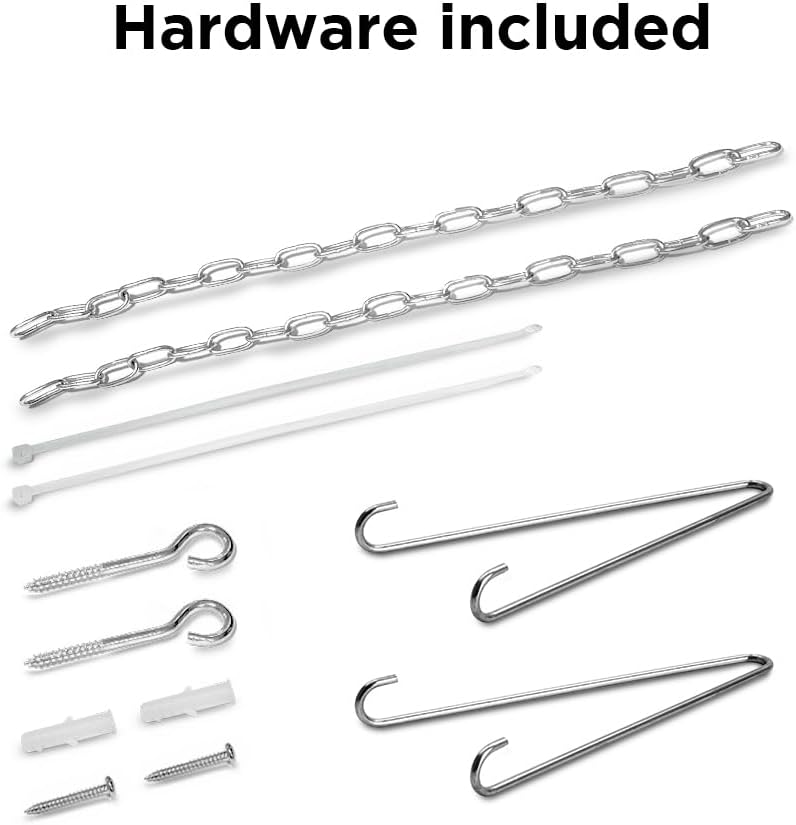
Image: A collection of mounting hardware including chains, screws, and anchors.
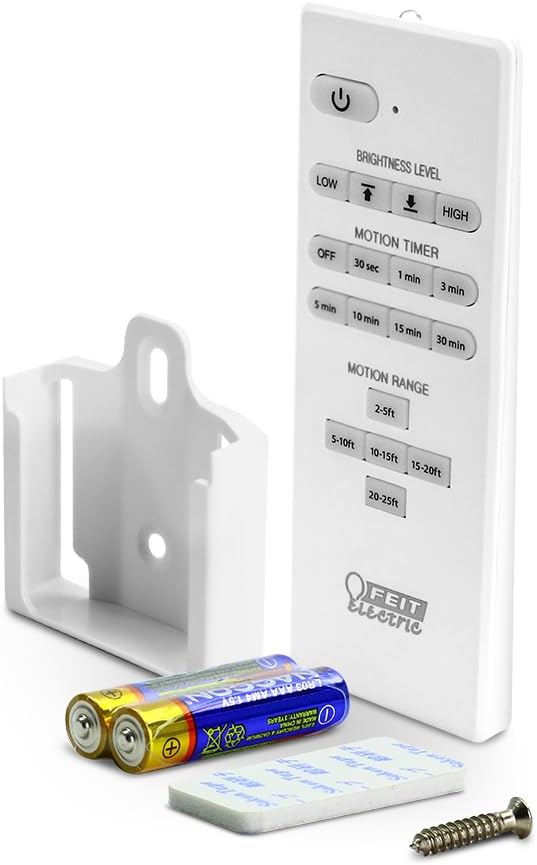
Image: The remote control, a wall mount bracket, and batteries for the utility light.
명세서
| 특징 | 사양 |
|---|---|
| 모델 번호 | SHOP/4/840/MM |
| 치수(길이 x 너비 x 높이) | 46.2인치 x 2.1인치 x 2.2인치 |
| 왓tage | 55와트 |
| 명도 | 5000루멘 |
| 색온도 | 4000K 쿨화이트 |
| 권tage | 120 볼트 |
| 수명 | 최대 50,000시간 |
| 특별 기능 | Motion Sensor, Remote Controlled |
| 설치 유형 | Flush Mount, Hanging |
| 실내/실외 사용 | 실내 |
| 재료 | 플라스틱 |
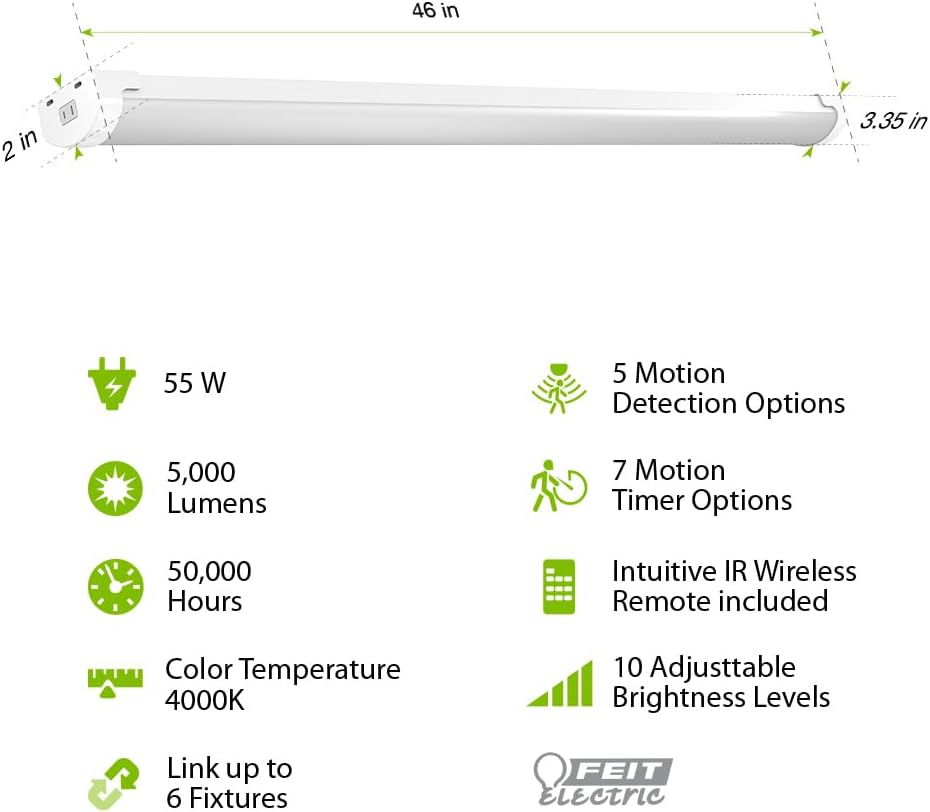
Image: Diagram illustrating the 46-inch length, 2-inch width, and 3.35-inch height of the light, along with icons for 55W, 5000 Lumens, 50,000 Hours, 4000K Color Temperature, Link up to 6 Fixtures, 5 Motion Detection Options, 7 Motion Timer Options, Intuitive IR Wireless Remote included, and 10 Adjustable Brightness Levels.
설정 및 설치
The Feit Electric LED Utility Light offers versatile installation options: hanging or flush mount. Ensure the power source is off before installation.
교수형 설치
- Attach the hanging chains to the designated points on the fixture.
- Securely fasten the other end of the chains to a sturdy ceiling structure using the provided hooks and screws.
- Adjust the chain length to achieve the desired height.
플러시 마운트 설치
- Position the fixture against the ceiling at the desired location.
- Mark the mounting points through the fixture's mounting holes.
- 필요한 경우 파일럿 구멍을 뚫고 벽 앵커를 삽입합니다.
- 제공된 나사를 사용하여 조명기구를 천장에 고정합니다.
After mounting, plug the 5-ft. cord into a standard electrical outlet.

Image: A visual comparison showing how to perform a flush mount installation with screws and a hanging installation with chains and hooks.
작동 지침
The utility light can be operated manually or via the included remote control.
원격 제어 기능
The remote control allows for comprehensive management of the light's features:
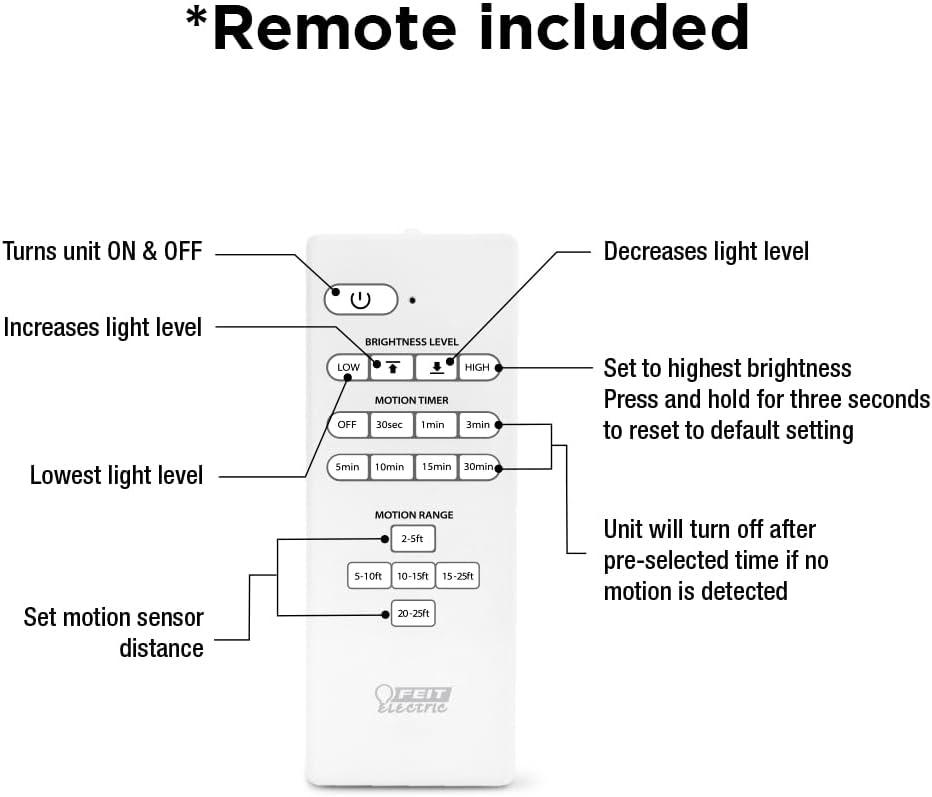
Image: A detailed diagram of the remote control, labeling buttons for ON/OFF, increasing/감소asing light level, setting to highest brightness, resetting to default, setting lowest light level, motion timer options (30s, 1min, 3min, 5min, 10min, 15min, 30min), and motion range settings (2-5ft, 5-10ft, 10-15ft, 15-25ft, 20-25ft).
- 전원 버튼: 장치를 켜거나 끕니다.
- 밝기 레벨: Use the up/down arrows to increase or decrease light intensity.
- 저 높은: Quickly set to highest or lowest brightness. Press and hold HIGH for three seconds to reset to default settings.
- Motion Timer: Select from 30 seconds, 1 minute, 3 minutes, 5 minutes, 10 minutes, 15 minutes, or 30 minutes. The light will turn off after the pre-selected time if no motion is detected.
- 동작 범위: Set the motion sensor detection distance to 2-5ft, 5-10ft, 10-15ft, 15-25ft, or 20-25ft.
모션 센서 작동
The built-in PIR motion sensor detects movement and can automatically activate the light. There are 5 convenient lighting modes:
- 항상 켜짐: Light remains on continuously.
- Motion Sensor On/Off: Light turns on when motion is detected and off when no motion is detected for a set period.
- Motion Sensor with Timer: Light turns on with motion and stays on for the selected timer duration.
- 디밍 모드: Light operates at a reduced brightness level.
- 야간 모드: Specific setting for low-light conditions.
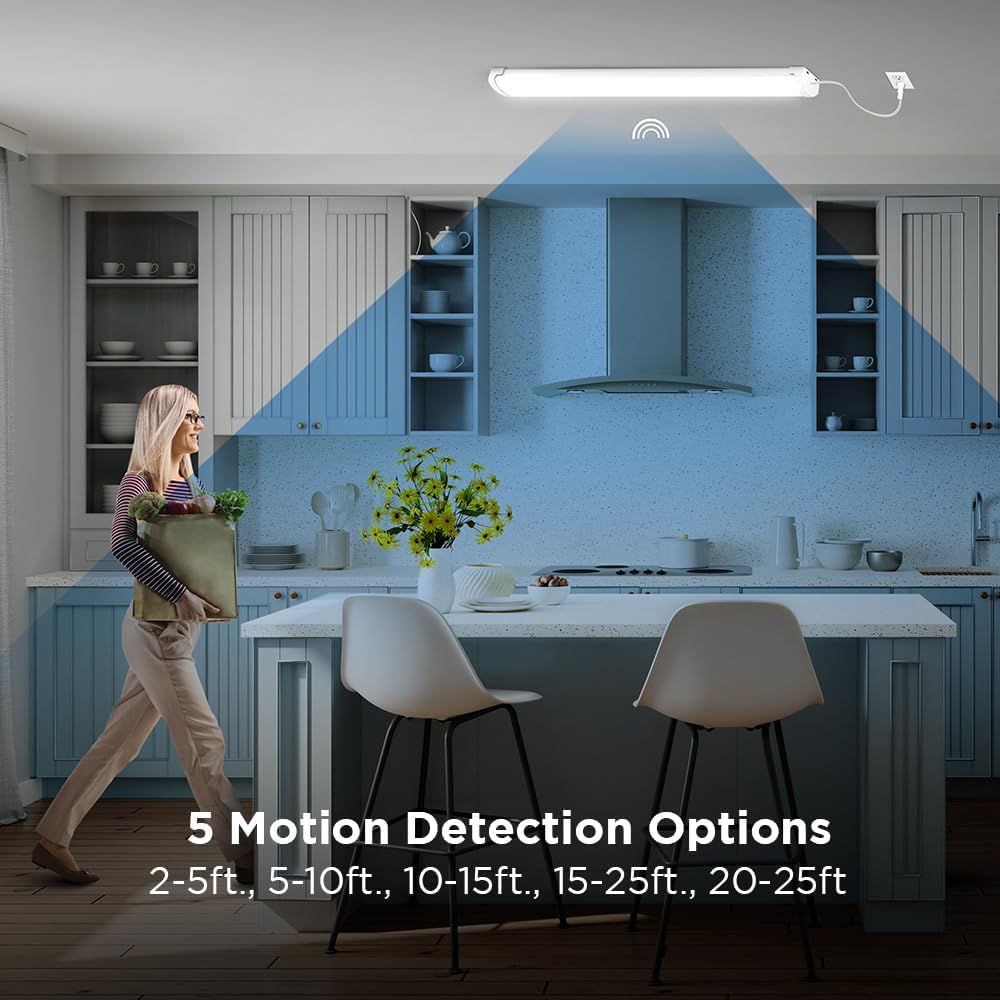
Image: A woman walking in a kitchen, illustrating the motion detection range with options from 2-5ft to 20-25ft.
유지
This LED utility light is designed for long-lasting, maintenance-free operation. To ensure optimal performance:
- 청소: 청소하기 전에 전원을 분리하세요. 부드럽고 마른 천이나 약간 마른 천으로 고정 장치를 닦으세요.amp 천. 연마성 세척제나 용매를 사용하지 마십시오.
- 전구 교체: The integrated LEDs are designed to last up to 50,000 hours and are not user-replaceable.
- 점검: Periodically check the mounting hardware for tightness and ensure the power cord is free from damage.
문제 해결
If you experience issues with your utility light, refer to the following common solutions:
| 문제 | 가능한 원인 | 해결책 |
|---|---|---|
| 불이 켜지지 않습니다 | No power, loose connection, remote battery dead | Check power outlet, ensure cord is securely plugged in, replace remote batteries. |
| 모션 센서가 작동하지 않음 | Incorrect motion range setting, obstruction, ambient light too high | Adjust motion range on remote, clear obstructions, ensure sensor is not in direct bright light. |
| 조명이 예기치 않게 깜박이거나 어두워집니다. | Unstable power supply, faulty unit | Check power source. If problem persists, contact customer support. |
보증
This Feit Electric LED Utility Light is covered by a 5년 제조사 보증. Please retain your proof of purchase for warranty claims. For detailed warranty information, refer to the official Feit Electric web사이트를 방문하거나 고객 지원팀에 문의하세요.
고객 지원
For 24/7 customer support and additional resources, please visit the Feit Electric help center:

Image: A graphic indicating 24/7 help and directing users to feit.com/help, accompanied by a QR code.