
소개
The IOWODO R8 Smartwatch is a versatile wearable device designed to help you monitor your health and stay connected. It features 24/7 heart rate and blood oxygen monitoring, sleep tracking, message notifications, and 25 sports modes. This manual provides essential information for setting up, operating, and maintaining your smartwatch.
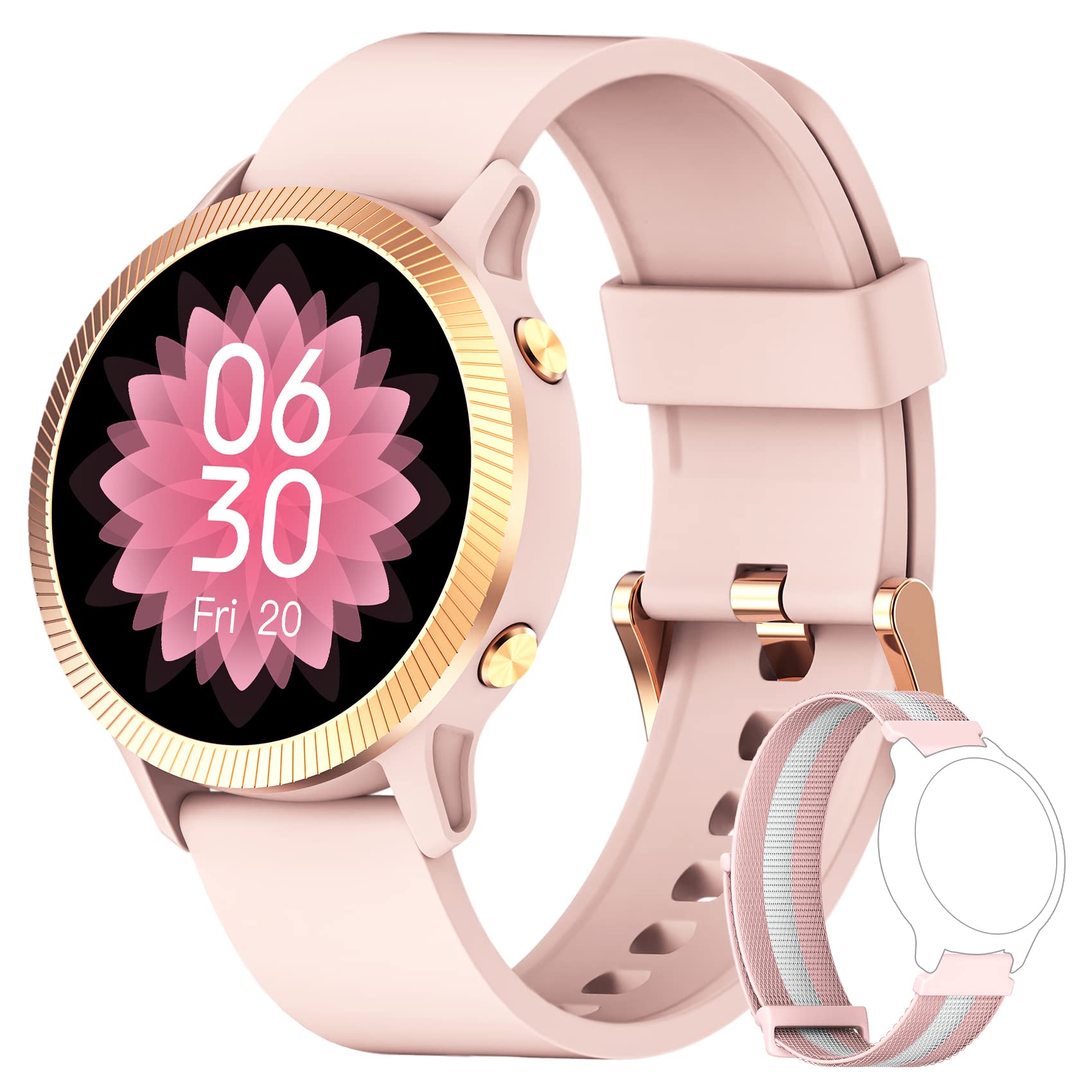
영상: The IOWODO R8 Smartwatch, showcasing its display and sleek design. This image illustrates the device's appearance and user interface.
1. 설정
1.1 스마트워치 충전
Before first use, fully charge your IOWODO R8 Smartwatch. Connect the magnetic charging cable to the charging contacts on the back of the watch and plug the USB end into a standard USB power adapter (not included).
- 일반적으로 완전 충전에는 약 2시간이 걸립니다.
- 시계 디스플레이에 충전 상태가 표시됩니다.
1.2 전원 켜기/끄기
- 전원 켜기: 측면 버튼을 화면이 켜질 때까지 몇 초 동안 길게 누르세요.
- 전원 끄기 : 시계의 '설정' 메뉴로 이동한 다음 '전원 끄기' 또는 '종료'를 선택하세요. 선택을 확인하세요.
1.3 GloryFit 앱 설치
The IOWODO R8 Smartwatch requires the 글로리핏 application for full functionality and data synchronization. Download the app from your smartphone's app store (Google Play Store for Android or Apple App Store for iOS).
- 검색 "GloryFit" in your app store.
- 스마트폰에 앱을 설치하세요.
1.4 스마트폰과 페어링
To pair your smartwatch with the GloryFit app:
- 스마트폰에서 Bluetooth가 활성화되어 있는지 확인하세요.
- GloryFit 앱을 엽니다.
- 화면의 지시에 따라 계정을 생성하거나 로그인하세요.
- 앱 내 '기기' 섹션으로 이동하여 '기기 추가'를 선택하세요.
- The app will search for nearby devices. Select "IOWODO R8" or a similar device name from the list.
- 메시지가 표시되면 스마트폰과 스마트워치 모두에서 페어링 요청을 확인하세요.
- 페어링이 완료되면 시계가 휴대폰과 시간과 데이터를 동기화합니다.
2. 사용 설명서
2.1 기본 탐색
- 위/아래로 스와이프: 메뉴와 알림을 스크롤합니다.
- 왼쪽/오른쪽으로 스와이프: 빠른 기능이나 다양한 데이터 화면에 접근합니다.
- 수도꼭지: 항목을 선택하거나 작업을 확인하세요.
- 측면 버튼: 눌러서 홈 화면으로 돌아가거나 화면을 켜세요.
2.2 상태 모니터링
The IOWODO R8 continuously monitors various health metrics:
- 심박수: The watch automatically monitors your heart rate 24/7. View 시계에서 실시간 데이터를 확인하거나 GloryFit 앱에서 상세한 과거 데이터를 확인할 수 있습니다.
- 혈중 산소(SpO2): Your blood oxygen levels are also monitored automatically. Access current readings on the watch and trends in the app.
- 수면 추적: The smartwatch records your sleep patterns at fixed times and analyzes sleep quality. Review your sleep data in the GloryFit app to understand your sleep health.
- 보수계: 매일의 걸음 수, 거리, 소모 칼로리를 추적합니다.
2.3 스마트 알림
Once paired with the GloryFit app, your smartwatch can receive notifications:
- 메시지 알림: Receive notifications for messages from various apps (e.g., SMS, Facebook, WhatsApp, Instagram). You can view the message text directly on your smartwatch.
- 수신 전화: The watch will alert you to incoming calls. You can reject calls directly from the smartwatch.
- 기타 알림: Includes features like female menstrual period tracking, alarm clock, and sedentary reminders. Configure these in the GloryFit app.
2.4가지 스포츠 모드
The IOWODO R8 offers 25 sports modes to track your workouts:
- 시계에서 '스포츠' 또는 '운동' 메뉴로 이동하세요.
- 원하는 활동을 선택하세요 (예: 달리기, 자전거 타기, 걷기).
- Start the activity. The watch will record real-time data such as heart rate, steps, training time, distance, and calories burned.
- For outdoor activities, the watch can share GPS data with your mobile phone via the GloryFit app for more accurate route tracking.
- End the activity when finished. Detailed workout logs are available in the GloryFit app.
2.5 시계 화면 사용자 정의
스마트워치 화면을 개인 설정하세요:
- The watch comes with 4 pre-defined watch faces.
- Through the GloryFit app, you can access over 200 online watch face options for download.
- You can also customize your watch face by selecting a photo from your phone's gallery via the GloryFit app.
2.6 Weather Notifications
View local weather notifications for the most recent week directly on your watch. Ensure your watch is connected to the GloryFit app for updated weather information.
3. 유지관리
3.1 스마트워치 청소하기
- 부드러운 천으로 시계 화면과 스트랩을 정기적으로 닦아주세요.amp 옷감.
- 강한 화학 물질이나 연마재는 기기를 손상시킬 수 있으므로 사용하지 마십시오.
- 부식을 방지하려면 충전하기 전에 충전 접점이 깨끗하고 건조한지 확인하세요.
3.2 방수(IP68)
The IOWODO R8 Smartwatch is rated IP68, meaning it is resistant to dust and can withstand immersion in water up to 1.5 meters for up to 30 minutes. However, it is not suitable for hot water, saunas, or diving. Avoid prolonged exposure to water and dry the watch thoroughly if it gets wet.
3.3 배터리 관리
- 배터리 수명을 연장하려면 배터리를 자주 완전히 방전하지 마세요.
- 제공된 자석 충전 케이블을 사용하여 시계를 충전하세요.
- 장시간 사용하지 않을 때는 시계를 서늘하고 건조한 곳에 보관하세요.
4. 문제 해결
If you encounter issues with your IOWODO R8 Smartwatch, refer to the following common solutions:
| 문제 | 해결책 |
|---|---|
| 시계의 전원이 켜지지 않습니다. | 시계가 완전히 충전되었는지 확인하세요. 충전기에 최소 30분 동안 연결해 두세요. |
| Cannot pair with smartphone / Bluetooth connection issues. |
|
| 알림을 받지 않습니다. |
|
| 걸음 수나 건강 데이터가 정확하지 않습니다. |
|
| Watch performance is slow or unresponsive. |
|
5. 사양
| 특징 | 세부 사항 |
|---|---|
| 상표 | 아이오도 |
| 모델명 | R8 스마트 워치 |
| 화면 크기 | 1.09 인치 |
| 연결 기술 | 블루투스 |
| 특별 기능 | GPS (integrated), Music Player, Heart Rate Monitor |
| 호환 장치 | 스마트폰 (iOS 및 안드로이드) |
| 방수 등급 | IP68 |
| 배터리 | 1 Lithium-ion (included), Rechargeable |
| 제조업체 | 아이오도 |
| 첫 번째 이용 가능 날짜 | 12년 2023월 XNUMX일 |
6. 보증 및 지원
6.1 보증 정보
IOWODO provides a 24-month after-sales service for this product. If you encounter any issues, please do not return the product immediately. Contact our support team for assistance.
6.2 고객 지원
For support or inquiries, please follow these steps:
- 아마존 계정에 로그인하세요.
- Navigate to 'My Orders'.
- Find the order number for your IOWODO R8 Smartwatch.
- Select 'Order Issue' or a similar option.
- Choose 'Contact Seller'.
Our customer service team aims to respond within 24 hours to provide a satisfactory solution.