
소개
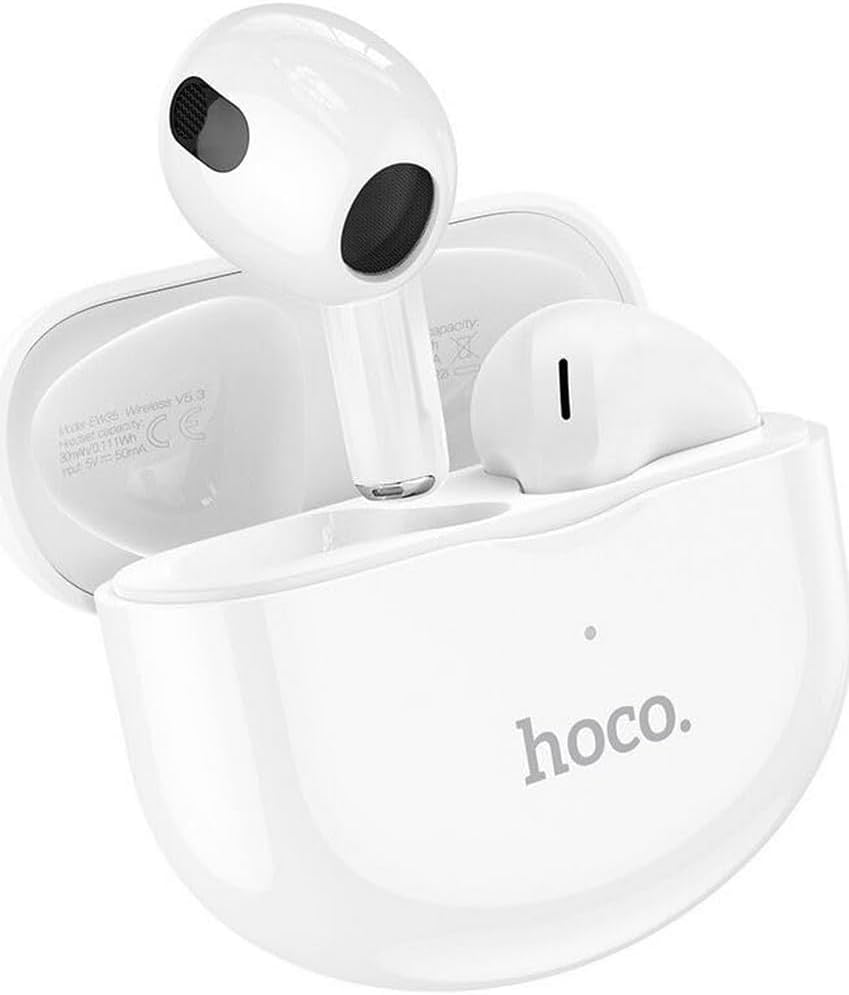
Thank you for choosing the Hoco EW35 Wireless Bluetooth Earphones. These earphones are designed to provide a high-quality audio experience with the convenience of wireless connectivity. Featuring Bluetooth 5.3, touch controls, and an integrated voice assistant, the EW35 offers seamless interaction with your compatible devices. This manual will guide you through the setup, operation, and maintenance of your earphones.
패키지 내용
다음 품목이 패키지에 포함되어 있는지 확인하세요.
- Hoco EW35 Wireless Bluetooth Earphones (Left and Right)
- 충전 케이스
- 사용자 설명서
- 보호 케이스

설정
1. 이어폰 및 케이스 충전
Before first use, ensure both the earphones and the charging case are fully charged. The charging case holds multiple charges for the earphones, extending their usage time.
- 이어폰을 충전 케이스에 넣으세요. 이어폰이 각 슬롯에 제대로 장착되었는지 확인하세요.
- 호환되는 USB 케이블을 사용하여 충전 케이스를 전원에 연결하세요.
- The indicator light on the charging case will show the charging status. Refer to the product's specific LED indicators for full charge notification.

2. 블루투스 기기와 페어링하기
The Hoco EW35 earphones use Bluetooth 5.3 for a stable and efficient connection.
- 충전 케이스를 여세요. 이어폰이 자동으로 페어링 모드로 전환됩니다(이어폰의 LED가 깜빡입니다).
- On your device (smartphone, tablet, laptop, etc.), go to the Bluetooth settings.
- 검색 available devices and select "Hoco EW35" from the list.
- Once connected, the earphones will indicate a successful pairing (e.g., a voice prompt or solid LED light).
- 이어폰을 케이스에서 꺼내면 기기에서 블루투스가 활성화된 경우 마지막으로 페어링된 장치에 자동으로 다시 연결됩니다.
작동 지침
터치 컨트롤
The Hoco EW35 earphones feature intuitive touch controls on each earbud. The specific functions may vary slightly depending on your device and application.
- 재생/일시 중지: 양쪽 이어버드를 한 번 탭하세요.
- 다음 트랙: 오른쪽 이어버드를 두 번 탭하세요.
- 이전 트랙 : 왼쪽 이어버드를 두 번 탭하세요.
- 전화 받기/종료: 수신 전화나 통화 중일 때 한쪽 이어버드를 한 번 탭합니다.
- 전화 거부: 전화가 오는 동안 한쪽 이어버드를 2초간 길게 누르세요.
- Voice Assistant 활성화 : 양쪽 이어버드를 세 번 탭하세요.
음성 지원
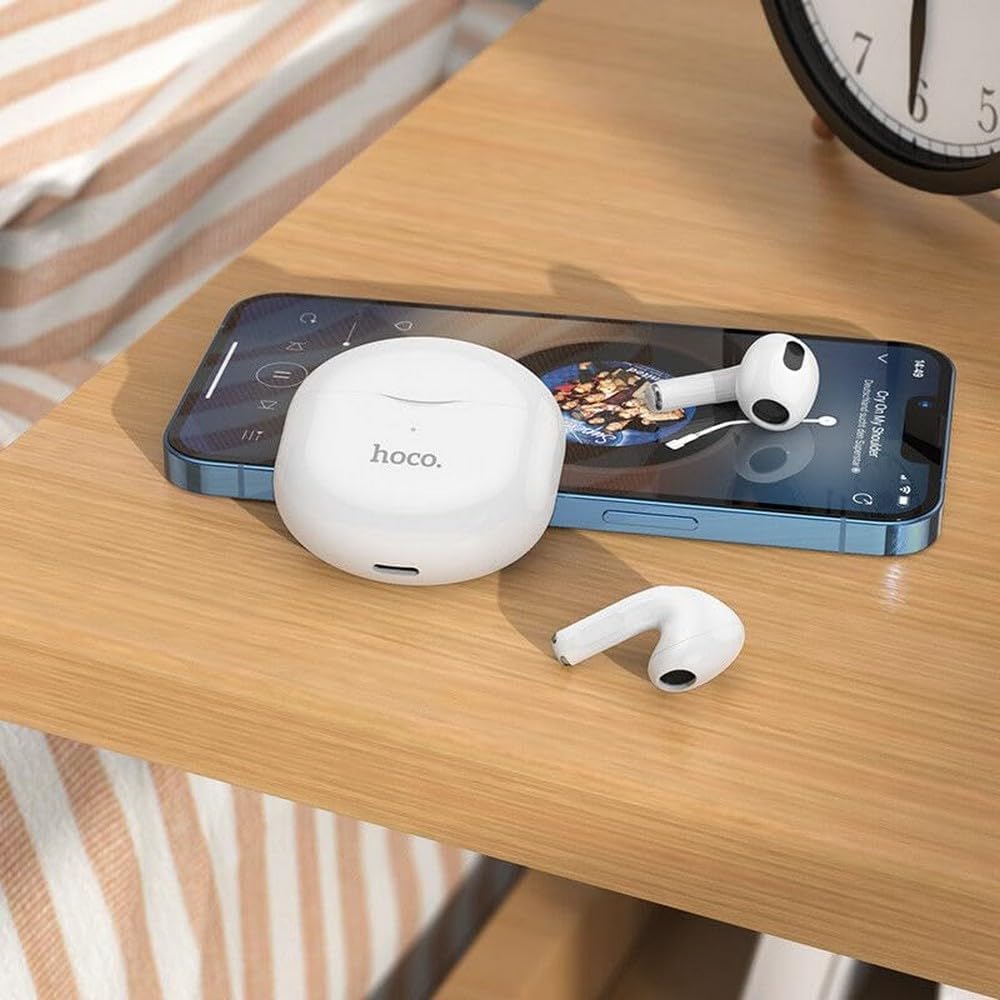
The integrated voice assistant allows you to control your device using voice commands. Triple tap either earbud to activate your device's voice assistant (e.g., Siri, Google Assistant).
유지
청소
정기적인 청소는 건전한 품질과 위생을 유지하는 데 도움이 됩니다.
- 부드럽고 마른 보푸라기 없는 천으로 이어폰과 충전 케이스를 닦으세요.
- 완고한 먼지에는 약간 dampen the cloth with water or a mild, non-abrasive cleaner. Avoid getting liquid into openings.
- 강한 화학 물질, 알코올 또는 연마재를 사용하지 마십시오.
- 이어팁과 스피커 메시를 부드럽게 닦아 귀지나 이물질을 제거하십시오.
저장
사용하지 않을 때는 이어폰을 충전 케이스에 보관하여 보호하고 충전 상태를 유지하세요.
- 직사광선 및 극한의 온도를 피하고 서늘하고 건조한 곳에 보관하십시오.
- Avoid exposing the earphones or case to excessive moisture. While the earphones are rated as waterproof, prolonged exposure or submersion is not recommended.
문제 해결
If you encounter issues with your Hoco EW35 earphones, try the following solutions:
- 이어폰이 페어링되지 않음:
- 두 이어폰이 모두 충전되어 있는지 확인하세요.
- 기기의 Bluetooth를 껐다가 다시 켜세요.
- Forget "Hoco EW35" from your device's Bluetooth list and attempt to pair again.
- Place earphones back in the case, close it, wait a few seconds, then open it again to re-enter pairing mode.
- 한쪽 또는 양쪽 이어폰에서 소리가 나지 않습니다.
- 연결된 기기의 볼륨 레벨을 확인하세요.
- 이어폰이 귀에 제대로 꽂혀 있는지 확인하세요.
- 이어폰을 기기에 다시 연결하세요.
- 스피커 메시에서 이물질을 청소하세요.
- 충전 문제:
- 충전 케이블이 케이스와 전원에 모두 단단히 연결되어 있는지 확인하세요.
- 다른 충전 케이블이나 전원 어댑터를 사용해 보세요.
- 이어폰과 케이스의 충전 접점을 모두 청소하세요.
- 터치 컨트롤이 응답하지 않음:
- 손가락이 깨끗하고 건조한지 확인하세요.
- 이어폰을 케이스에 넣었다가 다시 꺼내서 재부팅해 보세요.
명세서
| 특징 | 세부 사항 |
|---|---|
| 모델명 | EW35 |
| 상표 | 호코 |
| 연결 기술 | 무선(블루투스 5.3) |
| 귀 위치 | 인이어 |
| 폼 팩터 | 인이어 |
| 재료 | 플라스틱 |
| 재생 시간 | Up to 4 hours (per earbud) |
| 제어 방법 | 터치, 음성 제어 |
| 특별 기능 | Integrated Voice Assistant, Touch Control |
| 방수 레벨 | 방수복 |
| 소음 제거 | 없음 |
| 호환 장치 | Smartphones, Tablets, Laptops, Desktops, Smart Speakers, Game Consoles |
| 배터리 | 1 리튬이온(포함) |
| 충전식 배터리 | 예 |

안전 정보
기기 손상이나 부상을 방지하기 위해 다음 안전 지침을 읽고 준수해 주십시오.
- 청력 손상을 방지하려면 장시간 높은 볼륨으로 청취하지 마십시오.
- 주변 소리를 듣지 못하면 위험할 수 있는 상황(예: 운전, 자전거 타기, 교통량이 많은 곳에서 걷기)에서는 이어폰을 사용하지 마십시오.
- 이어폰과 충전 케이스를 극한 온도, 직사광선 및 화기로부터 멀리하십시오.
- 제품을 분해, 수리 또는 개조하지 마십시오. 이는 보증을 무효화하고 제품 손상을 초래할 수 있습니다.
- 어린이와 애완동물의 손이 닿지 않는 곳에 보관하세요. 작은 부품은 질식 위험을 초래할 수 있습니다.
- 제품과 배터리는 현지 규정에 따라 책임감 있게 폐기하십시오.
보증 및 지원
For detailed warranty information, please refer to the warranty card included in your product packaging. If you require further assistance or have questions not covered in this manual, please visit the official Hoco web사이트를 방문하거나 고객 지원팀에 직접 문의하세요.
자세한 정보와 지원 리소스는 다음에서 확인할 수 있습니다. www.hoco.com