
소개
The HOMPOW F4 Mini Projector is designed to provide a versatile and high-quality viewing experience. This manual provides essential information for setting up, operating, and maintaining your projector to ensure optimal performance and longevity.
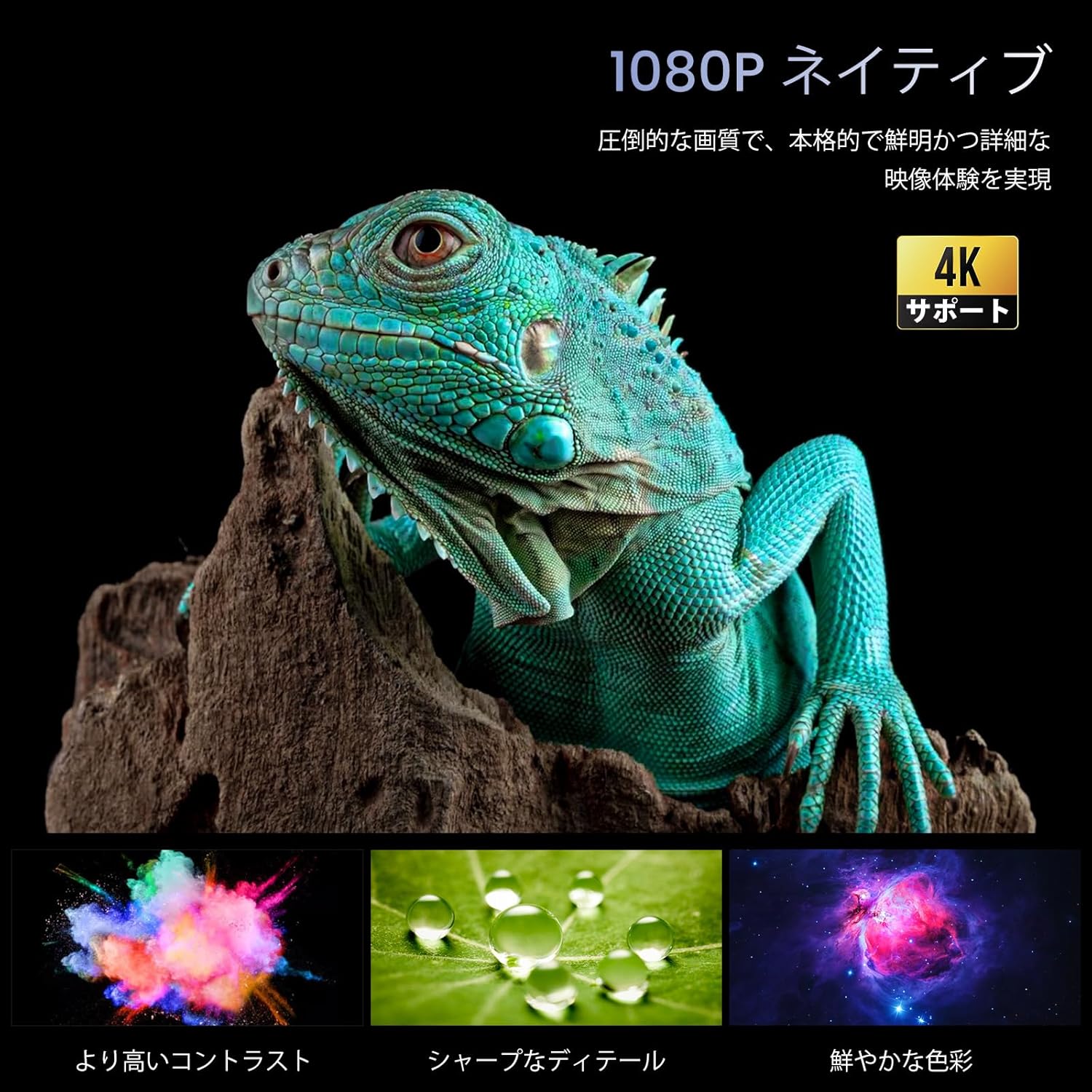
Image: The HOMPOW F4 Mini Projector, a compact device designed for various projection needs.
주요 특징
- 5G Wi-Fi & Wired Connectivity: Supports AirPlay and MiraCast for seamless wireless connection with smartphones and computers. Also allows wired connection via USB cable when Wi-Fi is unavailable.
- High Brightness & Native 1080P with 4K HD Support: Delivers 12000 lumens brightness and native 1080P resolution, with support for 4K HD video playback, ensuring clear and detailed images.
- Wide Compatibility & Bluetooth 5.2: Equipped with AV, 2 USB, and 2 HDMI input ports, compatible with PCs, laptops, TV boxes, smartphones, DVD players, USB memory, Amazon Fire TV Stick, Xbox, PS4, and PS5. Bluetooth 5.2 allows connection to external Bluetooth speakers, headphones, and soundbars for an immersive audio experience.
- Integrated 15W HIFI Speaker & 200-inch HD Large Screen: Features an upgraded 15W HIFI speaker chip for clear sound, stereo separation, and powerful presence. Supports projection sizes up to 200 inches, with a recommended projection distance of 2.3-3 meters.
- Long Lifespan & High Contrast: LED lamp has a lifespan of over 120,000 hours (approximately 25 years of use). A high dynamic contrast ratio of 12000:1 ensures high-quality images and audio.
설치 가이드
1. 풀기 및 배치
포장에서 모든 구성품을 조심스럽게 꺼내십시오. 프로젝터를 안정적이고 평평한 표면에 놓으십시오. 기기 주변에 충분한 통풍이 이루어지도록 하십시오.
2. 전원 연결
- Connect the power adapter to the projector's DC input port.
- 전원 어댑터를 벽면 콘센트에 꽂으세요.
- 프로젝터나 리모컨의 전원 버튼을 눌러 전원을 켜세요.
3. Physical Connections (HDMI/USB)
The projector supports various wired connections for media input.

이미지: 후면 view of the projector showing AV, USB, and HDMI input ports.
- HDMI : Connect your HDMI-enabled device (e.g., laptop, game console, Fire TV Stick) to one of the HDMI ports.
- USB: Insert a USB drive for media playback or connect a smartphone via USB cable for wired mirroring.
- 유명인 : 구형 기기는 AV 포트를 사용하세요.
Video: Demonstration of connecting a TV Stick to the projector's HDMI port and USB power. This video illustrates the process of physically connecting a streaming device and selecting the correct input source.
4. Wireless Connection (5G Wi-Fi)
The projector supports 5G Wi-Fi for screen mirroring and online streaming.
- Navigate to the projector's main menu and select the Wi-Fi settings.
- Choose your desired 5G Wi-Fi network and enter the password.
- For screen mirroring, select AirPlay (for iOS devices) or MiraCast (for Android devices) from the menu and follow the on-screen instructions to connect your smartphone or computer.

이미지: 전amples of projection sizes ranging from 40 to 200 inches, illustrating the flexibility of the projector's display capabilities.
5. 블루투스 페어링
Connect external audio devices via Bluetooth 5.2.
- Go to the Bluetooth settings in the projector's menu.
- Bluetooth를 활성화하고 사용 가능한 장치를 검색합니다.
- Select your Bluetooth speaker, headphones, or soundbar from the list to pair.

Image: The projector wirelessly connected to two external Bluetooth speakers, enhancing the audio experience.
6. 초점 및 핵심 수정
Adjust the image for clarity and proper shape.
- 수동 초점: 프로젝터 렌즈의 초점 링을 돌려 이미지가 선명하고 깨끗하게 보이도록 하십시오.
- 키스톤 보정: Use the projector's menu settings to adjust the keystone (trapezoidal distortion) if the image appears wider at the top or bottom.

Image: A close-up of the projector lens with a focus ring, indicating manual focus adjustment for a clear image.
작동 지침
1. 메뉴 탐색
Use the remote control or the buttons on the projector to navigate through the on-screen menu. Select options using the 'OK' or 'Enter' button.
2. 입력 소스 선택
From the main menu, select the appropriate input source (e.g., HDMI1, HDMI2, USB, AV, Screen Mirroring) corresponding to your connected device.
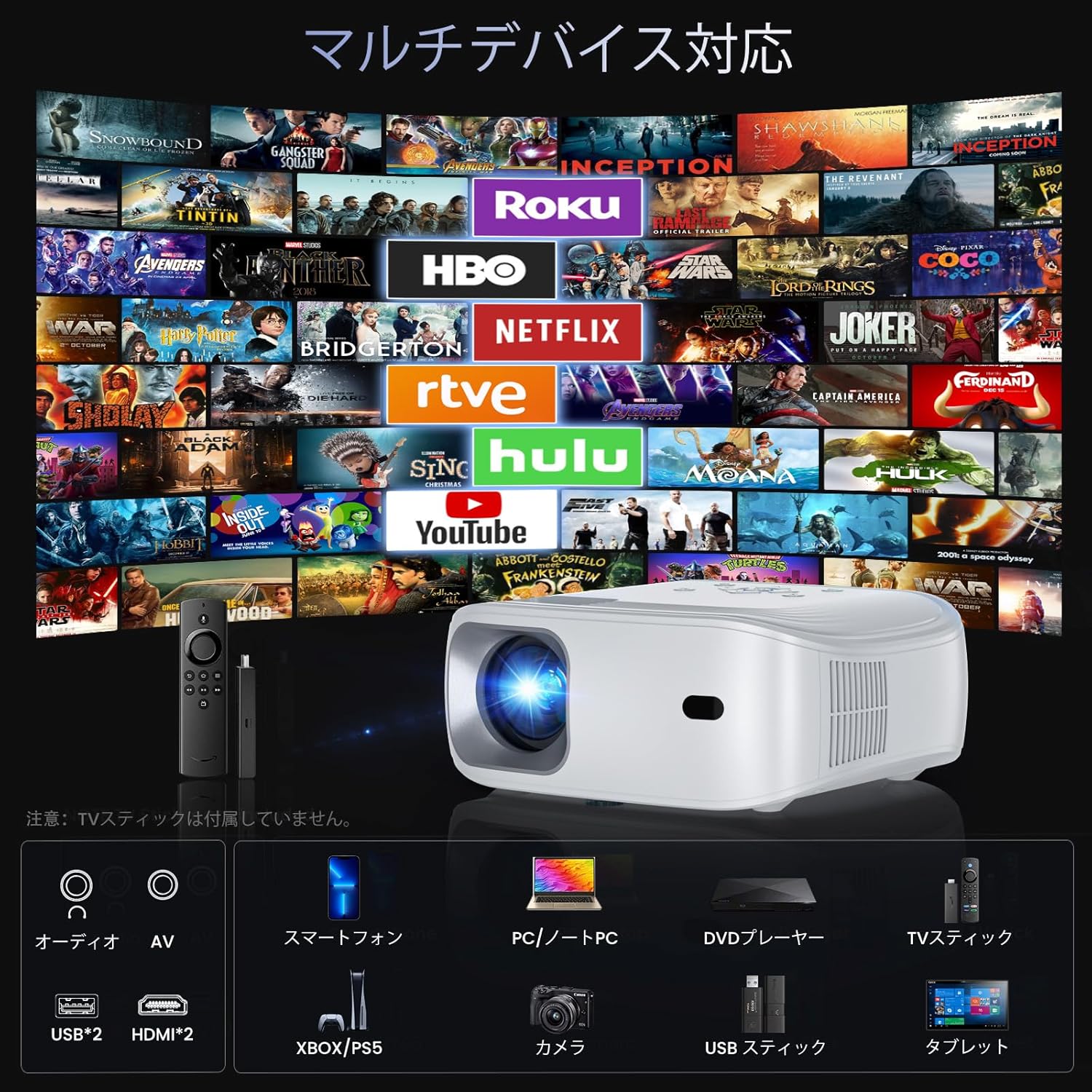
Image: The projector demonstrating compatibility with various devices including smartphones, PCs, DVD players, and TV sticks.
3. 화면 미러링
To mirror your smartphone or computer screen:
- 기기와 프로젝터가 동일한 Wi-Fi 네트워크에 연결되어 있는지 확인하십시오.
- Select 'Screen Mirroring' from the projector's menu.
- On your smartphone/computer, activate screen mirroring (e.g., AirPlay for iOS, Smart View/Cast for Android) and select the projector from the list of available devices.
Video: Demonstration of FUNLOGY Projector Usage. This video provides a general overview of how to use the projector in various settings.
4. 줌 기능
The projector features a 50% zoom function to adjust the image size without moving the projector. Access this feature through the display settings in the menu.
5. Ceiling Projection
For ceiling projection, orient the projector vertically. Adjust the image orientation in the display settings if necessary.
6. 예정된 종료
The HOMPOW F4 Projector can be set to automatically shut down after a specified period (up to 4 hours). This feature helps conserve energy and prevents the projector from running unnecessarily.

Image: A couple enjoying a movie in bed, highlighting the convenience of the scheduled shutdown feature.
7. 사용 시나리오
The projector is suitable for various environments:
- Home Cinema: Enjoy movies and TV shows on a large screen.
- 노름: Connect game consoles for an immersive gaming experience.
- 프레젠테이션: Ideal for business meetings or educational purposes.
- 야외 엔터테인먼트: Portable design allows for outdoor movie nights or events.

Image: A collage showing the projector being used for outdoor movies, exercise sessions, party projections, and business presentations.
Video: Philoent Home Mini Projector Overview. This video showcases the projector's features and its suitability for various home entertainment and professional uses.
유지
1. 렌즈 청소
광학 렌즈 전용으로 제작된 부드럽고 보풀 없는 천으로 프로젝터 렌즈를 살살 닦아주세요. 연마성 세척제나 과도한 힘을 사용하면 렌즈에 흠집이 생길 수 있으므로 피하십시오.
2. 프로젝터 본체 청소
프로젝터 외부를 부드럽고 마른 천으로 닦으십시오. 액체 세척제를 기기에 직접 사용하지 마십시오.
3. 환기
Ensure that the projector's ventilation openings are not blocked. The dual-fan cooling system requires clear airflow to prevent overheating and maintain optimal performance.
4. 보관
When not in use for extended periods, store the projector in a cool, dry place, away from direct sunlight and excessive dust. Consider using a protective cover.
문제 해결
If you encounter issues with your HOMPOW F4 projector, refer to the following common problems and solutions:
| 문제 | 가능한 원인 | 해결책 |
|---|---|---|
| 화면이 표시되지 않거나 "신호 없음" 메시지가 나타납니다. | 잘못된 입력 소스가 선택되었습니다. 케이블 연결이 느슨합니다. 기기의 전원이 켜져 있지 않습니다. | Verify the input source matches the connected device. Check all cable connections (HDMI, USB). Ensure the source device is powered on. |
| 흐릿한 이미지 | Focus not adjusted; incorrect projection distance. | Adjust the manual focus ring on the lens. Ensure the projector is within the recommended projection distance (1.4m to 5m). |
| Image is trapezoidal (wider at top/bottom) | 프로젝터가 스크린에 수직이 아닙니다. | Adjust the keystone correction in the projector's display settings. Reposition the projector to be more aligned with the screen. |
| 소리가 나지 않습니다 | Volume too low; external audio device not connected or paired; incorrect audio output selected. | Increase the projector's volume. If using Bluetooth, ensure the external device is paired and its volume is up. Check audio output settings. |
| Wi-Fi or Screen Mirroring issues | Weak Wi-Fi signal; incorrect password; device compatibility. | Ensure the projector and source device are close to the Wi-Fi router. Re-enter Wi-Fi password. Check device compatibility for AirPlay/MiraCast. |
| Projector overheating or fan noise | 통풍구 막힘; 장기간 사용. | Ensure ventilation ports are clear. Allow the projector to cool down if used for extended periods. |
명세서
| 특징 | 세부 사항 |
|---|---|
| 상표 | 홈포 |
| 모델 | HOMPOW F4 |
| 네이티브 해상도 | 1920 x 1080(풀HD) |
| 지원되는 해상도 | 최대 4K HD |
| 명도 | 12000루멘 |
| 대비율 | 12000시 1분 |
| Lamp 수명 | 120,000시간 |
| 투사 크기 | 최대 200인치 |
| 투사 거리 | 1.4m - 5m (Recommended: 2.3m - 3m) |
| 줌 기능 | 50% 디지털 줌 |
| 연결성 | 5G Wi-Fi, Bluetooth 5.2, 2x HDMI, 2x USB, AV |
| 오디오 | 내장형 15W 하이파이 스피커 |
| 색상 | 하얀색 |
| 치수 | 34 x 27.4 x 13cm |
| 무게 | 1.94kg |
| 권장 사용 | 홈시네마 |

Image: A vivid display demonstrating the projector's 1080P native resolution and 4K support, highlighting high contrast, sharp details, and rich colors.

Image: An illustration of the projector's internal 15W HIFI speaker, emphasizing lossless audio quality.
Video: About the Projector. This video provides a general overview of the projector's design and capabilities.
보증 및 지원
For detailed warranty information, please refer to the product packaging or the official HOMPOW website. For technical support, troubleshooting assistance, or any other inquiries, please contact HOMPOW customer service through the contact information provided with your purchase or on the official web대지.