
1. 서론
The BOTSLAB W302 Outdoor Dual-Lens Security Camera is designed to provide comprehensive surveillance for your home or business. Featuring advanced dual-lens technology, it offers a 170° super-wide viewing angle and crystal-clear 4MP resolution. This manual provides detailed instructions for setting up, operating, and maintaining your security camera to ensure optimal performance.
2. 패키지 내용
아래 나열된 모든 품목이 패키지에 포함되어 있는지 확인해 주세요. 품목이 누락되었거나 손상된 경우 고객 지원팀에 문의해 주세요.
- 카메라 유닛 x 1
- 브래킷 x 1
- 포지셔닝 스티커 x 1
- Warning sticker x 1
- 빠른 시작 가이드 x 1
- 전원 어댑터 x 1
- 나사 팩 x 1

Figure 2.1: All components included in the BOTSLAB W302 camera package.
3. 제품 특징
- Dual-Lens Vision: Captures a wide 170° super-wide viewing angle with 4MP (2MP+2MP) resolution for seamless panoramic images without blind spots.
- 컬러 나이트 비전: Provides continuous color views 24/7, even in low light, thanks to automatic light adaptation (ColorGuard) and up to 100ft night vision range.
- Smart Security & Precise Alerts: Detects people and vehicles with motion detection, sending precise alerts. Features a customizable siren and light alarm for enhanced security.
- AI 기반 추적: Intelligently focuses on humans, offering close-up views and dual live views (wide panorama and close-up) simultaneously via the Botslab app.
- 원활한 연결성: Supports faster and more stable dual-band Wi-Fi (2.4GHz/5GHz).
- 양방향 오디오 : Stay connected and communicate with visitors or deter intruders.
- 비바람에 견디는 디자인: IP66 rated, ensuring reliable performance in temperatures from -20°C to 60°C.
- 스마트 홈 통합: Seamlessly integrates with Amazon Alexa and Google Assistant for voice control.

Figure 3.1: Dual-Lens Vision with 170° Super-Wide Angle.

Figure 3.2: Non-Stop Color Night Vision.

Figure 3.3: Smart Security with Person, Vehicle, and Motion Detection.
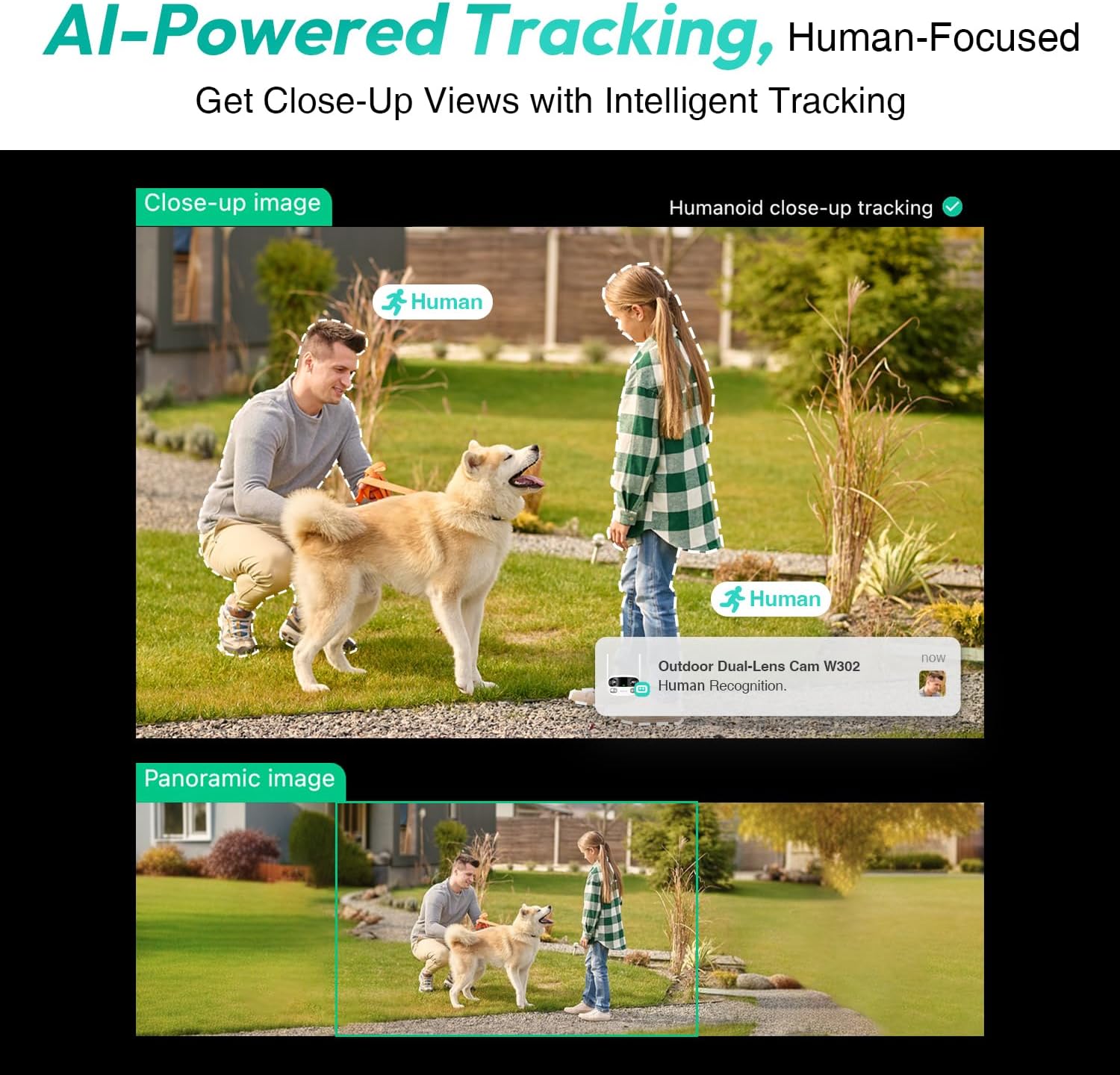
Figure 3.4: AI-Powered Human Tracking with Dual Live Views.
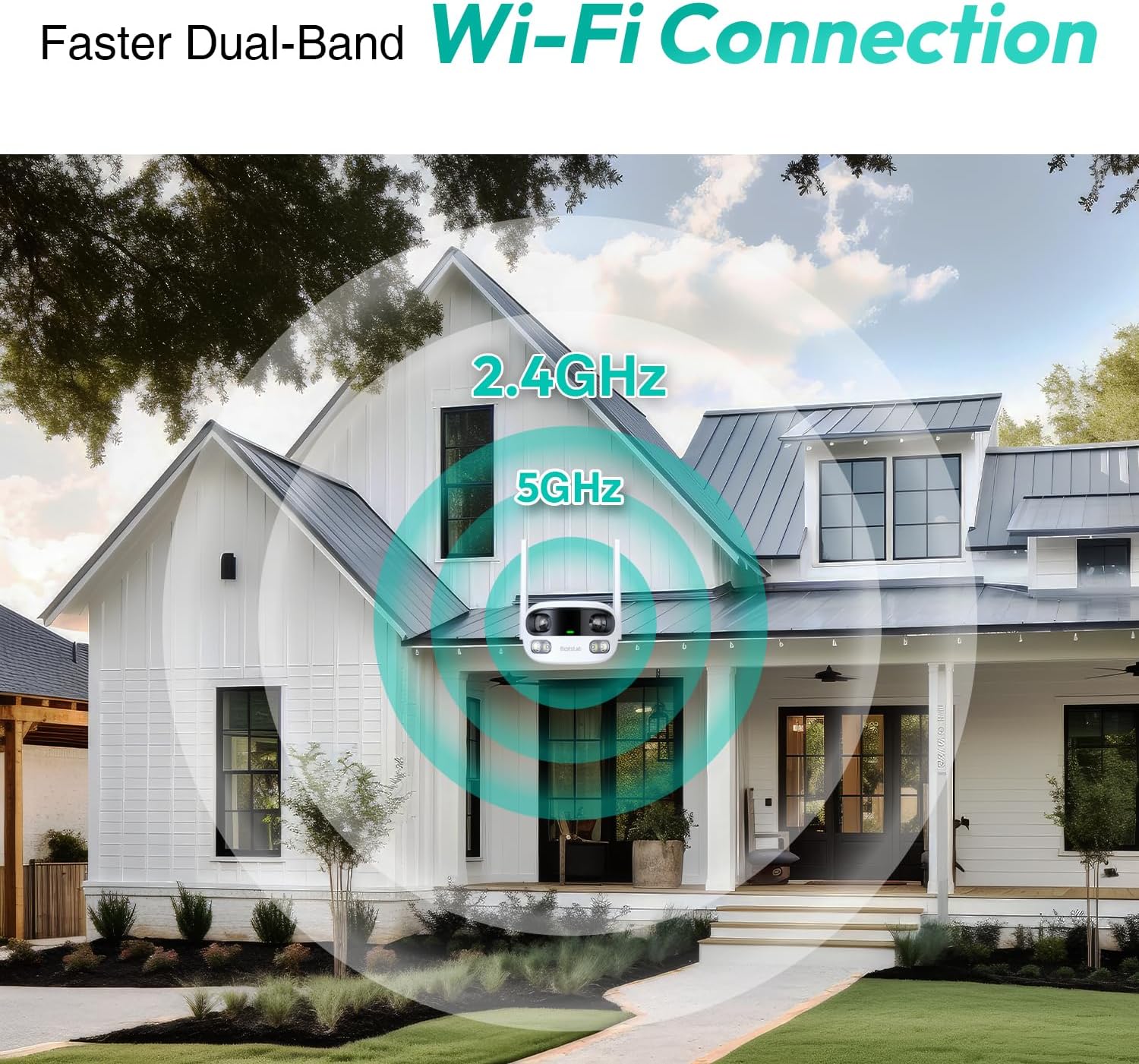
Figure 3.5: Faster Dual-Band Wi-Fi Connection.

그림 3.6: 양방향 오디오 통신.

그림 3.7: IP66 방수 설계.

Figure 3.8: Alexa & Google Assistant Integration.
4. 설정 및 설치
Follow these steps to properly install your BOTSLAB W302 camera.
- 위치를 선택하세요: 맑은 야외 장소를 선택하세요 view of the area you wish to monitor. Ensure it's within Wi-Fi range and near a power outlet.
- 브래킷을 장착합니다: Use the provided positioning sticker to mark drill holes on the wall or ceiling. Drill the holes, insert expansion tubes, and securely fasten the bracket with screws.
- 카메라 부착: Rotate the camera body and screw it onto the bracket. Adjust the camera's position and tighten the bracket.
- 전원 연결: Plug the power adapter into the camera and then into a power outlet. The indicator light will turn green and start flashing when ready for pairing.

Figure 4.1: Versatile Installation Options (Wall and Ceiling).
비디오 4.1: 오버view of the Botslab Security Camera Outdoor, including its features and installation process. This video is provided by Botslab Security.
5. 앱 구성
The Botslab app is essential for controlling and monitoring your camera. Download and install the app on your smartphone (available on App Store and Google Play).
- 등록/로그인: Open the Botslab app and register a new account or log in with an existing one.
- 장치 추가: Tap 'Add Device' or the '+' icon in the app.
- QR 코드 스캔: 카메라 하단에 있는 QR 코드를 스캔합니다.
- Wi-Fi에 연결: Follow the in-app instructions to connect the camera to your 2.4GHz or 5GHz Wi-Fi network. Ensure your phone is near the camera during this process.
- 장치 바인딩: The app will bind the device to your account. Once connected, the indicator light on the camera will turn solid blue.
비디오 5.1: 자세한 재view of the Botslab W302 Outdoor Dual Lens Security Camera, including app setup and features. This video is provided by Galaxy Tech Review.
6. 사용 설명서
Once configured, you can access and control your camera through the Botslab app.
- 살다 View: Access the live feed from both lenses. You can switch between close-up and panoramic views, or use the left/right mode for individual lens feeds.
- 팬 / 줌 : In panoramic mode, slide the bottom image to pan left or right. Pinch to zoom on the close-up image.
- 양방향 오디오 : Tap the phone icon to speak through the camera's speaker. Tap the mute icon to silence audio from the camera's microphone.
- Siren & Light Alarm: Activate the siren and floodlights manually from the app to deter intruders.
- Motion/Vehicle/Person Detection: Enable these features in the app settings to receive precise alerts.
- 개인 정보 보호 구역: 카메라 내의 특정 영역을 설정하세요 view that will not be monitored for privacy.
- 야간 투시경: The camera automatically adapts to low light. You can choose between full-color night vision (using floodlights) or infrared night vision.

Figure 6.1: Dual Live Views on the Botslab App.

Figure 6.2: Siren & Light Alarm for Instant Deterrence.

Figure 6.3: Configuring Privacy Zones.

Figure 6.4: Smart Security with Precise Alerts.
7. 저장 옵션
The BOTSLAB W302 offers flexible storage solutions for your recorded footage.
- Botslab Cloud Storage: Includes a one-year trial with 7-day storage for motion-detected clips at 5-minute intervals.
- 로컬 스토리지: Supports up to 256GB MicroSD cards (not included). The MicroSD card slot is located under a protective cover at the bottom of the camera.

Figure 7.1: Cloud and Local Storage Options.
8. 사양
| 특징 | 사양 |
|---|---|
| 비디오 캡처 해상도 | 4 MP |
| View잉 각도 | 170도 |
| 연결 기술 | 2.4GHz/5GHz 와이파이 |
| 국제 보호 등급 | IP66 |
| 작동 온도 | -20°C ~ 60°C |
| 스마트 홈 호환성 | Amazon Alexa, Google Assistant |
| 로컬 스토리지 | Up to 256GB MicroSD (Not Included) |
| 전원 | Wired (AC power cord included) |
| 색상 | White Pro |
| 품목 무게 | 1.63파운드 |
9. 유지관리
- 청소: 카메라 렌즈와 바디는 부드러운 천으로 정기적으로 닦아주세요.amp 천으로 먼지와 때를 제거하세요. 독한 화학 물질을 사용하지 마세요.
- 펌웨어 업데이트: Check the Botslab app periodically for firmware updates to ensure optimal performance and security.
- 전원 공급 장치: Ensure the camera is connected to a stable power source. Avoid using unofficial power adapters.
- SD 카드 관리 : If using local storage, regularly back up important footage and format the MicroSD card to maintain performance.
10. 문제 해결
- 카메라 오프라인: Check Wi-Fi connection and power supply. Try restarting the camera and your router.
- 낮은 비디오 품질: Ensure the lens is clean. Check your Wi-Fi signal strength. Adjust camera placement if necessary.
- 동작 감지 문제: Verify detection zones are correctly set in the app. Adjust sensitivity settings.
- 양방향 오디오 문제: 앱의 마이크 및 스피커 설정을 확인하세요. 볼륨 레벨이 적절한지 확인하십시오.
- SD 카드가 녹화되지 않음: Ensure the MicroSD card is inserted correctly and is not full. Format the card if issues persist.
11. 보증 및 지원
BOTSLAB is committed to providing high-quality products and excellent customer service.
- 품질 보증: Enjoy a 365-day quality guarantee.
- 기술 도움말: 평생 기술 지원이 제공됩니다.
- 보고: 30일 무료 반품.
- Fast Support: Expect support within 48 hours.
추가 지원을 받으려면 다음을 방문하십시오. 글로벌봇랩닷컴 또는 연락하세요 service@botslab.com.